This thread has been locked.

If you have a related question, please click the "Ask a related question" button in the top right corner. The newly created question will be automatically linked to this question.

CCS/TMS320F28035: Start Solar Explorer Kit without GUI

Part Number: TMS320F28035
Other Parts Discussed in Thread: CONTROLSUITE

Tool/software: Code Composer Studio

Hi,

I am using TI solar Explorer Kit and it is working with the code it has in controlSuit and GUI composer. 

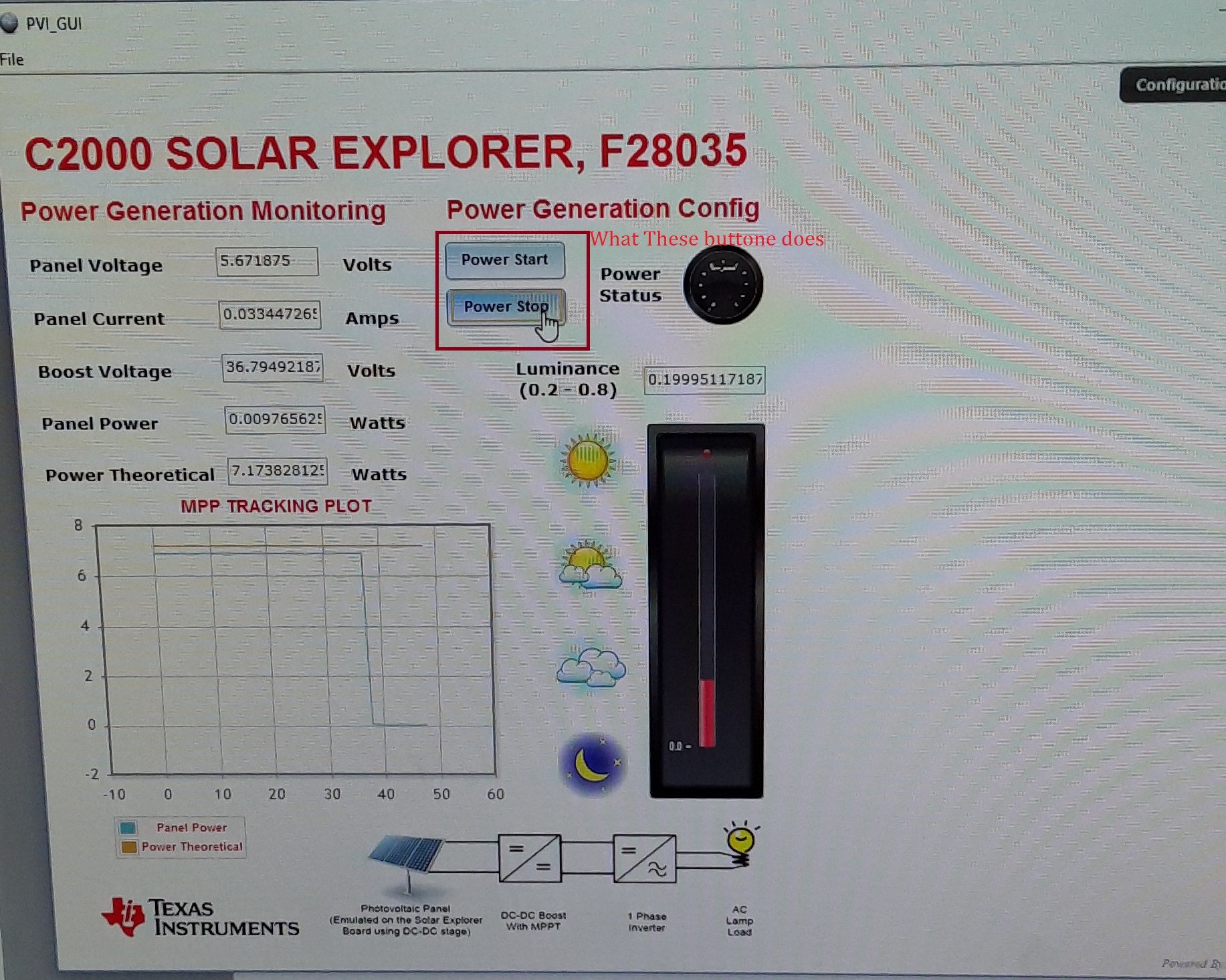
Now is there any way we can run this without GUI(The card works when I Click "Power Start" on GUI)? Please guide me what to change in Debug Expression to run the code. I want to know what does "Power Start" and "Power Stop" button does in the main code if it is clicked in GUI. 

Please Help!!

Thanks & Regards,

Aman

  • documentation on how to run the CCS build is here

    C:\ti\controlSUITE\development_kits\SolarExplorer_v1.1\SolarExplorer_PVInverter_F2803x\~Docs

    regarding the GUI, it uses the old GUI composer framework and works with JTAG. You can refer to GUI composer documentation. But we aware that the design is using the older version and may not be compatible anymore with the new version of GUI composer.

    C:\ti\controlSUITE\development_kits\SolarExplorer_v1.1\~GUI

  • Dear Manish,

    Thanks for your reply..

    But I already read these documents. That is how is get this to working with the help of GUI.

    But there is no mention of what part of code controlled by GUI. I simply wants to run the same code with GUI(without clicking "Power Start"). Can you tell me I it can be done??

    Regards,

    Aman

  • As I told you this is designed in GUI composer, please see some tutorial on GUI composer.

    The source of the GUI composer project is under the GUI folder as well, but it uses a very old version of the GUI composer. 

    ANd hence I will recommend you understand the new GUI composer, which works on JTAG. All the variables can simply be connected to GUI widgets to put a GUI together very quickly. 

    see

    https://www.youtube.com/watch?v=GKphHq9S3wM