Part Number: TMS320F28069M
Other Parts Discussed in Thread: CONTROLSUITE, C2000WARE
Tool/software: Code Composer Studio
Hello,
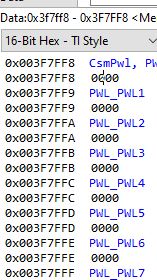
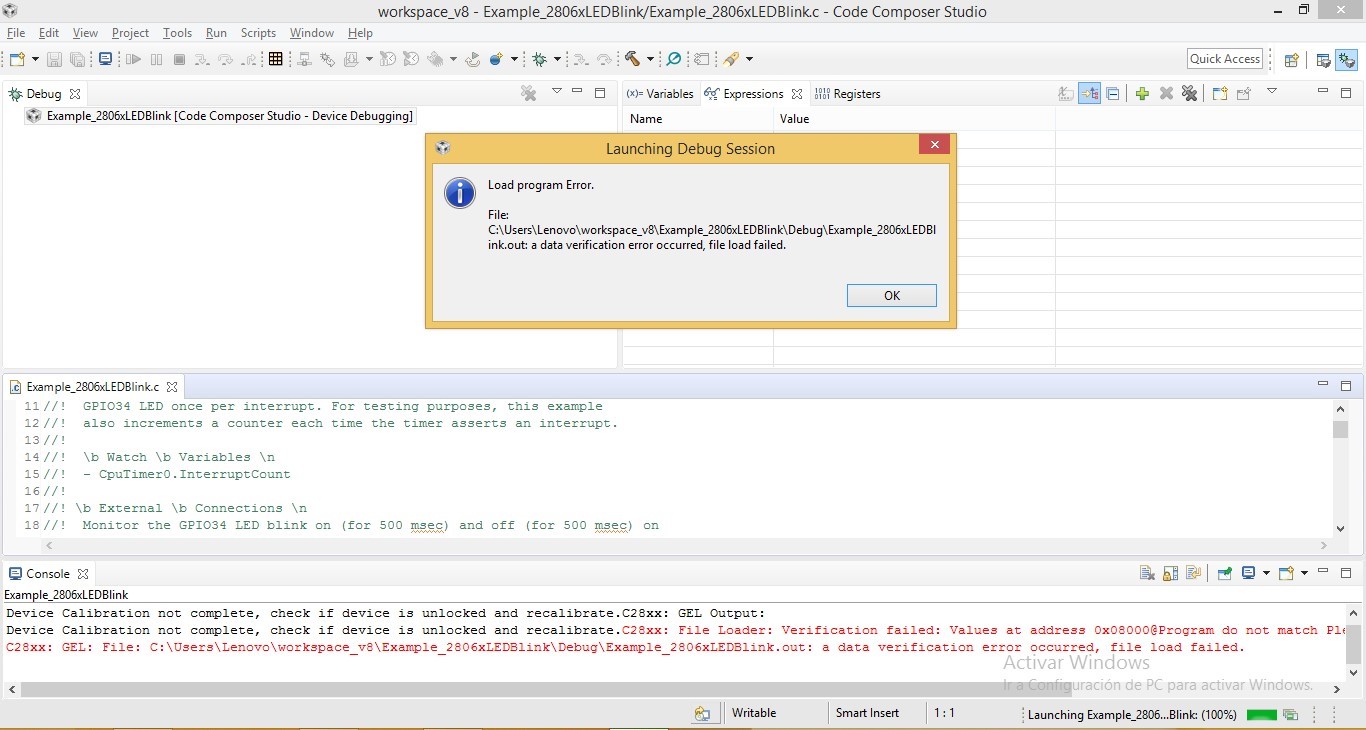
My device has the following error when I try to load any program example of the controlSUITE
This thread has been locked.
If you have a related question, please click the "Ask a related question" button in the top right corner. The newly created question will be automatically linked to this question.
Part Number: TMS320F28069M
Other Parts Discussed in Thread: CONTROLSUITE, C2000WARE
Tool/software: Code Composer Studio
Hello,
My device has the following error when I try to load any program example of the controlSUITE
Hi Henry,
Have you programmed the password on this device to enable security ? If yes then you need to unlock it before doing flash operation.
Regards,
Vivek Singh
Hi Henry,
Could you please let me know which device platform ( LanchPad, ControlCARD, or a customized board) you are using?
Best Regards,
Marlyn
hello Vivek Singh
my device is launchpad f28069M, I have not programmed the security password the problem arose when I was testing the example c2000 \ C2000Ware_1_00_06_00 \ libraries \ math \ CLAmath \ c28 \ examples \ sin.
hello Marlyn
my device is launchpad f28069M, I have not programmed the security password the problem arose when I was testing the example c2000 \ C2000Ware_1_00_06_00 \ libraries \ math \ CLAmath \ c28 \ examples \ sin
Marlyn
Instead of loading the program, can you just connect to CCS (launch the target configuration file and then right click on taget CPU and connect) and then open the flash address location in CCS memory watch window. Check if all the values are 0x0 or non-zero. If all the values are zero then device may have been locked. It may happen if for some reason flash operation got interrupted. Please check and let me know.
Vivek Singh
Hello how are you
Are you telling me to start the destination configuration file, could you tell me how I do that?
What happens is that I am really new with this type of development card and I am barely familiarizing myself with the programming environment.
I thank you if you can help me
Henry,
You need to click on "View" -> Target Configuration" which will open a Target Configuration view. There you need to click on "project" and select the target configuration file (.ccxml) and right click on that and then launch it. Once launched, you need to select the CPU, right click on it and then connect.
Regards,
Vivek Singh