This thread has been locked.

If you have a related question, please click the "Ask a related question" button in the top right corner. The newly created question will be automatically linked to this question.

CCS/TMS320F28379D: Working With Code Composer Studio

Part Number: TMS320F28379D
Other Parts Discussed in Thread: C2000WARE

Tool/software: Code Composer Studio

Hi,

After 1 Week wasting time on CCS errors even on its example(generated for help!), i ask everyone shows me a way, a document or a person that can help me working with CCS without error. 4 years ago, working with CCS6 was not a problem and now with CCS9, i have many problems that i can not solve them at all.

Please guide me,

Thanks

Best Regards

Moham

  • Hi Moham,

    Sorry to know that you have some trouble in getting CCS project working with CCS9. I am assuming you are using latest C2000Ware release from web to work on CCS9. If not, please download the same and try importing the example.

    If you still having issues, please provide the snapshot of the errors and example you are importing.

    Regards,

    Vivek Singh

  • Dear Vivek,

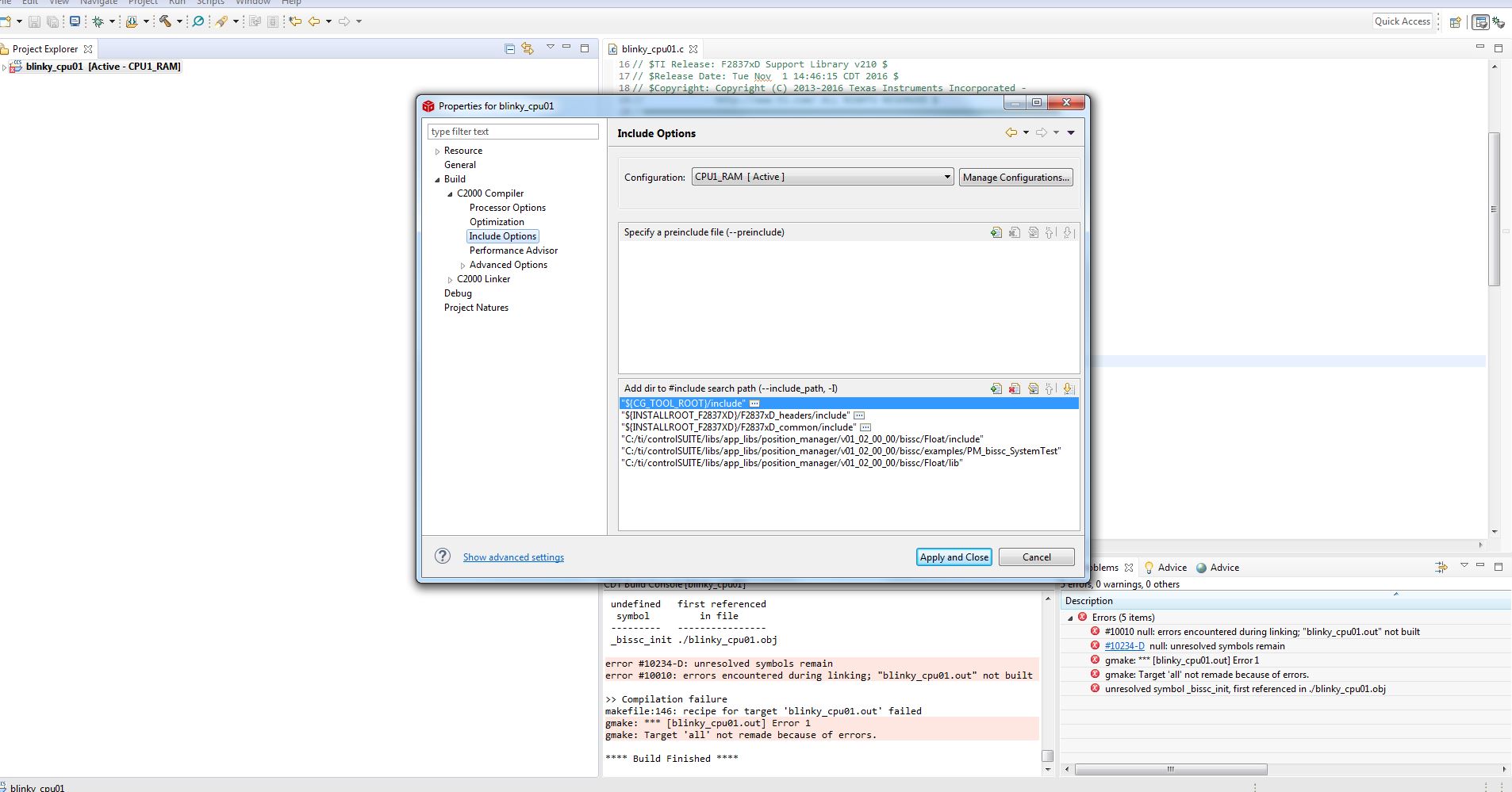
    I have the latest version of C2000Ware exactly. so i need a way for eliminating errors for original or customized examples by me that do not generate out of order errors.I think may i require some information about using new version of CCS and/or adding libraries that was not necessary in older versions(it seems at least). For Example after opening blinky example and adding only the bissc.h header and providing related include path and linker search path phrases, i see many errors that shown in attached screen shot.

  • Moham,

    Are you able to compile the example project without any modification?

    If yes then you need to see what you are modifying in project which is causing the error. E.g. in this case error is about link cmd file. You need to provide proper linker cmd file or include path which does not seems right here.

    Regards,

    Vivek Singh

  • Vivek,

    For adding bissc.h to my code, i need adding an include at the top of my code and the related .cmd file only? If its sufficient, i test it and provide the results here anf if its not adequate, please help me in this hard way...

    Re

    Moham

  • If you just want to add another include path where this file is stored then you should be able to do without any issue. I see the cmd file name has changed hence it's not finding that cmd file name. File name should not change because of adding a include path. If your existing workspace has problem then use new workspace and re-import the project and try to include the path.

    Regards,

    Vivek Singh

  • Vivek,

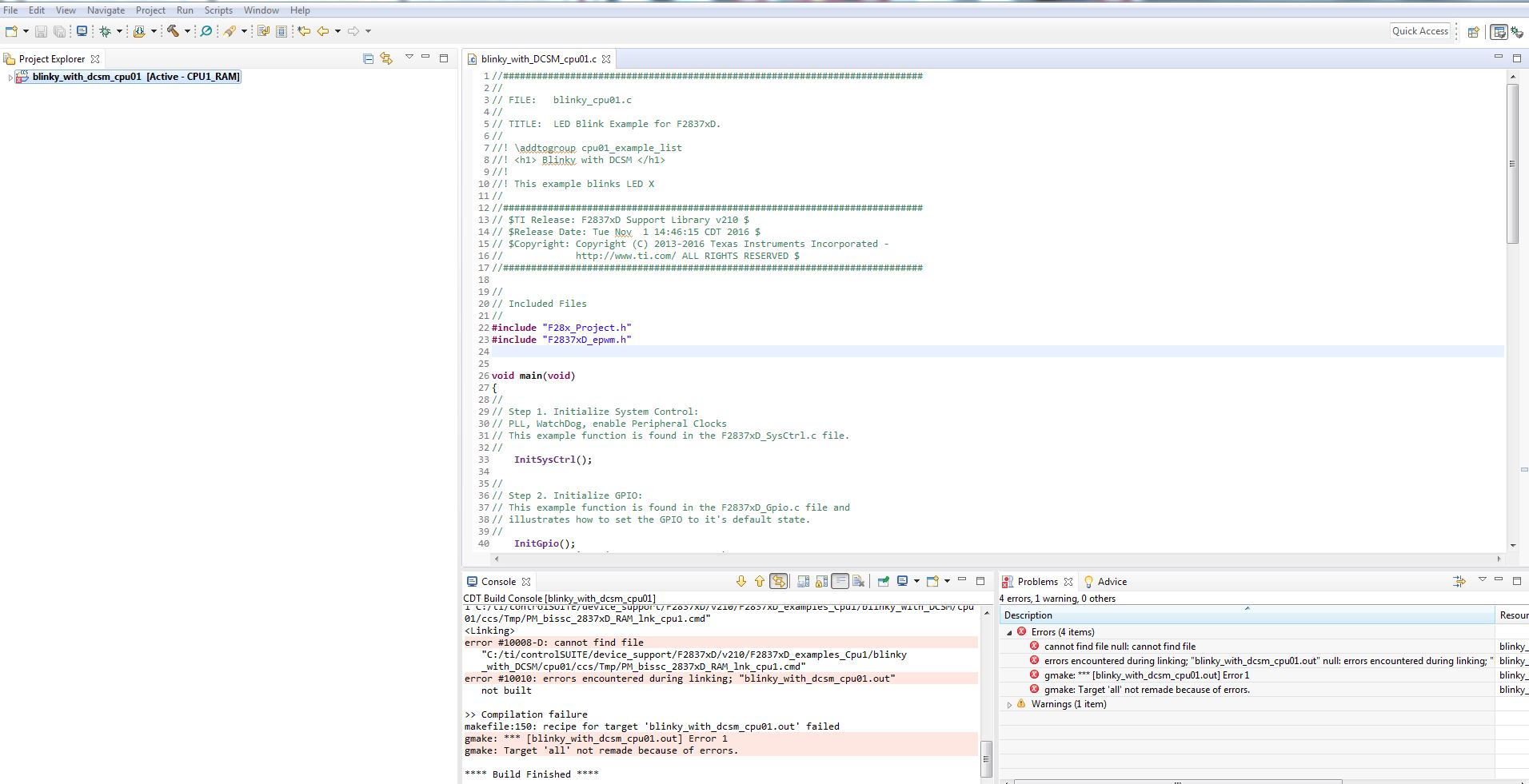
    i send 4 screenshot for you that 1) shows Original Code Example after reinstallation

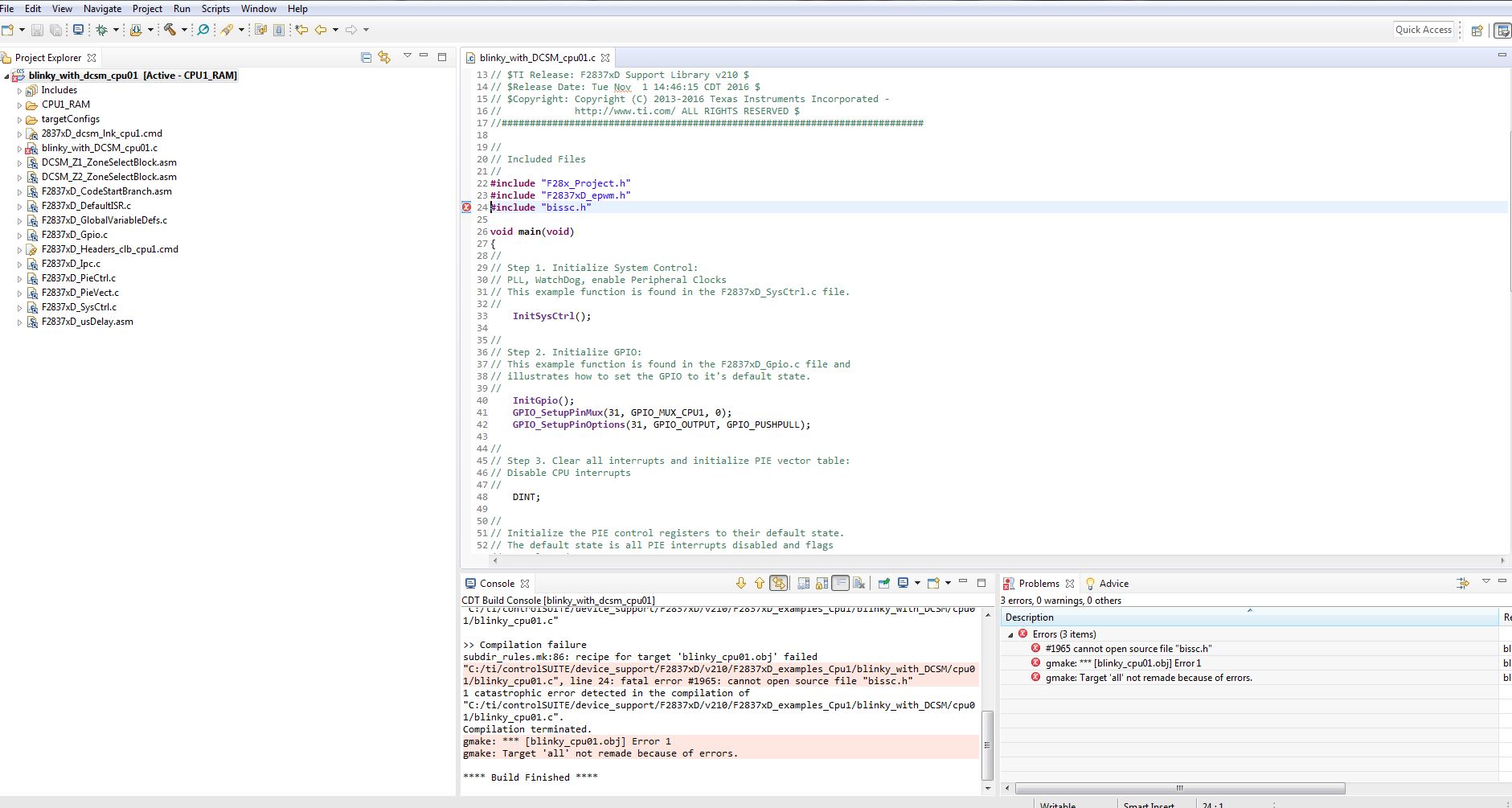
                                                       2) shows bissc.h header file only uncommented

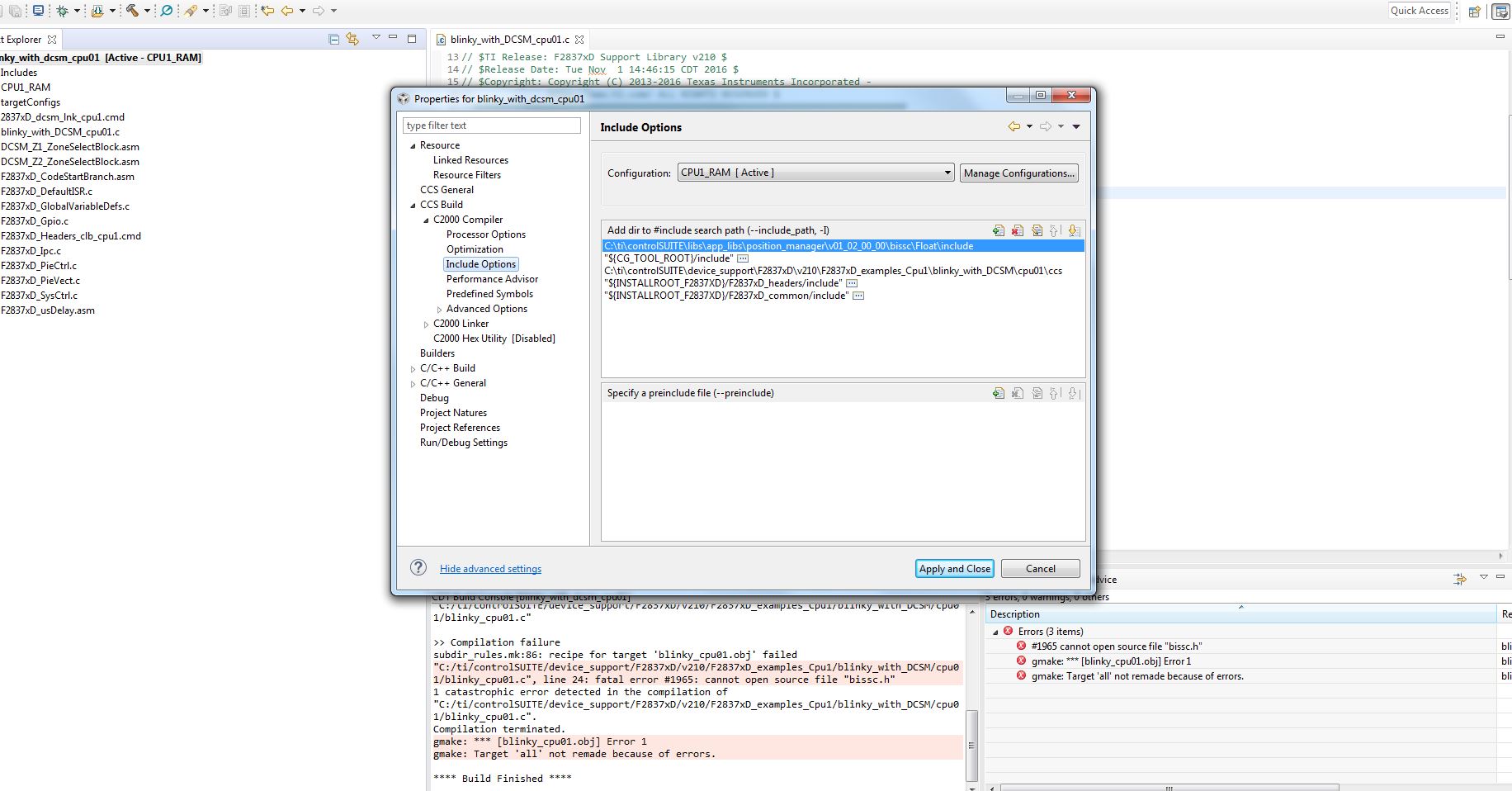
                                                       3) shows compiler include serach path box

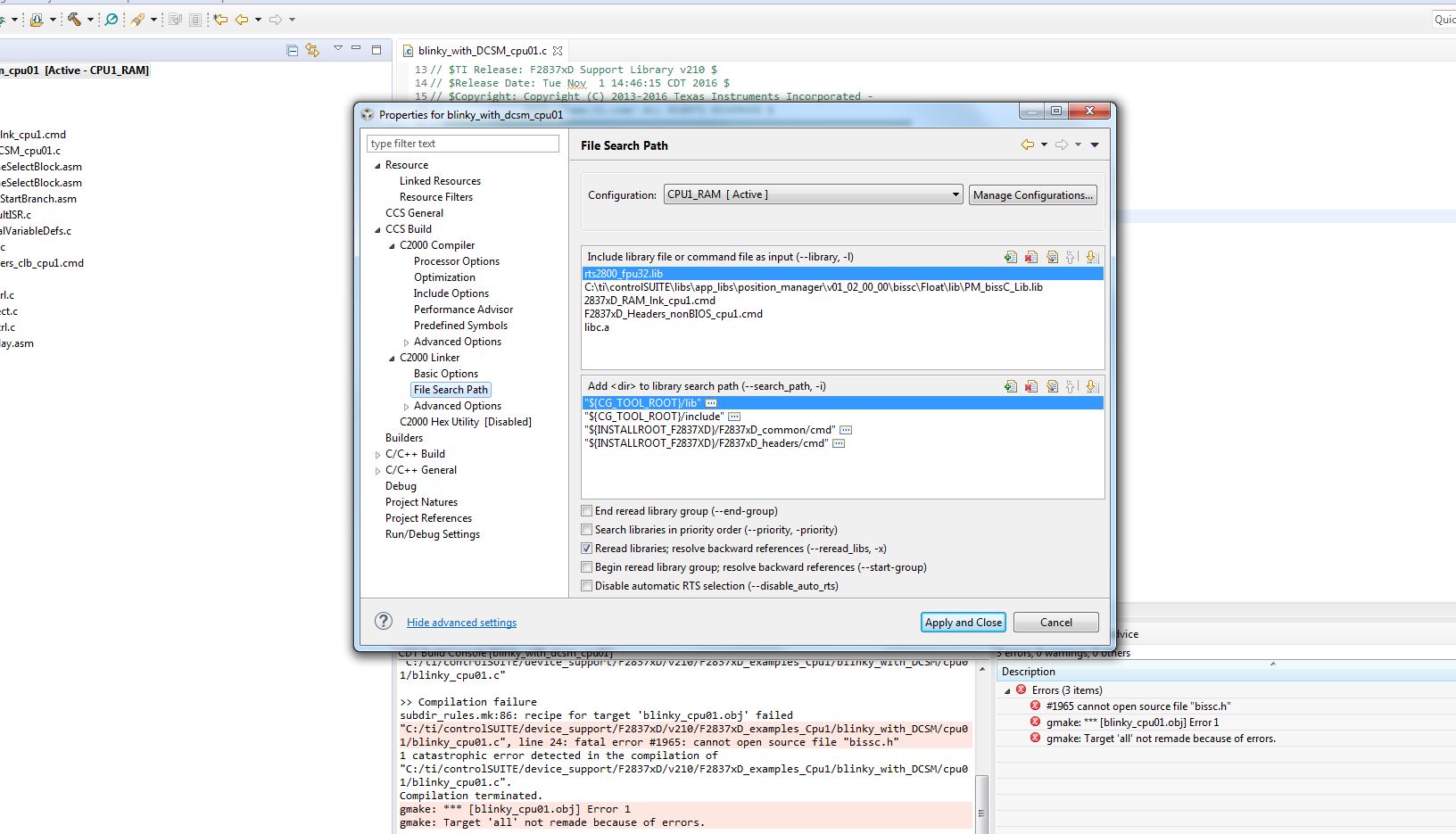
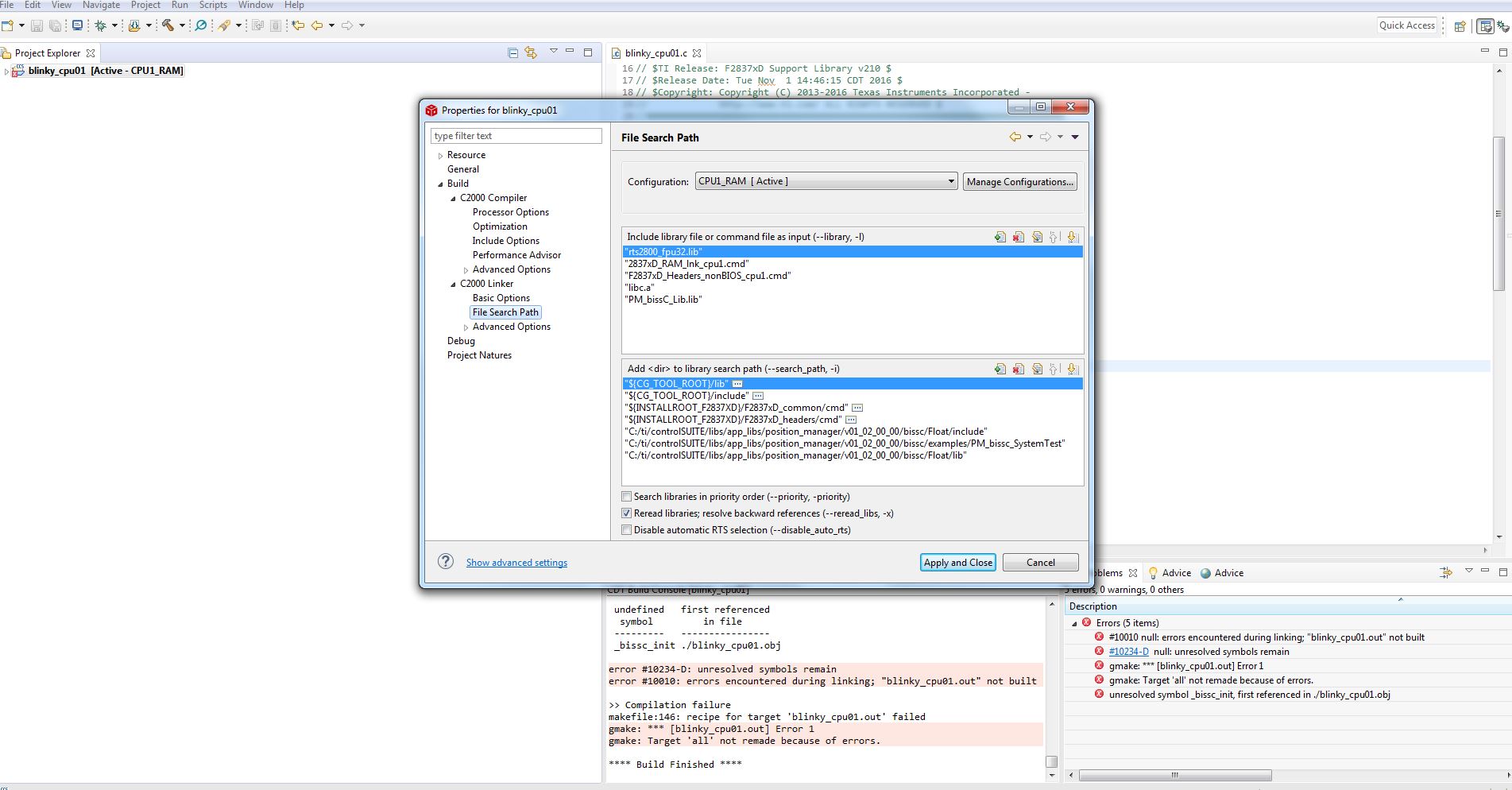
                                                       4) shows linker search path box

    i tried to add bissc code including header and .c file to my existing project(example) only. Can you help me solve this problem for biss and the other libraries/codes in the future? My experience with eclipse was not trouble like this at all.

    Thanks 

    BR

    Moham

  • What is the problem with my previous post images? I'm so confusing and bored with mentioned errors...

  • Moham,

    In your last screenshot, you are linking to the PM_bissC_Lib.lib library but I don't see an include path to that library. Make sure to add the library search path for that library.

     If you are compiling the project with the bissC cmd file, make sure to copy it to the project directory. And to exclude any other cmd files from the build. You can do this by right-clicking on the file and select 'Exclude from build'.

    Regards,

    Ozino

  • Ozino,

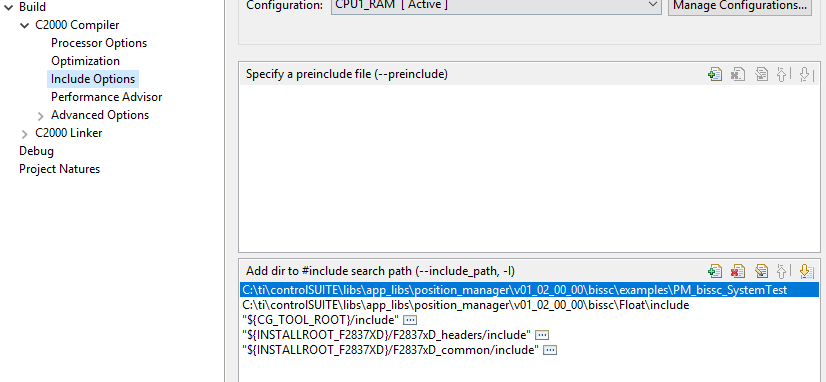
    I have new screenshots with your proposed solutions that the related images are attached. First i add all folders that you can see in pictures but it was unsuccessful. Then i copy all bissc codes to compiled folder of original project(that was ok before adding 2 lines including header file of bissc and secondbissc_init() function in my code), but this method was failed too. Please propose a solution for this trouble...

    Thanks in advance

    Regards

    Moham

  • Moham,

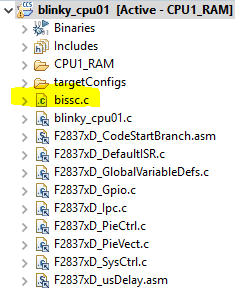
    I was able to import the blinky example and add the #iinclude for bissc.h and reference bissc_init() and build without any errors. Do you have bissc.c copied in your project directory? Please expand the project explorer in your next screen shot so I know what files are in the project. Here are some screen shots with my project settings.

    I will say that your include paths look correct. The error in your first image is due to the missing source file bissc.c in your project folder.

    Regards,

    Ozino

  • Ozino,

    Thanks a lot for your try and reply. my problem was absence of bissc.c in my project. Its for my experiences with other customization of eclipse that add the compiled required sources existing in project folder. In this case, after adding .c file path in my project tree, the problem was resolved.

    BR

    Moham