This thread has been locked.

If you have a related question, please click the "Ask a related question" button in the top right corner. The newly created question will be automatically linked to this question.

TMS320F280049C: TMS320F280049C

Part Number: TMS320F280049C

Hi all,

I bought 'C2000™ Piccolo™ F28004x Series LaunchPad™ Development Kit' and i am trying running the TI example code 'launchxl_ex1_f280049c_demo' in FLASH.

I changed cmd file to '28004x_launchpad_demo_flash_lnk.cmd'. and loaded it into FLASH successfully.

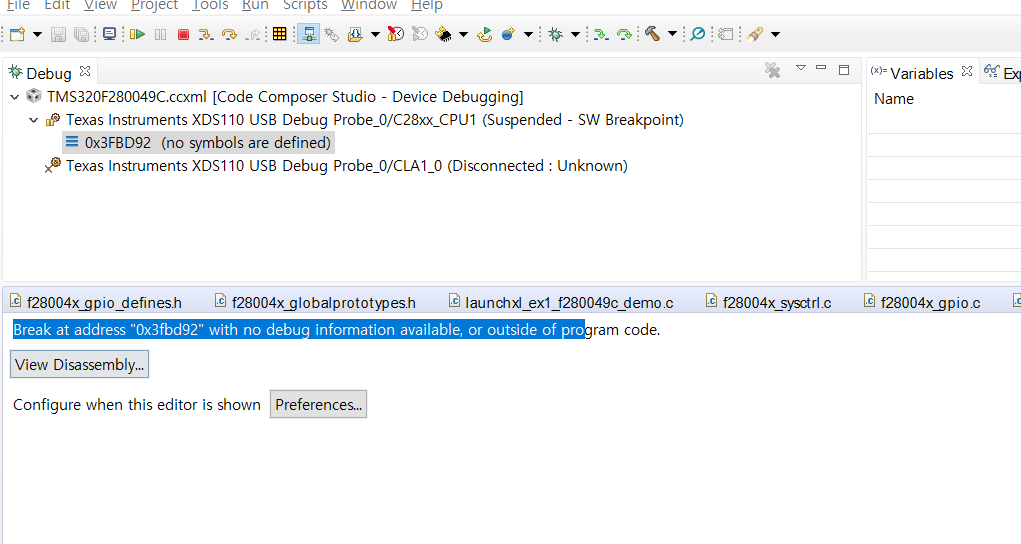
after that I pushed resume(F8) button but it didn't run .instead, i got the below message

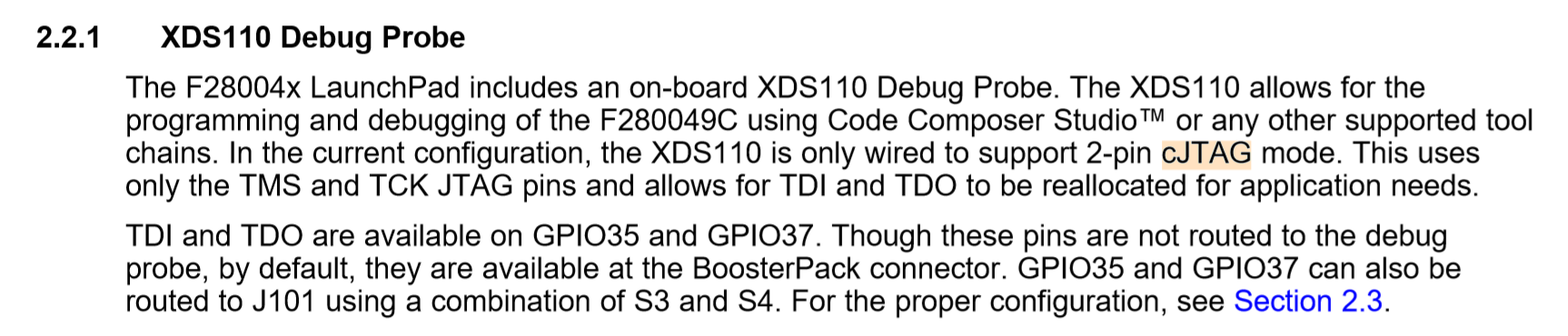
Is that due to the TDI, TDO of JTAG is not routed to the debug probe? 

I check the lines below in reference guide
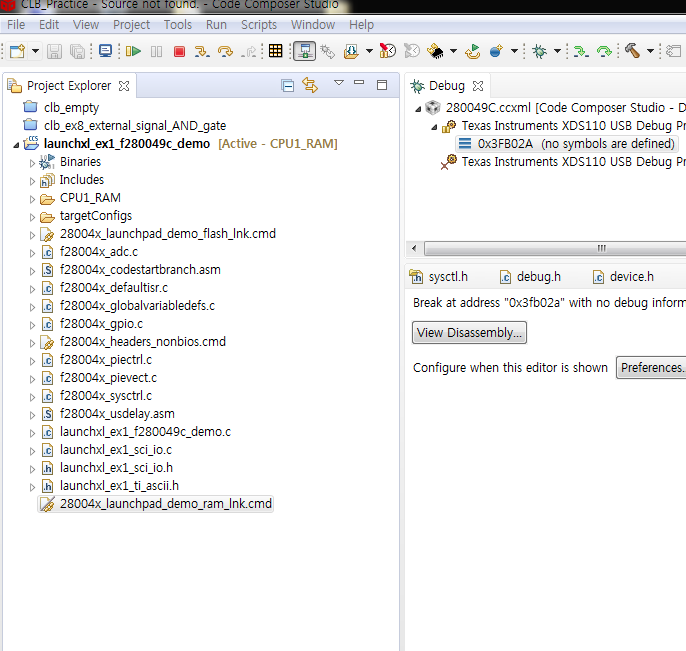
the capture below is the issue i struggled with. after few secs after i pushed the 'Resume' button, this debug window didn't show me anything that proves the code in FLASH run. instead this window popped up with the message.
is there anything that i have to consider and modify?

many thanks

  • Hi Yoonseok,

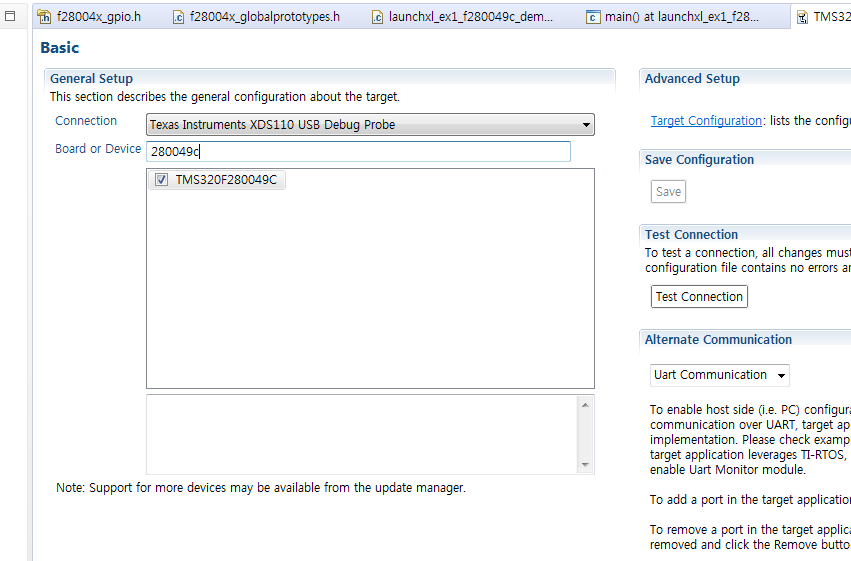
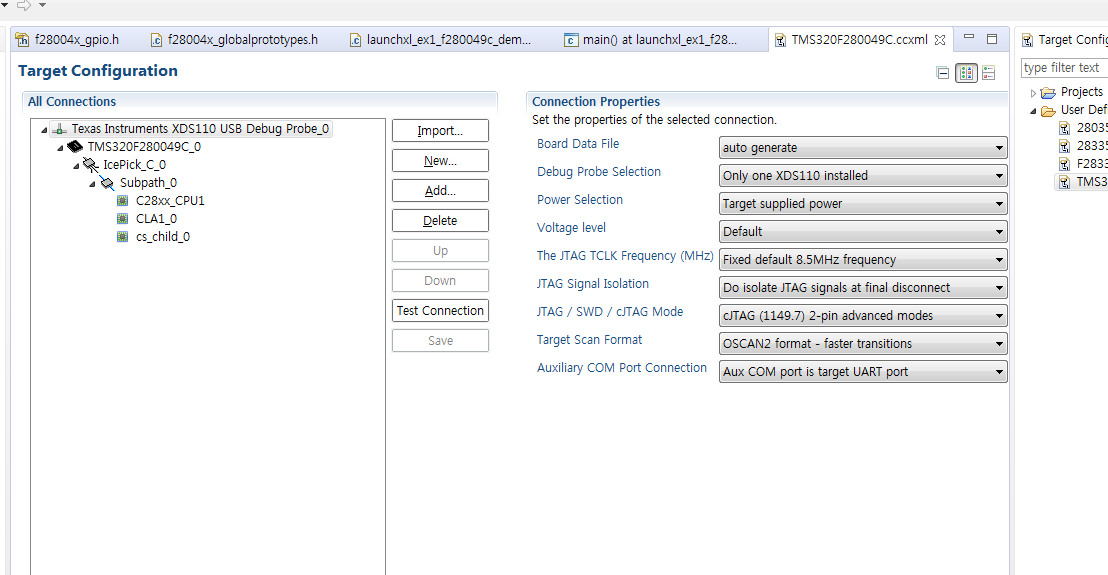
    How have you configured your target config file? Can you provide a screenshot? I assume it's correct since you were able to connect and flash the project, but something still to check.

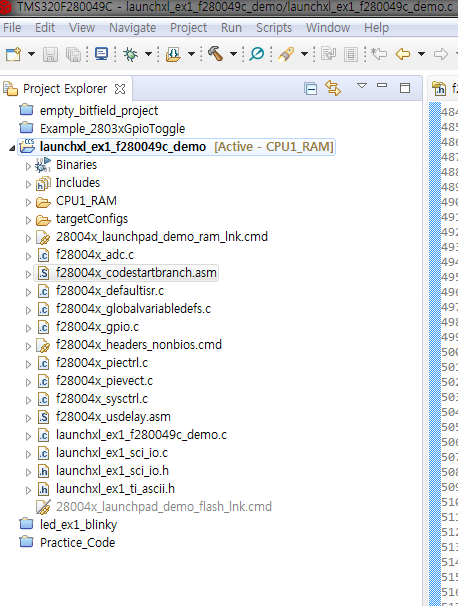
    Do you have 'f28004x_codestartbranch.asm' included in your project? This is needed to run from flash. You can provide a screen shot of your Project Explorer make-up if you'd like me to look at that as well.

    Best,

    Kevin

  • Hey Kevin. thanks for your reply.

    as you request, I am posting several photos that you might need to check.

    the photos below show how I set the target configuration file

    1.

    2.

    the photo below shows the file configuration of the project for the app code I try to run from FLASH

    as you can see, 'f28004x_codestartbranch.asm' exists in this project file.

    when I tried running the app code from SARAM It worked well. I could not find any problem.

    but whenever I tried running from FLASH, I said 'what the hell...'

    thanks again for your help Kevin.

    if you need something more to check please notify me.

  • Hi Yoonseok,

    I apologize for the delay in my response.

    What you have shown in your Project Explorer screenshot is the RAM build configuration. Can you show me what is included/excluded when you set the FLASH build configuration. Maybe the .asm file is not included or the wrong linker config file is used when that build config is set?

    Best,

    Kevin

  • hi Kevin !

    I haven't able to reply on time.. sorry for it

    all I do is just excluding '28004x_launchpad_demo_ram_lnk.cmd' and

    include '28004x_launchpad_demo_flash_lnk.cmd' as same as when I do with F28035 DSP.

    loading to FLASH  of this Launchpad seems to work well but whenever I click the Resume(F8) after finishing loading, 

    the app code loaded into FLASH  doesn't run on CCS window. I guess I should set up something about cJTAG but I don't know how ...

    the photo below is what I have with CMD file aforementioned.


  • Hi Yoonseok,

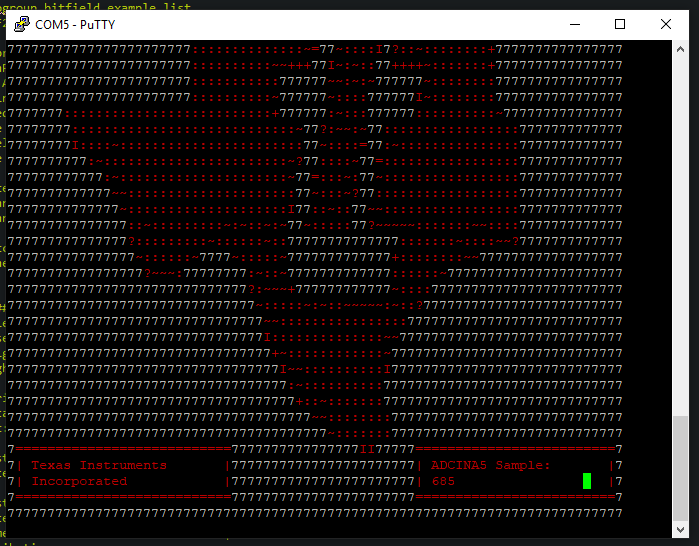
    Are you sure the example program isn't working properly? Have you tried connecting to a serial terminal using the correct COM port and configuration in the example program comments?

    You should see something similar to the below (Used PuttY):

    Best,

    Kevin

  • Hi Kevin.

    I have had a vacation for a couple of days so that I was not able to respond to you quickly.

    I have recorded what I am having an issue with.

    the app code seems to be loaded to FLASH very well.

    however, when I try linking CCS to DSP of this launchpad through JTAG and then running this code to debug how that app runs well from FLASH, the problem I look for to solve out happens.

    the issue I have been facing is started at 0:50 on the video above.

    my English is not good enough to make you understand clearly. sorry, Kevin but appreciate your sincere support!


    .

  • Hi Yoonseok,

    Thank you for providing the video, I found what you're issue is. You need to add _FLASH into your Predefined symbols. See my properties image below for this.

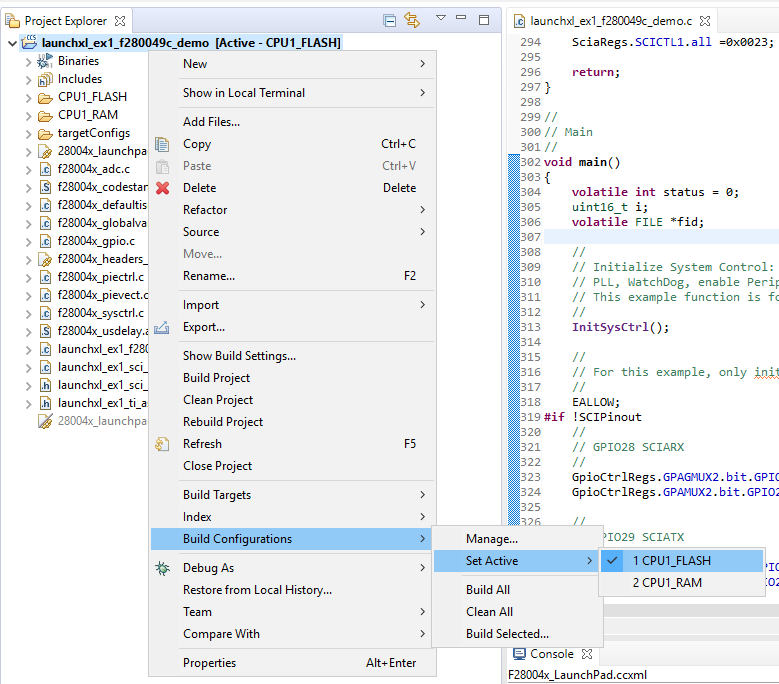
    Alternatively, you could right click your project and set the build configuration to CPU1_FLASH, which is configured to run from flash with this define included.

    Best,

    Kevin

  • Thanks, Kevin! 

    The first one you offered completely has solved my issue!

    and I don't doubt the second would not work!

    I am just curious why It is able to run from FLASH by just adding the '_FLASH' symbol in the box of the 'Predefined symbols' section.

  • Hi Yoonseok,

    yoonseok shim said:
    I am just curious why It is able to run from FLASH by just adding the '_FLASH' symbol in the box of the 'Predefined symbols' section.

    There are some portions of code for copying code from Flash to RAM that check if _FLASH is defined within the project. This is needed when running a project standalone.

    #ifdef _FLASH
        //
        // Copy time critical code and flash setup code to RAM. This includes the
        // following functions: InitFlash();
        //
        // The RamfuncsLoadStart, RamfuncsLoadSize, and RamfuncsRunStart symbols
        // are created by the linker. Refer to the device .cmd file.
        //
        memcpy(&RamfuncsRunStart, &RamfuncsLoadStart, (size_t)&RamfuncsLoadSize);
    #endif

    Best,

    Kevin

  • Thanks Kevin!

    I owe you!