Part Number: LAUNCHXL-F28379D
Tool/software: Code Composer Studio
I've been trying to debug my code in CCS 7.3.0.00019 and get this error in the console. I'm powering the launchpad with 5V in an isolated mode. I tried changing the debug cable multiple times but I still get the same error.
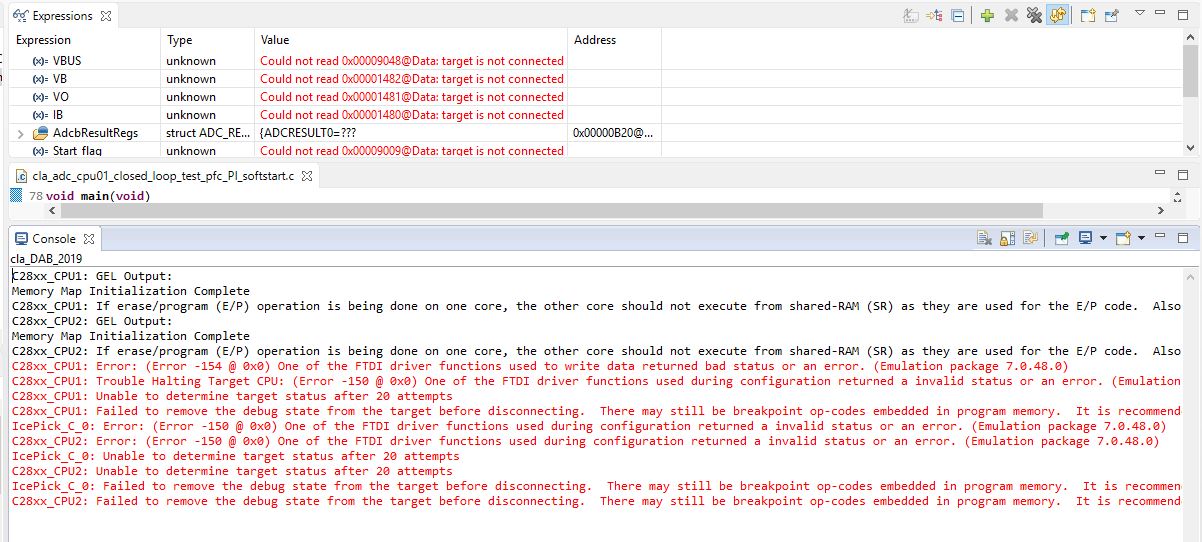
Due to this error, I'm unable to monitor the ADC values in the 'Expressions' console. It says 'Could not read 0x00001482@Data: target is not connected'. I've attached a screenshot of the CCS window. Any help will be appreciated. Thanks.
The error code is as below:
C28xx_CPU1: Error: (Error -154 @ 0x0) One of the FTDI driver functions used to write data returned bad status or an error. (Emulation package 7.0.48.0)
C28xx_CPU1: Trouble Halting Target CPU: (Error -150 @ 0x0) One of the FTDI driver functions used during configuration returned a invalid status or an error. (Emulation package 7.0.48.0)
C28xx_CPU1: Unable to determine target status after 20 attempts
C28xx_CPU1: Failed to remove the debug state from the target before disconnecting. There may still be breakpoint op-codes embedded in program memory. It is recommended that you reset the emulator before you connect and reload your program before you continue debugging
IcePick_C_0: Error: (Error -150 @ 0x0) One of the FTDI driver functions used during configuration returned a invalid status or an error. (Emulation package 7.0.48.0)
C28xx_CPU2: Error: (Error -150 @ 0x0) One of the FTDI driver functions used during configuration returned a invalid status or an error. (Emulation package 7.0.48.0)
IcePick_C_0: Unable to determine target status after 20 attempts
C28xx_CPU2: Unable to determine target status after 20 attempts
IcePick_C_0: Failed to remove the debug state from the target before disconnecting. There may still be breakpoint op-codes embedded in program memory. It is recommended that you reset the emulator before you connect and reload your program before you continue debugging
C28xx_CPU2: Failed to remove the debug state from the target before disconnecting. There may still be breakpoint op-codes embedded in program memory. It is recommended that you reset the emulator before you connect and reload your program before you continue debugging