


Other Parts Discussed in Thread: SFRA
Tool/software: Code Composer Studio
The following content is described in the document “Digitally Controlled 2-Phase Interleaved Power Factor Correction(IL PFC) Converter Using C2000 Piccolo-A Microcontroller"
In the Project Explorer window on the left, click on the arrow sign to the left of ILPFC project. Your project window will look like the following in Figure 2.1.5:
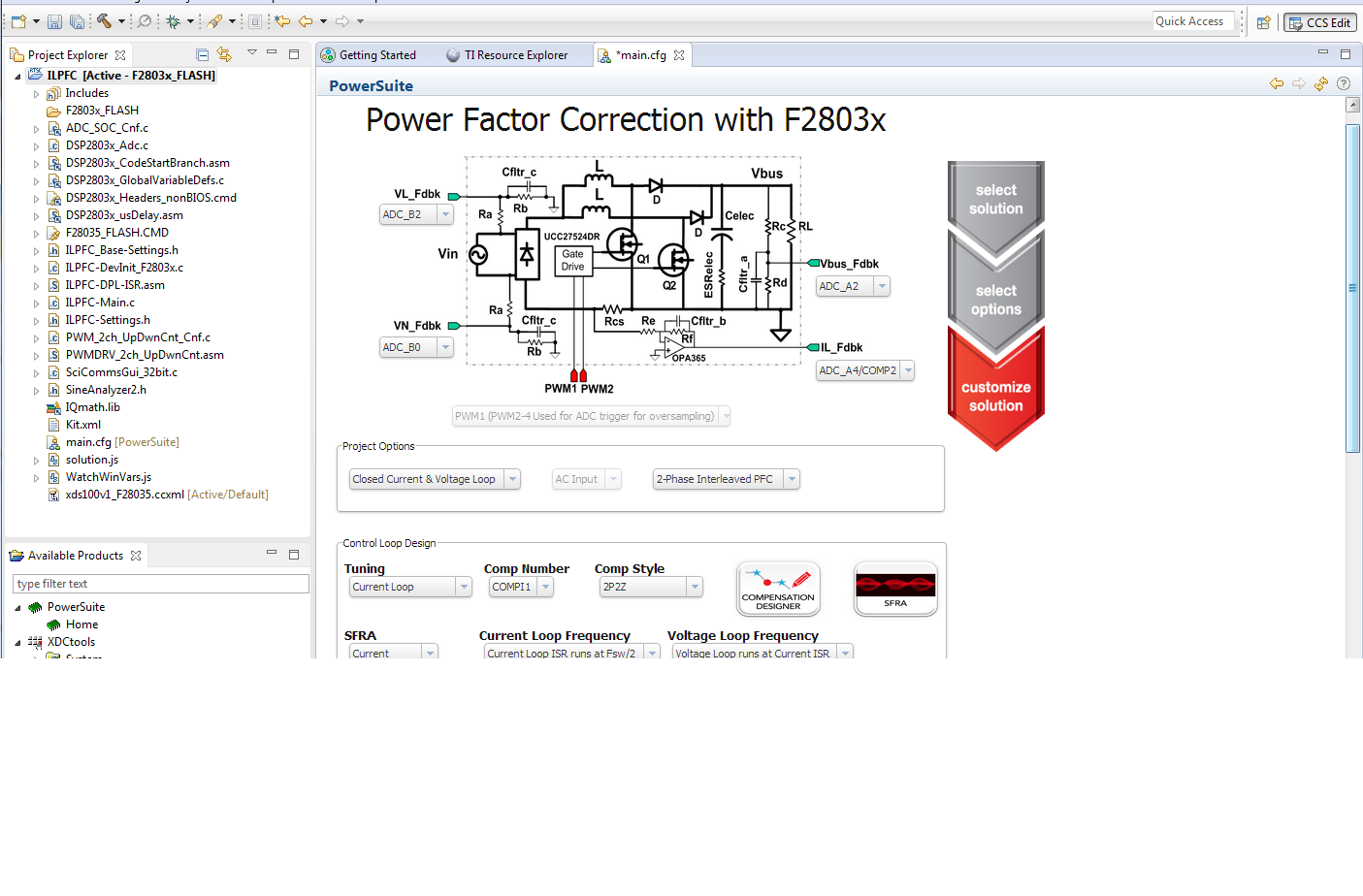
Figure 2.1.5. CCS Project Window
Click on ‘main.cfg’ file if this is not open. This is the Solution Adaptor GUI for the IL PFC kit. The Solution Adaptor tool allows users to adapt existing code examples from TI on the digital ILPFC kit and configure them to run on their custom digital ILPFC board that uses the same PFC topology and similar C2000 resources. Explore the GUI from the ‘main.cfg’ file in order to get familiar with the different options it provides. As shown in Figure 2.1.5, this GUI displays the interleaved PFC topology used in TI IL PFC kit. It shows the PWM and ADC channels used in this design. The associated pulldown boxes allow you to change these PWM & ADC channels when you design your custom PFC board. The Solution Adaptor page also shows ‘Project Options’, ‘Control Loop Design’ options and ‘Power Stage Parameter’ entry section. The ‘Project Options’ shows three different pull down boxes that allow for customization of the PFC design.
But when I open 'main.cfg' file,The displayed interface is as follows. There's nothing in the interface. Why?


