This thread has been locked.

If you have a related question, please click the "Ask a related question" button in the top right corner. The newly created question will be automatically linked to this question.

CCS: DRV8301-HC-EVM sci kernel bootloader problem


Tool/software: Code Composer Studio

Hi,

I have spent the last 48 hours trying to get the sci kernel bootloader to work with the DRV8301-HC-EVM. However I am stuck. I need someone to confirm that this is possible on my hardware. 

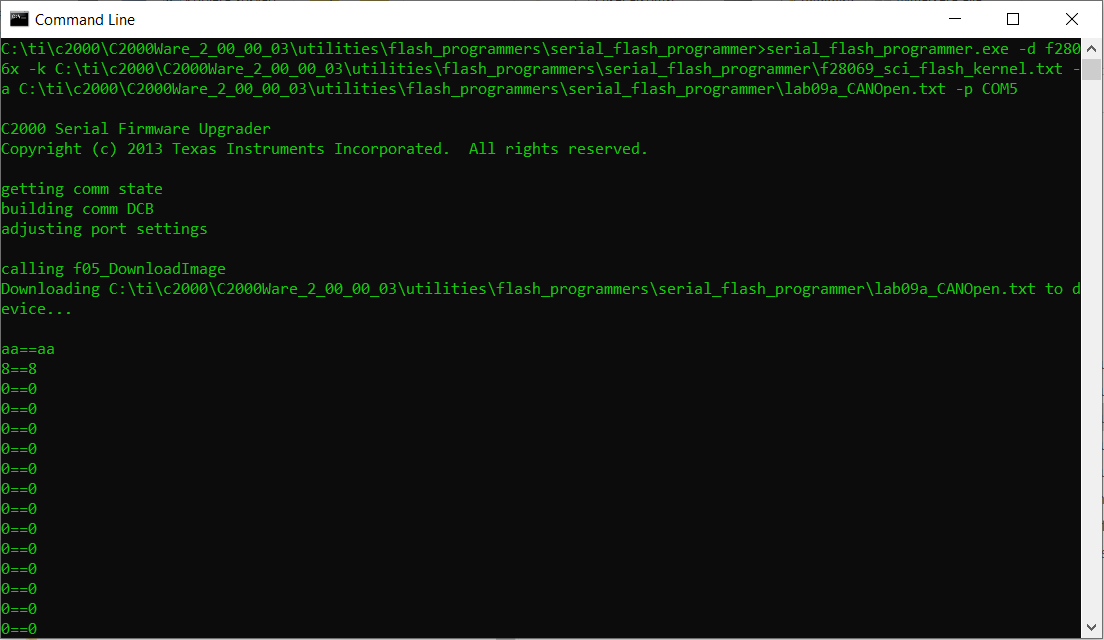
I manage to get to the part where the kernel starts downloading, using the J12 header and a usb to serial cable;
However when it is supposed to splice in the actual flash hex file, it just ends with;
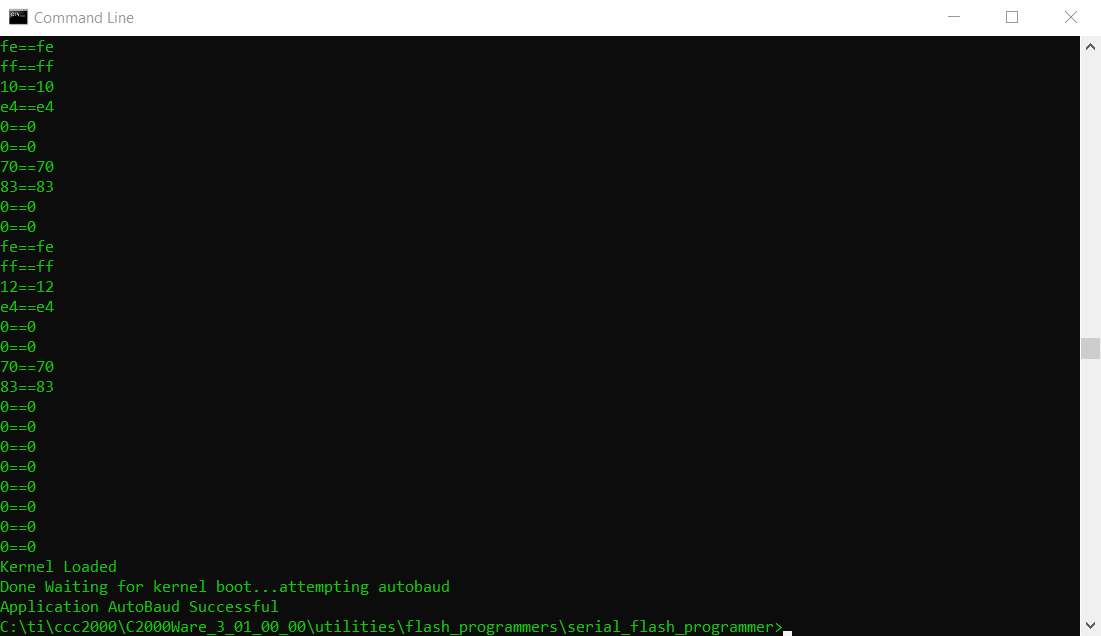
And the last digits there sent over are still only the kernel hex, which I have double checked against the file. It seems like the kernel does not actually start running after uploaded for some reason? What am I supposed to see and how does it look when it actually works? Does it work? Anyone on your side actually tested the code on a win10 machine this HW? Are there any hardware limitation to your EVM that prevents SCI bootloader? Is it something wrong with my hex-files? I create them at build using the following;

I have also tried to build the application you supply using Visual Studio, which does nothing different. I tried to comment out the #kernel.hex in the .cpp and get the code uploaded without the kernel. This however just result in either that the kernel still is uploaded or if I leave the command out in the command window, the application just crashes.

We have spent 5 years developing the motor driver for our products based on your hardware here. Now we are halted on a seemingly trivial problem. 

Any ideas are welcome. I have read every single forum on the topic that you have. No solutions in there is working for us.

  • Mikael,

    I want to add what I ran into here.

    - Experienced a similar issue as you a month or so ago, when trying to download the kernel flashapi_ex2_sci_kernel.txt in the folder f28004x_fw_upgrade_example. I was not able to resolve it, and ultimately had to use CCS and JTAG to download it to the device. You are in SCI boot mode, correct?

    Thanks,

    Sira

  • Mikael,

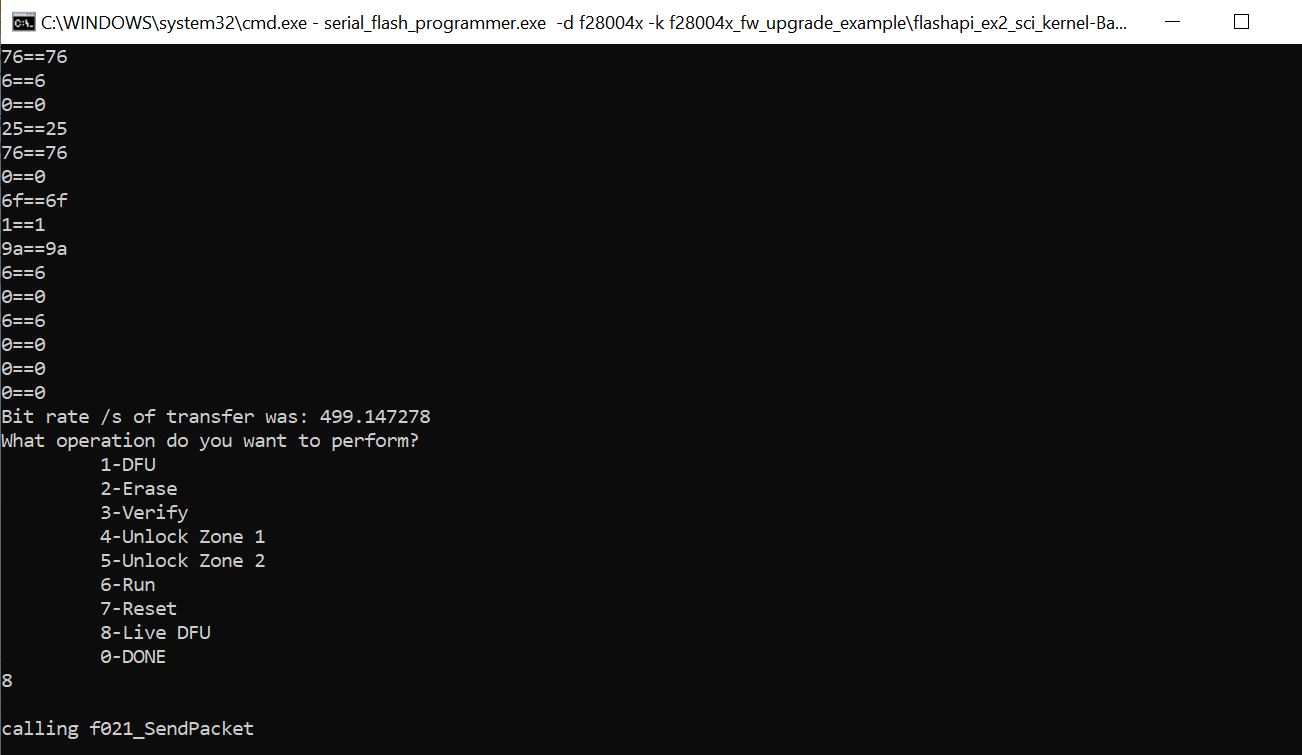
    Here is the command I run with the Boot switch on the F28004x ControlCARD in SCI Boot. It runs, but when I switch to Flash boot and reset the device, nothing happens. I tried it with multiple combinations of Kernel (different build configurations) and App (led_ex1_blinky.txt as well as another one, which I know works).

    serial_flash_programmer.exe -d f28004x -k f28004x_fw_upgrade_example\flashapi_ex2_sci_kernel.txt –a f28004x_fw_upgrade_example\led_ex1_blinky.txt -b 9600 -p COM10

    See the screenshot below. It seems to transfer over SCI, and then again asks me what operation I want to perform? I am not sure what to do here. Usually, I’m just programming the application, and I see this same message, and I just click 0. But now, since we’re downloading both the Kernel and the Application, I’m not sure if what was transferred was the Kernel, and the App needs to go next?

    Also, I’m not sure what Build configuration for the SCI Flash Kernel (Ex2) is to be used to generate flashapi_ex2_sci_kernel.txt. If I use the CPU1_RAM config, then after running the command, if I connect to CCS and view memory, I can see valid info there. But on device reset, obviously it is wiped. On the other hand, we want to Flash the kernel and the app, so if I use the BANK0_LDFU build configuration, then the Flash is blank.


    Thanks,

    Sira

  • Mikael,

    I haven't heard back from you, but I have been trying this out, and there certainly seems to be a problem.

    First off, Completely Ignore my previous post (EXCEPT the picture I posted). I'll be clearer and more specific in this post.

    Here is a summary of my observations:

    In SCI Boot mode, I run the command below.

    serial_flash_programmer.exe -d f28004x -k f28004x_fw_upgrade_example\flashapi_ex2_sci_kernel-CPU1-RAM.txt -a f28004x_fw_upgrade_example\flashapi_ex2_sci_kernel-Bank0-LDFU.txt -b 9600 -p COM10

    So essentially, I am trying to load the Bank0_LDFU Flash Kernel into Bank0 of the Flash, using the CPU1_RAM build configuration file of the same Flash Kernel. First the CPU1_RAM Kernel is downloaded to RAM, then a message pops up (like the picture in my previous post) asking what operation I want to perform. Here I need to Select 1 DFU (Device Firmware Update), and this will load the Bank0_LDFU Flash Kernel image into Flash (Bank0). This works for me. After the operation is complete, I can connect to CCS and view the corresponding Flash memory locations and confirm that they contain the expected values.

    So we now have the Bank0_LDFU Kernel in Flash. But in your case, based on the pictures you sent, once the Kernel is downloaded to RAM, you do not get a message to download the "application" to Flash.

    My next step is to download my "true" Application to Flash. This is where I ran into issues. But before I start explaining those, I will wait for a response from you.

    Perhaps you can try the steps like I did, using the build configurations suggested.

    Thanks,

    Sira

  • Hi,

    Thanks the inputs!

    I have finally solved this all for F28069. In my case there is a conflicting hardware connection whereas the SCI is connected to both the FTDI-controller and the J12 at the same time on the eval-kit. This caused odd data. As soon as I moved to use only the comport presented by the FTDI-device i managed to solve this issue.

    I to have moved my bootloader to FLASHA and the application to FLASHE/D/C. I have it working for my processor and also jumping to my application and start it. I had to change the code for the PC side as well, removing all the kernel loading parts in the F05_DownloadImage.cpp. (commenting out the #define kernel was not enough.) For some reason I also had to hardcode the jump in the kernel code on the F28069 side, so I removed the "return EntryAddr;" and changed it to "asm(" LB 0X3EE134");" which is the correct location for my app to start. I also added a small counter to act as a timeout, so that if no firmware is loaded the application autostarts after about 10 seconds.

    Just wanted to give an update.


  • Mikael,

    Great to hear! Thanks for the detailed updates - I'll keep in mind your changes as I go about trying to fix the problems at my end.

    Meanwhile, please mark the issue as resolved.

    Thanks,

    Sira