This thread has been locked.

If you have a related question, please click the "Ask a related question" button in the top right corner. The newly created question will be automatically linked to this question.

TMS320F280049C: "Attempting autobaud to send function message" with custom board

Part Number: TMS320F280049C
Other Parts Discussed in Thread: LAUNCHXL-F280049C, C2000WARE

Hello all,

I recently set up an experiment with a Serial to USB cable to try and talk to a LAUNCHXL-F280049C. I did the basic serial_flash_programmer f28004x_fw_upgrade_example with led blinky, and got it to work on the launchpad. I am trying to use the same cable and same program on a custom board to test the device's serial communication abilities. I use the command "serial_flash_programmer.exe -d f28004x -k f28004x_fw_upgrade_example\flashapi_ex2_sci_kernel.txt -a f28004x_fw_upgrade_example\led_ex1_blinky.txt -p COM6 -v" to run the .exe, and it begins the data transfer. I used the same command with the launchpad. Afterwards, it states the bit rate, states that the kernel is loaded, boots the kernel, and then attempts "autobaud to send function message," where it seemingly freezes. 
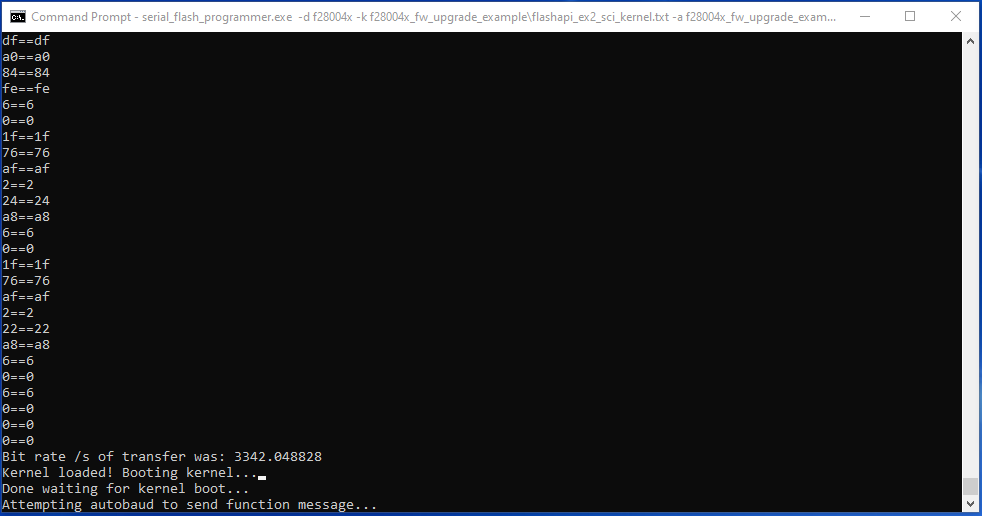
I thought I was correctly booting the board in SCI mode with the GPIO 24 pin low and GPIO 32 pin high, and I'm connecting the RX and TX pins to the GPIO 28 and 29 pins. I believe the pins are hooked up correctly because the data transfer is working up until this point. I am very new to serial communication, so I apologize in advance if I ask very basic questions regarding this issue.

Thanks,

Josh

  • Joshua,

    Just curious if you have an FTDI chip on-board that will convert the USB COM port signals to SCI GPIO signals?

    Another question is whether the F28004x on the custom HW is locked by CSM by any chance? Does it contain any firmware already, or is it a clean unprogrammed device? Starting with custom HW that contains an empty device would be a good idea.

    Thanks,

    Sira

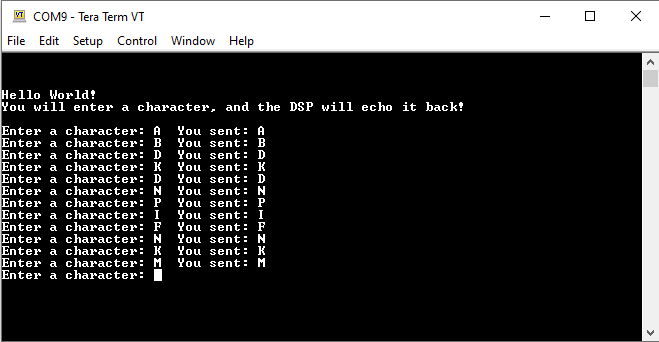
  • There is no FTDI chip, GPIO 28 and 29 go straight to the header pin, about 1 inch away from the MCU. The CSM is unlocked, we are just trying to prove the SCI bootloader. There is a clean, un-programmed device. To verify the SCI functionality, we ran the SCI echoback example, and it functioned correctly.   

    What clocking source is used after the "attempting autobaud" message that appears where I get stuck?  

  • Joshua,

    Good to know that you're using an unprogrammed device, and that the SCI loopback example (baud rate = 9600) works.

    Which version of C2000Ware are you getting the SCI Flash Kernel from?

    Thanks,

    Sira

  • Also please try a lower baud rate to see if it helps.

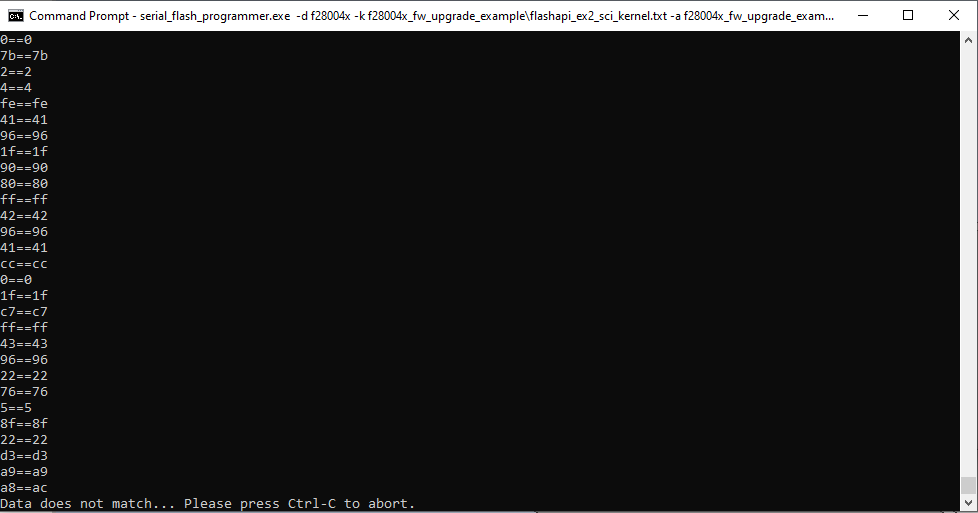
  • I am using C2000Ware 2_00_00_03. When I use a lower baud rate (4800) I will sometimes get a "data does not match" error. It will happen in a different place everytime.

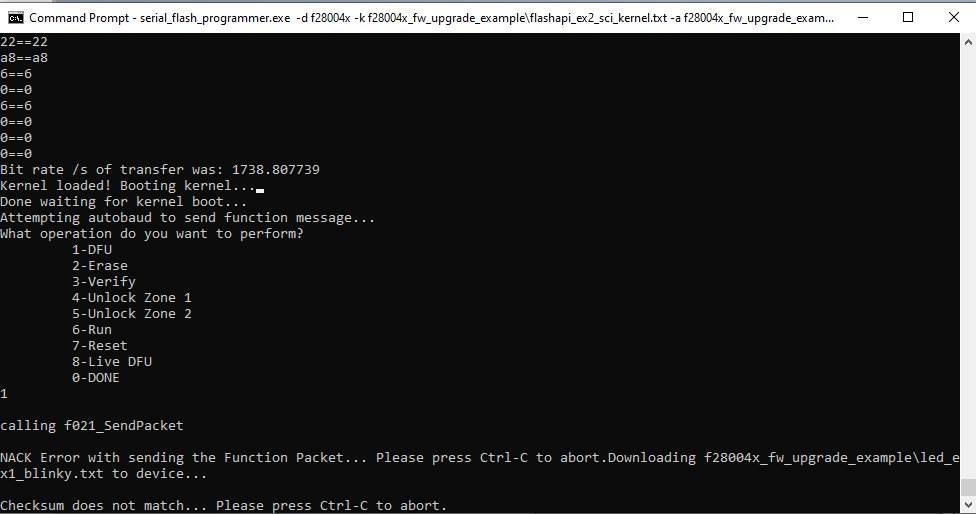
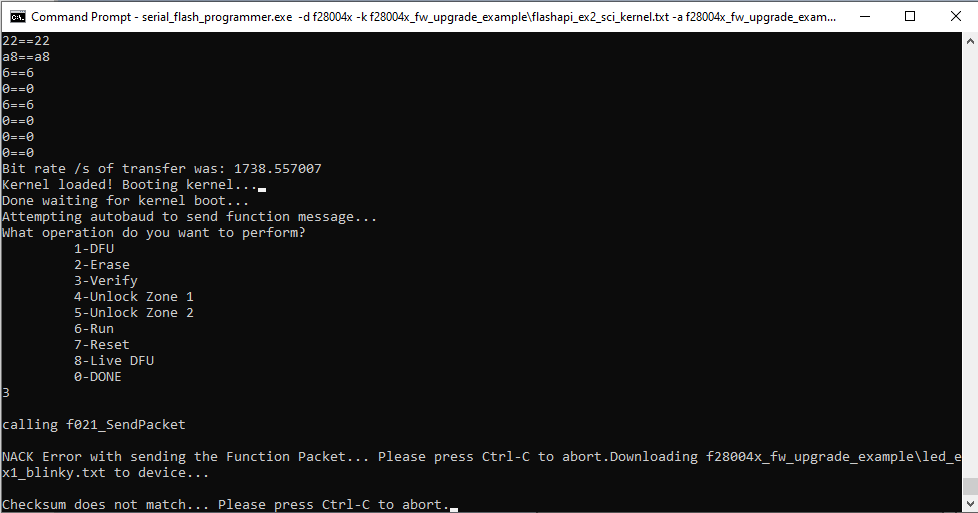
    If I don't get this error, the kernel boots, and the "attempting autobaud" succeeds! I get to choose which operation I would like, but when I do I get a "checksum does not match" error. 

    What does the NACK error mean? How can I resolve the checksum error?

    Thanks for your time,

    Josh

  • The NACK error means that the checksum failed. When the Flash Kernel is being downloaded to RAM in the first step, the ACK-NACK handshaking happens at the byte level (which is why you see the sequence of prints like 6f == 6f). Once the kernel boots, and the app is being downloaded to Flash, the ACK-NACK is replaced by a checksum that is sent by the device to the host at a block-level to speed up programming.

    This checksum appears to be wrong, leading to the failure.

    The PLL is configured for a higher speed once the Flash Kernel boots.

    I suggest the following:

    - try the most recent version of C2000Ware

    - try a higher baud rate than 9600 (just to see what happens)

    Thanks,

    Sira

  • Sira,

    Thanks for the explanation. I tried a higher baud rate (38400) and I got the same results. I downloaded the newest version of C2000Ware (3_02_00_00) and ran the same commands at differing baud rates. I still got some occasional data matching errors, but when I didn't I either had the same scenario where I got a NACK error or my original problem, where I get stuck at "attempting autobaud to send function message". I did multiple tests and got different errors with differing baud rates, and there didn't seem to be a pattern to when I would get certain errors. 

    What are some next steps? I still need to confirm that the new version works on the Launchpad, but I don't see why it wouldn't. 

    I appreciate your help,

    Josh

  • Joshua,

    Just to summarize where we are:

    With C2000Ware 3_02, Launchpad

    - download Flash kernel to RAM works, download LED App to Flash works at default baud rate of 9600 (to be verified)

    With C2000Ware 3_02, Custom hardware, 

    - At default baud rate of 9600 - download Flash kernel to RAM works, kernel boots, unable to autobaud lock with host

    - At other baud rates (lower or higher) - download Flash kernel to RAM sometimes works, when it does, kernel boots, sometimes autobaud locks with host, then checksum fails.

    Correct?

    Thanks,

    Sira

  • Sira,

    I've just confirmed that the launchpad works correctly. Your statements regarding the custom hardware are correct.

    Thanks,

    Josh

  • Sira,

    After some testing yesterday, I determined it is most likely a clocking error on the custom board. I'm getting a new one in a couple weeks which should resolve the clocking error. If the problem persists, I will open a new forum post.

    Thanks for all of your help!

    Josh

  • Josh,

    OK, hope things work out. What makes you think it is a clocking error? Are there some other related symptoms?

    Thanks,

    Sira