This thread has been locked.

If you have a related question, please click the "Ask a related question" button in the top right corner. The newly created question will be automatically linked to this question.

CCS/TMS320F28388D: Loding Symbols

Part Number: TMS320F28388D

Tool/software: Code Composer Studio

hello,

I am using TMS320F28388D controller.

I want to debug the build already loaded onto a controller is that possible. i tried the below steps option.

1. Load the build using load Program option then terminate the CCS.

2. Recycle power of the controller.

3. Connected to the target, then selected Run->Load_Sysmbols , selected the *.out file which was earlier loaded this is not allowing me to debug neither its loading the symbols.

I am using CCS v  Version: 10.1.0.00010

PLease do let me know if there is any other way i can achieve this.

thanks,

Nagesh

  • Nagesh,

    When you connect, make sure gel file is not loaded. You can open the target configuration and remove gel file.

    in step#2, why do you power cycle?  then you need to reload the program again unless it is booting from flash

  • Santosh,

    I have loaded the software in FLASH .

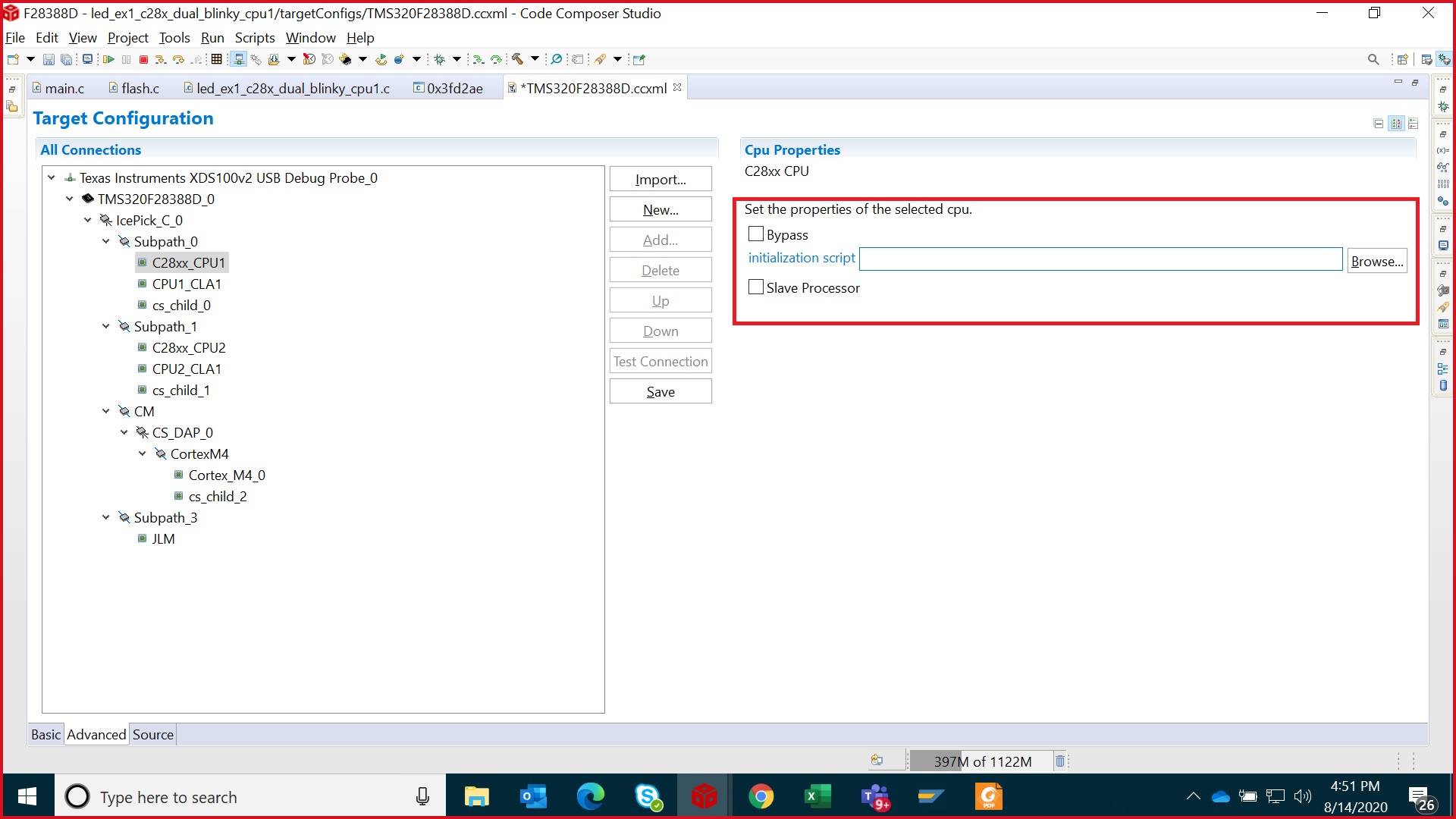
    I have removed the gel files from the target configuration, and even selected the bypass for both controllers still i am not able to load the symbols.

    below is the screen shot.

  • Nagesh,

    You are trying to debug C28xx_cpu1, right? Then do not bypass this core. Other cores you can bypass if you want.

    What is the error when loading the symbol?

  • Santosh,

    Yes trying on CPU1 only as of now. I am not getting error or its not displaying any while loading the symbols neither it shows successfully loaded.

    i have attached screen recording of the steps i am following please check on it in pptx attached in a zip file.

    Load_Symbol_Issue.zip

  • Nagesh,

    The screen in powerpoint does not look it is in debug perspective. Did you launch target configuration and connect? Also I see GEL output.

    Steps to follow:

    • Open Taget Configuration, remove GEL file. Make sure CPU1 is not in bypass mode. Save the target configuration file
    • Launch the target confutation by right-click -> Launch Selected 
    • Connect the target (CPU1) -> check console output that GEL file is not run (no GEL output)
    • Then CCS menu Run -> Load -> Load Symbol, and point to .out file. This should allow to debug. If the flashed code has debug symbol, you should be able to debug at c code. If debug symbol is not there, then disassembly window can be used.
  • Santosh, 

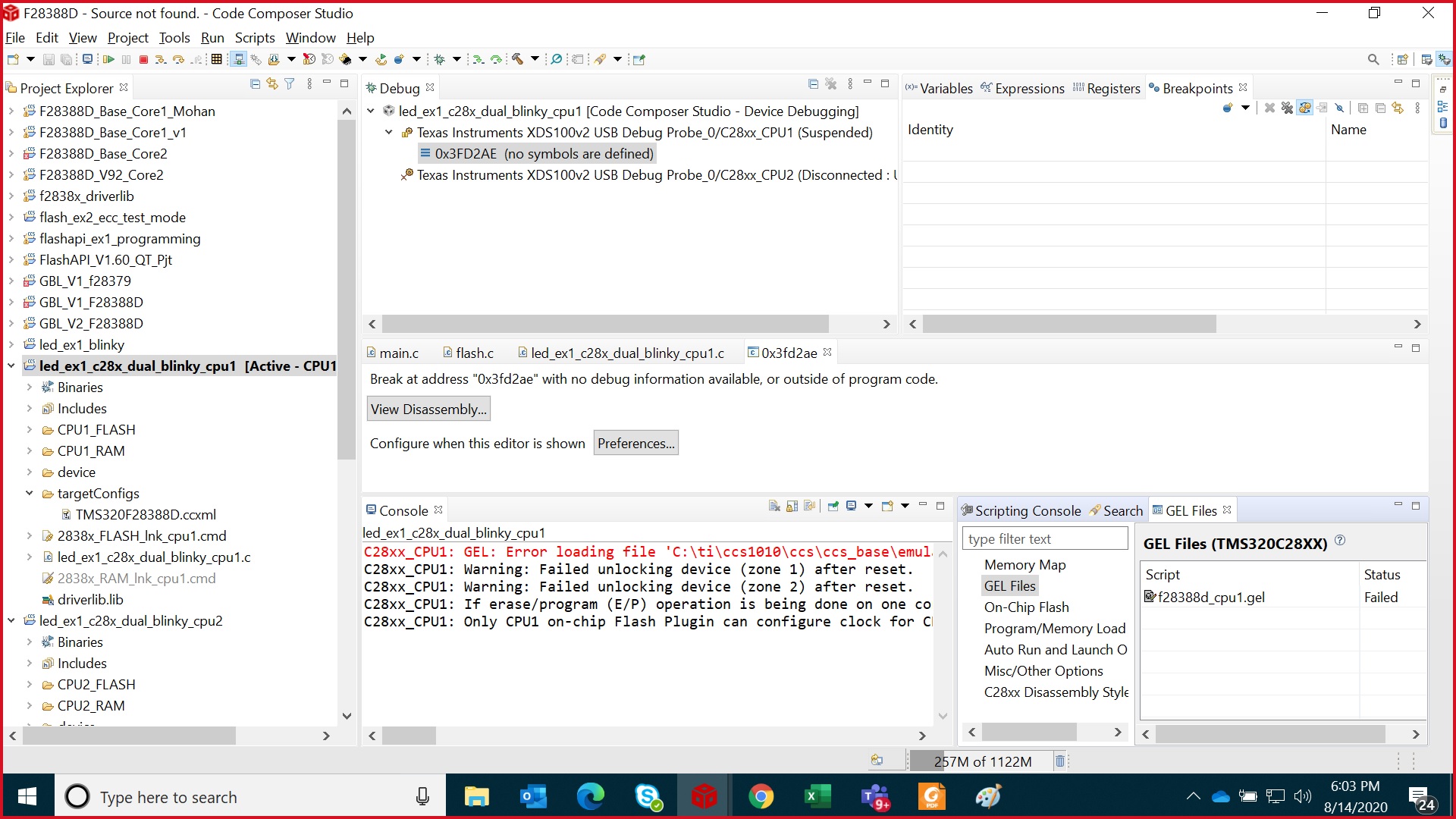
    I made sure this time no gel is loaded, but i am still not able to load Symbols, please see below image. if there is any video to explain this will be good.

  • Nagesh,

    I don't see any error here. So look like symbols are getting loaded. Please note that symbol loading only provides CCS the info of code and it does not behave same way as loading the code where CCS forces the PC to entry point. So unless PC is pointing to application code it'll not show the respective C or assembly code. Your PC is still pointing to BOOTROM hence it is not showing any code.

    After loading the code, you can set the PC to code_start function and then run from there.

    Regards,

    Vivek Singh

  • Hi Vivek, 

    Can you please share me how to achieve with an example , it will be very helpful.

    thanks,

    Nagesh

  • Nagesh,

    Santosh has already provide step by step process to load the symbol and debug. I don't think you are having issue with loading symbol file.

    After loading the symbol, are you able to set the breakpoint on code_start or main() and click on run to run through the BOOTROM code and halt CPU where you have set the breakpoint ?

    Regards,

    Vivek Singh

  • hi Vivek, 

    Yes i followed the steps, but i am unable to set the break point and run through it.

    it was working fine in F28379D controller after loading the symbols, it used to automatically stop at the main function.

    thanks,

    Nagesh

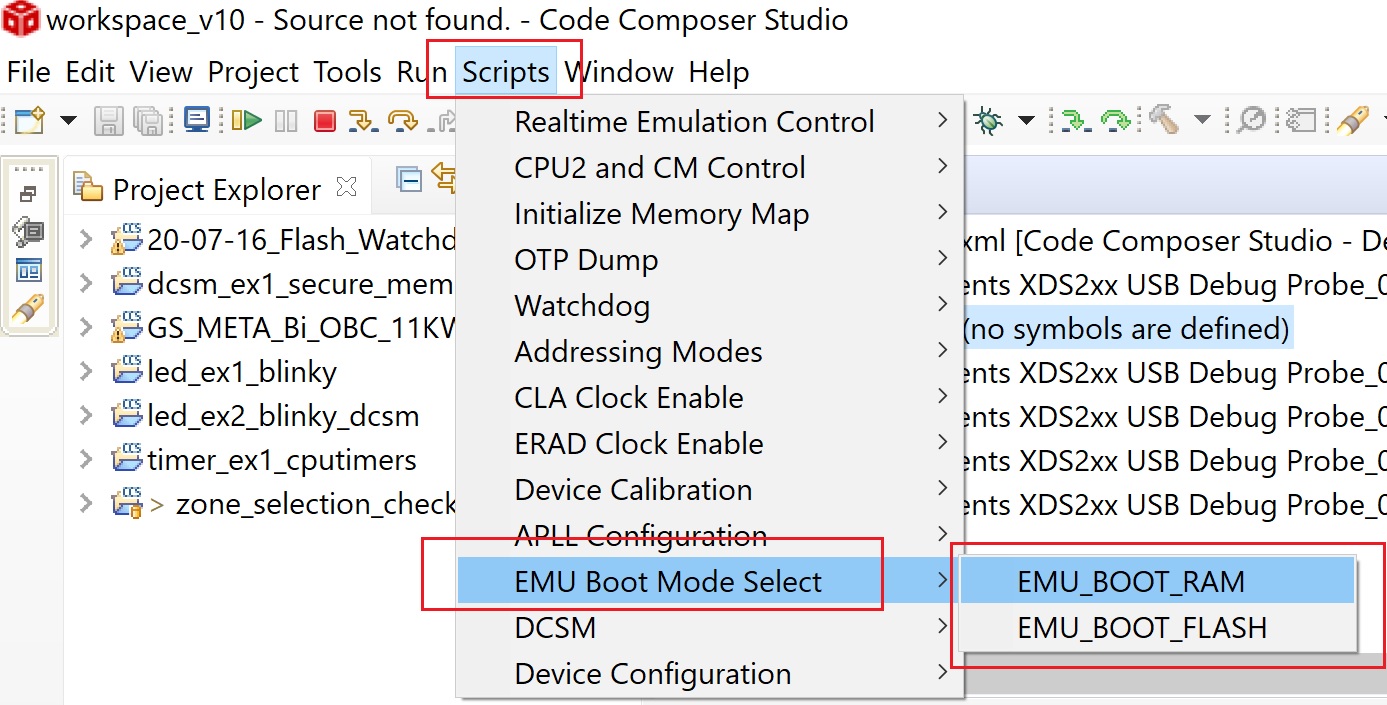
  • Are you able to set the break point ? If yes then select the FLASH boot as mentioned in below pic and run. It should take you to the break point.

    Regards,

    Vivek Singh

  • Nagesh,

    Is your issue resolved? Can we close the thread if your issue is resolved?