This thread has been locked.

If you have a related question, please click the "Ask a related question" button in the top right corner. The newly created question will be automatically linked to this question.

CCS/TMS320F28335: I want to debug the code on the board.

Part Number: TMS320F28335
Other Parts Discussed in Thread: UNIFLASH

Tool/software: Code Composer Studio

Hello

I want to simulate the code currently on the board. However, there was a problem with erasing the entire flash every time I entered the debugging mode, so I canceled all items in the Erase Sector Selection in Properties/Debug/F28335 Flash Settings.

As a result, the following error occurs.
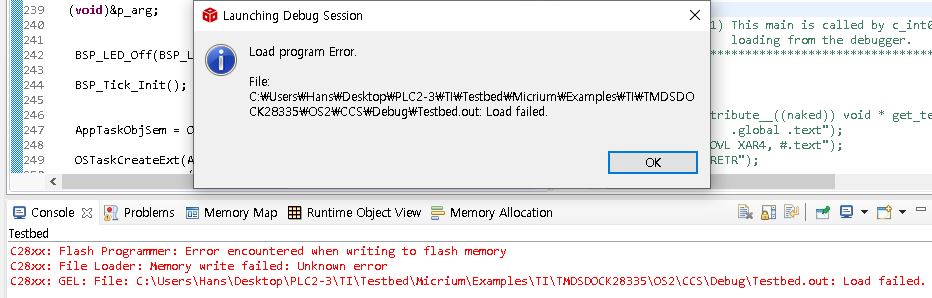
I am not currently writing values to flash memory, I just want to debug while reading.

Thanks, Regards

Han

  • Hello Han,

    One of our experts will get back to you by Tuesday, since Monday is a US holiday.

  • Hello, Karthik

    Thanks for the reply

    I look forward to hearing from you on Tuesday.

    Regards,

    Han

  • Han, 

    In the case where all the code is in flash, you can choose to only load the symbols of the coff/.out and this will bypass the flash load.

    Alternatively you can change the defaults of the program load by changing the settings in the On Chip Flash tools.

    To access this, once you are connected to the target, Go to the Tools->On Chip Flash setting.

    This will bring up the configuration window, scroll down to "Download Settings" and pick "verify only" or "load RAM Only" depending on which is needed.

    Best,
    Matthew

  • I have one more question.

    After exporting the flash memory from UniFlash, insert the 0x0004, 0x0006 codes in the middle, and then upload it to the TI board again using Uniflash.

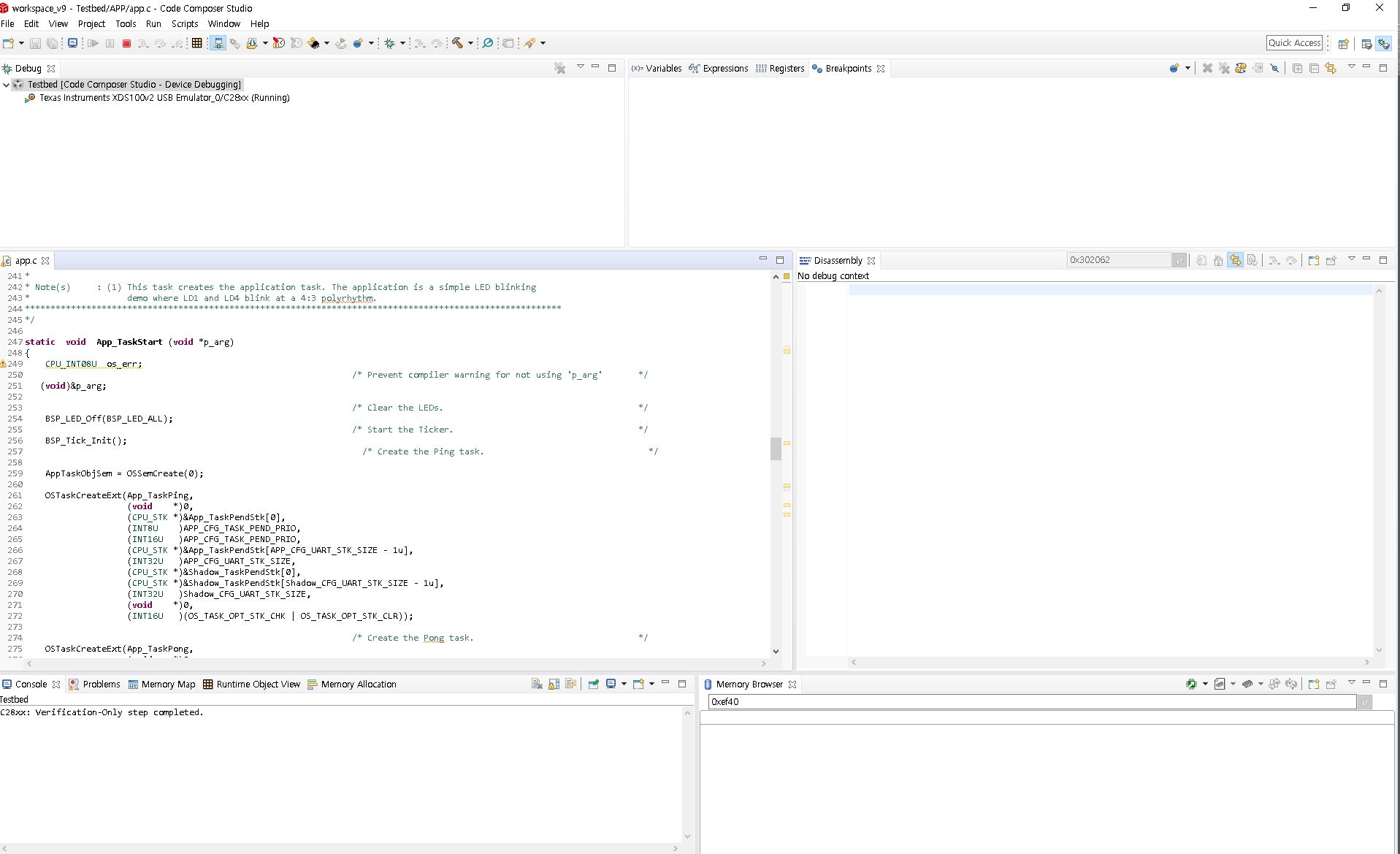
    However, I entered the debugging mode as shown below, but nothing works.

    I do not see Disassembly or Memory Browser..

    By inserting the code, i expect existing instructions to be pushed back.
    I don't think it will be a problem to start debugging, whether it is pushed or not.

    This is because 0x 33FF80 to 0x33 FFFF all have 0xFF values.

    Can you please tell me why I can't debug in real time?

    Thanks, Regards

    Han

  • Agree that you should be able to modify and re-load using uni-flash as you mentioned.  In the case above are you able to halt the device?  I believe that in order to activate real-time mode you have to be in a halt state, activate, and then run again.  It should work after that.

    Best,

    Matthew

  • Thank you for reply, Matthew

    The real time I mentioned was not referring to the real-time mode. Sorry for the confusing that.

    However, I want to use the debugging function.

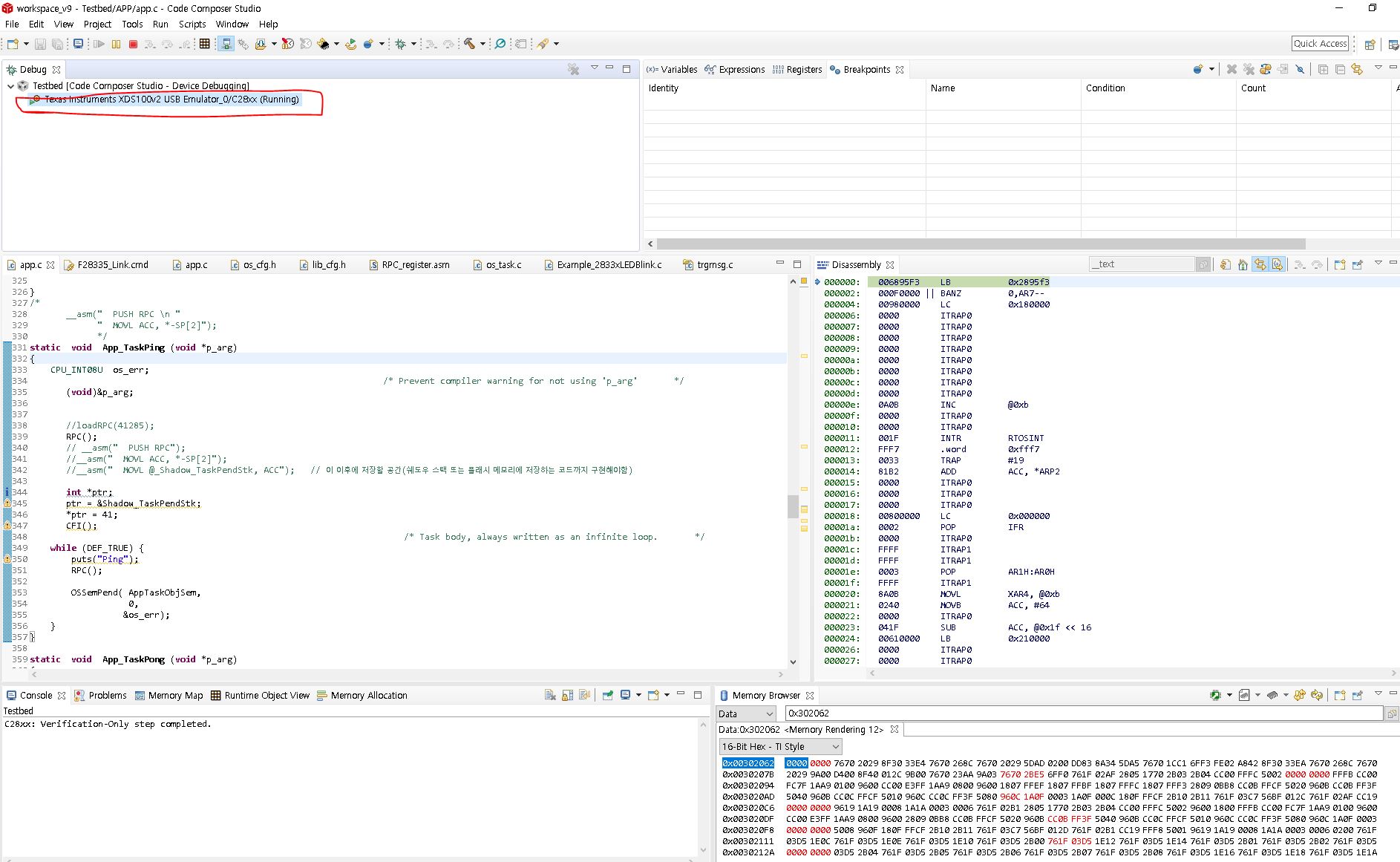
    Originally, when I press F11 in CCS, it goes directly to debugging mode, and debugging should be possible in Disassebly and Memory Browser as shown in the following figure.

    However, when uploading the modified binary with UniFlash, it looks like the Disassembly and Memory Brwoser functions are disabled as in the previous answer.

    Thanks, 

    Han

  • When the original binary is uploaded to Uniflash, it enters the debugging mode well.

    Debugging mode doesn't seem to work when uploading the modified binary.

    The Verification Options of Project Properties/Debug are also set to "No verification".

    Are there any other security options?
    I don't understand why I can't debug the modified binary after uploading..

  • Han,

    I think you'll still need to load the symbols of the .out file so that CCS understands that the code is still mapped to these locations.  So go to Run->Load Program->Load symbols.  Else it will just show the dis-assembly window(you may have to force that in the View->dis-assembly).

    Best,

    Matthew

  • Since it enters debugging mode without source code,

    it seems that the assembly and memory browser must be selected to debug the currently connected xds100v2.

    I will probably post other questions in the near future ;)

    Thank you for your kind explanation, Matthew

    Best Reagards

    Han