This thread has been locked.

If you have a related question, please click the "Ask a related question" button in the top right corner. The newly created question will be automatically linked to this question.

CCS/DRV8301-69M-KIT: Problem Tuning motor with InstaSPIN FOC and GUI

Part Number: DRV8301-69M-KIT

Tool/software: Code Composer Studio

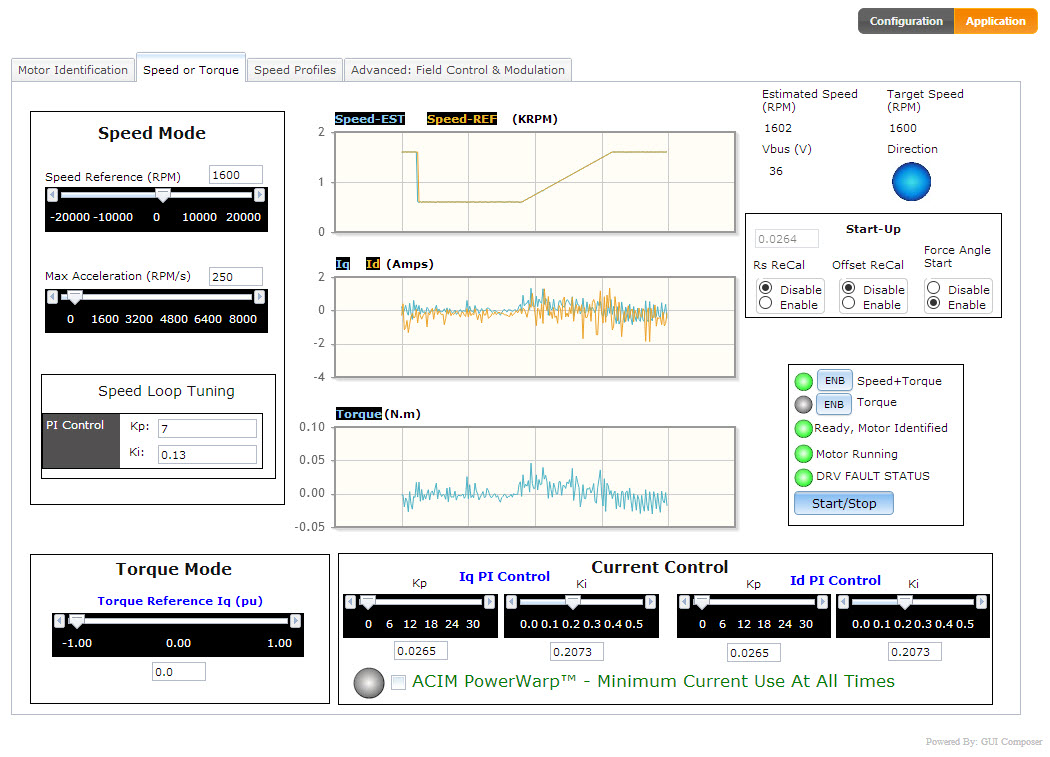
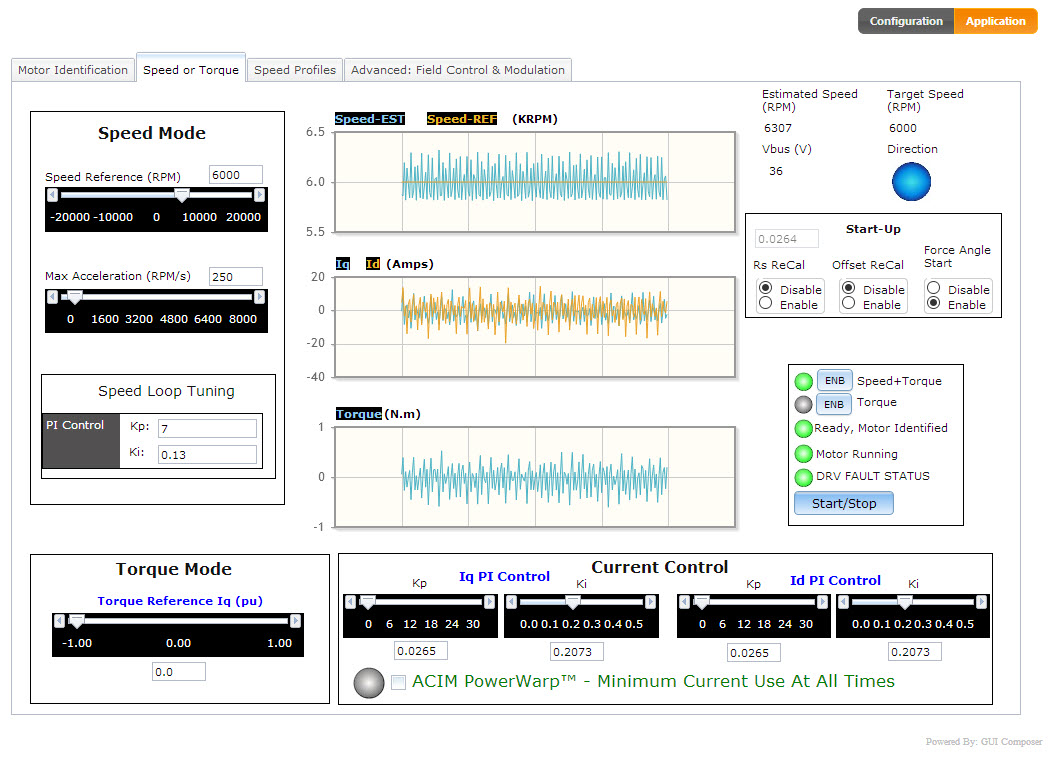
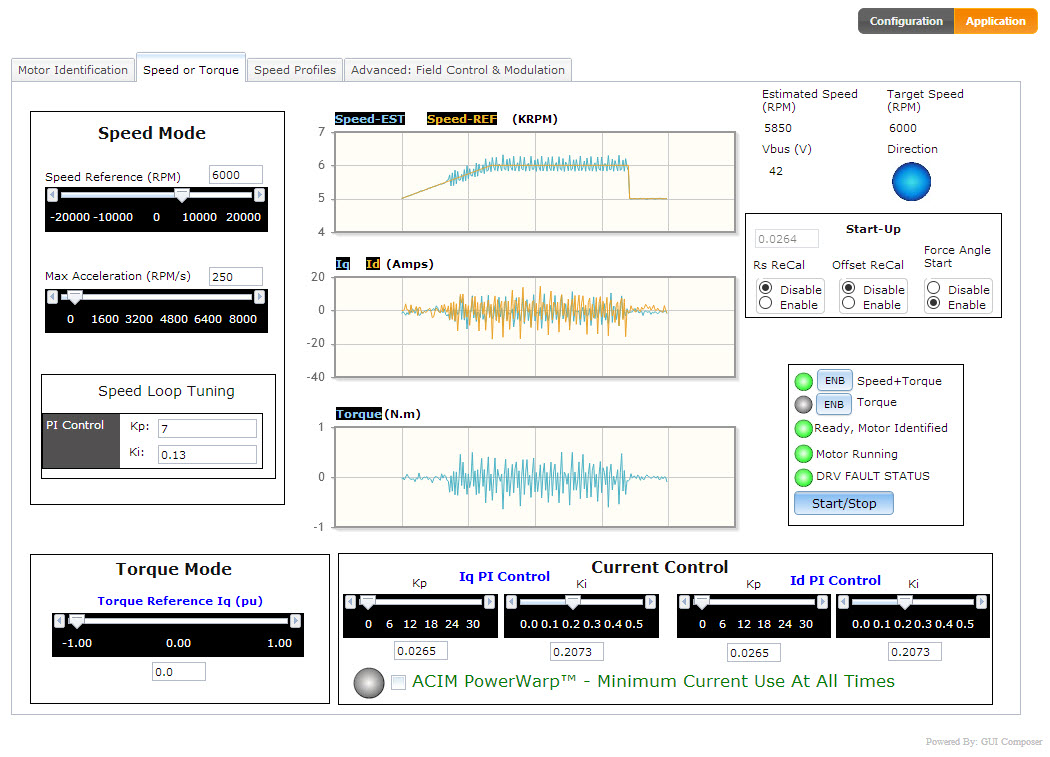
I have a BLDC motor that is almost working but I am having troubles trying to determine how to make the response flat over the range we need it to run. The motor has a max RPM of 10K RPM but we only need it to run 6000 RPM. I have ran the motor identification and it spins up and says it identified. Immediately after the identification I ran it from the bottom range to 6000 RPM in steps. The Kp that was identified of 13 resulted in the 6000 RPM have significant speed oscillation so I experimentally took it down to 7 and it smoothed out appreciably. With a Kp of 7 you can just hear the motor slightly oscillating and you can see on the screen grabs below. in the range of 1600 RPM to 5500 RPM the controller works fine. At 1000 - 1500 RPM the motor runs fine but is extremely noisy. At 200 - 800 the noise is not bad. (all these are with the motor unloaded). I had tried before with the PWM frequency from the 15 khz all the way to 65 khz. Above 30 khz it is simply not stable. I am not sure whether this is a function of the 11 pole pairs in the motor or not. Can someone give me some suggestions of what I can do to smooth out the top range and also quieten down the low RPM area.
  • I suppose the motor you used is a low inductance and BEMFconstant motor. Please follow the instaSPIN lab guide to run the lab02c and subsequent labs with CCS. And you should use a higher PWM frequency for this high frequency motor. 

    By the way, the Kp is too larger for high speed, you might use a small Kp and Ki of speed controller for running the motor at the high speed.

  • I have tried the Lab02 and actually the higher PWM makes it considerably worse. The Kp does seem to help for high speed. How about the noise at around 1200RPM - any help on what I should be doing with that to improve performance? By the way, using PWM frequency of 45 KHz the motor sounds like it is coming apart so whatever that mechanism is seems to be the key but I am trying to get some help to know what to pursue to fix.

    Thanks,

    Terry

  • Please follow the lab guide to use the lab02c with CCS to identify the motor parameters, and set the PWM frequency to 45kHz with the decimation factor (USER_NUM_PWM_TICKS_PER_ISR_TICK) equals to 3.  And you can tune the gain Kp and Ki of the speed regulator for the high speed with different values to low speed.

    Please capture the phase current waveform of the motor using the oscilloscope with a current probe, and monitor the feedback speed in CCS. So you can know if the noise is electrical or mechanical noise.

  • Where would you suggest to monitor the motor current with a current probe. When I look at the main power line supplying the motor it is a very ragged waveform with a high content of glitches and does not match anything I see in the documentation. 

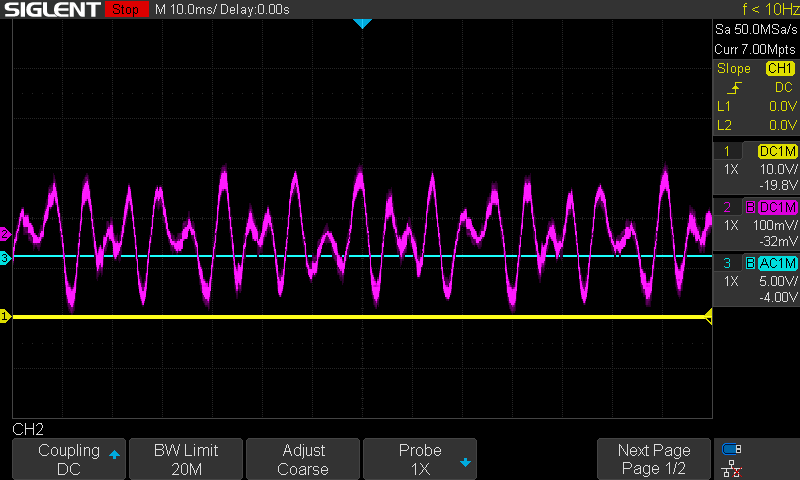
  • Ok I have placed a current probe on one of the motor phases and here are the pics from the scope at different speeds. The current probe shows 1 mv/100 ma. The motor is unloaded in all pics. At 6000 RPM the motor sound is quiet and good. At 4000 RPM still fine. 2000 RPM is noisy but not bad. 800 RPM is the worst - it sounds like something is grinding in the motor. 200 RPM is pretty quiet but not smooth.

    6000 RPM

    4000 RPM

    2000 RPM

    800 RPM

    200RPM

  • You might tune the Kp&Ki of the speed PI controller if you make sure that you have identified the motor parameters correctly and set them in the file of the user.h for running the motor. The default parameters of the speed controller are not good for all of the motor.

    You'd better follow the lab guide to run the lab with CCS that could be easy to tune these controllers' parameters.

  • Any updates? Assuming you have solved the question, we'd like to close this thread. Let me know if you have any further questions. Thanks!

  • This has worked so the thread can be closed. Thanks,

    Terry

  • Glad to know. Thanks!