This thread has been locked.

If you have a related question, please click the "Ask a related question" button in the top right corner. The newly created question will be automatically linked to this question.

CCS/TMS320F28069: Debug Initialization Error

Part Number: TMS320F28069


Tool/software: Code Composer Studio

Hello,

I have started getting the following error.

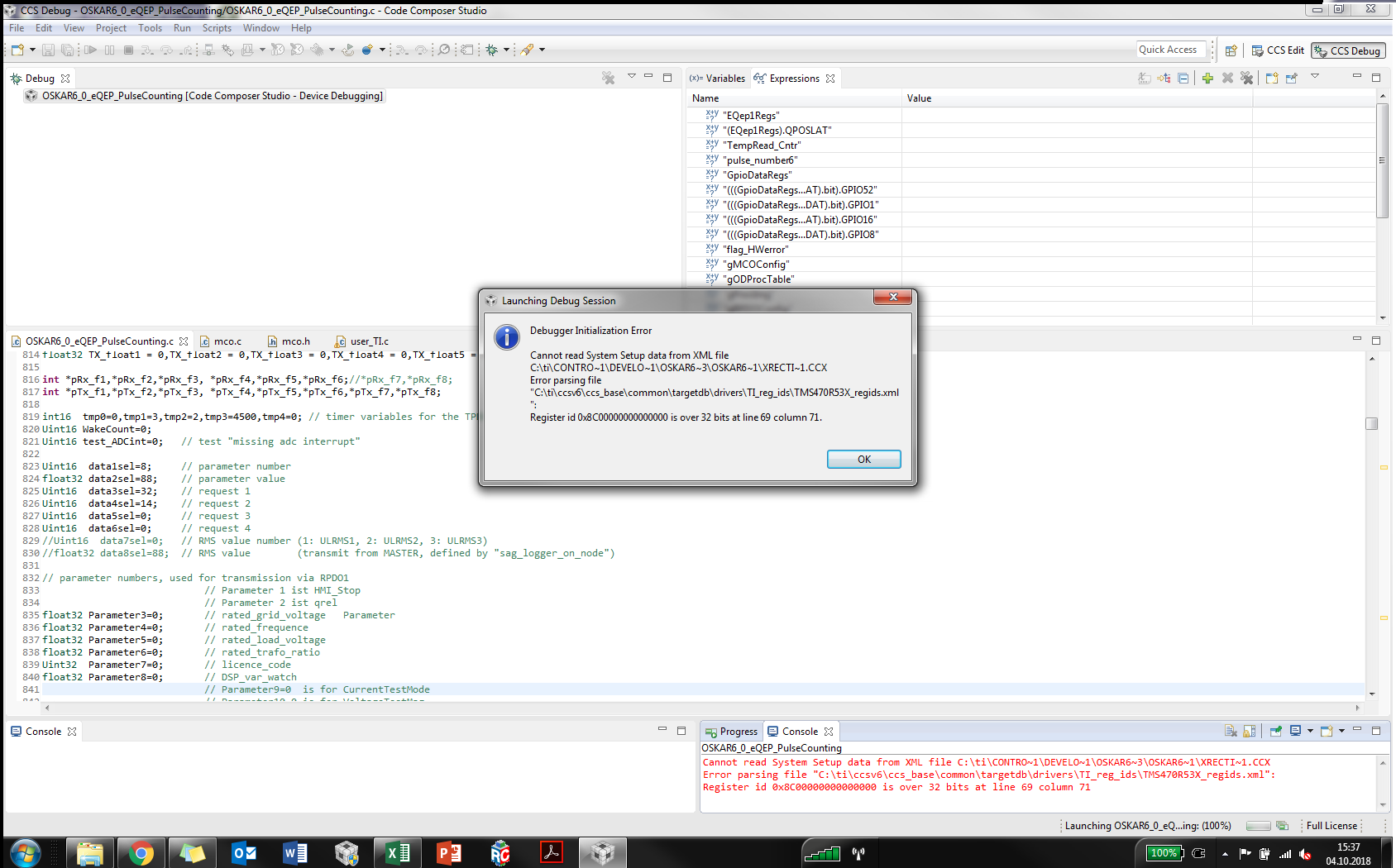
Debug Initialization Error

Cannot read System Setup data from XML file C:\ti\CONTRO~1\DEVELO~1\OSKAR6~3\OSKAR6~1\XRECTI~1.CCX
Error parsing file "C:\ti\ccsv6\ccs_base\common\targetdb\drivers\TI_reg_ids\TMS470R53X_regids.xml":
Register id 0x8C00000000000000 is over 32 bits at line 69 column 71

I am not able to program the µC at all. Everything was working good yesterday. I guess it has something to do with the CCS update for TI Emulators. The first thing I did after opening the CCS is installing the update and after that the software is running into some kind of problems.

Could anyone please help?

Below is the screenshot of the error. 
  • Karan,

    Have you configured the right target configuration device file? Error message shows you have TMS470R53X_regids.xml file. This is not the right one for F28069. Please check.

    Regards,
    Manoj
  • Karanpatel4977 said:
    I guess it has something to do with the CCS update for TI Emulators. The first thing I did after opening the CCS is installing the update and after that the software is running into some kind of problems.

    Karan,

    Could you try deleting the .launch file, debug launch configuration and target cache files as mentioned in the Debug section of this article? Sometimes this cached information gets corrupted and deleting it may fix the issue. Let us know if this does not help.

  • Hello,

    Thank you for your reply.

    @Manoj - The target configuration file was completely okay since I have not chaged it. The thing is I wasn't able to test the connection to my target. Some system file got corrupted some how.

    @ArtiG - Thanks for your suggestion. The link you had sent was helpful. I tried deleting my launch configuration but that didn't help. I guess one of the setup file in folder C:\ti\ccsv6\ccs_base\common\targetdb\drivers\TI_reg_ids related to respective debugger got corrupt.

    I deinstalled CCS and tried reinstalling CCS 6.1 once again and luckily everything is working now.

    Regards,
    Karan Patel