This thread has been locked.

If you have a related question, please click the "Ask a related question" button in the top right corner. The newly created question will be automatically linked to this question.

CCS/TMS320F280049C: TMS320F280049C - Serial Flash Programmer

Part Number: TMS320F280049C
Other Parts Discussed in Thread: C2000WARE

Tool/software: Code Composer Studio

Hi everyone,

I’d like to request a support on a example project that I’m trying to run on F280049 controlCARD unsuccessfully. 

I’m trying to run the serial flash utility provided in the “C2000Ware_1_00_06_00_Software” software pack:

C:\ti\C2000Ware_1_00_06_00_Software\utilities\flash_programmers\serial_flash_programmer


My hardware is composed by the F280049 controlCARD inserted in the 120HSEC connector of the experiment kit board (both boards are powered with two PC-USB ports). 

I set the F280049 microcontroller in “Boot from SCI” mode with the following GPIOs configuration: 

 

I connect the mini-usb connector to my PC (GIPO-28 SCI-RX, GPIO-29 SCI-TX). The COM is recognized as COM1 port.


I launch the command from “commands prompt console” using the following files as parameters:

  • C:\ti\C2000Ware_1_00_06_00_Software\utilities\flash_programmers\serial_flash_programmer\f28004x_fw_upgrade_example\flashapi_ex2_sci_kernel.txt
  • C:\ti\C2000Ware_1_00_06_00_Software\utilities\flash_programmers\serial_flash_programmer\f28004x_fw_upgrade_example\led_ex1_blinky.txt


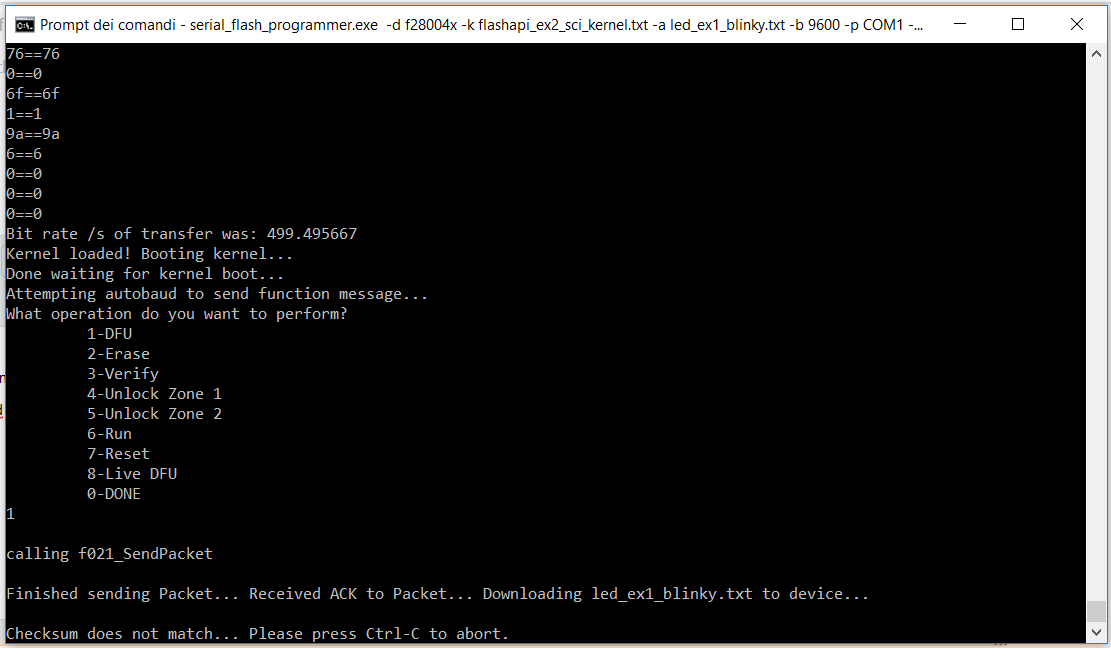
The download always freezes at the same point (If I reset the device and I try again to launch the download, I obtain always the same issue).


What am i doing wrong?

Thank you very much for your support.

Fabrizio

  • Hi Fabrizio,

    We have seen something like this before.

    Sometimes, it appears that if the .txt generated by the hex utility is opened in a text editor, Windows appends some header information in the file.

    It should work if you delete the .txt files, rebuild them and point the serial flash programmer to those new files without opening them.

    Let me know if this works.

    sal
  • Hi Sal,

    thank you very much for your answer. The solution provided by you solves partially my problems with the Serial Flash Programmer.

    After the rebuild of the .txt files, i'm able to download the boot kernel correctly but i have again problems when i launch the DFU command (1). I obtain the following behaviour:

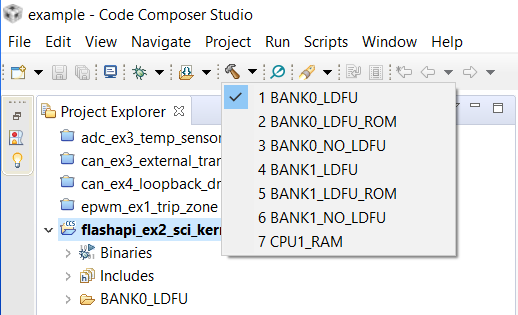
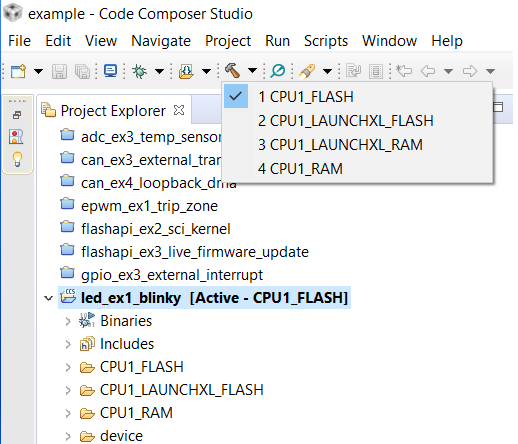
    I'd like to erase the flash and loads and programs an application into flash (with Piccolo F280049C controlCARD). When i rebuilded the .txt files i saw that the original projects have several build configurations:

    - flashapi_ex2_sci_kernel

    - led_ex1_blinky

    Could you tell me the correct build configurations to load and run an application into flash?

    Thank you very much for your support.

    Fabrizio

  • For the kernel use the RAM configuration since the boot loader can only load code into RAM.

    For the blinky flash application ,use CPU1_FLASH since the kernel will use the flash API to program the application.

    Also make sure the kernel is using the same SCI pins that you are using in your boot loader.

    sal
  • Thank you very much Sal! It works!

    Fabrizio