This thread has been locked.

If you have a related question, please click the "Ask a related question" button in the top right corner. The newly created question will be automatically linked to this question.

Linux/MSP430FR5994: Error on building dependencies and target

Part Number: MSP430FR5994


Tool/software: Linux

Hi everyone,

Currently, I am facing a problem which I need to build an application (e.g. apps/mnist/bld/gcc/mnist.out), but when I build the dependencies ($ make apps/mnist/bld/gcc/dep), it comes out the errors below. 
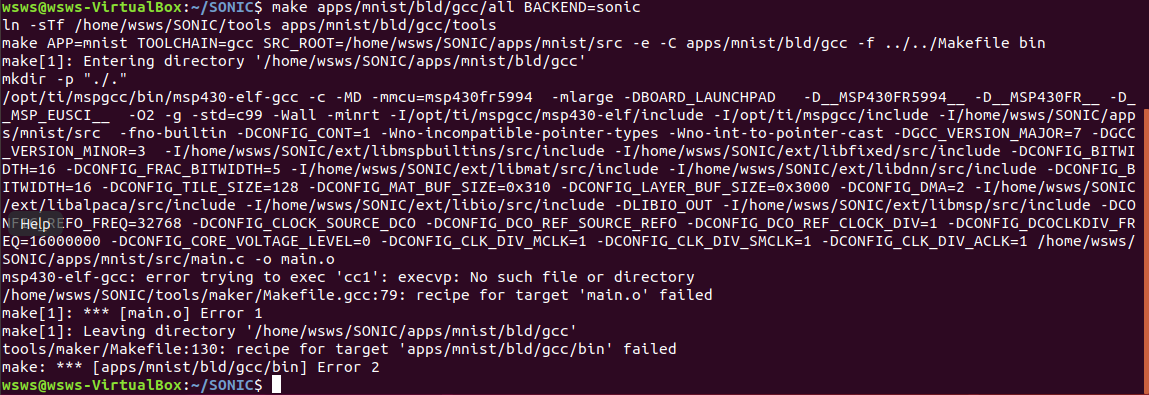
For building target ($ make apps/mnist/bld/gcc/all BACKEND=sonic), there are same errors too.

Kindly pls advise what is the steps in order to solve the problem.

Thank you very much.

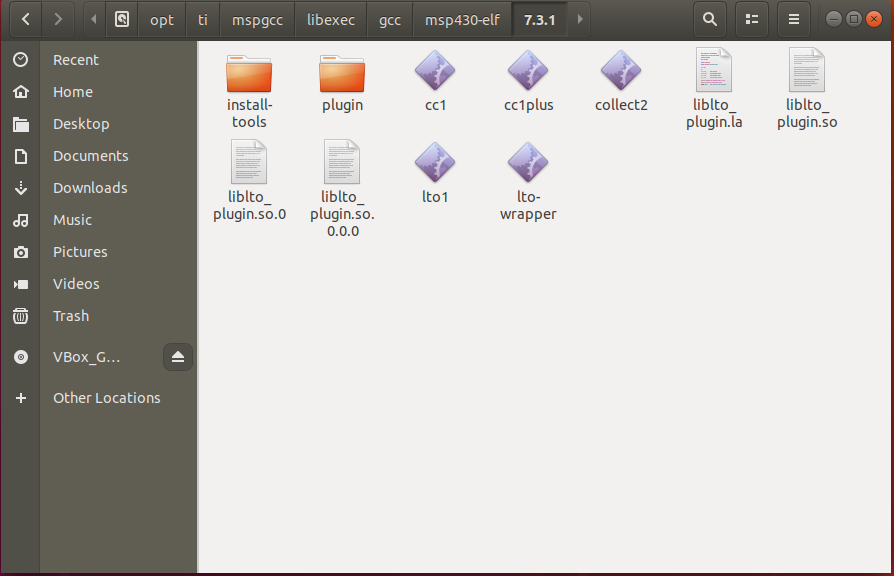
  • The compiler shell program msp430-elf-gcc invokes several sub-executables as part of the compiling process.  Among these sub-executables is cc1.  The compiler locates it relative to where msp430-elf-gcc is installed.  In your case, it should be located in a directory location similar to ...

    /opt/ti/mspgcc/libexec/gcc/msp430-elf/7.3.1

    My guess is, for reasons unknown, it is not there.  If that is the case, the best solution is to re-install the compiler.

    Thanks and regards,

    -George

  • Hi George,

    I have re-install the compiler, but there is still the same problem.

    Thanks and regards,

    Liew

  • Hi,

    There might be some issues with the permissions on the executable files in the toolchain.

    1. Can you please confirm the filename of the installer you used to install the toolchain?
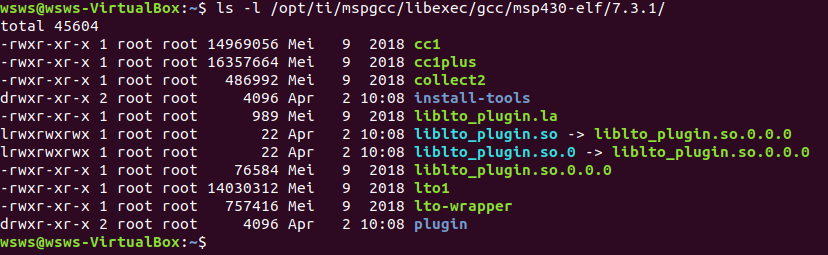
    2. Can you post the output of running the following command:
      "ls -l /opt/ti/mspgcc/bin/libexec/gcc/msp430-elf/7.3.1/"
    3. Can you also post the output of running the following command:
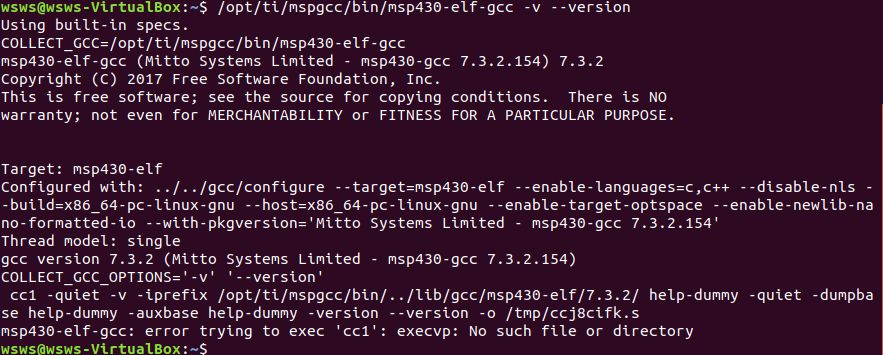
      "/opt/ti/mspgcc/bin/msp430-elf-gcc -v --version"
    4. If you install the toolchain into your home directory, do you have the same problem?

    Thanks

  • Hi,

    1. Can you please confirm the filename of the installer you used to install the toolchain?

    msp430-gcc-full-linux-x64-installer-6.1.0.0.run from http://software-dl.ti.com/msp430/msp430_public_sw/mcu/msp430/MSPGCC/latest/index_FDS.html

    2. Can you post the output of running the following command:
    "ls -l /opt/ti/mspgcc/libexec/gcc/msp430-elf/7.3.1/"

    3. Can you also post the output of running the following command:
    "/opt/ti/mspgcc/bin/msp430-elf-gcc -v --version"

    4. If you install the toolchain into your home directory, do you have the same problem?

    Yes, I am still getting the same problem.


    Thanks and regards,

    Liew

  • Thank you for posting this information.

    Please can you try the toolchain only archive "msp430-gcc-7.3.2.154_linux64.7z" from the same webpage you got the installer, whilst I investigate the issue further.

    You will need to run "sudo apt install p7zip-full" to install 7zip so you can unarchive the package, if you don't have 7zip installed already.

  • Hi,

    There is a problem with the permissions set on the files and folders in the toolchain when using the installer. The "toolchain only" archive does not have these issues and should work for you.

    We need to modify the permissions so your user can access all the files without having root privileges.

    Please run

    sudo chown -R wsws:wsws /opt/ti/mspgcc/

    This will recursively change the owner of all the files in the mspgcc folder from "root" to your user, "wsws".

    Please let me know if you have further issues, I will work with TI to get this problem with the installer fixed as soon as possible.

**Attention** This is a public forum