This thread has been locked.

If you have a related question, please click the "Ask a related question" button in the top right corner. The newly created question will be automatically linked to this question.

CapTIvate Proximity Level

Other Parts Discussed in Thread: MSP430FR2633

Hello,

I am developing a board based on MSP430FR2633 using the capTIvate technology.

I have read that when there is a proximity detection in an element, a flag is set.

Is there a possibility to detect the level of proximity?

For example, if an element detects proximity = 3, do something.

Thanks in advance.

  • Hello Thanos,

    Yes.

    The CapTIvate technology library have 2 thresholds (proximity threshold and touch threshold) to help indicate the user when proximity or touch events happened. The library also provide you several readings (conversion count, delta, Long Term Average and etc.) based on your interaction with the sensor electrodes. So you can always make your own threshold in your application code by using those readings and decide how the system should respond. For example, if your hand is 10mm away from the sensor your delta reading is 50, and when your hand is 3mm away from the sensor the reading is 100 then you can just make your application code to read the delta value and make decisions.

    Thanks,

    Yiding

  • Hello Yiding,

    Thank you for your response.

    For example, my implementation include only one single touch button.

    The proximity threshold is 10.

    I want to check whether the proximity variable is 20 , 15 etc.. in order to  make some effects.

    Could you please tell me, which is the delta variable?

    Thanks in advance!

  • Updated message.

    I have read ,that the delta is the difference between the filterdCount to LTA.

    The access to the filteredCount is: BTN00.pCycle[0]->pElements[0]->filterCount.ui16Natural;

    When i am comparing the value (BTN00.pCycle[0]->pElements[0]->filterCount.ui16Natural == 950), i get only zero in this.

    Am i somewhere wrong on this?

  • Hello Thanos,

    Are you using the CapTIvate Design Center GUI to tune and configure your system? 

    I recommend to use the GUI to first tune your system see what is the delta you are getting when you at different proximity level. 

    Can you try just read the variable BTN00.pCycle[0]->pElements[0]->filterCount.ui16Natural and see what is the value?

    Thanks,

    Yiding

  •  Yes, i am using the CapTIvate Design Center for my system.

    The value of the variable : BTN00.pCycle[0]->pElements[0]->filterCount.ui16Natural  = 0 .

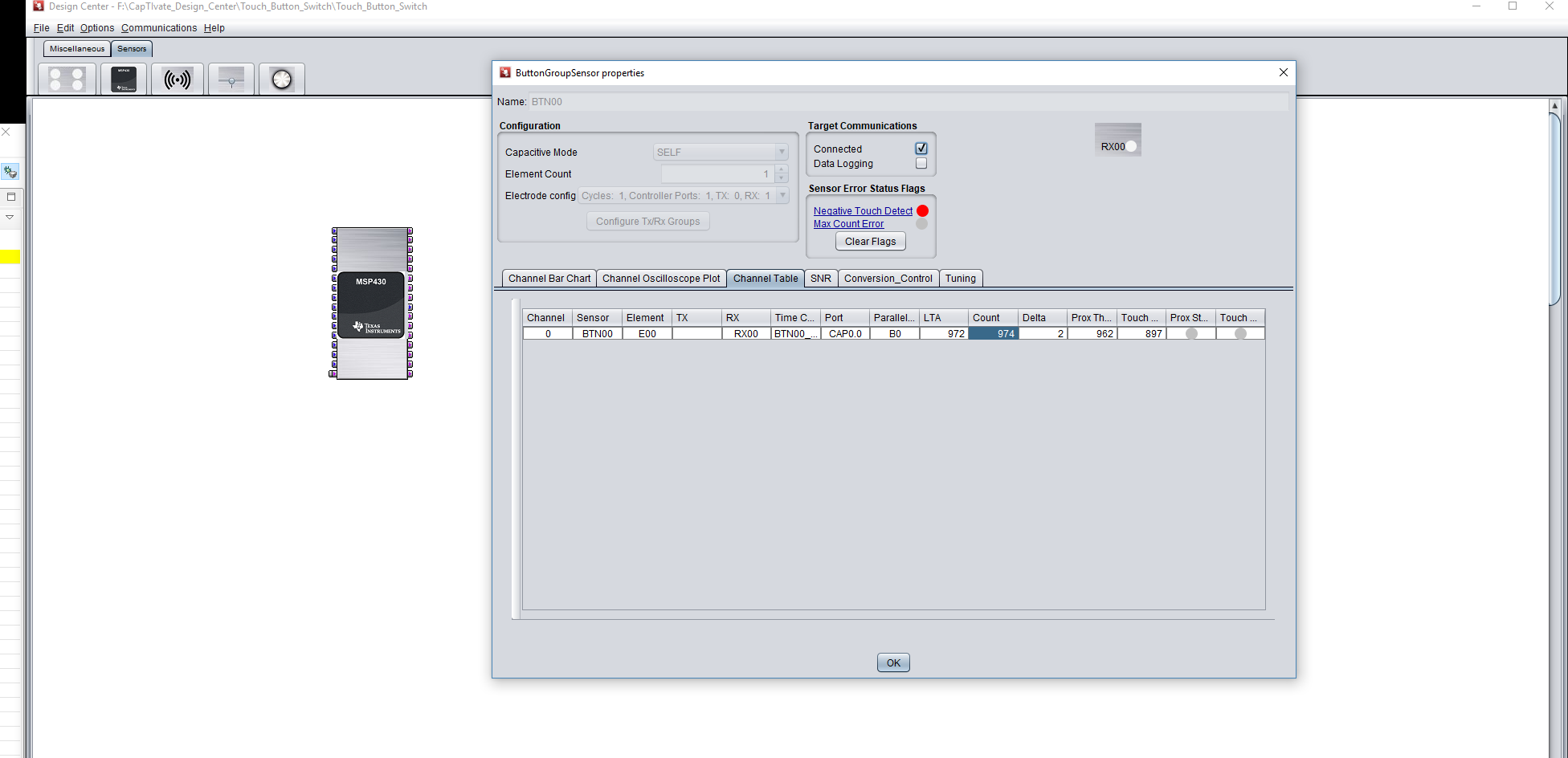
    I am attaching you a print screen of the CaptiVate Desing Center about the delta i am getting there.

  • Any suggestion about my issue?

    Do you want to upload my sample code to check if i am doing something wrong?

  • I have found it!

    Everything is ok!

**Attention** This is a public forum