This thread has been locked.

If you have a related question, please click the "Ask a related question" button in the top right corner. The newly created question will be automatically linked to this question.

DRV8353RS-EVM: Code compilation Error in CCS

Part Number: DRV8353RS-EVM
Other Parts Discussed in Thread: LAUNCHXL-F28027F

Dear TI Team,

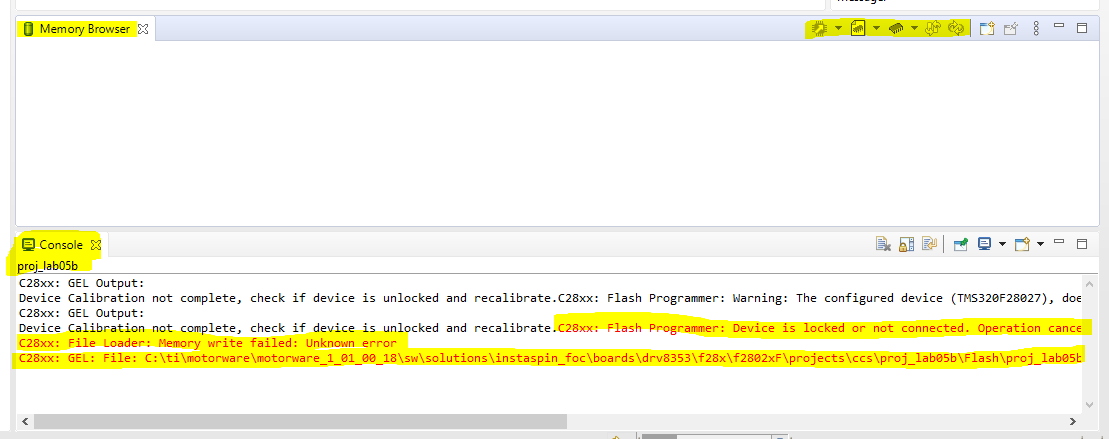
Currently I'm using DRV8353RS-EVM and as per the TI user guide DOCs I have followed and Tried to compile it but some errors are appearing (Error: C28xx: Flash Programmer: Device is locked or not connected. Operation cancelled).

Also checking the issue in the E2E support Forum, some suggestions are Power Problem (brown out) and Memory Lock.

I am sure, no memory lock is used before and while checking with Memory Browser the icons are not in active state.

Please help me to solve the error and share how to activate the memory browser icons in CCS.

I have attached the error image and memory browser image. Hope to reply soon.
  • Ramyaa,

    Thanks for reaching out to the E2E forums.  In order to determine if the device is locked I'd like to manually connect to the device and view the memory window.

    In order to do this, you need to right click on your Target Configuration File(View->Target Congurations), which is the ccxml file corresponding to the F28027F.  You'll then select "Launch Target Configuration".  This should bring up a new window in CCS with the target listed and the C28x core.  Right click on this and select "connect".

    Once this is complete you should be able to open a memory window (View->memory window), and then observe locations 0x3F7FF8 - 0x3F7FFFF.  If these appear as all 0x0000, then the device is locked.  This can happen if the flashing operation (erase/program) is interrupted.  This can be the case even if there was not an intentional write to these password locations.

    Unfortunately if the device is locked, and the password is unknown there is no way to unlock/recover the device.  You can see if the motor lab project has a compile option for RAM vs FLASH which may allow you to load and run it this way.  If there is no option here, you will need to replace the device with a new/unlocked device.

    Let me know the outcome of the above, and we can see determine if the device is locked.

    Best,

    Matthew

  • Hello Matthew 

    Thanks for your reply.

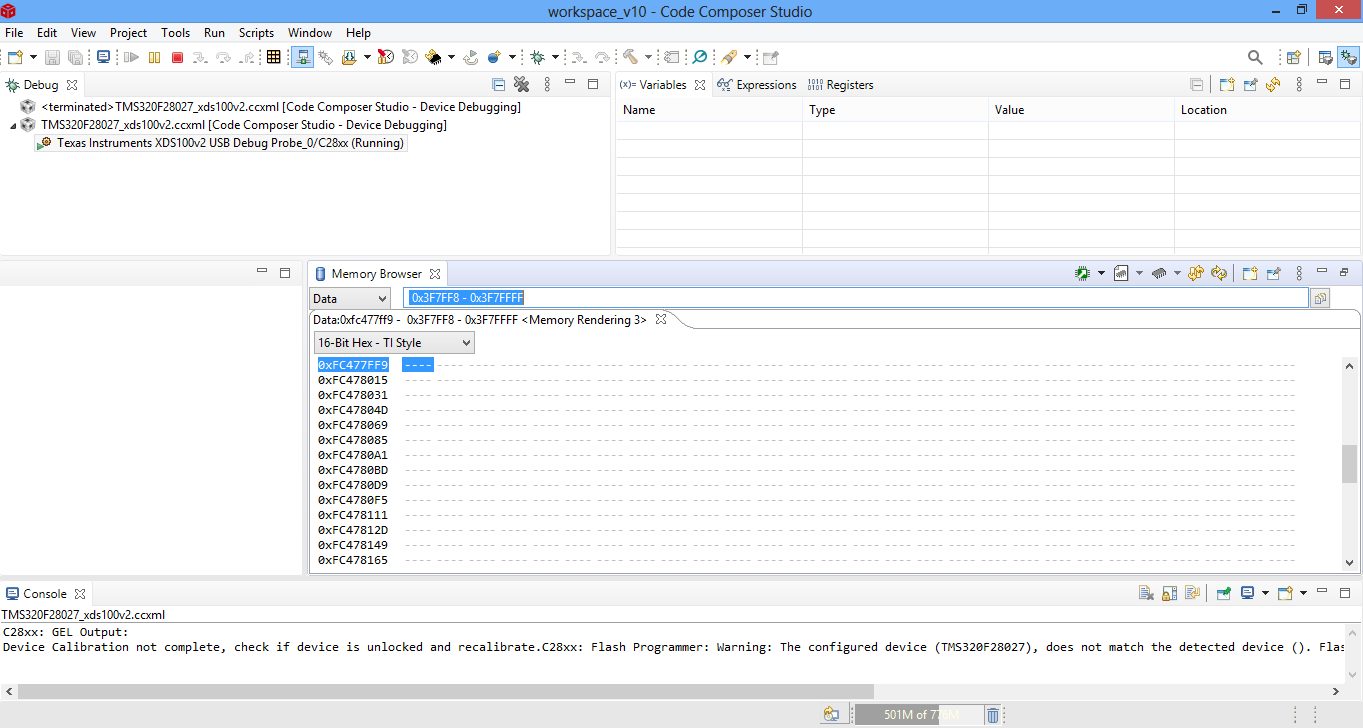
    As per your instruction, I have followed and device was connected and you mention to open the memory window, in CCS View->Memory Browser only available. So, the connect through .ccxml is done but no memory window, instead of Memory window I verified with Memory Browser (entered the location 0x3F7FF8 - 0x3F7FFFF) and it shows '-' for all memory space no values are attached below as image.

    While Debugging I am facing some error that also attached below and justify the memory browser shows the normal or not.

    Please find the attached image and provide the solution immediately. 

    Regards,

    Ramyaa R

  • Ramyaa,

    One correction for viewing the password locations, you can just type 0x3F7FF8 and make sure the window is big enough(it is from your picture) to show the next 8 words.  I didn't know the window would accept the range, but it has mis-translated that.

    I suspect that the device is locked, which is why you get the load error from CCS. 

    Are you using the LAUNCHXL-F28027F?  I believe that with this DRV kit, the launchpad is getting its power from the DRV BoosterPack.  Can you advise on the state of the JP1/JP2/JP3 jumpers on the launchpad?

    Best,

    Matthew 

  • Hello Matthew,

    I have followed your instruction and observed the results are attached below.

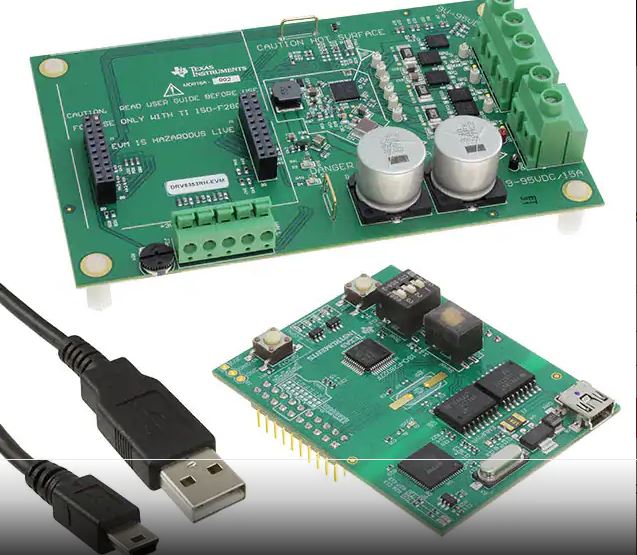
    DRV8353RS-EVM kit image also attached for your reference, there is no JP1/JP2/JP3.

    Kindly check and provide the solution.


    Regards,

    Ramyaa R

  • Ramyaa,

    I'm going to pull in some other team members from the motor control team inside C2000 to comment on the launchpad here, etc.

    From your memory window the device is indeed locked(all 0's in the password locations).

    Ultimately you will need a new LaunchPad, but I need to understand better the correct HW to point you to.

    Best,

    Matthew

  • Dear Matthew,
    Thanks for your support.
    This is the first time we are flashing the code in ISO-F28027F and I have doubts whether initially the target is getting locked or not. If locked what would be the password?
    Regards,
    Ramyaa R
  • Hello Ramyaa,

    We're covering this over email. We'll talk there.

    Best,

    -Cole