This thread has been locked.

If you have a related question, please click the "Ask a related question" button in the top right corner. The newly created question will be automatically linked to this question.

TPS25751EVM: Inquiry regarding TPS25751 internal firmware write error

Part Number: TPS25751EVM
Other Parts Discussed in Thread: USBCPD-APPLICATION-CUSTOMIZATION-TOOL, TPS25751

Tool/software:

Hi, TI expert

I am contacting you because the customer is testing the internal firmware with TPS25751EVM and it is not going well.

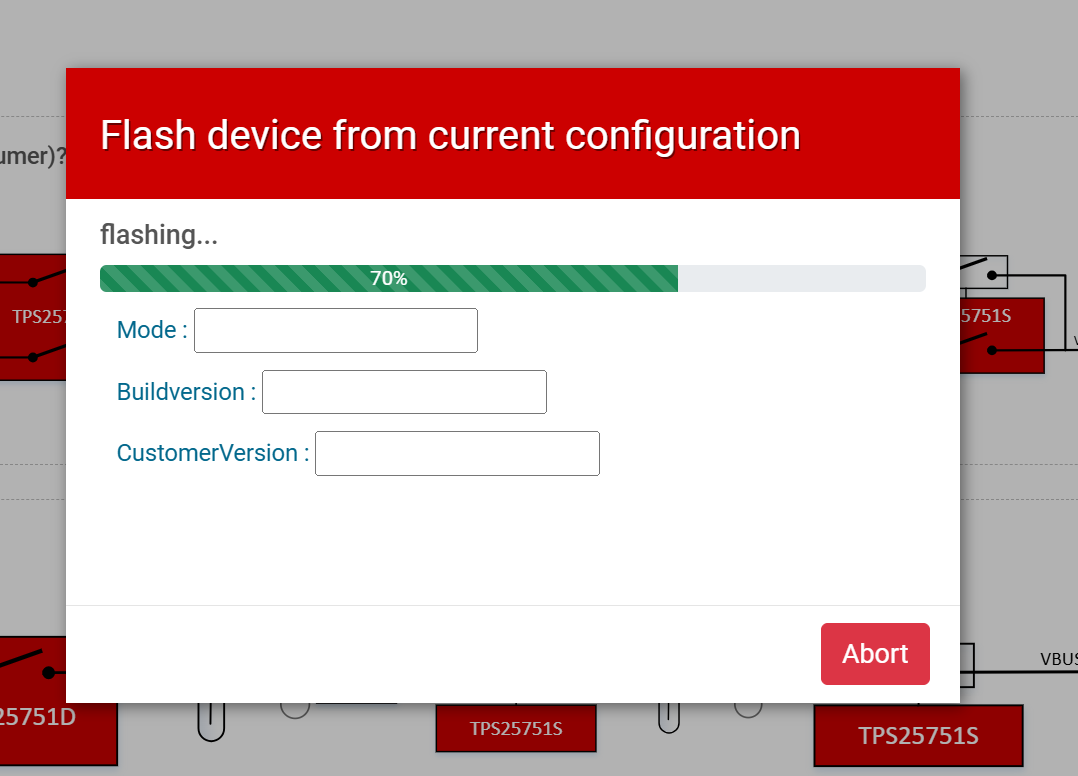
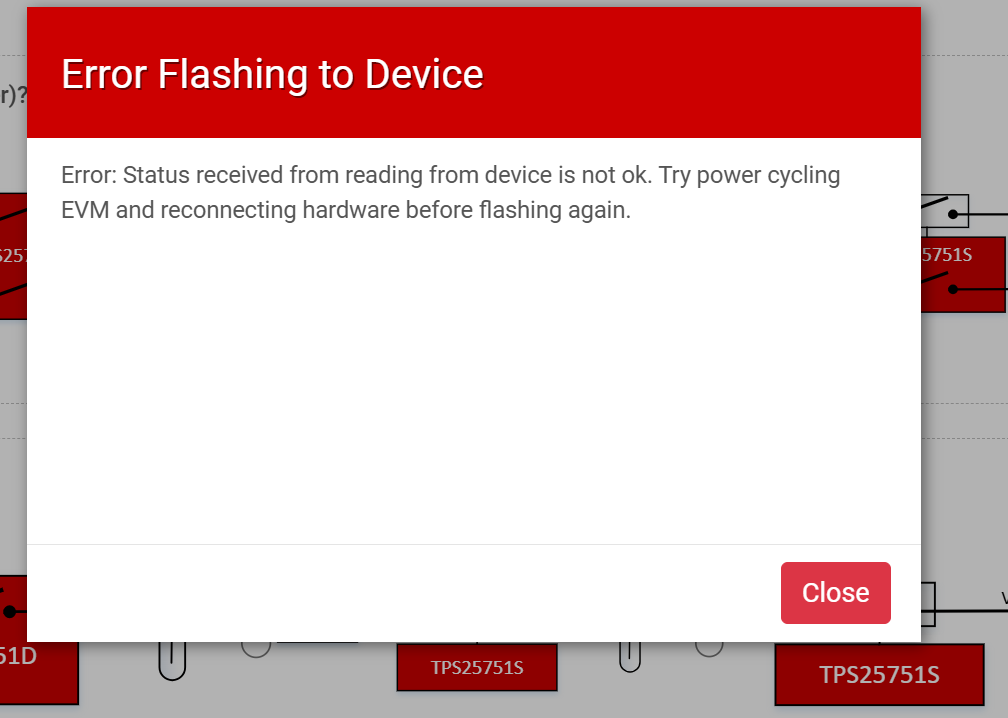
The customer is running the ‘USBCPD-APPLICATION-CUSTOMIZATION-TOOL’ version that supports USB-IF PD v3.2.1.1 from TI.com to write the firmware, but the Flashing progress bar is displayed, but an error message is displayed later.

→ The message in the EVM manual for normal writing does not appear.

Q1) What is the problem? Is there a solution?

Q2) Is there a case where TPS25751 was applied? I am curious about how the firmware write part was solved.

Please check. Thank you.


  • Hi Grady,

    Q1) What is the problem? Is there a solution?

    There seems to be a bug in the GUI where the image flashes correctly but the verification step fails. We are looking into it but have limited success as the failures are inconsistent and seem specific to users.

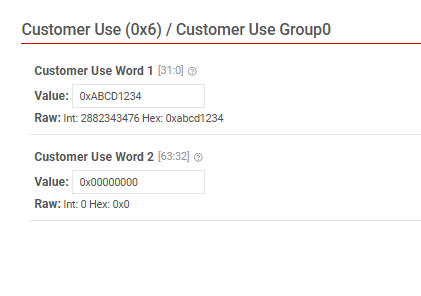
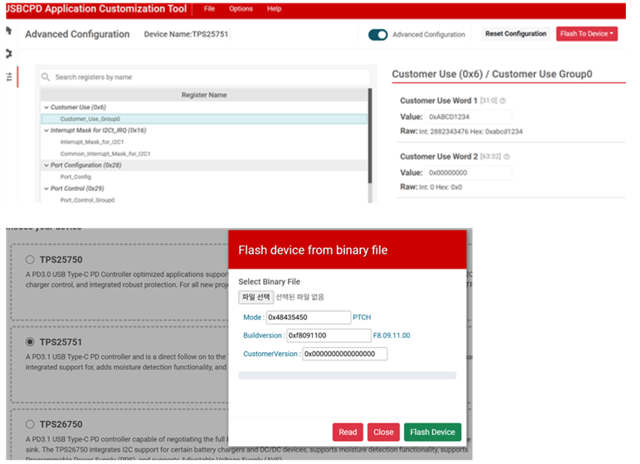
    If this is the issue then the image is flashing correctly. To confirm that the image is being loaded, you can test it by putting unique data into the customer use register(0x06).

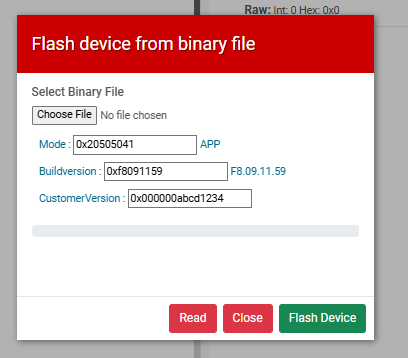
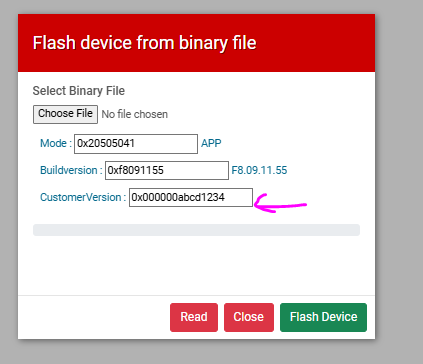
    After flashing an image with the customer use set, power cycle the EVM and reconnect it to the GUI. Go to"Flash to Device-> Flash device from binary file" and read the customer version. If you see your unique data in the customerversion field, the image should be loaded to the EVM properly.

    Q2) Is there a case where TPS25751 was applied? I am curious about how the firmware write part was solved.

    Yes, there is a chance that the image is flashed to the EVM properly. We have been seeing issues with the final verification step when reading back the image from the EEPROM.

    Thanks and Regards,

    Chris

  • Thanks for your reply.

    I tried following the instructions you gave me, but it didn’t work well.

    I’m not sure what the problem is.

    It would be helpful if you could let me know what else I should check.

    Please check. Thanks you.

  • Hi Jae-Hyun,

    At this point, I'm not exactly sure what the issue could be.

    I have a couple questions and things they can try.

    Please try using the "Flash EVM from Binary" with this image, power cycle the EVM, and read the customer version again. It should read abcd1234 if it worked.

    https://e2e.ti.com/cfs-file/__key/communityserver-discussions-components-files/196/TestFF_5F00_ABCD1234.bin

    Is J16 populated on your EVM?

    How are you powering the EVM? Which port is being used?

    Can you try flashing the device from the GUI using a different PC (different make and model)? Could you try changing the browser as well?

    The issue seem to be that the device is stuck in PTCH mode, which seems to be why it is throwing the "Error reading from device" message. This can happen for many reasons.

    1. If the EEPROM is not connected properly on J16
    2. PD controller is not attempting to load an image
      1. On power up, probe the I2Cc lines and see if the PD controller attempts to read the EEPROM at address 0x50
      2. You should see a large block of data being read from the EEPROM
    3. The image is invalid
      1. Try the image I shared above, I tested it on an EVM and it should load properly.

    Thanks and Regards,

    Chris