This thread has been locked.

If you have a related question, please click the "Ask a related question" button in the top right corner. The newly created question will be automatically linked to this question.

TMS320DM8168: Add resolution (1440x900) in DVRRDK_04.01.00.02 framework.

Part Number: TMS320DM8168


Hi,

I have used TI816x EVM board to capture 1440x900@60 resolution at VIN0 port , encode it in H264 formate , stream it   and display the same.

All the links are created with 1440x900 resolution properly.

I have added all the changes regarding this resolution in MCFW, DEMOS, HDVPSS and KERNEL directory.

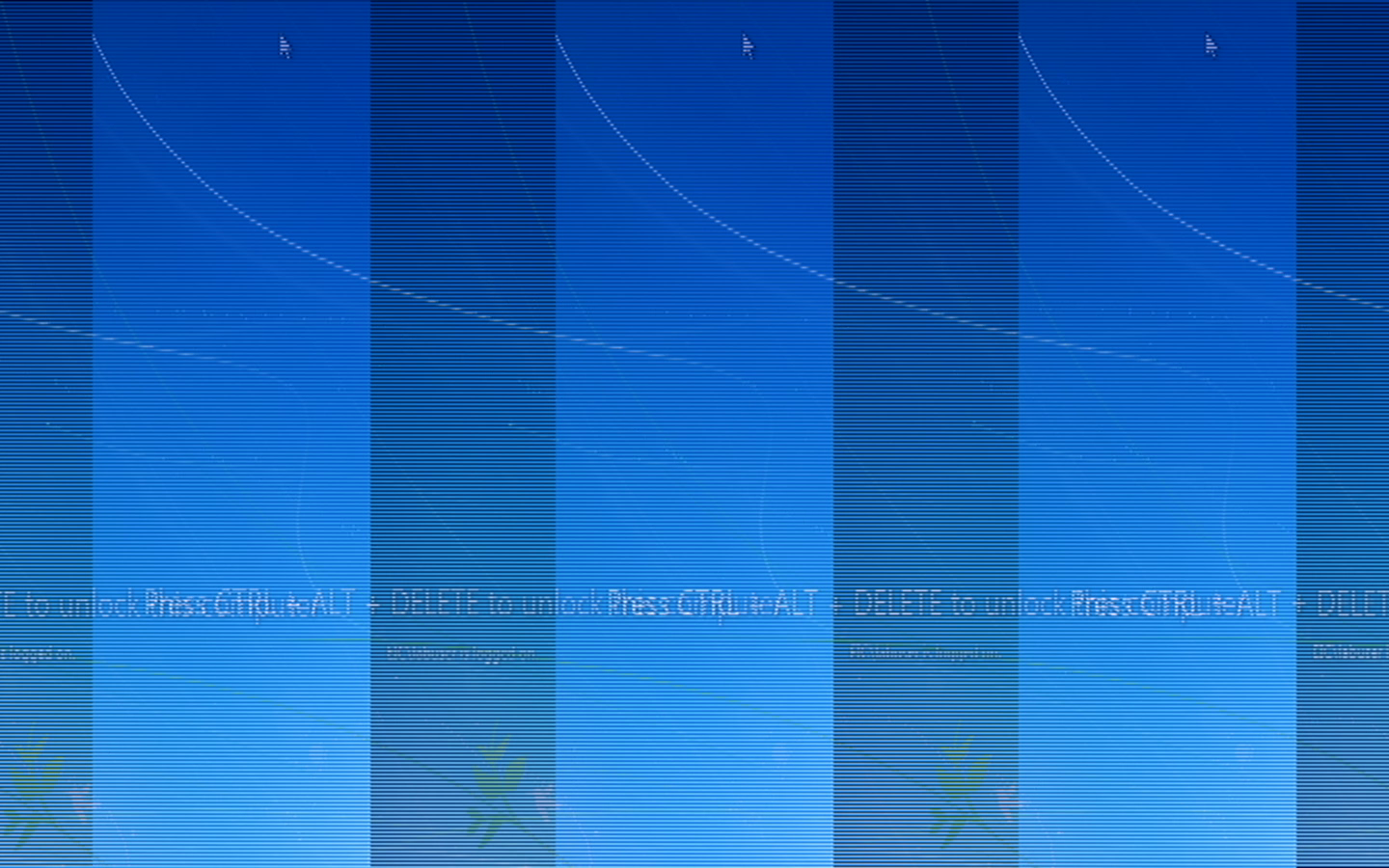
The problem is capture ,encode and display video got shifted.

Capture Video Snapshot


-Regards,

Prabhunath

  • So can anyone tell me how to make proper it ?
  • Hi Prabhunath,

    When VIP captures over discrete sync interface, it also captures blanking data. This needs to be cropped, otherwise you will see this kind of shift in the output. 

    There is a crop module in the VIP, so enable and crop the blanking information.

    Regards,

    Brijesh

  • Hi Brijesh,

    Thank you so much for your answer. I have set following parameters for capture link.

    pCaptureInstPrm->videoCaptureMode   = SYSTEM_CAPT_VIDEO_CAPTURE_MODE_SINGLE_CH_NON_MUX_DISCRETE_SYNC_HSYNC_VSYNC;

    capturePrm.doCropInCapture = TRUE;


    But blanking data is still present and capture the same. Can you please explain in details.


  • Hi Prabhunath,

    You are using hsync/vsync style of capture, so you will need to crop the blanking data.
    I dont remember if doCropInCapture flag enables cropping..
    Can you please go inside the vip capture link and see which parameter enables cropping?
    In addition to enabling this flag, you will need to set your active region, change the parameters cropStartX/Y and cropWidth/cropHeight as per your active region.

    Regards,
    Brijesh
  • Hi Brijesh,

    Thank you for your quick response.

    But the same capture configuration working fine with other resolution (720x576, 1024x768, 720P, 1080P).
    There is no parameter like cropStartX/Y and cropWidth/cropHeight inside the vip capture link.

    My test environment as below.

    DVRRDK Version: DVRRDK_04.01.00.02
    Test board : TI8168 EVM
    Capture side : sil1161A HDMI receiver

    This problem occurred with only (1440x900) resolution and there is no error message found on console so that i am not able to debug this issue. All the links created proper with (1440x900) resolution. I have tried all capture parameter but didn't any useful.

    I stuck with this so please give me useful suggestion.

    Regards,
    Prabhunath
  • I want to know one more thing here.

    Is there any capture timing parameter required to add for new resolution because i have added timing parameter for display in below file.

    mcfw/interfaces/ti_vdis_timings.h

    I have modified below files to add new resolution .

    mcfw directory ------------>>>>>>>>>>>>>>>>>

    mcfw/interfaces/common_def/ti_vsys_common_def.h

    mcfw/interfaces/link_api/system_const.h

    mcfw/interfaces/ti_vdis_timings.h

    mcfw/src_bios6/links_m3vpss/capture/captureLink_drv.c

    mcfw/src_bios6/links_m3vpss/system/system_m3vpss.c

    mcfw/src_linux/mcfw_api/ti_vdis.c

    mcfw/src_linux/mcfw_api/usecases/multich_common.c

    hdvpss directory ------------>>>>>>>>>>>>>>>

    DVRRDK_04.01.00.02/ti_tools/hdvpss/dvr_rdk_hdvpss/packages/ti/psp/vps/drivers/src/fvid2_drvMgr.c

    DVRRDK_04.01.00.02/ti_tools/hdvpss/dvr_rdk_hdvpss/packages/ti/psp/vps/fvid2.h

    DVRRDK_04.01.00.02/ti_tools/hdvpss/dvr_rdk_hdvpss/packages/ti/psp/vps/hal/src/vpshalHdVencDefaults.h

    DVRRDK_04.01.00.02/ti_tools/hdvpss/dvr_rdk_hdvpss/packages/ti/psp/vps/hal/src/vpshal_hdvenc.c


    Please confirm above changes is proper or not to add new resolution. If not then please share the document to add new capture resolution in DVRRDK framwork.

    Do let me know if you needed more information on this issue .

    Regards,

    Prabhunath

  • Hi Prabhunath,

    Capture is like a port, it stores what it gets. So there is not change required in timing parameters, we just need to configure input interface size and sync mode. Then it will be able to receive input data.
    In hsync/vsync style of capture, it does not really know where the active video starts from, so it captures complete frame including blanking information. This is why you are getting horizontal shift in the output. You might also see vertical shift if you have vertical blanking data.
    We can either crop this data in the VIP or in the nxt module in the chain..

    Regards,
    Brijesh
  • Hi Brijesh,

    Thank you for your quick response.

    But the same capture configuration working fine with other resolution (720x576, 1024x768, 720P, 1080P).

    This problem occurred with only (1440x900) resolution and there is no error message found on console so that i am not able to debug this issue. All the links created proper with (1440x900) resolution.

    I have tried all capture parameter but didn't get any success for this issue.

    I have checked inside capture and dei parameter but not seen any parameter like cropStartX/Y and cropWidth/cropHeight so If possible please tell me the exact parameter need to be set.

    I have changed the limited i2c register of sil1161A HDMI receiver but still stuck with same problem.

    Is there any documents available to add new capture side resolution in DVRRDK If yes then please share it.


    Regards,
    Prabhunath
  • Can you give me value at the location 0x48105530 and 0x48105a30?

    Regards,
    Brijesh
  • Hi Brijesh,

    Please find value at location 0x48105530 and 0x48105a30.

    root@dm816x:~# devmem2 0x48105530

    /dev/mem opened.

    Memory mapped at address 0x4021e000.

    Read at address  0x48105530 (0x4021e530): 0x07800438

    root@dm816x:~# devmem2 0x48105a30

    /dev/mem opened.

    Memory mapped at address 0x402cc000.

    Read at address  0x48105A30 (0x402cca30): 0x078007D3

    Thanks for prompt reply.

  • As you could see, the frame reported on the VIP0 is 1920x1080, whereas the frame size reported on VIP1 is 1920x2003. But you are trying to capture 1440x720 frame size. VIP is receiving this frame size, which includes blanking. So we need to crop addition blanking..

    Regards,
    Brijesh
  • Hi Brijesh,

    Thank you so much for your reply.

    Yes, you are right, the frame reported on the VIP0 is 1920x1080 but this is maxOutWidth and maxOutHeight for vip0 port. But all the links created with 1440x900 resolution.

    So that i need to set VIP0 crop parameters. I have set the crop parameter and attach snapshot as below.

    Logs

    ====================================
     [m3vpss ]  884053: CAPTURE: Create in progress !!!
     [m3vpss ] FVID2_create called
     [m3vpss ]  884083: CAPTURE: VIP0 PortA capture mode is [24-bit, Non-mux Discrete Sync - HSYNC_VSYNC] !!!
     [m3vpss ] FVID2_create called
     [m3vpss ]  884157: CAPTURE: VIP1 PortA capture mode is [16-bit, Non-mux Embedded Sync] !!!
    CAPTURE LINK CREATED

    -------captureID link info----numCh=1---chInfo---resolution=1440x900--
    ====================================

    I have enable scEnable parameter for VIP0 as below in mcfw/src_linux/mcfw_api/usecases/ti816x/multich_vcap_vdis.c file

    ==================================================================================================

    if (vipInstId == 0) {
       pCaptureInstPrm                     = &capturePrm.vipInst[vipInstId];
       pCaptureInstPrm->vipInstId          = SYSTEM_CAPTURE_INST_VIP0_PORTA;
       pCaptureInstPrm->videoDecoderId     = 0;
       pCaptureInstPrm->inDataFormat       = SYSTEM_DF_RGB24_888;
       pCaptureInstPrm->videoIfMode        = DEVICE_CAPT_VIDEO_IF_MODE_24BIT;

       pCaptureInstPrm->standard           = SYSTEM_STD_1440_900_60;

       pCaptureInstPrm->numOutput          = 1;
       pCaptureInstPrm->videoCaptureMode   =  SYSTEM_CAPT_VIDEO_CAPTURE_MODE_SINGLE_CH_NON_MUX_DISCRETE_SYNC_HSYNC_VSYNC;

       pCaptureInstPrm->useAdvancedParams                      = TRUE;
       pCaptureInstPrm->advancedParams.cscBypass               = FALSE;
       pCaptureInstPrm->advancedParams.cscMode                 = SYSTEM_CSC_MODE_SDTV_VIDEO_R2Y;

       pCaptureOutPrm                      = &pCaptureInstPrm->outParams[0];
       pCaptureOutPrm->dataFormat          = SYSTEM_DF_YUV422I_YUYV;
       pCaptureOutPrm->scEnable            = TRUE;
       pCaptureOutPrm->scOutWidth          = 1440;
       pCaptureOutPrm->scOutHeight         = 900;
       pCaptureOutPrm->outQueId            = 0;
    }
    ===================================================================================================================

    And Crop parameters set in mcfw/src_bios6/links_m3vpss/capture/captureLink_drv.c are as below

    ===================================================================================================================

    if (pVipOutPrm->scEnable)
    {
        Vps_CaptScParams *pScParams;
        pScParams = &pVipCreateArgs->scParams;
        pScParams->inScanFormat = FVID2_SF_PROGRESSIVE; // NOT USED
        pScParams->inWidth = inWidth;
        pScParams->inHeight = inHeight;
        pScParams->inCropCfg.cropStartX = 0;
        pScParams->inCropCfg.cropStartY = 0;
        pScParams->inCropCfg.cropWidth = (pScParams->inWidth & 0xFFFE);
        pScParams->inCropCfg.cropHeight = (pScParams->inHeight & 0xFFFE);
        pScParams->outWidth = pOutPrm->scOutWidth;                       
        if (pObj->isPalMode)
        {
            /* input source is PAL mode scOutHeight is setup assuming
             * NTSC so convert it to 288 lines for PAL mode */
            if (pOutPrm->scOutHeight == 240)
                pOutPrm->scOutHeight = 288;
        }
        pScParams->outHeight = pOutPrm->scOutHeight;
        pScParams->scConfig = NULL;
        pScParams->scCoeffConfig = NULL;
    }


    ==========================================================================================================

    Please let me know what is wrong in above parameters settings. I have attached snapshot the video captured with above parameters.

    Captured file.

    -Prabhunath

  • Hi Brijesh,

    Please answer the above query.

    Regards,
    Prabhunath
  • Hi Prabhunath,

    This is not correct, please revert your changes.

    When usecase is running, can you please set below two registers?

    For VIP0

    0x481055C0 => 0x05A08064

    0x481055C4 => 0x0384000A

    For VIP1

    0x48105AC0 => 0x05A08064

    0x48105AC4 => 0x0384000A

    In both the registers, I am assuming 100 pixels (value 0x64) of horizontal blanking data and 10 lines (value 0xA) of vertical blanking data. If this is not the same, please change these two values and try it out.

    Regards,

    Brijesh

  • Hi Brijesh,

    Thank you so much for your response.

    I am able to capture proper resolution with minor changes in register given by you.

    Please see below registers value for VIN0 port in various scenario.

    1-> Value before running usecase.

    0x48105530 =  0x00000000

    0x481055C0 = 0x00000000

    0x481055C4 = 0x00000000


    2-> Value After running usecase.

    0x48105530 = 0x07800438

    0x481055C0 = 0x00000000

    0x481055C4 = 0x00000000


    The demo is running on 1440x900@60 resolution. All the links created with 1440x900 resolution. Capture statistics showing widths and height same (1440x900) resolution. But the value of  0x48105530 register is  still showing (1920x1080) resolution. I don't know the reason behind it. I think the value of 0x48105530 register should be 0x05A00384. if it is then cropping  is not required.(Just assume)

    The capture is not proper so the result is same as previous snapshot.

    3-> Demo is running and set below register with crop value.

    devmem2 0x481055c0 w 0x05A080F0

    devmem2 0x481055c4 w 0x0384005E

    Register value after this.

    0x48105530 = 0x05A00384

    0x481055C0 = 0x05A080F0

    0x481055C4 = 0x0384005E


    I didn't change the value of 0x48105530 register but it got changed to 0x05A00384(Now it contain proper value of 1440x900). I don't know why it is changed. One more thing, now the value of 0x48105530 register is showing width and height (1440x900) proper. 

    After this setup usecase is working fine.

    4-> Try to Configure parameter using code but it is not working. The code for the same as below.

    file: mcfw/src_bios6/links_m3vpss/capture/captureLink_drv.c

    if (pVipOutPrm->scEnable)
    {
        Vps_CaptScParams *pScParams;
        pScParams = &pVipCreateArgs->scParams;
        pScParams->inScanFormat = FVID2_SF_PROGRESSIVE; // NOT USED
        pScParams->inWidth = inWidth;
        pScParams->inHeight = inHeight;
        pScParams->inCropCfg.cropStartX = 240;  //0xF0                                                                                         
        pScParams->inCropCfg.cropStartY = 94;   //0x5E
        pScParams->inCropCfg.cropWidth = 1440  
        pScParams->inCropCfg.cropHeight = 900  
        pScParams->outWidth = pOutPrm->scOutWidth;
        if (pObj->isPalMode)
        {
            /* input source is PAL mode scOutHeight is setup assuming
             * NTSC so convert it to 288 lines for PAL mode */
            if (pOutPrm->scOutHeight == 240)
                pOutPrm->scOutHeight = 288;
        }
        pScParams->outHeight = pOutPrm->scOutHeight;
        pScParams->scConfig = NULL;
        pScParams->scCoeffConfig = NULL;
    }

    As I want to configure it using code but above changes are not working.

    am I missing some configuration or do I need to configure some more parameter?.


    Thanks & Regards,

    Prabhunath

  • Hi Prabhunath,

    What we enabled is VIP trimmer, not scalar trimmer. Scalar trimmer is different from VIP trimmer. 

    When we enable VIP trimmer, the captured frame size will be same as the crop size, so you are seeing correct values at 0x48105530..

    Let me see if there is any interface for setting this module parameters.

    Regards,

    Brijesh

  • Hi Brijesh,

    Thanks for your reply.

    Yes, you are right.

    WE have backtraced VIP parser crop register (0x481055C0 and 0x481055C4) in HDVPSS driver and found one  ioctl  ("IOCTL_VPS_CAPT_SET_VIP_CROP_CFG" ) to set the same register value.

    So that we have created system link control to configure above ioctl. Now we are able to change the above register using usecase.

    Now we are able to capture 1440x900 resolution successfully.

    Once again thanks for your support.

    Regards,

    Prabhunath

  • Please close the thread if your question is answered.

    Regards,
    Brijesh