A related question is a question created from another question. When the related question is created, it will be automatically linked to the original question.
If you have a related question, please click the "Ask a related question" button in the top right corner. The newly created question will be automatically linked to this question.
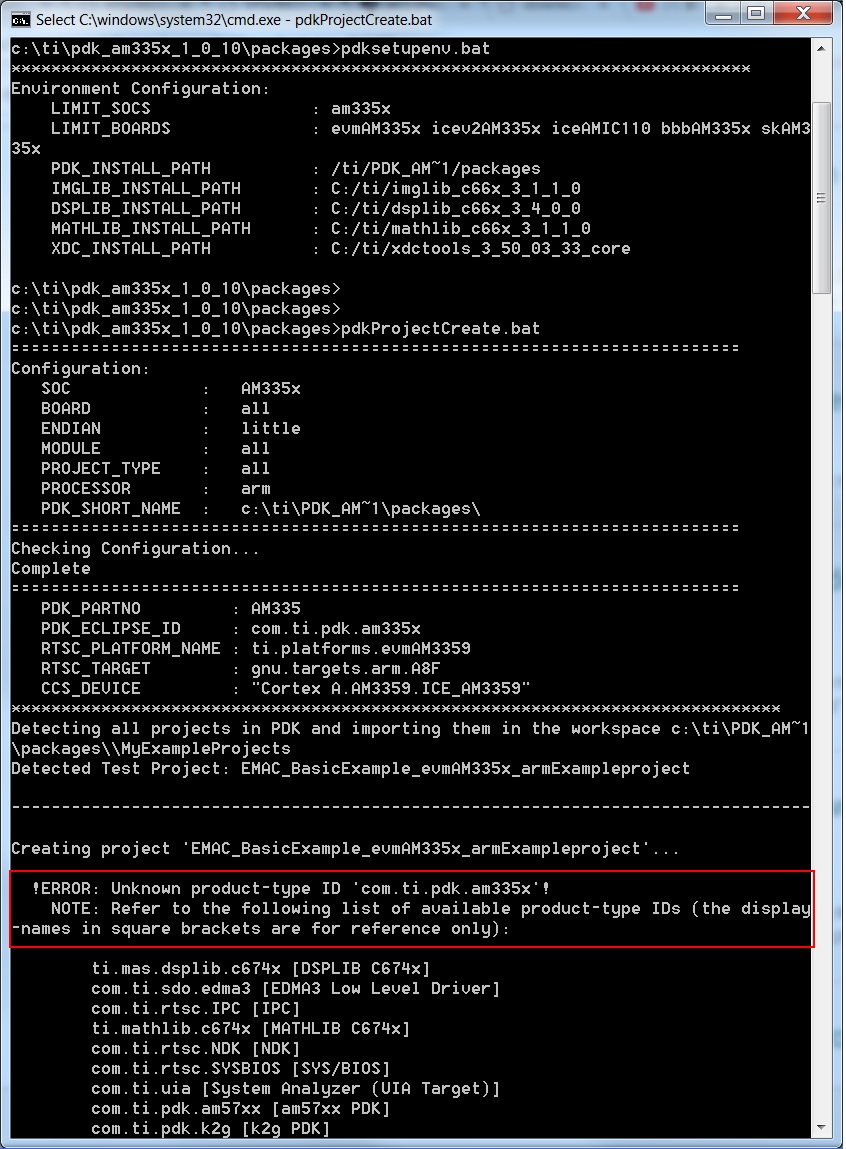
I execute pdksetupenv.bat then pdkProjectCreate.bat, can't create project in processor_sdk_rtos_am335x_4_03_00_05, error as below snapshot, what is the product-type ID?
Please pay close attention to the step on registering your components with CCS prior to executing the build script. You will get build errors if your packages aren't registered with CCS.
#1. pdkprojectcreate.bat AM335x all little all all arm equal to pdkprojectcreate.bat as on on the readme at the top of the file. and the same result.
#2. I watched the training video, it is very clear, and I was doing according to it. but it does not work on my side.
i#3. Your video is not based on the latest RTOS SDK. did you tried it on the latest Processor RTOS SDK? it is OK on my computer on old AM57xx RTOS SDK also.. but now can't do it with ti-processor-sdk-rtos-am57xx-evm-04.02.00.09-Windows-x86-Install.exe and ti-processor-sdk-rtos-am335x-evm-04.03.00.05-Windows-x86-Install.exe.
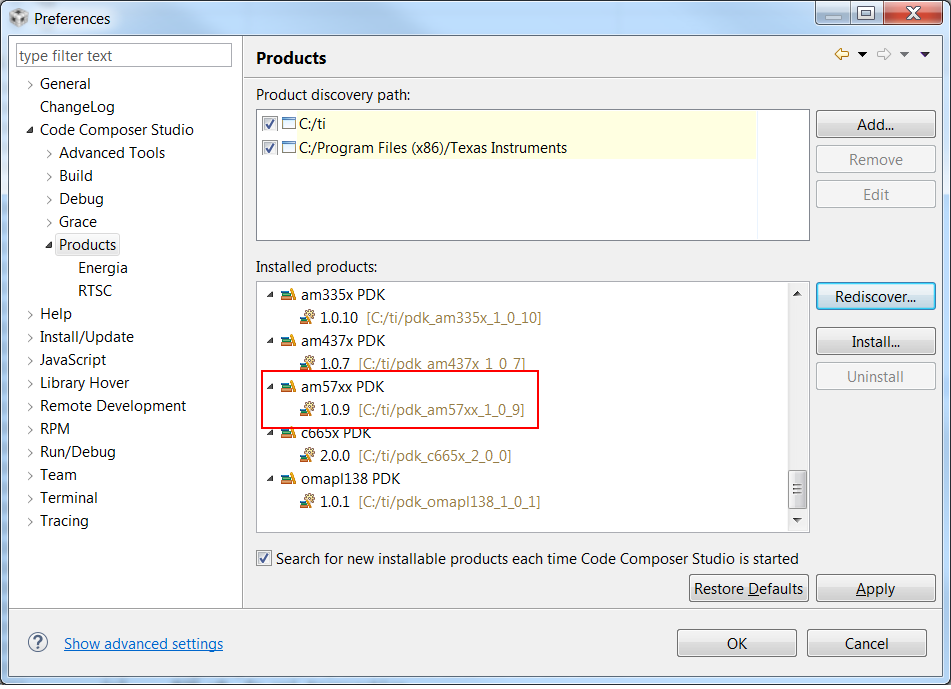
Your setup appears to be messed up. Here are the issue that I currently observed. You are running pdkProjectCreate script from pdk_am335x_1_0_10 but the PDK version in your CCS component discovery is PDK 1.0.9. The issue most likely is occurring because pdk_am335x_1_0_10 is not discovered in CCS and because the pdkProjectCreate is forcing that version for creation of the project.
You can try to run Rediscover along that path and see if the pdk_am335x_1_0_10 is detected. Or try to uninstall pdk_am335x_1_0_9 from the CCS Product discovery (doesn`t uninstall from filesystem) and try to discover 1.0.10 version in the CCS before you try to run this script again.
Another tip is when installing different versions of Processor SDK RTOS for different devices, we recommend that users install the SDK in separate folder as indicated here: processors.wiki.ti.com/.../Processor_SDK_RTOS_FAQ
The only addtional step to then run is "set SDK_INSTALL_PATH = <Custom path>" before you run setupenv.bat.