Part Number: AFE7950EVM
A 4.71GHz -10dBm CW signal is feeding to AFE7950EVM (NCO:4.7G)
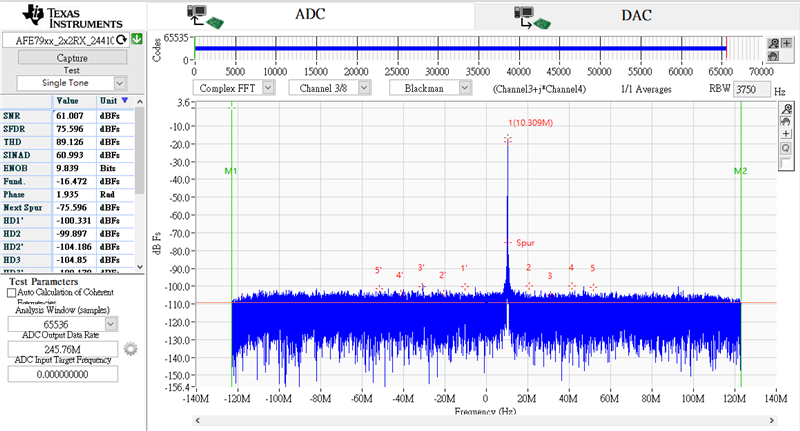
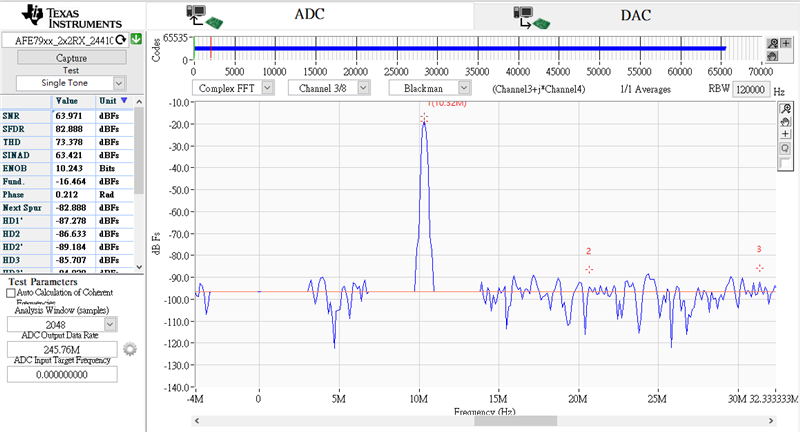
The ADC spectrum is as following pics. I tried with different window numbers.
Do you have any suggestions?
This thread has been locked.
If you have a related question, please click the "Ask a related question" button in the top right corner. The newly created question will be automatically linked to this question.
Part Number: AFE7950EVM
A 4.71GHz -10dBm CW signal is feeding to AFE7950EVM (NCO:4.7G)
The ADC spectrum is as following pics. I tried with different window numbers.
Do you have any suggestions?
Hi Chaoyang,
The issue you are facing is caused by the low capture depth for the ADC data. The default firmware assigns the BRAM memory to the ADC and the DDR memory to the DAC. This means that when capturing the ADC data you are limited to a smaller amount of samples and if you go over this number the data starts to repeat and the spectrum looks like your first picture. To fix this error you can change FPGA firmware to "TSW14J57RevE_16L_XCVR_ADCDDRDACBRAM.rbf" and this will allow you to capture more samples on the ADC. Please note that the DAC side will now be using the BRAM and therefore the DAC pattern will have to be smaller.
Regards,
David Chaparro
Hi David
What is the size of BRAM?What is the max number can be set?
In the final picture with 2048 samples, the waveform is not continuous and power is 10db lower. It is the same problem?
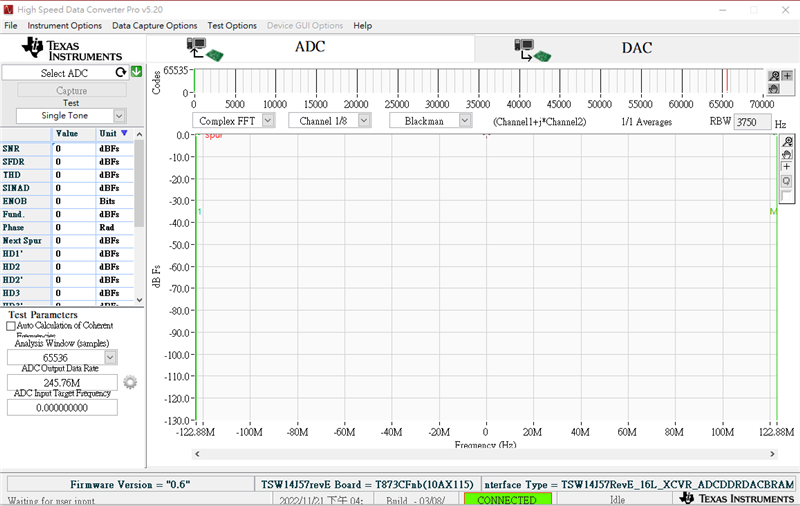
I change the FPGA firmware by "Instrument options">>" download firmware">> "TSW14J57RevE_16L_XCVR_ADCDDRDACBRAM.rbf",
but the capture button is disabled.
What is the right steps to set "TSW14J57RevE_16L_XCVR_ADCDDRDACBRAM.rbf"?
Hi Chaoyang,
Usually we do not go over 65536 samples when using the BRAM on the TSW14J57 and when more samples are needed you switch to the DDR firmware. The issue with the 2048 sample FFT is that you are removing bins around the DC and around the Fundamental and that is causing the discontinuity. This can be changed in the 'Test Options'>'Notch Frequency Bins' settings.
To properly use the DDR firmware you must first upload the firmware "Instrument options">>" download firmware">> "TSW14J57RevE_16L_XCVR_ADCDDRDACBRAM.rbf". Then you can select your ini file and when it asks to update firmware you press 'No'. Once this is set you can then capture data using the DDR.
Regards,
David Chaparro
Hi David,
The power is 10db lower than expected. I have check the SG/cable.
Do you have any suggestions?
Chaoyang,
This loss may be caused by the front end circuit. The AFE7950EVM front end circuit is matched for 9.5GHz and you are using a 4.7GHz input. For best performance at 4.7GHz the front end circuit should be updated to be matched for 4.7GHz.
Regards,
David Chaparro
Hi Chaoyang,
Just to confirm, were you previously getting the correct power levels with this EVM? Or is the power lower now that you are using the ADC DDR firmware. Can you also share the exact values you are measuring?
Regards,
David Chaparro
I didn't get the correct power levers ever. I got same power when using DDR or BRAM.
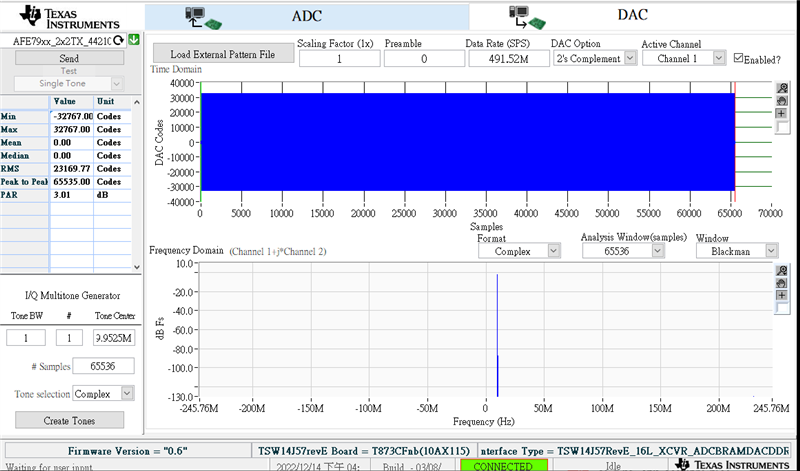
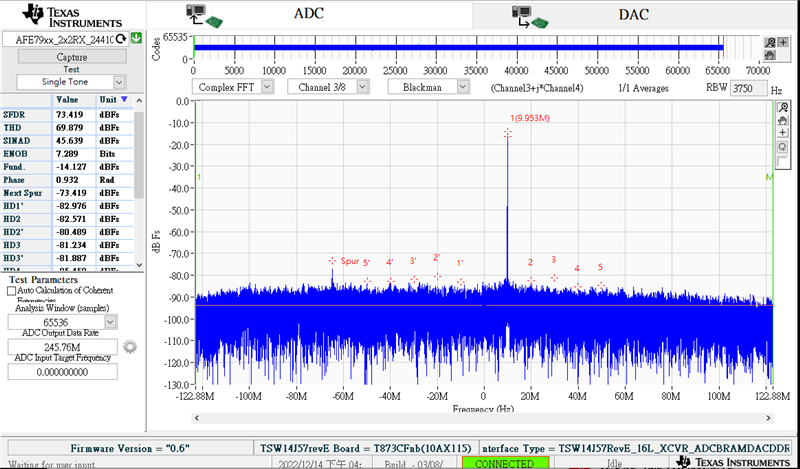
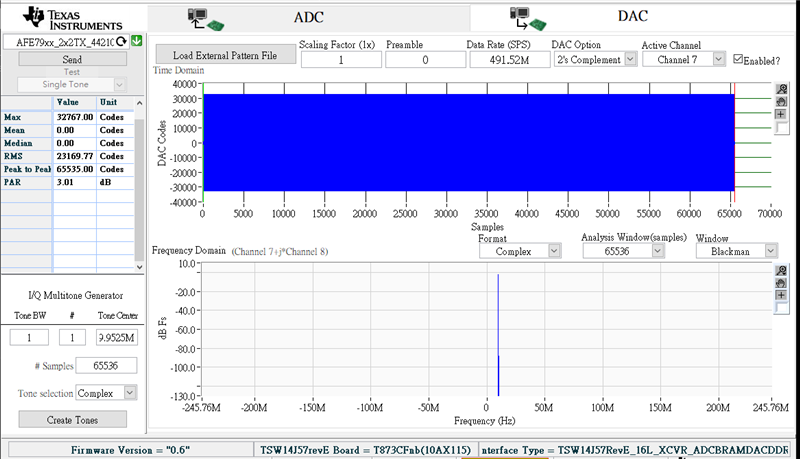
The following are what I get when the ADC ports are connected to DAC ports.
NCO: 9.5GHz
PORT A:
PORT B:
PORT C:
PORT D:
Hi Chaoyang,
What is the power level of the input signal that you are providing to the Rx inputs?
Regards,
David Chaparro
Hi Chaoyang,
Our team is back from the holidays and we are working on testing this on our setup.
Regards,
David Chaparro
Hi Chaoyang,
The results that you are seeing in HSDC Pro are correct. I measured on my board and the TxA is outputting the 9.5GHz signal at about -4.0 dBm. If we account for the cable loss, 0.53 dBm, and the loss in the RxA front end, 0.76 dBm, then the input power to RxA at the pins should be about -5.29 dBm. Since the input full-scale for the ADC is approximately 4.3dBm then a -5.29dBm input should come to about -9.6 dBFS in the FFT, which is close to what I get in HSDC Pro.
A good article to read that can help understand calculating the needed input power to achieve full scale on the ADC is given below.
Regards,
David Chaparro