This thread has been locked.

If you have a related question, please click the "Ask a related question" button in the top right corner. The newly created question will be automatically linked to this question.

SN74CBTLV3257: IBIS model setting

Part Number: SN74CBTLV3257

Dear team

my customer has one question for sn74cbtlv3257 IBIS model.

this socket is through pin S to control direction, and all the pin is I/O, when using IBIS model to simulate, the default setting for I/O pin is input, how to change it to output?

BR

Chi

  • Hi Chi,

    The SN74CBTLV3257's IBIS model is Bi-directional - you should not have to set input or output as this device can work in either direction. These models don't necessarily model switching - but we make our primarily to simulate channel performance - which switch you are testing is selected through the pin selection model. The S pin is modeled as a buffer to show how the loading effects from the buffer can be simulated in the system. I have included an IBIS model setup showing how to select which switch you want to model. 

    Here is the IBIS Model Setup I have used - I am using ADS 2021 to simulate.

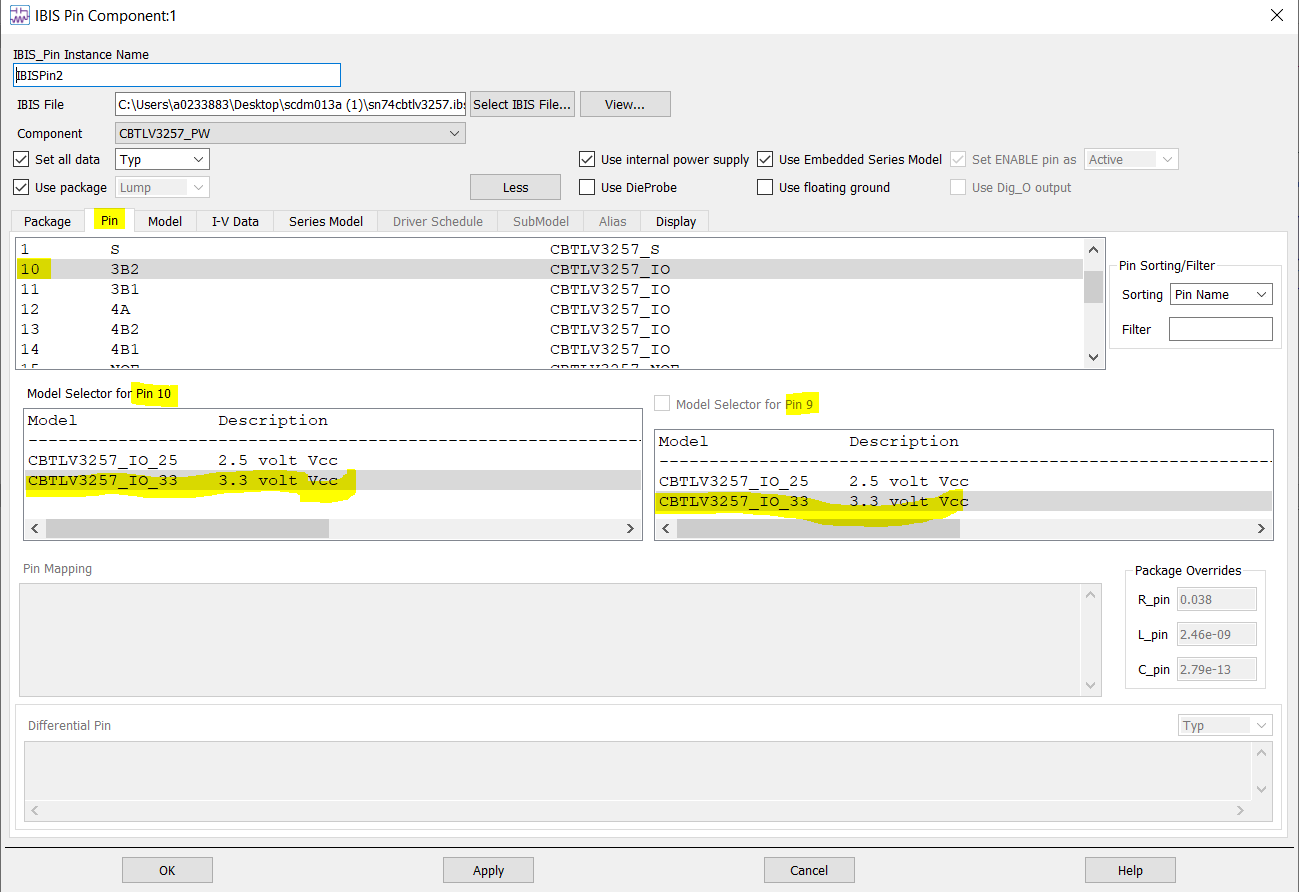
    Where I have the following Settings Set in the Model Selector:

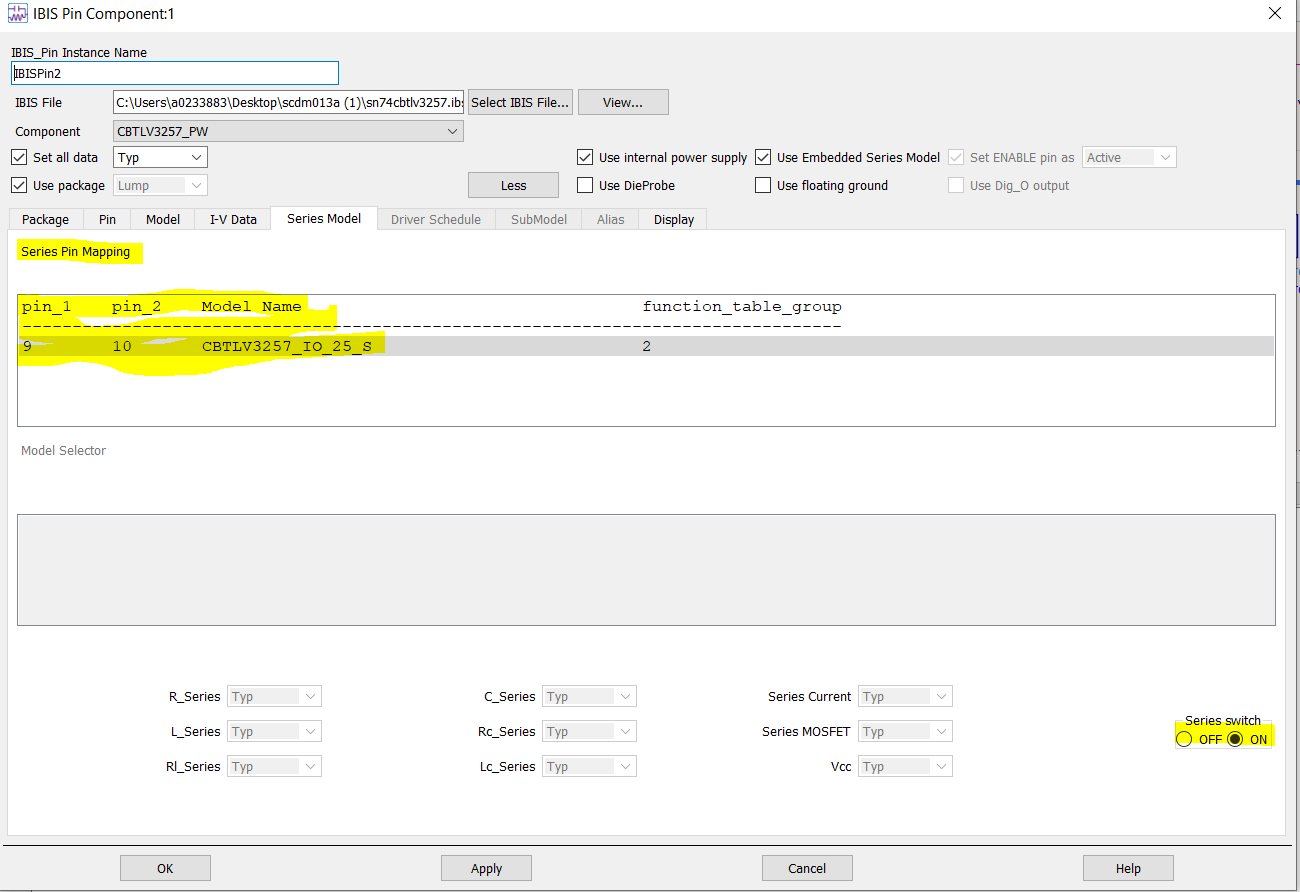
    If you click on the IBIS pin you will get this menu - if you go into the pin menu (shown) you can assign a model to each switch. Each IBIS pin will simulate one channel or the buffer if you choose.  For the series switch you will also need to double check the series model tab (shown below)

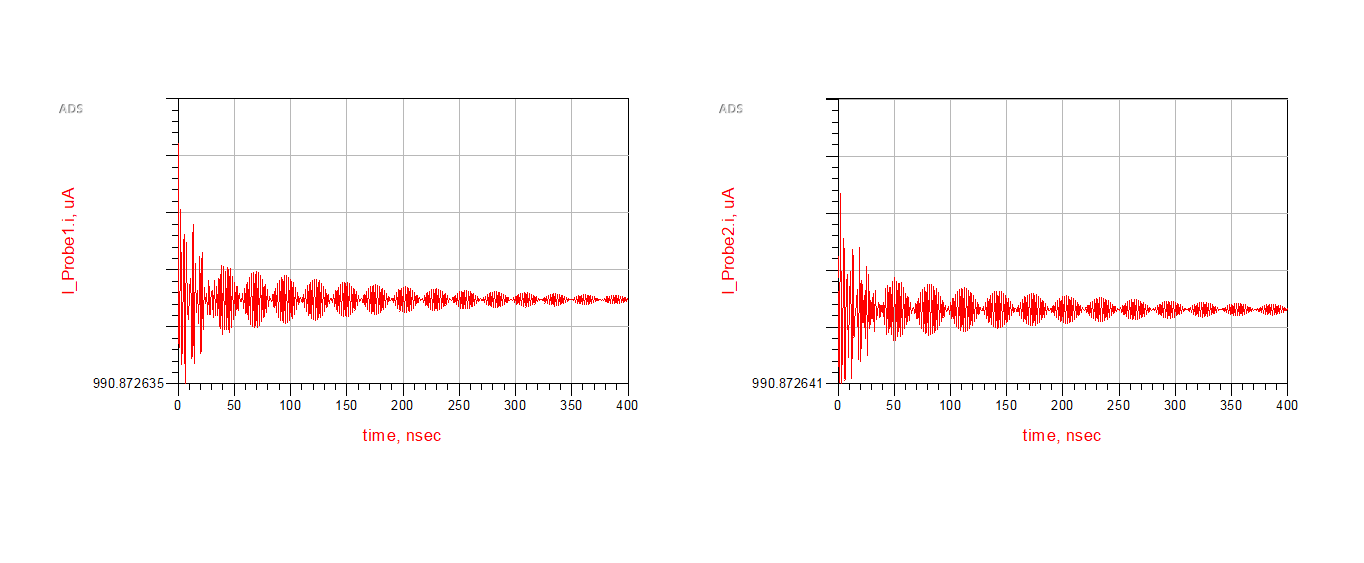
    This will set up the channel you want to simulate. I have added two models to show that the device works in both directions:

    There are spikes on the current graphs - but if you see at the left hand it is a singular value since this is a DC test (1000 Ohm Load Resistor and 1V input using 3.3V model).

    If you have any other questions - or if I misunderstood the issue please let me know and I will see what I can do!

    Best,

    Parker Dodson