Hi Team,
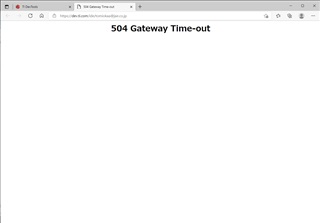
Our customer is trying to access CCS Cloud but he encountered the 504 Gateway Time-out error mentioned in the other thread. Do we already have a solution to this issue?
Regards,
Danilo
This thread has been locked.
If you have a related question, please click the "Ask a related question" button in the top right corner. The newly created question will be automatically linked to this question.
Hi Team,
Our customer is trying to access CCS Cloud but he encountered the 504 Gateway Time-out error mentioned in the other thread. Do we already have a solution to this issue?

Regards,
Danilo
I recognize the browser now. That is Edge.
While Edge is not officially supported, it should still work. I just tried it out on my laptop with Edge and it worked.
The 504 error could have been a temporary server issue. Can you ask the csutomer to try again? Perhaps ask the customer to clear the browser cache first.
Also see if the customer can try using Chrome.
Thanks
ki
Hi Ki,
According to our customer,
Thank you for your advice. but they did not work in my case unfortunately.
i tried "chrome" after clearing chache, i have to see the same message screen.
Also I tried another user
he can reach his own IDEs in the same PC.
At this case screen goes to waiting for IDE(attached) at about 20sec after button push
but it takes about 1minutes to reach IDE screen.
please tell me the another solution.
Regards,
Danilo
If I understand correctly, the other user can get to CCS Cloud IDE after a delay (which is fairly common), but the original customer get the 404 error.
If that is the case, it looks like it could be some issue with the user's account. I will have the cloud engineers take a look
thanks
ki
Hi Ki,
According to our customer,
Thank you for cleansing my account.
I tried to access my CCS Cloud.
Unfortunately anything did not change before.
I can not access my CCS Cloud because of "504 Gateway Timeout"
Could you give me the another solution for this.
Is it possibe to dawnload My Cloud Workspace?
If possible, I would like doing it to continue my work locally.
Regards,
Danilo
The cloud engineers just tried something else. Can the customer try again? Have them clean their borwser cache again before re-trying.
If that doesn't work:
Is it possibe to dawnload My Cloud Workspace?
If possible, I would like doing it to continue my work locally.
Yes we can do this also. But first we'd like to see if the cloud issue was resolved.
Thanks
ki
Hi Ki,
The customer was able to connect to the CCS Cloud now. According to him,
Thank you for your help. This time i can connect to my CCS Cloud.
I really thank to you.
if possible, could you tell me the reason why the connection lost?
Regards,
Danilo