This thread has been locked.

If you have a related question, please click the "Ask a related question" button in the top right corner. The newly created question will be automatically linked to this question.

Bitfields Sometimes Don't Match Register Value In Register View

Hello,

CCS 11.1 using F2837xD with XDS100v2.

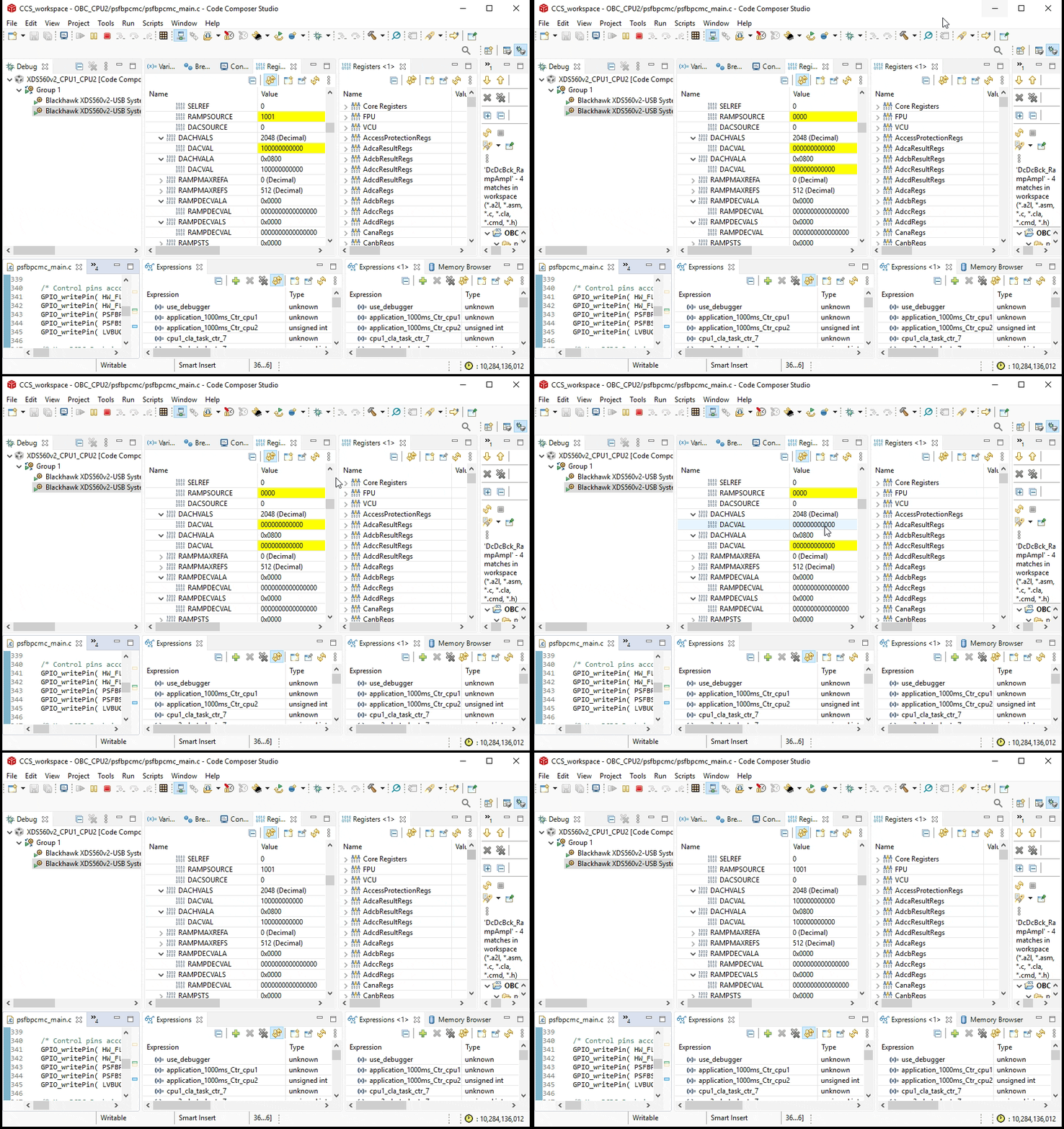
Occasionally after expansion of the register value to its constituent bitfields in the Register view, the bits don't match the value. For example:

Only after clicking Refresh do the bits match the register value:

Another example:

After Refresh:

Clearly the acquisition of the value from the processor is correct but not the bitfield rendering in the Register View.

  • Kier,

    That is quite odd.  In that second to last capture I would have also expected the 0x0006 to be yellow as well as if the bitfields changed then the register did as well.

    i.e. it should have looked like this:

    Then after clicking refresh I would expect to see no yellow at all.

    I am trying to see if I can reproduce.  No luck so far on the 28x boards that I have with me.  I do have an F28379D LaunchPad somewhere that I will find next week or maybe Ki has one. 

    Is this happening consistently enough that I could get the project that you are using and try it on my LaunchPad?  If so you could send that via private message with a rough guideline on where to stop in the code.

    Regards,

    John

  • Thanks John. I shall try to replicate using a blinky project and send that in the first instance.

    In that second to last capture I would have also expected the 0x0006 to be yellow

    That would be true if the register value had changed but what is not apparent from my OP is that the register value hasn't changed. All the examples are registers set at initialisation and stay static so I would not expect any register value cell to be yellow and indeed thet aren't. The fact that some bitfield cells are yellow in my screenshots just confirms that new bitfield display value has changed from incorrect to correct or vice versa.

    I infer that the CCS/Eclipse code that acquires the register value and does the Register View cell colouring is working fine. It's the code that updates the bitfield values alone that appears to be buggy.

  • I found my F28379D LaunchPad.  No luck yet getting it to happen.  When you see the odd state is the core halted?  Just wondering if maybe it is something going on with real-time accesses.

    John

  • Thanks for trying John. I managed to see the problem using a modified blinky project which is attached. I just added a bunch of EPWM DriverLib calls to configure EPWM5 in CPU2. I see the problem a lot more frequently with my actual project.

    I do the following sequence:

    - Reset the Core Group

    - Restart the Core Group

    - Resume the Core Group.

    - Select the Registers View.

    - Click CPU2. My expectation here is that all the registers in the CPU2 context are acquired once.

    You can see I caught the issue below after, say, ten sequences:

    After Refresh:

    blinky_pwm.zip

    I trapped another slightly different problem where the Register View also differs from Expressions View for the same register. So it seems it's not just the bitfield that can be erroneous sometimes.

    In this case Refresh did not fix the issue. Only stopping the core forced the Register view to update correctly.

  • Kier,

    Thank you for the example.  I am trying it now.

    One thing to keep in mind which might be the second issue you are seeing is that if you are viewing while running all the accesses do not happen at once.  

    For example, if you do something to trigger the Registers view to refresh while the core is running (such as selecting a different core in debug view, or clicking the refresh button in the Registers view itself) it is going to make a series of read requests.  The core continues to run while these requests are being made and as such the values of variables and registers will also be changing between the time when the requests start to be handled and when they are finished.

    That does not explain the first issue though as that would be 1 or 2 reads for the register and then the bitfield display is just interpreted.  Hoping I can reproduce that.

    John

  • Hi @JohnS,

    Further evidence of the issue. Please see attached video of the issue occurring when I'm using my actual project. You can see DACHVALS, and DACHVALA bitfields changing while their register values (correctly) remain static. Notice also the RAMPSOURCE bitfield is affected.

    As you can imagine this is very distracting while debugging.

  • Kier,

    Thank you for the video.  It is helpful to actually see what is happening.  That is really odd that the bitfield changes but not the register.  So your expectation is that neither DACHVALS or DACHVALA are changing while this app is running?

    Let me send this video on to some others.  Based on this they might be able try to correlate to a debugger log to see what is actually being read.

    Regards,

    John

  • So your expectation is that neither DACHVALS or DACHVALA are changing while this app is running?

    Correct. These registers have fixed values as I am debugging a problem with CMPSS7. Note however the program is continuously writing to DACHVALS every 10us albeit with the same value. The register will be updated at this frequency in full application. I mention this in case it is pertinent to the problem but please also remember that the blinky project also demonstrated the problem and it has nothing like the frequency of operation.

    I think we have enough evidence now to refine the problem statement as follows: "Bitfields are occasionally reset in the Register View".

  • Thanks.  If the registers are getting written to with the same value that should not impact things.  I will make note of it just in case.

  • BTW, monitoring the same registers in the Expression view does not suffer in the same way so I'm using that as a workaround.

  • Kier,

    I have filed an issue to track this.  The external system does not show all of the details captured but you can use the ID to see the status.

    https://sir.ext.ti.com/jira/browse/EXT_EP-10822

    Regards,

    John