This thread has been locked.

If you have a related question, please click the "Ask a related question" button in the top right corner. The newly created question will be automatically linked to this question.

TMDSCM572X: Camera Module (TMDSCM572X) not working with my AM5728 Evaluation Board

Part Number: TMDSCM572X
Other Parts Discussed in Thread: AM5728, MATHLIB

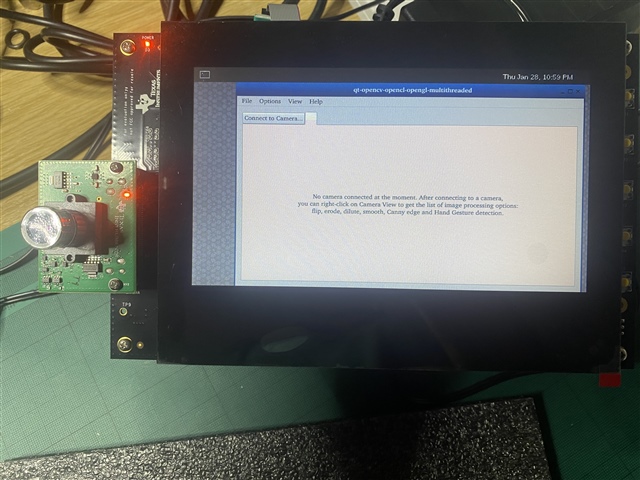
  • Not sure why the post is only showing the image of the device, I wrote a lot of information on the problem. 

    Basically, new module, and a new AM5728, connected the hardware with the screws. 

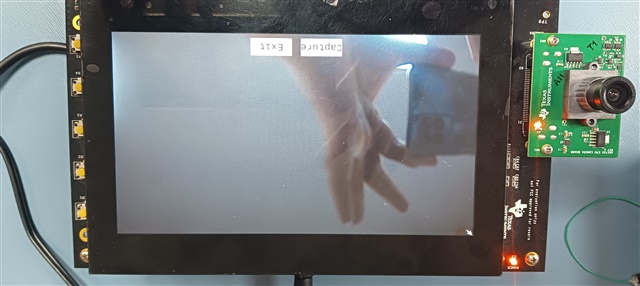
    Using the original OS that comes with the unit on an SD CARD, cannot find a "camera app" to show what the camera can do, 

    There is a "Multimedia" icon at the bottom of the first page, when I click it, I get the message above, as-if the camera isn't connected or detected.


    I don't know how to check if the camera is faulty or if it is actually working


    Would appreciate any help.

    Thanks

    H

  • To E2E forum

    I would appreciate if anyone could please share any info to go in the right direction, I need any CCS or built-in apps, or built-in SDCARD / Linux or RTOS to just power up the camera module and find out if it's working.

    Thanks

    Heider

  • Hi Heider,

    Can you please share which SDK version you are using?

    Regards,
    Parth

  • Good morning Parth

    Thank you for responding to my query. 

    I am using:

    1) The latest CCS (112.0) (well the DIR is ccs1120) all upgraded to the latest version

    2) TI-RTOS with all item version below (taken from a DIR command):

    C:\ti\am572\RTOS>dir /b
    bios_6_76_03_01
    cg_xml_2.61.00
    ctoolslib_2_2_0_0
    dsplib_c66x_3_4_0_4
    edma3_lld_2_12_05_30E
    framework_components_3_40_02_07
    gcc-arm-none-eabi-7-2018-q2-update
    imglib_c66x_3_1_1_0
    ipc_3_50_04_08
    mathlib_c66x_3_1_2_4
    ndk_3_61_01_01
    ns_2_60_01_06
    opencl_rtos_am57xx_1.2.00.02
    openmp_dsp_am57xx_2_06_03_00
    pdk_am57xx_1_0_19
    processor_sdk_rtos_am57xx_08_01_00_09
    ti-cgt-arm_18.12.5.LTS
    ti-cgt-c6000_8.3.2
    ti-cgt-pru_2.3.3
    uia_2_30_01_02
    xdais_7_24_00_04
    xdctools_3_55_02_22_core

    I am not using anything else, all re-installed lately. 

    Looking forward to hearing from you. 

    Kind Regards
    Heider

  • Parth

    One more thing, with the original SDCARD that comes with the unit, is there any way to use that to power the camera up? or do I have to develop something to get this to work? 

    The reason is that I am new to the camera module and have no code/example to help me seeing this, I thought it's easier to use anything that is shipped by TI initially.

    Kind Regards

    Heider

  • Hi Heider,

    RTOS SDK does not have any camera application.

    One more thing, with the original SDCARD that comes with the unit, is there any way to use that to power the camera up? or do I have to develop something to get this to work? 

    In Linux SDK we do have a dual camera application, but looks like that broke in SDK 8.2. I guess it should be working with SDK 6.3. I am checking this internally with the team.

    I am not sure which SDK version is shipped with the SD Card, can you please check the Linux version once?

    Regards,
    Parth

  • Thank you Parth

    Would appreciate any way of seeing the camera working in action, I don't mind installing any SDK (provided you could kindly share the URL for it). 

    Looking forward to hearing from you.

    Kind Regards
    Heider

  • Hi Heider,

    You can use camera with Linux SDK 6.3, you can find it here https://www.ti.com/tool/download/PROCESSOR-SDK-LINUX-AM57X/06.03.00.106 

    While booting halt at U-boot prompt and run the following command:

    => setenv findfdt setenv fdtfile am57xx-evm-reva3-cam-ov10635.dtb
    => saveenv

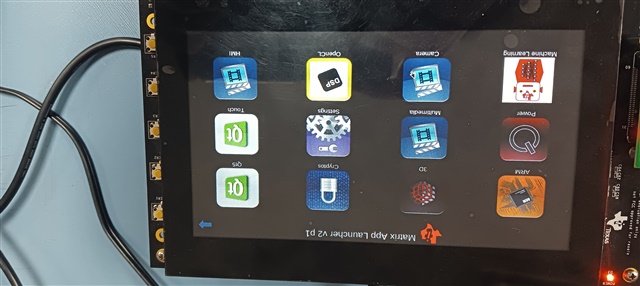
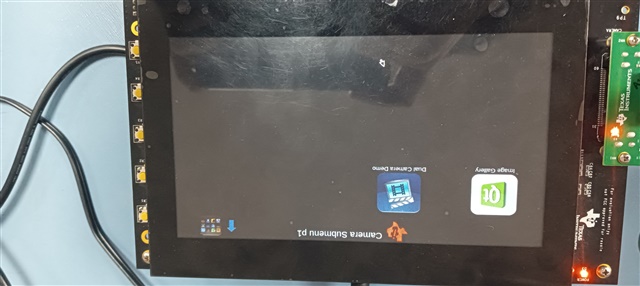
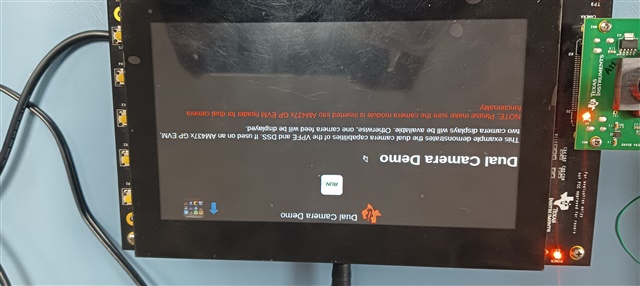
    Once the board is booted, you should be able to see matrix demo on LCD. Run the dual camera application in matrix demo:
    Camera -> Dual Camera Demo.

    Regards,
    Parth

  • Thank you VERY much Parth

    I am checking the URL you sent and will get back to you as soon as possible.

    Kind Regards
    Heider

  • Thank you VERY much Parth

    I tried this and everything now works fine, this confirms that the camera is not dead at least and that there is something I can develop.

    Before we close the ticket, the link you sent me contains CCS v9.3, since I am on v11.2, does that mean I should downgrade my 11.2 into 9.3 to develop on the camera? I am asking as there is no separate SDK folder and all seems to be embedded into CCS instead.

    Please let me know

    Kind Regards,

    Heider

  • Hi Heider,

    Before we close the ticket, the link you sent me contains CCS v9.3, since I am on v11.2, does that mean I should downgrade my 11.2 into 9.3 to develop on the camera? I am asking as there is no separate SDK folder and all seems to be embedded into CCS instead.

    I don't think there should be any dependency on CCS while developing on Linux SDK. Have you seen any such dependency? If yes, I would recommend you to use the version mentioned in the link for now, because that's what we would have used for validation during release. Later if you want you can move to latest versions according to your needs.

    Regards,
    Parth

  • Thank you Parth, 

    You've been brilliant. 

    Best Regards
    Heider