


Part Number: BQ79656EVM-021
Tool/software:
Hi everyone,
I'm unable to work with the given utility as it only gets launched once just after the installation, but if I close the window and restart the app, It won't open. No errors nothing! Its working in another PC but not in my PC. I'm attaching the log files too. Please help me, I'm unable to understand what wrong, I even reset my pc to remove other program's effect on this.
I tired looking for location of the GUI through search option. It took me to this location. where only shortcut of the application is there, nothing else.
C:\ProgramData\Microsoft\Windows\Start Menu\Programs\Texas Instruments\GUI Composer\BQAutoEval
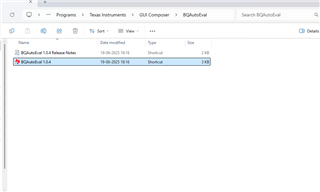
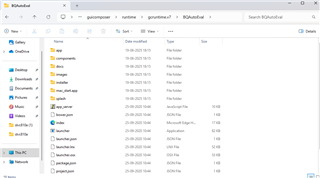
I tried then looking for location of gui composer runtime installation. it took me to a different folder into users not in program files.as both are installed at different place. Because during installation it doesn't allow to install both into same program files location or even different folder in program files. The runtime including launcher is installed here. I tried launching launcher from this folder also. But didn't work at all.
C:\Users\Akshay Kumar\guicomposer\runtime\gcruntime.v7\BQAutoEval
I even changed my Windows version to Windows 11 pro for workstations, but it still didn't launch for the 2nd time and even the first launch the same error came as below attached image.
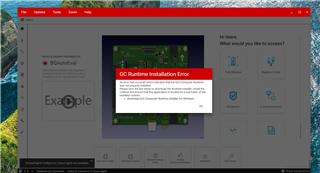
Please help me if possible, I'm unable to use the evaluation board
BQAutoEval_1.0.4.20250619191024.log
Best Regards,
