This thread has been locked.

If you have a related question, please click the "Ask a related question" button in the top right corner. The newly created question will be automatically linked to this question.

CCSTUDIO-THEIA: Editing "About" page in GUI Composer

Part Number: CCSTUDIO-THEIA

How can I edit menu in GUI Composer in general and in particular I would like to know how to populate "Application Version" and "Published Date" in the About manu? 
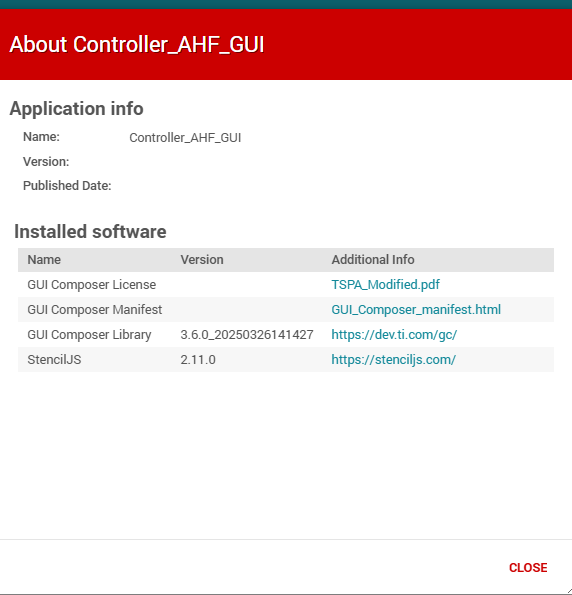
 

image.png 


Thanks.

  • Hi Valeriy, 

    There are fields in project.json, located at the root of the application, that you can adjust. Modifying them manually through project.json would work if you then export the app. If you publish to Gallery, then you have to specify the version to be published in publish panel that should appear. This will then end up updating the project.json. Published date is automatically set if Publish to Gallery is chosen. 

    Martin

  • I could not find documentation about commands that are allowed in project.json file. 

    I ended up publishing my project to gallery and observed the version and publish time stamp added to my project.

    I then imported project back into GUI Composer. This process added the last two lines to my project,jason file: 

    I would say that pretty much answers my question. It would still be nice if someone can point to documentation describing what each of the field in project.jason does and how it can be used.

    Thanks.