Part Number: CCSTUDIO-THEIA
Other Parts Discussed in Thread: TMS320F28388D, MSPM0L1306
Hi!
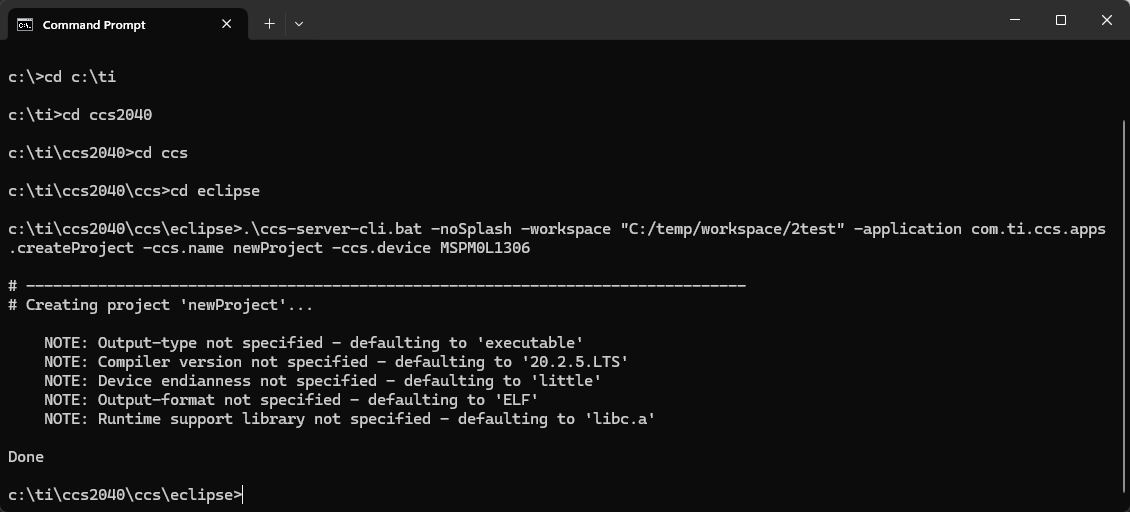
I'm trying to build a ccs project from the command line and having issues. I'm following the documentation here: https://downloads.ti.com/ccs/esd/documents/users_guide_ccs_theia/ccs_project-command-line.html#import-an-existing-ccs-project and the forum post here: https://e2e.ti.com/support/tools/code-composer-studio-group/ccs/f/code-composer-studio-forum/1225042/codecomposer-ccs-theia-creating-and-building-projects-from-command-line with no success.
I've tried both the ccs-server-cli.bat, ccs-server.exe and ccs-serverc.exe with no success, I always get the help message as if I'm missing some option
i.e.
.\ccs-server-cli.bat -noSplash -workspace "F:/workspace/myExistingWsFolder" -application com.ti.ccs.apps.createProject -ccs.name newProject -ccs.device MSPM0L1306I tried the importProject and buildProject options targeting existing projects with no success either.
The folder myExistingWsFolder has a .theia subfolder with a launch.json with my current projects from CCS and a ti-workspace.theia-workspace saved from CCS ('save workspace as...' option). I also tried creating a new empty workspace or using my home folder default workspace with no success.
What am I missing here?
I'm using Windows and my target device is a TMS320F28388D (tried both TMS320F28388D and F28388D before switching to the MSPM0L1306 from the forum post)