This thread has been locked.

If you have a related question, please click the "Ask a related question" button in the top right corner. The newly created question will be automatically linked to this question.

TMS320F28P650SH: CCS 2.5.0 Reconnecting to TI Cloud Agent Catastrophic Bug

Part Number: TMS320F28P650SH
Other Parts Discussed in Thread: F29H850TU

I installed CCS 2.5.0 today (Mac edition) - I was running 2.4.0, and I agreed to the automatic update. Now, when I initiate a debug session, the all-too-familiar "Reconnecting to TI Cloud Agent" popup appears. Whereas this message was previously very annoying, it now happens EVERY time I initiate a debug session, and it makes it impossible for me to connect to my target.

So I am now effectively dead-in-the-water, which is why I consider this a catastrophic bug. I obviously need this to be fixed quickly.

Going back to 2.4.0? Not an option, apparently, since I selected the automatic update.

Wiping CCS and starting over with 2.4.0 seems to be my only option, which would mean wiping out all of my settings. If you can tell me a way to save those settings and restore them on a new install, that would be helpful too.

  • Amendment: I stated 2.5.0, I meant 20.5.0, moving from 20.4.0

  • Hello,

    I have the same issue for my F29h850tu target. Just did the update to 20.5.
    I would appreciate a solution.

  • Doug, Michael,

    Can you provide the below logs (both need to be explicitly enabled first).

    1) Cloud Agent Log. Please see: https://software-dl.ti.com/ccs/esd/documents/ti_cloud_agent.html under the section "Support" then "Logging". Please check the "NOTE" regarding cloud agent logging when running localally (CCS desktop).

    2) Debug Server Log. Please see: https://software-dl.ti.com/ccs/esd/documents/ccs_diagnostic-logs.html

    Zip both logs and attach to this thread.

    Michael - which host OS are you using?

    Thanks

    ki

  • I resolved the issue be doing a complete re-install of 20.5.0
    Before i did just the update from 20.4.0.

  • Hi Ki. Tried enabling the logs, but they don't seem to get generated. I can find no trace of either log file on my drive. As stated, everything stops when this dialog pops up:

    The only thing I can do is press cancel, which forces a kind of reboot of CCS. I can only assume that things did not get far enough for the debugger to start logging.

  • Same issue here, updated from 20.4 to 20.5 via automatic update. Platform is Windows. Completely blocked from connecting to a debugger.

  • Hi Ki,
    Using Windows 11.
    I have the log created, but i cannot upload it, as file paths and other logs in there might contain confidential information.

  • Here you go, I replaced some names in the file paths.0044.my.zip

  • Same issue here, updated from 20.4 to 20.5 via automatic update. Platform is Windows. Completely blocked from connecting to a debugger.

    Thank you Oliver, Michael.

    We believe the issue is specific to environment where CCS was updated to 20.5.0 via incremental update. We are investigating. I have created a ticket to track this issue. The tracking link is: https://sir.ext.ti.com/jira/browse/EXT_EP-13345

    Right now the recommended workaround is to to a fresh full installation of CCS 20.5.0.

    Sorry for the inconvenience.

    Thanks

    ki

  • Hi Ki,
    thank you for your quick response.
    The workaround works for me :)
    I am currently quite busy, but can try to support as good as possible, e.g. if you need further log files.

  • I am currently quite busy, but can try to support as good as possible, e.g. if you need further log files.

    Thank you for the offer but I believe we have all the information we need. I can also now reproduce the issue with my CCS 20.5.0 environment incrementally upgraded from CCS 20.4.0 (my original full CCS 20.5.0 install works fine).

  • Installing 20.5.0 fresh is not a great option for me. I often switch between multiple projects, and I use Workspaces to set up watch variables, graphs, and a number of analysis tools that would be very time consuming to set up every time I switch. All of this gets wiped out when I do a new install, but it's all preserved if I do the online update. This, in addition to the way I've configured all the editor settings. If there was a way to migrate those settings to a new CCS install, that would solve the problem.

  • IDE properties and settings can be stored in multiple places:

    https://software-dl.ti.com/ccs/esd/documents/users_guide_ccs/ccs_ide.html#settings-precedence

    The workspace levels are stored inside the .theia folder in your workspace folder. If you are working with a multi-root workspace environment, the settings can also be stored in the workspace file. Hence if you use a new CCS install and point it to your existing workspaces, your settings will be preserved

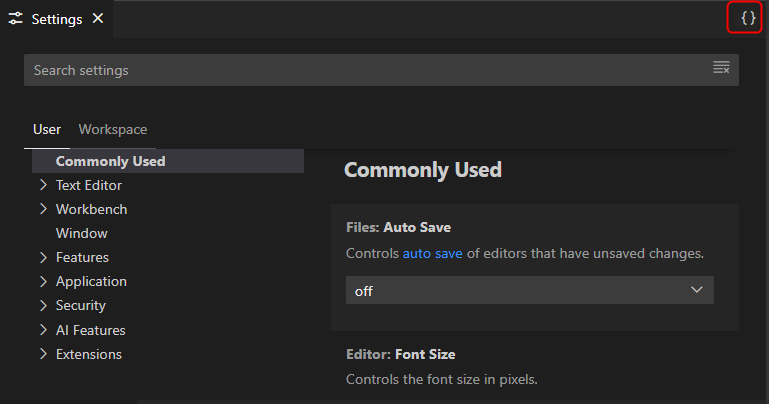
    The user level (global) ones are likely the ones you are concerned about. They are stored in a settings.json file in your user directory. The easiest way to access it is via the General Settings and pressing the option to view the settings.json file in the editor (upper right corner)

    You can backup the contents of settings.json file and paste the contents to the new settings.json file for your new install.

    Thanks

    ki

  • Ki, thanks. The settings.json file does contain most of what I wanted to bring over. However, the workspace-specific settings seem impossible to transfer, for some reason, and opening the actual workspace files does not work either. They only seem to be readable by the version of CCS they were created with. But I may not be using the workspace concept the way it was intended - I'll look into it, and the help resources you provided are already helpful, thanks.

  • Doug, Michael,

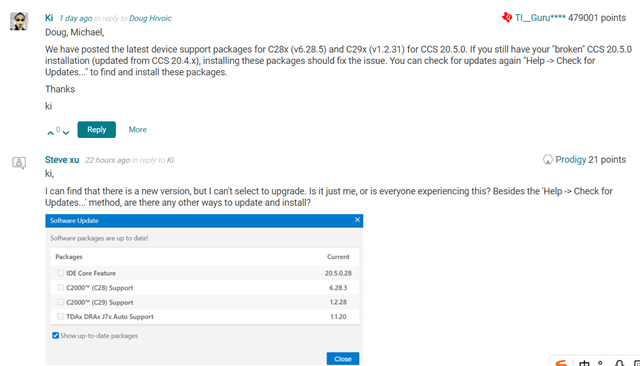
    We have posted the latest device support packages for C28x (v6.28.5) and C29x (v1.2.31) for CCS 20.5.0. If you still have your "broken" CCS 20.5.0 installation (updated from CCS 20.4.x), installing these packages should fix the issue. You can check for updates again "Help -> Check for Updates..." to find and install these packages.

    Thanks

    ki

  • ki,

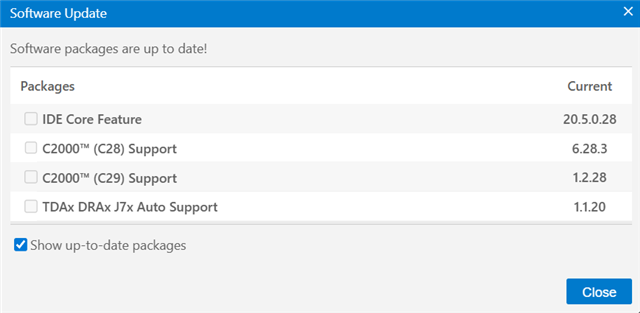
    I can find that there is a new version, but I can't select to upgrade. Is it just me, or is everyone experiencing this? Besides the 'Help -> Check for Updates...' method, are there any other ways to update and install?

  • I can find that there is a new version, but I can't select to upgrade.

    Did you do the incremental update to 20.5.0 first and then you are checking for updates again?

  • Yes, I also have the above issue. After upgrading from 20.4.1 to 20.5.0, it keeps showing 'Reconnecting to TI Cloud Agent'. I want to follow your reply to upgrade and fix it. CCS 20.5.0 can detect that there are upgradable files, but there is no option to upgrade and install them. The files in the picture cannot be selected either, so I want to ask if there are any other ways to upgrade and install to solve this problem.

  • Revision Note: Unable to detect new 'C28x (v6.28.5) and C29x (v1.2.31)'; the current version is C28x (v6.28.3) and C29x (v1.2.28)

  • Sorry for the inconvenience, we are investigating.

    In the meantime you may want to just do a fresh full 20.5.0 installation as a workaround. 

  • I reinstalled 20.5.0 'C28x (v6.28.5) and C29x (v1.2.31)' and imported my project files. After building, there were compatibility issues and some previous configurations were not available. Therefore, I still hope to fix them as soon as possible by incrementally upgrading to version 20.5.0. Thank you

  • After building, there were compatibility issues and some previous configurations were not available.

    What were these issue?

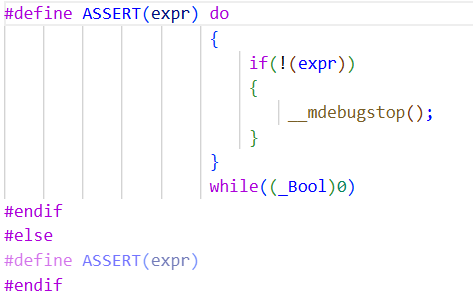
  • I didn't look closely at the error details; it should be some format or configuration file issue. Now I can search for and install "C28x (v6.28.6) and C29x (v1.2.33)" and have tested that programming and debugging work properly. However, in the code "GPIO_writePin(47, 0);", the "ASSERT(GPIO_isPinValid(pin));" check fails and enters the error-handling function. This code ran without issues before the upgrade. Could you help analyze whether the upgrade could have caused this and whether there is a problem with the code? A screenshot of the code is attached below:

    Thank you.

  • Additional explanation: The above entry error function was caused by the overflow of the defined array variable length, but now there is no problem. Thank you very much.

  • Now I can search for and install "C28x (v6.28.6) and C29x (v1.2.33)" and have tested that programming and debugging work properly. However, in the code "GPIO_writePin(47, 0);", the "ASSERT(GPIO_isPinValid(pin));" check fails and enters the error-handling function. This code ran without issues before the upgrade. Could you help analyze whether the upgrade could have caused this and whether there is a problem with the code?

    I am glad the update of the device support packages resolved the debug issue. Can you please create a new thread for this new issue since it is unrelated to the original post? It will need to be investigated by the device experts first.

    Thanks

    ki