


Part Number: AM62P
Hi, I am using a Toradex Verdin AM62P on a Mellow Carrier board.
I am currently facing issue while trying to establish debug connection to the AM62P's R5F core.
I tried to configure the .ccxml file but I was not able to configure it to use SEGGER J-Link Emulator. The Debugger CPUs dropdown menu kept loading but nothing was coming up.
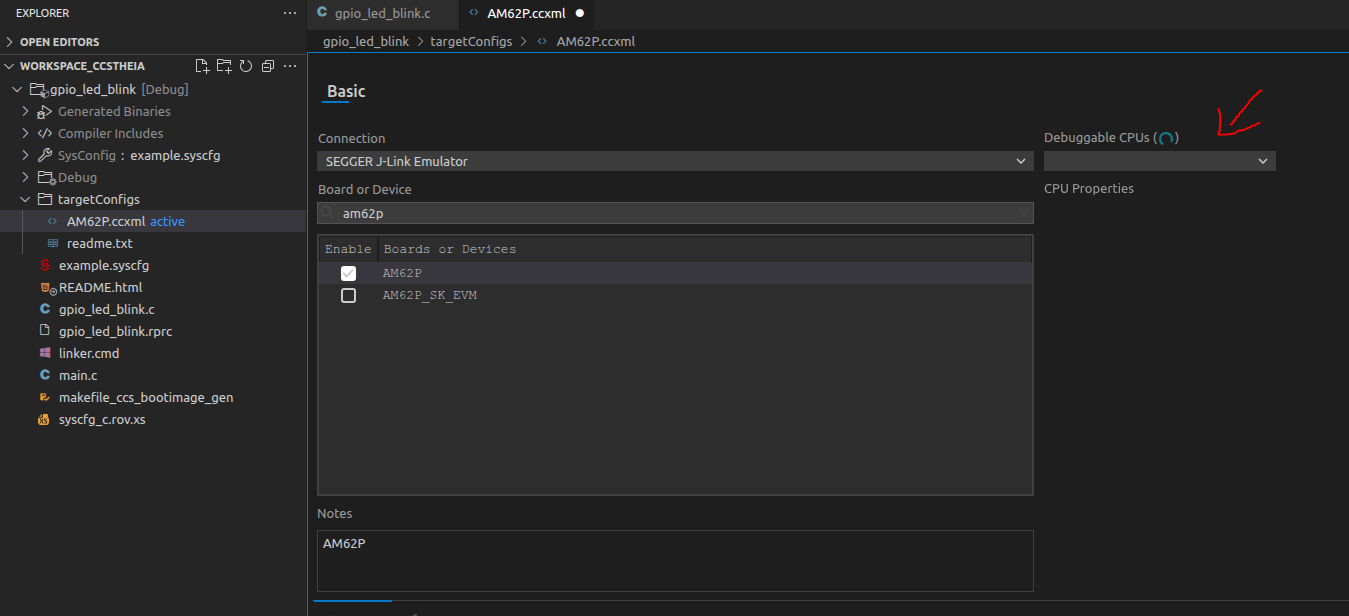
I can confirm that this is not a hardware connection issue because I was able to connect to my board via SEGGER J-Link Debugger with SEGGER's own application,
I am running Ubuntu 22.04 and my Code Composer Studio version is 20.5.0.

