This thread has been locked.

If you have a related question, please click the "Ask a related question" button in the top right corner. The newly created question will be automatically linked to this question.

CCSTUDIO-THEIA: C2000 Performance Advisor Option Change

Part Number: CCSTUDIO-THEIA

Hi,

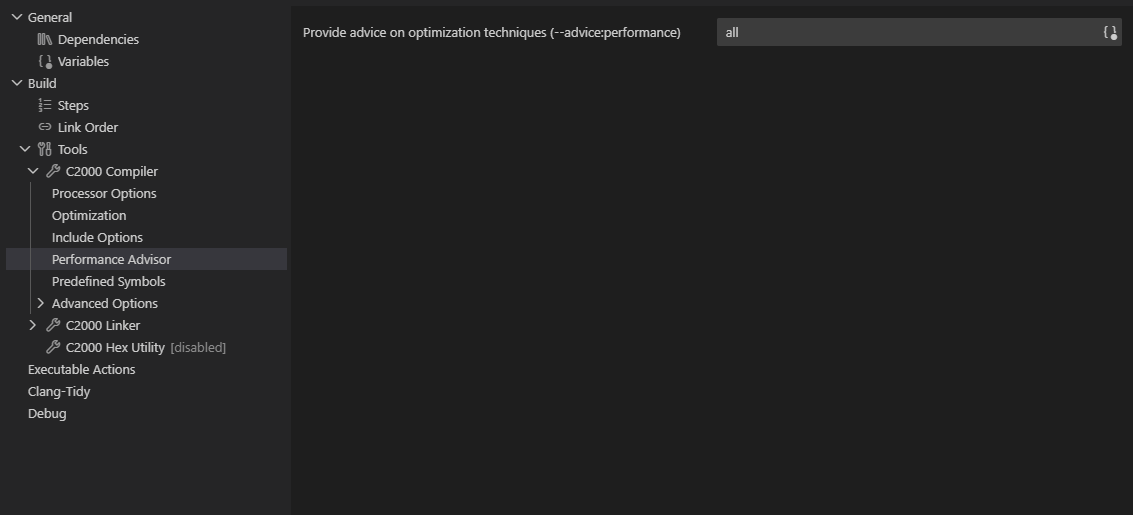
I recently updated to 21.0.0.14__1.12.0  from 20.5.0.28__1.11.0 and noticed that my existing .cproject files for my 2805x project has a build error. It looks like all previous versions of CCS expected the "Provide advice on optimization techniques (--advice:performance) " textbox to read in the format of "--advice:performance=all", but the 21.0.0 version expects "all". This breaks backwards compatibility with my team, some of which are stuck using older CCS versions but sharing the same .cproject files.

Pre CCS 21 expects this:
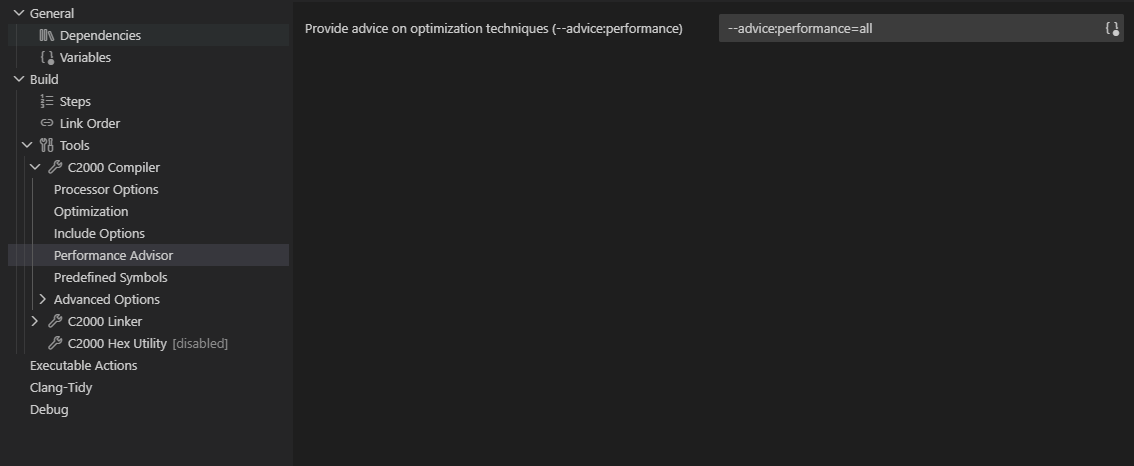
image.png

CCS 21 expects this:

image.png

CCS 21 error when building with the "--advice:performance=all" in the textbox:

C:/ti/compilers/ti-cgt-c2000_22.6.1.LTS/bin/cl2000" ... --advice:performance=--advice:performance=all ...

image.png

CCS 20 error when building with the "all" in the textbox:

C:/ti/compilers/ti-cgt-c2000_22.6.1.LTS/bin/cl2000" ... all ...
image.png

  • Hi David,

    It looks like all previous versions of CCS expected the "Provide advice on optimization techniques (--advice:performance) " textbox to read in the format of "--advice:performance=all", but the 21.0.0 version expects "all".

    The change in CCS 21 was intentional. The behavior prior to that was a bug. You should not have to type in the full option string in addition to the value. You should only need the value like how the other fields work in the properties GUI. CCS 21 fixes this bug. Unfortunately it breaks the workaround the people were using by explicitly adding the full option string.

    This breaks backwards compatibility with my team, some of which are stuck using older CCS versions but sharing the same .cproject files.

    In cases where there are a mix of CCS version used, I propose this workaround instead. Clear the field for that option in the compiler properties dialog. Create compiler command file and add the "--advice:performance=all" option there. Then specify that file in the compiler properties under "Command Files"

    This file will get read by the compiler and pass whatever options in the file to the compiler. This will allow for the correct format of the option every time regardless of CCS 21 or older.

    Thanks

    ki