This thread has been locked.

If you have a related question, please click the "Ask a related question" button in the top right corner. The newly created question will be automatically linked to this question.

Read-only File Encountered


after upgrading to ccs5.1.1 I tried to open a workspace again. for one of the projects I get the message below.

problem is the project is under source control and yes it is read-only.  so the answer is No I do not want to make it writable unless that means it will be checked out for edit.  I suspect it will just be made writable without any interaction with source control. this gets my files out of sync and can cause much mischief.
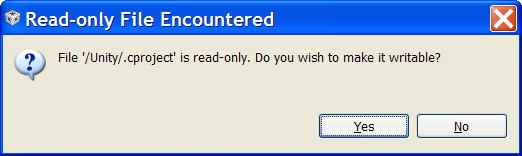
and the funny thing is, I have four projects in this workspace. one has checked out .ccproject, .cproject, .cproject that are writable.  the other three are not.  but I only got this message for two of the projects. why not the third?

(sorry if this is posted again.  I thought there was a similar earlier post but I cannot find it.)

  • Kurt,

    There was a known issue with 5.1.0 where CCS would touch .cproject or .project files frequently, which was due to an Eclipse bug. 5.1.1 contains a workaround for it, a permanent fix has been contributed to open sourceand will come in CCS 5.3. 

    For now, when the CCS version is upgraded to 5.1.1, projects may need to be “migrated”. This is mostly to ensure that project file works correctly with any changes/fixes that have been made in newer version of CCS. This would require a one time project file modification for this migration. Some projects may require this migration while others may not, which is likely why you see this message only with certain projects.

     Please try opening a new workspace and re-importing the projects so the internal "migration" happens. 

    There is also still a known issue where CCS project files need to be automatically checked out when changes are necessary to be made just like for other files. This is being tracked in bug # SDSCM00043340.