Hi,
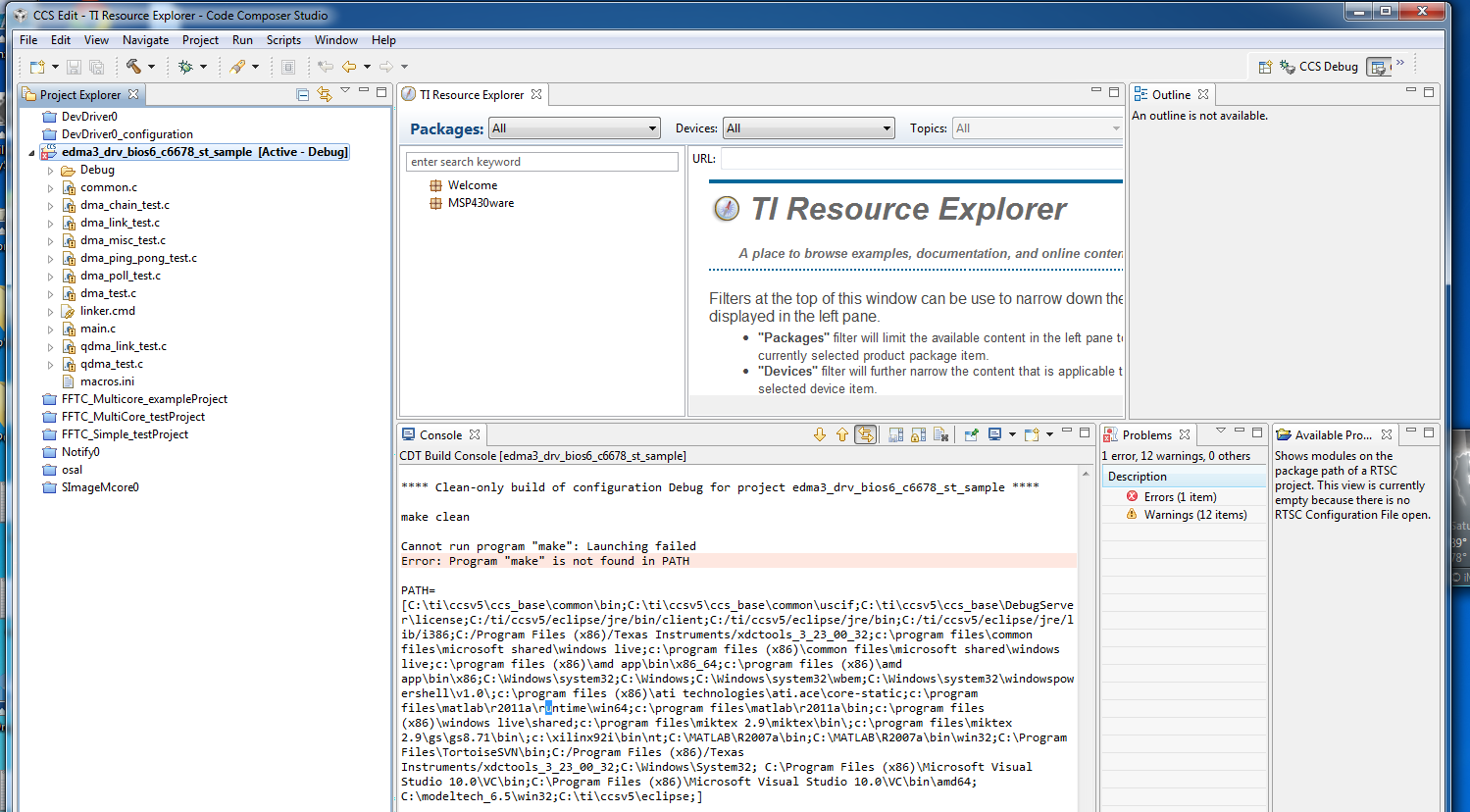
I want to run EDMA3 LLD example. Unfortunately, it always fails to build after I import it. The imported project build error is as the picture shows:
I import the project from the directory:
Do I need some to set some environment viable?
Thanks.
This thread has been locked.
If you have a related question, please click the "Ask a related question" button in the top right corner. The newly created question will be automatically linked to this question.
Hi,
I want to run EDMA3 LLD example. Unfortunately, it always fails to build after I import it. The imported project build error is as the picture shows:
I import the project from the directory:
Do I need some to set some environment viable?
Thanks.
Hi,
The import project is created with copy option selected.
I find that the source file (*.c) cannot show up after click it. The error message is:
Could not open the editor: Must specify a URI scheme:EDMA3LLD_BIOS6_INSTALLDIR/examples/edma3_driver/src/common.c
Robert W said:Could not open the editor: Must specify a URI scheme:EDMA3LLD_BIOS6_INSTALLDIR/examples/edma3_driver/src/common.c
Looks like you need to define this Linked Resource Path variable: EDMA3LLD_BIOS6_INSTALLDIR
It needs to be set to the location of the edma install directory.
I see a macros.ini file in the directory. This file is used to auto-setup linked resource path variables and build variables on import. Can you take a look at that file and see if EDMA3LLD_BIOS6_INSTALLDIR is defined in there?
thanks
ki
Hi,
I forgot to mention that I have set the viable as:
EDMA3LLD_BIOS6_INSTALLDIR = C:\ti\edma3_lld_02_11_05_02
It does not work.
In fact, the macros.ini file in the project has the definition:
EDMA3LLD_BIOS6_INSTALLDIR = ..\..\..\..\
Are there other possibilities?
Thanks.
Robert W said:
Oh, this is indeed helpful. It is complaining about not being able to launch 'make'. CCS should be using gmake instead. Somehow the project settings got messed up and us using the CDT default make. You can try setting it back to use gmake. See the below thread for more details on how to do this (see the second post by Rafael):
http://e2e.ti.com/support/development_tools/code_composer_studio/f/81/t/140973.aspx
It can make now, but the new problem is:
**** Clean-only build of configuration Debug for project edma3_drv_bios6_c6678_st_sample ****
C:\ti\ccsv5\utils\bin\gmake clean
gmake: *** No rule to make target `clean'. Stop.
**** Build Finished ****
**** Build of configuration Debug for project edma3_drv_bios6_c6678_st_sample ****
Nothing to build for project edma3_drv_bios6_c6678_st_sample
..........................
no makefile?
A new question is here: What is the relationship between project edma3_drv_bios6_st_sample and edma3_drv_bios6_st_sample_configuration?
I just try to build edma3_drv_bios6_st_sample_configuration. The error message is:
**** Build of configuration Release for project edma3_drv_bios6_c6678_st_sample_configuration ****
C:\ti\ccsv5\utils\bin\gmake all
'Building target: configPkg/linker.cmd'
'Invoking: XDCtools'
"/xs" --xdcpath="/packages;/packages;" xdc.tools.configuro -o "configPkg" -t ti.targets.elf.C66 -p ti.platforms.evm6678 -r whole_program -c "" ../edma3_drv_bios6_c6678_st_sample.cfg
'"/xs"' is not recognized as an internal or external command,
operable program or batch file.
gmake: *** [configPkg/linker.cmd] Error 1
**** Build Finished ****
I do not know where the configPkg/linker.cmd is. What is wrong in this build?
Regards,
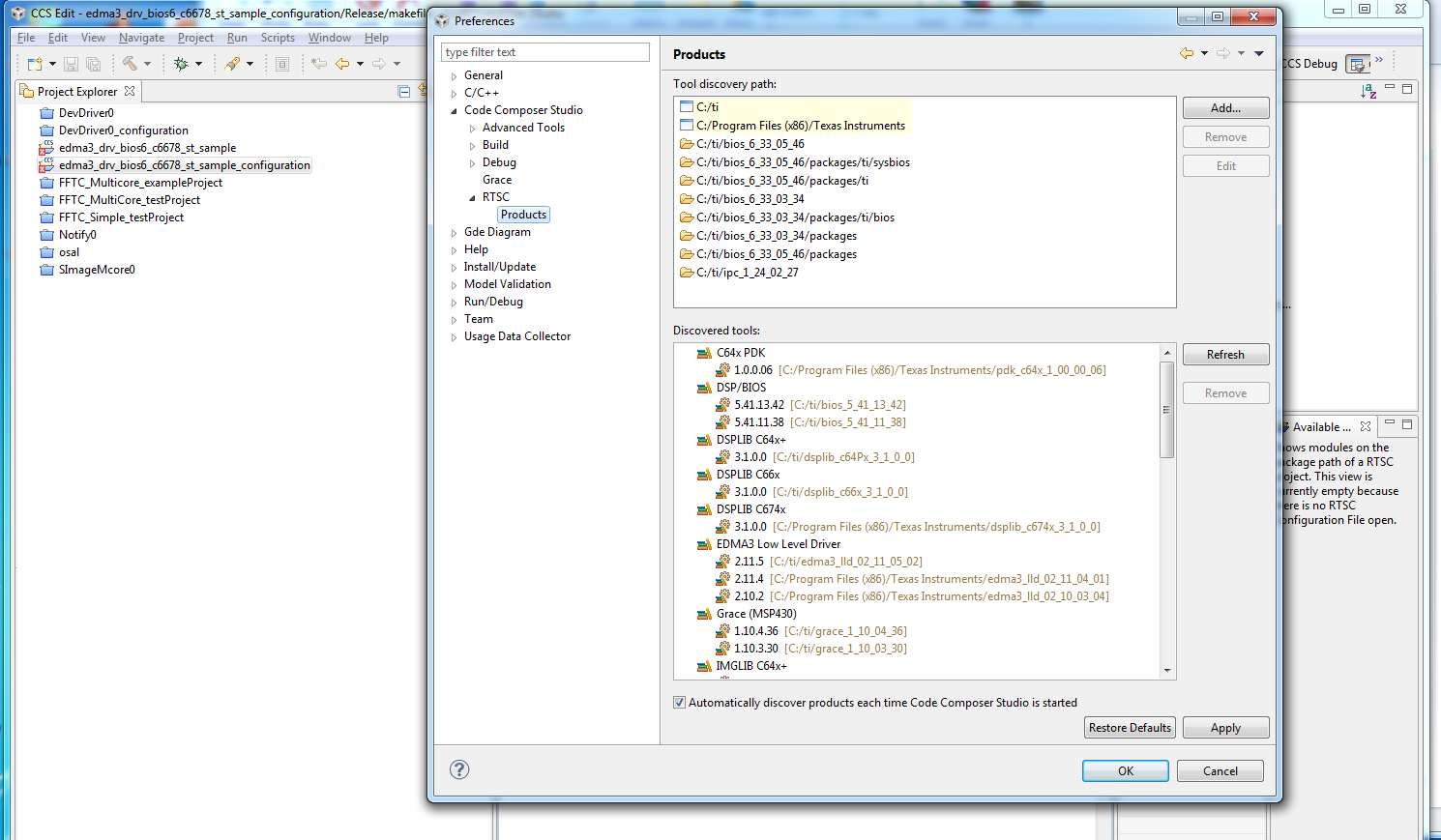
I installed the EDMA3 package and imported the same project. Seems to build ok (needed to add some additional include paths). Did you get a notice about CCS detecting the EDMA package and enabling it? And during the import, did you copy the project into your workspace or leave it in the original location?
Thanks
ki
Robert W said:similar posts suggest that /xs with extra / . Where is this command line? Thanks.
In the 'edma3_drv_bios6_c6678_st_sample_configuration' project, right-click on the project and select 'properties'. Then in the properties dialog, select 'Build->XDCtools' in the left panel. In the right panel, you will see a 'Command' field and 'Command-line pattern' field. One of those should be what you are looking for.
Thanks
ki