This thread has been locked.

If you have a related question, please click the "Ask a related question" button in the top right corner. The newly created question will be automatically linked to this question.

F28027 - data verification error during flashing

Other Parts Discussed in Thread: CONTROLSUITE

Hi,

I have quite nasty problem with my TMDSHVRESLLCKIT. I have already discussed about this in these two topics:

http://e2e.ti.com/support/microcontrollers/tms320c2000_32-bit_real-time_mcus/f/171/t/227750.aspx

http://e2e.ti.com/support/microcontrollers/tms320c2000_32-bit_real-time_mcus/f/171/t/228702.aspx

I tried to solve this by changing the controlcard, but problem still occurs. I also tried with external JTAG-emulator instead of on-board emulator without success. In addition I confirmed that voltages do not drop and there is enough current available during flashing. So almost every possible hardware failure is now checked that there is none.

The code I'm trying to flash is copied from controlsuite example folder, so there should not be any mistakes in linker command file. I've checked, that gel-file is correct(v. 4.00.5). I also tried to flash some other example projects from contolsuite, but there was no success.

After huge amount of struggling it seems, that this is CCS-related problem. As you can see from earlier posts, this problem occurs with CCS4 and also with CCS5. I have tried this with windows XP and windows 7. I can build project without errors and I'm also able to connect to target, F28027 in this case.

What should I try to do next? I assume that I have quite tight firewall settings, because I'm using my work laptop. Could this be somehow caused by antivirus-program?

I attach some screenshots just in case:

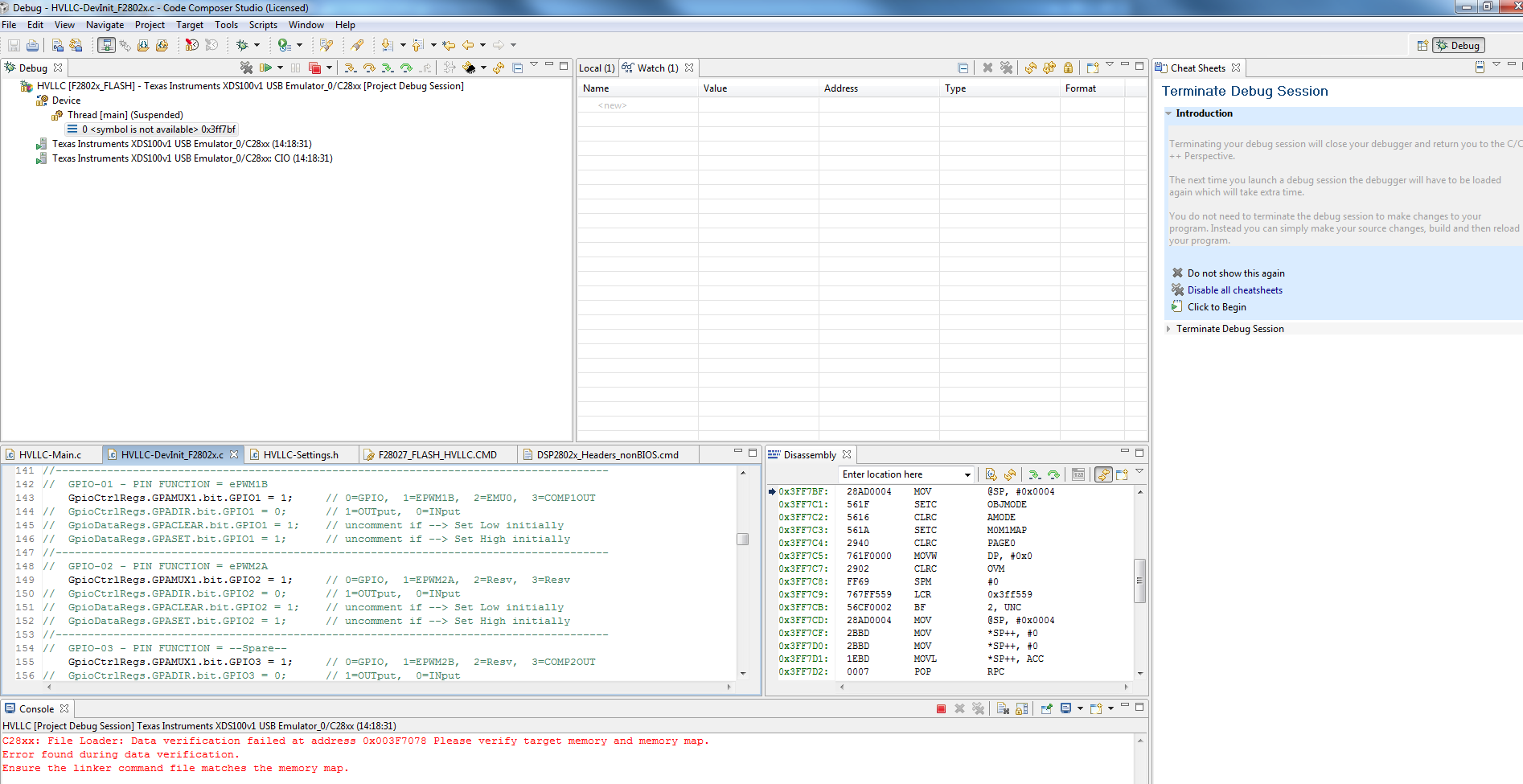
When I hit debug-button, connecting to the target goes OK. But when flashing begins, an error appears to console:

When I click "Yes", debug process ends:
Thanks, Juha

  • Hi Juha,

    do you get this with both emulators?  What control suite version do you have? What specific CCSv5 version?   Can you provide more details?  Are you modifying the example at all?  Have you tried importing and running the example with the resource explorer as a step in debuggin?  Have you modified the hardware setup?

    Best Regards,
    LIsa

  • Lisa,

    Yes, this happens with both emulators. Version of Controlsuite is 3.1.2. and version of CCS is 5.2.1.00018. Compiler version is 6.1.0. I also installed 6.1.1. compiler manually, but it didn't fix this situation.

    I have modified GPIO-settings so, that GPIOs from 0 to 7 are set as PWM outputs. In addition I have set INCR_BUILD and DEMO_MODE to '1'. That is all I have done so far. So modifications should be correct, right?

    Debugging from recource explorer is not making any difference compared to debug-icon in toolbar.

    I import the project via File->Import->Existing CCS Eclipse Projects->and so on...

    I have not modified hardware.

    BTW, When using 5.2.1.00018, CCS is finding some updates for code generation tools, but I'm not able to install those updates for some reason. If I'm searching updates via CCS, downloading goes OK. When CCS is restarting and installing updates, something goes wrong. Only way to handle this is to terminate install process from task manager and re-install CCS 5.2.1.00018. This may be little out of the subject, but I think that this is something you want to know.

    Thanks, Juha

  • Hi Juha,

    would you be willing to try with a fresh installation of the lastest CCS version.  Also see if you have any problems with an unmodified example direct from the resource exploerer. 

    Please keep us informed.
    Best Regards

    Lisa

  • Lisa,

    I have tried unmodified example project with 5.2.1.00018. I will try with latest version.

    When CCS is installed, there is possiblity to choose DSP/BIOS or SYS/BIOS. From my project point of view, which one I should choose? Other tips related to istalling are also welcome.

    I will let you you know if installing latest version of CCS helps.

    Just to inform, screenshots in my first post are snapped from situation, where CCS4 was used. With CCS5 error is common flashing error instead of data verification error. Error prints in console are something like this:

    C28xx: Flash Programmer: Error encountered when writing to flash memory

    C28xx: Trouble Writing Memory Block at 0x3f6000 on Page 0 of Length 0xae

    Cannot write to target

    I noticed, that problem is not tied to one exact memory block. Sometimes it is in 0x3f6000 and sometimes it is somewhere else, for example in 0x3f7078. So this is not 100% repeatable. I have read this forum quite a lot during last few weeks. Flashing errors like this are quite common and usually they are solved by changing version of CCS. Can you please give me some other tips also? What are the most common reasons for problems like this? I would really appreciate some kind of "checklist".

    Thanks, Juha

  • Hi Juha,

    please let us know how things look with a fresh installation of the latest version (5.3).    I recommend SYS/BIOS as this is the new version.

    Best Regards,
    Lisa

  • Lisa,

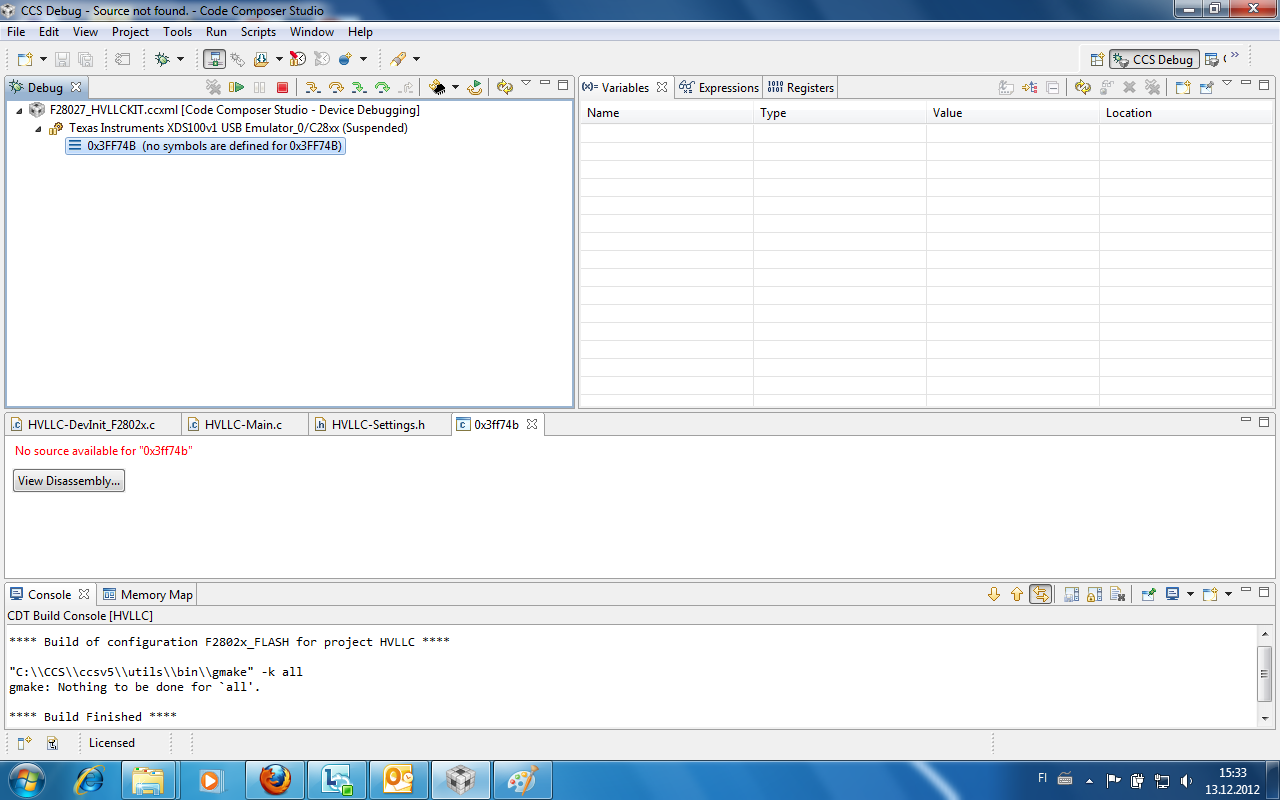
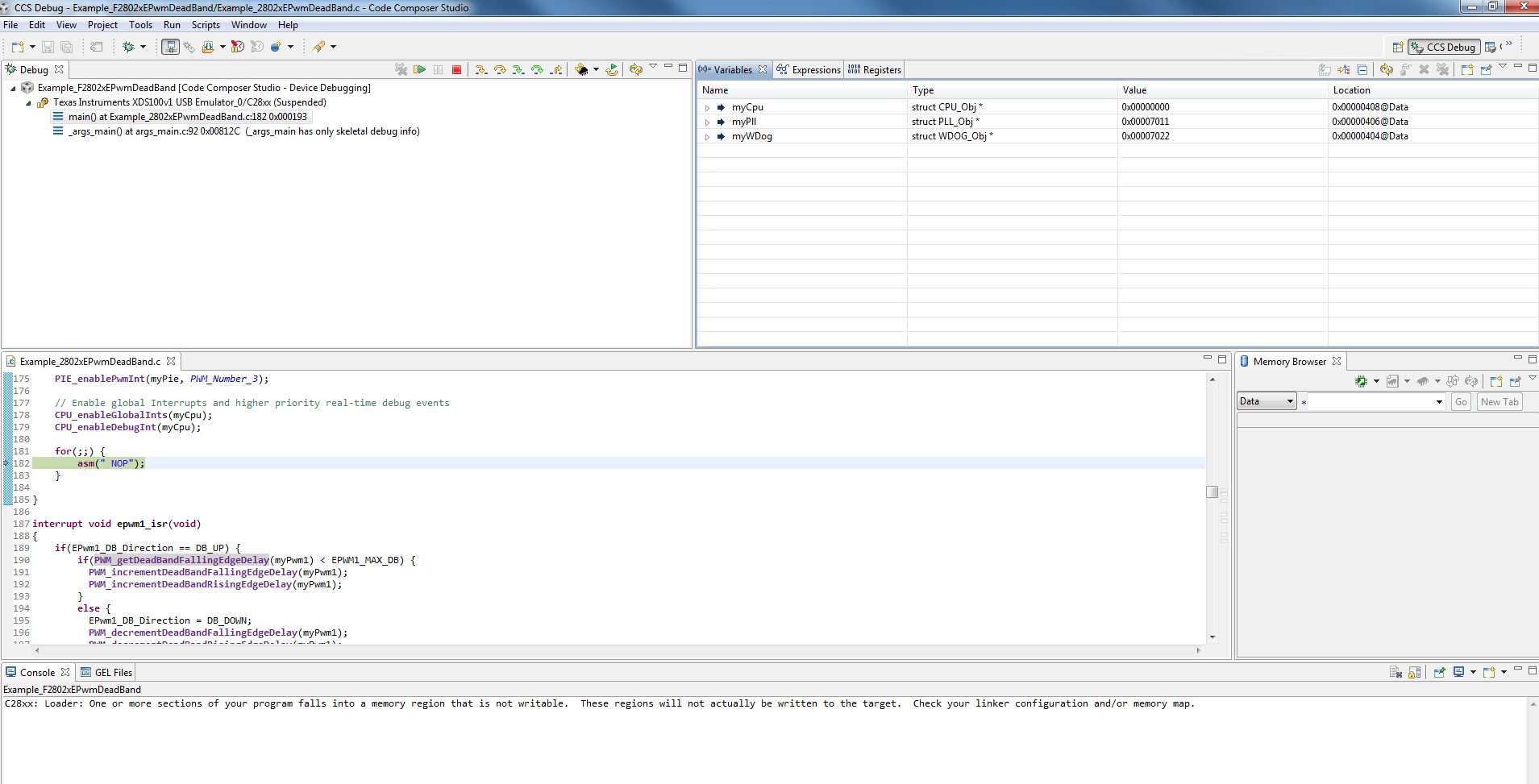
    I installed 5.3 today. There is no flashing errors in console anymore, so I guess that this is a little step ahead. Still there is something wrong, because I'm not able to run the code. I tried with many examples and after flashing and hitting run-button debug view looks like screen below:

    Why debug process is suspended due to breakpoint? I have not placed any breakpoints in code. I discovered similar behaving with 5.2 also.

    Thanks, Juha

  • Hi Juha,

    what steps have you taken to get to the above state (from your latest screen shot)?  What example?  Did you import an unmodified example for your exact board/part?

    What happens if you hit run again?  Ie go past the breakpoint.

    Best Regards,

    Lisa

  • Lisa,

    After project is imported, I build it by clicking project name in resource explorer and selecting "rebuild project". Then I hit debug-button from toolbar. After this I'm in situation where I took my last screenshot. I've tried to flash F28027 ControlStick projects from controlsuite. Examples were not modified before attempting to flash. I should be able to flash and run F28027 ControlStick examples, right?

    Despite the fact that there is no error messages in console, I'm quite sure that I'm not able to flash my controller properly. If I observe memory sheet in debug view, I can see that something is loaded to flash memory, because there is stuff in memory blocks. But for some reason I can't run the code.

    Would it be good idea to try loading to RAM instead of flash? That would tell that is the problem caused by compiler or is something going wrong during flashing. What do you think? I'm quite new with c2000, so could you tell which actions are required to load program to RAM instead of flash.

    Thanks, Juha

  • Hi Juha,

    This message is typically seen when the debugger is launched but no code has been loaded to the target. So if you selected the target configuration file (.ccxml) and launched the debugger, but have not yet loaded a program to target, then this message is to be expected. However, some setting or something might be stopping you short of a load for your case as well.  Can you confirm you use the debug button and do not simply launch a target configuration?  You should be able to go to menu Run->Load->Load Program and browse to the program you want to load. Once the program is loaded, the source will be visible.  Can you give this a try?  What makes you think you "can't run the code" ?

    Best Regards,
    Lisa

  • Lisa,

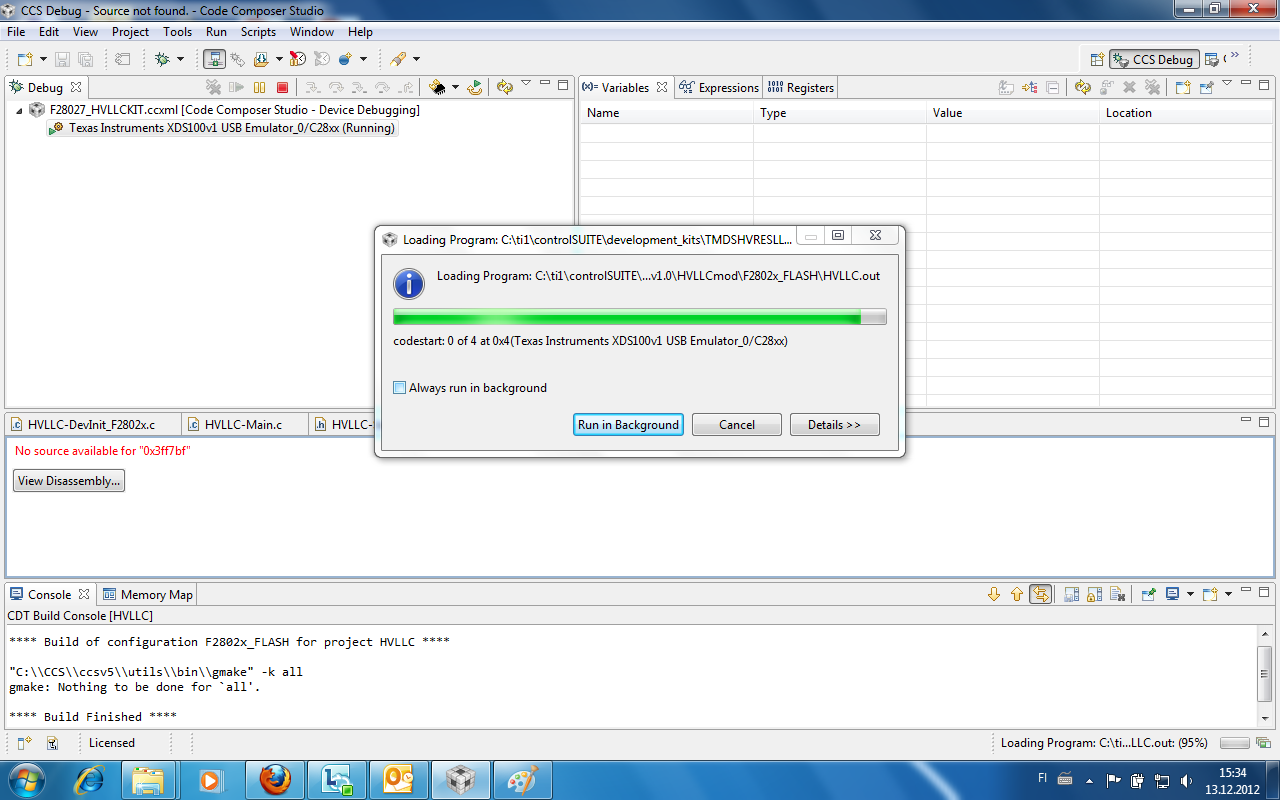
    These are the steps I'm taking. It doesn't matter am I using debug-button or launch selected configuration->connect to target->load program-> etc.. Behaviour is same with both approaches. Please see screens below:

    When I'm loading program to target "no source available" window appears. There is no error messages in console.

    After this debug-window tells that code is running. Source is not visible.

    When I hit "suspend", "no source available" window appears again. I can't search source manually, only "view disassembly" button is present.

    So what is really happening? How is possible that code is running if there is no source at all? If source is not defined automatically, is there a way to do it manually?

    Thanks, Juha

  • Hi Juha,

    it seems like you are almost describing two separate issues.   So at the moment it is not quite clear to us what exactly you are currently facing and what might cause this.   The best next thing to debug here is to take one step back for verification.   Do you see expected behaviour if you load an unmodified example from the device_support folder available in ControlSuite.  (eg C:\ti\controlSUITE\device_support\f2802x\v210\f2802x_examples). 


    Please let us know how that works.

    Best Regards,

    Lisa

  • Lisa,

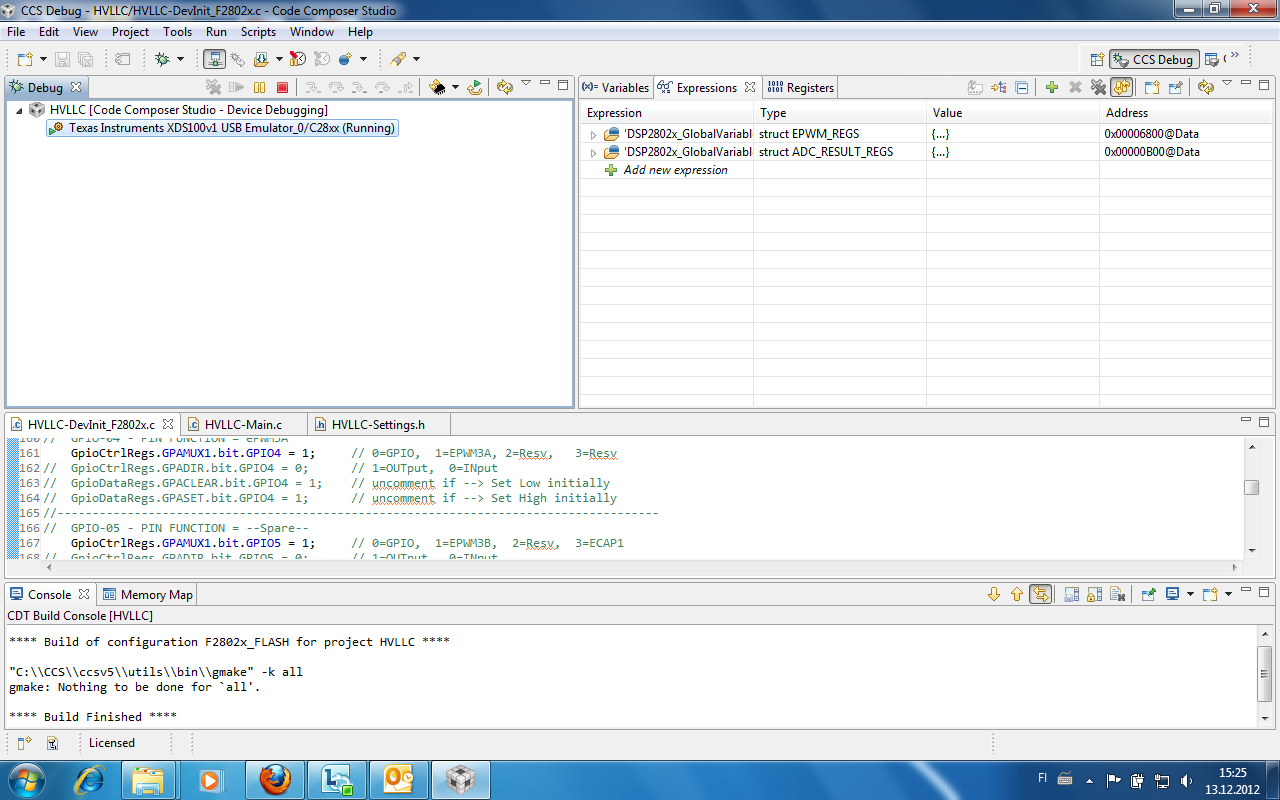
    Examples in C:\ti\controlSUITE\device_support\f2802x\v210\f2802x_examples are loaded to RAM. I can confirm, that loading program to RAM works. Please see screenshot below:

    Source is visible and I can run the code. I verified PWM-outputs with oscilloscope and I discovered nice PWM-signal.

    Problem occurs if I try program to FLASH-memory. I have tried with various unmodified examples from C:\ti\controlSUITE\development_kits\Piccolo controlSTICK and also C:\ti\controlSUITE\development_kits\TMDSHVRESLLCKIT_v1.0, which is made for my evaluation kit. There is no matter which FLASH-example I'm dealing with, situation is same with all.

    Sometimes problem occurs in a way, which I demonstrated in screenshots yesterday: no error messages during flashing, but source is not visible.

    Sometimes problem occurs like this:

    FLASH-sectors cannot be erased in a beginning of program load phase. CCS tries to erase them for a while and then moves ahead to program load.

    Program load also fails and flashing session ends up to a error message in console.

    So it is quite clear that this is some kind of flashing issue. Is there something special in debug settings that I should be aware of? It is worth to mention, that I can erase flash-sectors manually from tools->on-chip-flash. I wonder why flash sectors cannot be erased during program load...

    I also verified, that if flashing is finished without errors, EMU_KEY(0x0D00) has value of 21F1 and EMU_BMODE(0x0D01) has a value of DE75. These values are non-sense. In case of FLASH programming EMU_KEY should be 55AA and EMU_BODE should be 000B. When programming to RAM, both are correctly set. So could it be that binary is programmed to wrong memory allocations during flashing?

    Thanks, Juha

  • Hi Juha,

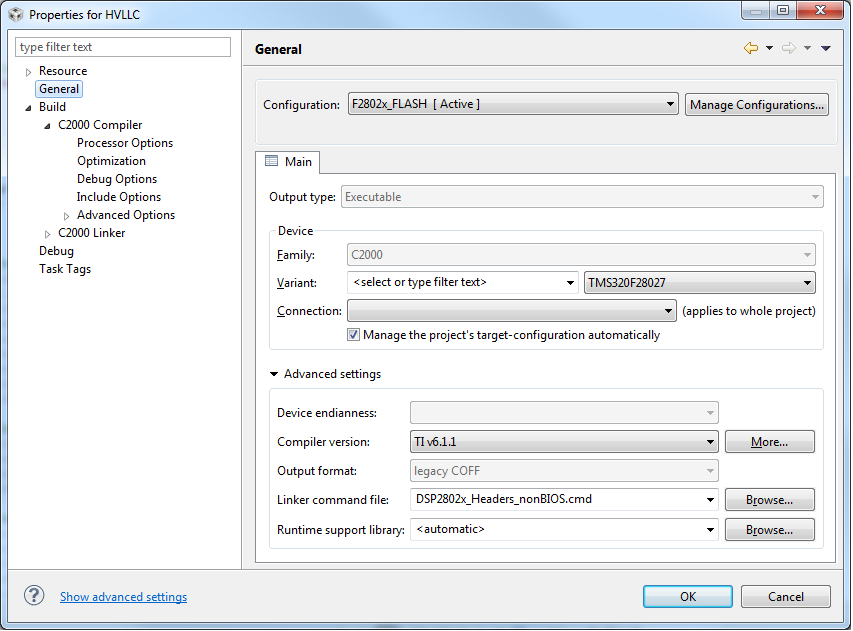
    thanks for doing that test.   Would you now go back to the project you would like to work and do the following.  Have a look at project->properties->general.   Have a look whether the linker command file and runtime support library indicated there are for flash or for RAM and are appropriate.  You could even also attached the screenshot here.  Try checking those setttings to get that example up and running.

    Best Regards,
    Lisa

  • Lisa,

    Screenshot below. Could you check it please? This is flash-project.

    I think these settings should be correct.

    Thanks, Juha

  • Hi Juha,

    it seems you are using a specific linker command file.  Is this for a reason?   I suspect this might be the issue.  What if you select automatic or the built in one for the device as shown in the screen captures below?

    Best Regards,
    Lisa

  • Lisa,

    my project contains two linker command files: "F28027_FLASH_HVLLC" is for flash memory allocations and "F2802x_Headers_nonBIOS" is for locating peripheral register data sections to proper memory location. Both files are from example project and files should be ok. Files are in attached zip-package.

    How should I act when I have two linker command files? Both files are sent to linker, you can see that from console prints. Post-build console prints are also in zip-package. Does it matter in which order linker command files are sent to linker and how can I change order of linker command files?

    map-file is also in zip package. I don't see anything bizarre in map-file, memory configuration and sections are ok. If you check section allocation map, only FLASH_A is used. If map-file contains correct information, linker command files should be ok too, right?

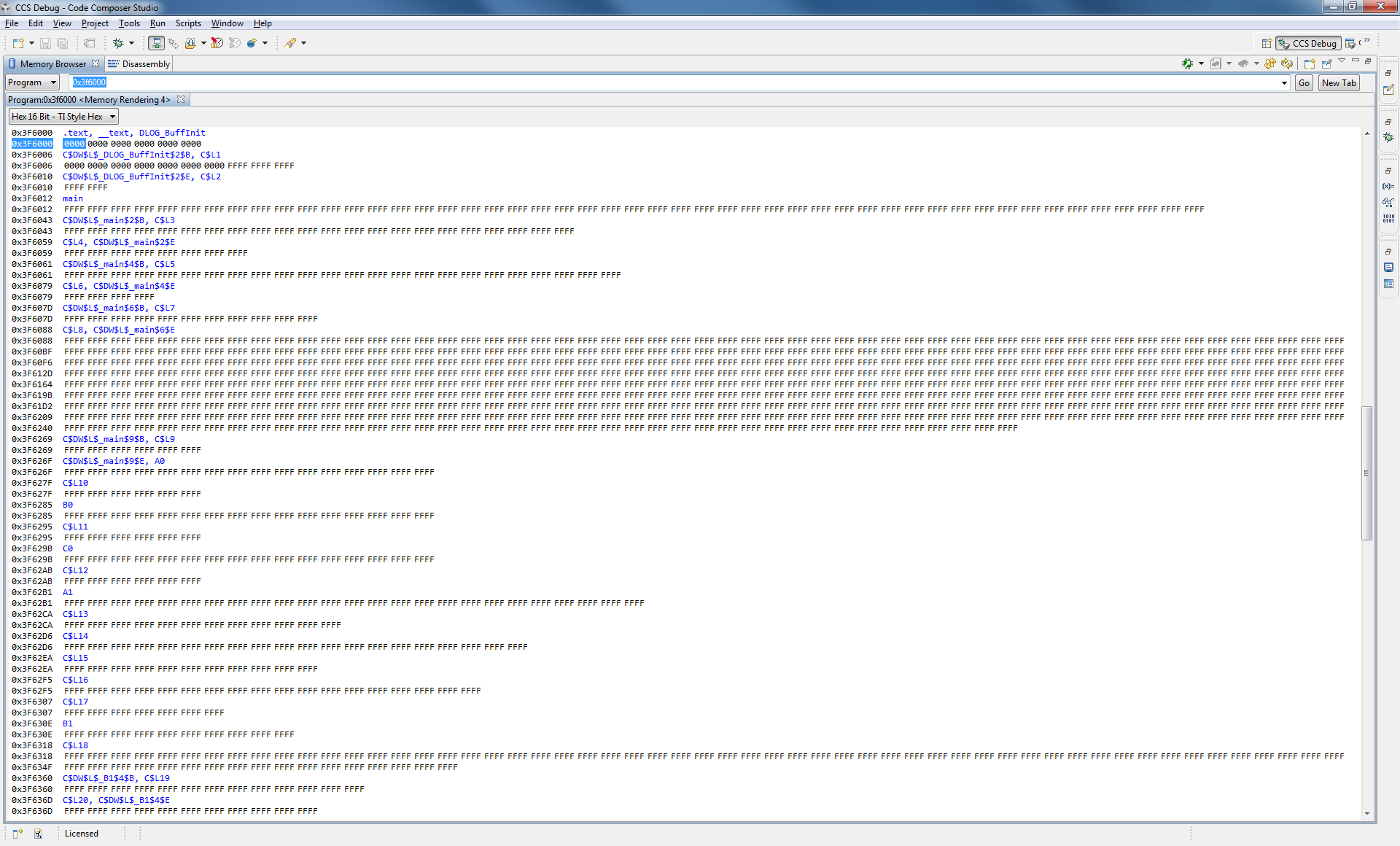
    After program load FLASH_A looks like this:

    It is completely empty. How is this possible?

    I can repeat same situation with two controlCARDs and also with on-board emulator and external emulator. This is getting really strange and should not be this hard with commercial evaluation kit...

    Thanks, Juha

  • Lisa,

    it seems, that I have to reset F28027 before flashing. I made some tryouts today and seems that controller gets flashed during program load. I'm sorry being so unclear, but this problem is quite hard to debug, at least to me.

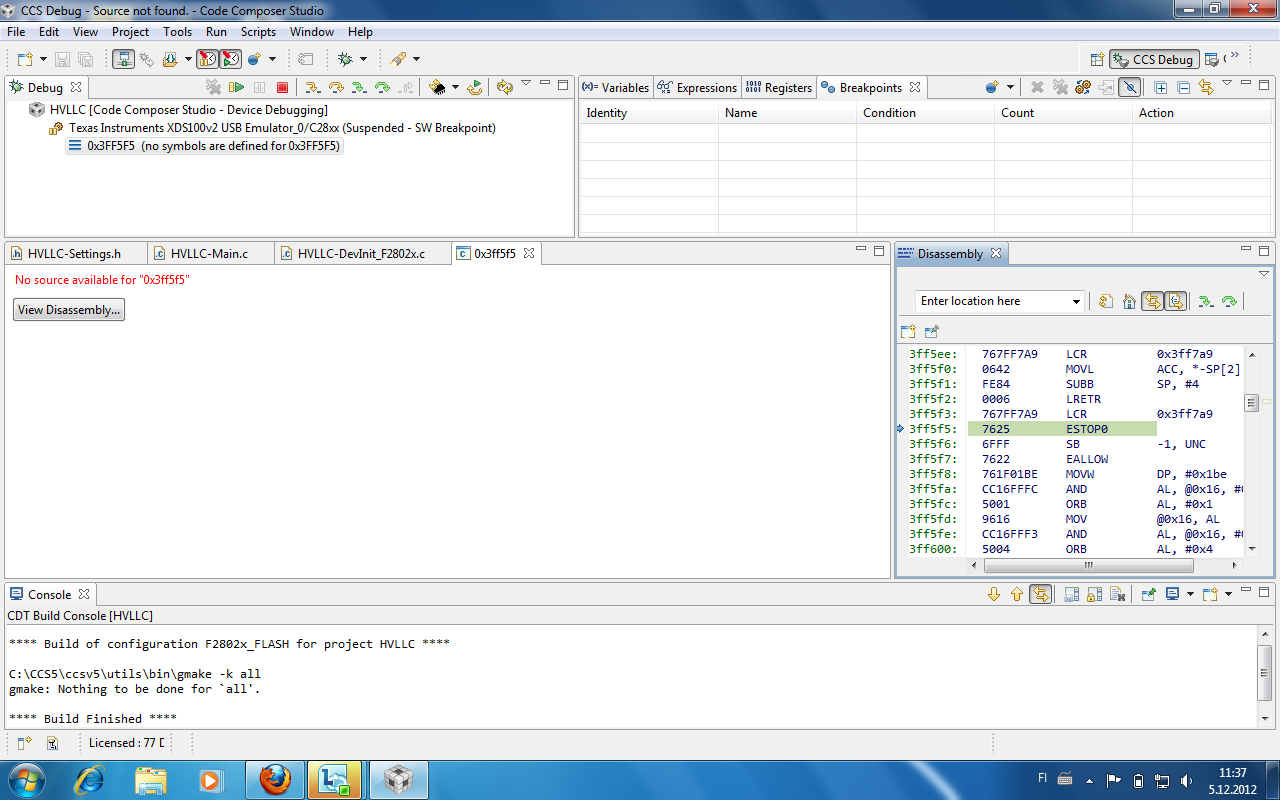
    However, I'm not able to run program, because program execution stucks in BOOTROM(0x3ff7eb). The reason for source is not visible is, that program is not executed to main(). There is nothing I can do to BOOTROM. because it can't be changed. I checked that codestartbranch is set correctly to 0x3F7FF6, so bootloader should be aware where to start program execution.

    Can you help me with this, or should I ask help from C2000 forum? Thanks for your patience.

    *Juha

  • Hi Juha,

    if you feel you have isolated the issue to bootloader use, yes for sure the C2000 Forum would be a good place to ask.  All the best ... unfortunately it is true problems can be difficult to isolate at times.

    Best Regards,
    Lisa