


I am working with the newest download of CCSv5 with the Stellaris Launchpad with the LM4F120H5QR. I created my work space and then copied some projects into the work space using the IDE project manager. Projects I copied included Hello, Blinky, Interrupts, Timers, and Project0. I found that when rebuilding these projects that the make tool was always reporting an error as follows:
gmake: ../hello.c: Timestamp out of range; substituting 1969-12-31 16:00:00
Looking at the files directly in the work space folder using the Windows Explorer tool shows that certain files in the project have buggered up date/time values:
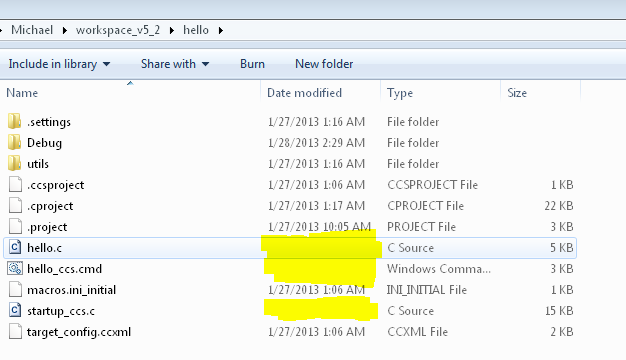
I did find that if I opened these files for editing in either an external editor or in the CCS IDE editor, made some inconsequental change and then closed the file again it would update and correct the file's timestamp. Correcting the time stamp in this way also makes the error go away in the make process.
So -- It is fairly certain that there is a bug in the part of the IDE that allows copying project files over into a workspace. It would appear that the project manager import tool is causing bogus date and time info to be written to the file directory entry. Can TI get this fixed...it causes a major pain when setting up a workspace.
Michael Karas

