This thread has been locked.

If you have a related question, please click the "Ask a related question" button in the top right corner. The newly created question will be automatically linked to this question.

Running Problems with CCS


Hello,

I install several days before the CCS, I have been doing the tutorial. When I create a simple application in C++ (Helloworld), I can buid it without errors, but when run it in the Progress window appears Launching Helloworld Debug: (57%), and it remains in that situation until I press Cancel Operation.

Moreover If I try to execute Helloworld.exe from command, I can't see anything.

Please can anybody help me. Thanks

Rafa

  • Hello Rafa,

    Rafael Martinez said:

    when run it in the Progress window appears Launching Helloworld Debug: (57%), and it remains in that situation until I press Cancel Operation.

    Moreover If I try to execute Helloworld.exe from command, I can't see anything.

    How exactly are you launching this debug session? I sounds like you may not be using the recommended CCS way. Which tutorial are you referencing?

    Also some screenshots of CCS and the errors would be very helpful

    Thanks

    ki

  • Hello Ki,

    I'm using Code Composer Studio Version: 5.3.0.00090, I'm following Tutorial from Help Contents - C/C++Development User Guide - Getting started - Creating a simple aplication.

    http://127.0.0.1:51230/help/index.jsp?topic=%2Forg.eclipse.cdt.doc.user%2Fgetting_started%2Fcdt_o_tutorial.htm&cp=2_1 

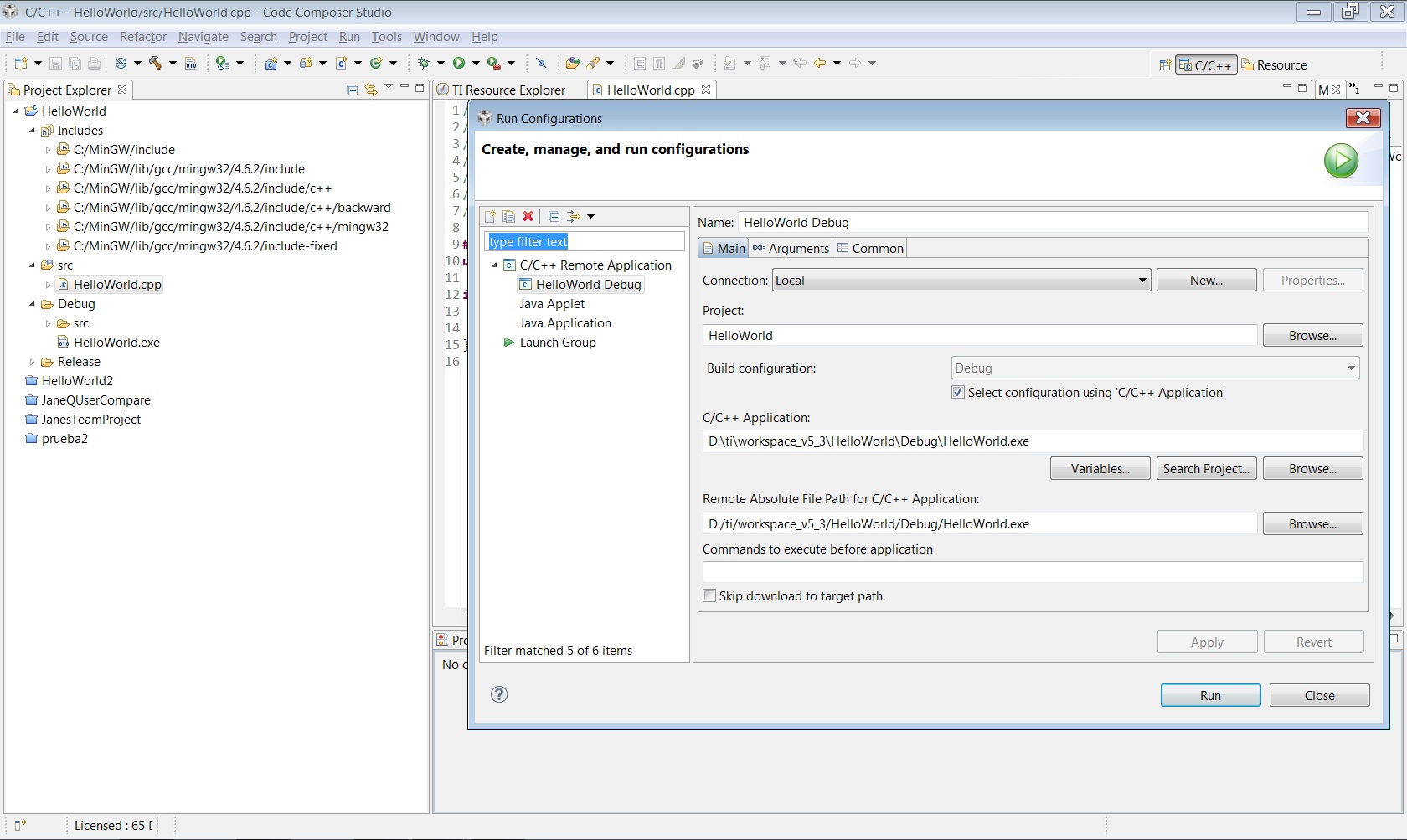
    This image show you the Run configuration:

    This image show you what happen after click Run button:

    My OS is Windows 7 64 bits, I don't know whether it can affect the executation of the program, or the version of MinGW.

    I have put a delay in this program and execute from the comand window of Windows 7, and it works properly.

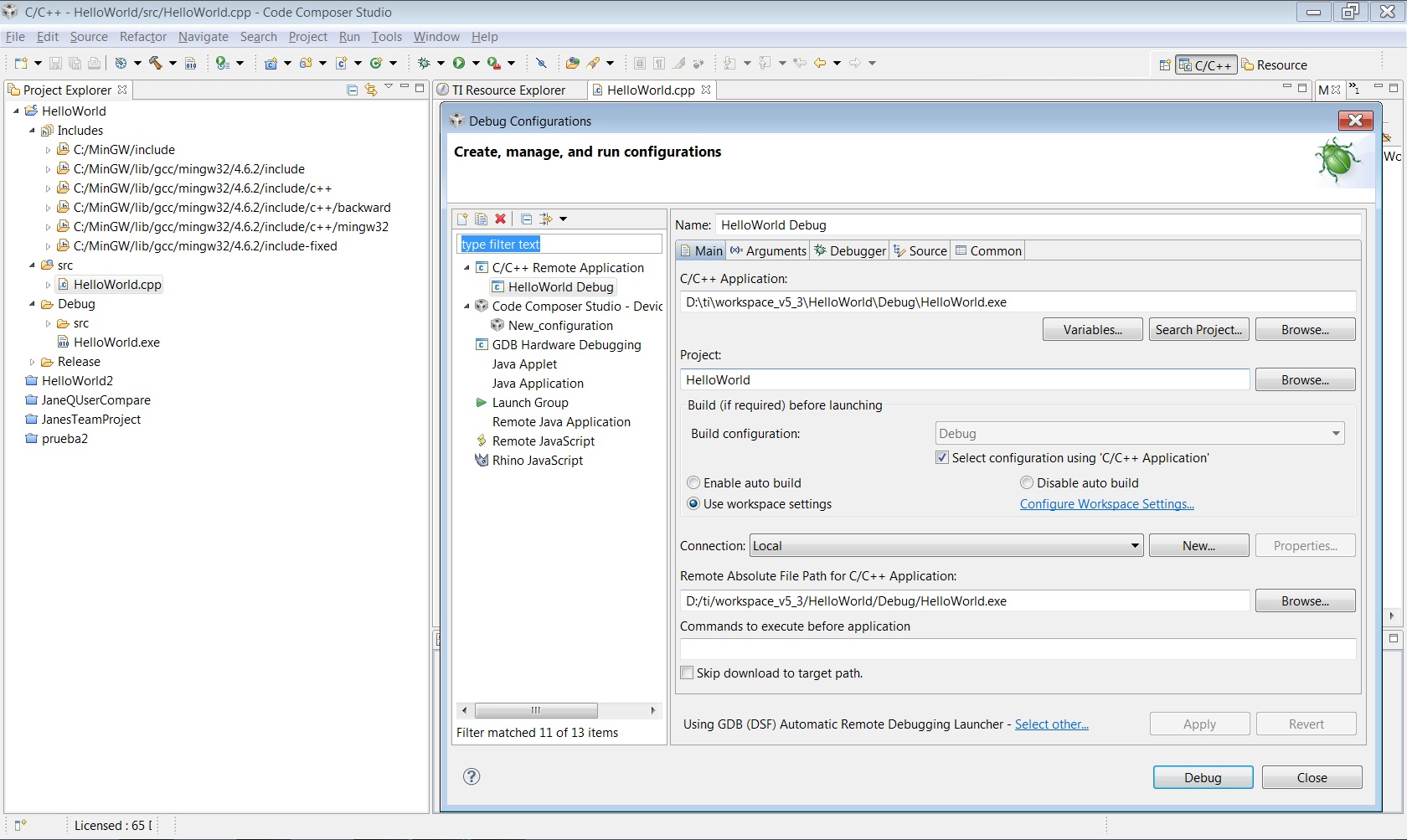
    I send you also the debug configration. Thank you very much

    Best regards

    Rafa

  • Rafael Martinez said:
    I'm following Tutorial from Help Contents - C/C++Development User Guide - Getting started - Creating a simple aplication.

    I suspected as much. You are following the standard help for CDT. CCS uses a different method to launch a debug session. Please refer to the CCS Getting Started Guide instead.

    http://processors.wiki.ti.com/index.php/CCSv5_Getting_Started_Guide

    Thanks

    ki

  • Hi Rafa,

    You are using "C++ Remote" launch, you need to create a "C++ Application" launch.

    "C++ Application" launch is hidden by default. So should "C++ Remote" launch (a bug). To enable "C++ Application" launch, goto "Windows | Preferences", select "General / Capabilities", then enable "CDT GDB Debugging" in the list. 

    Now you should be able to create the correct launch to debug your local helloworld.exe.

    Regards,
    Patrick 

  • Hello Patrick,

    Thank you for your answer. At the begining it seemed to be the solution, the application didn't hang, but at the end it appears this message:

    Please, there is something else, I must configure before. Thanks in advance.

    Best Regards,

    Rafa

  • Hi Ki,

    It works with this tutorial, but it's is completely different from the guide in the program help. I'd like to debugg simple C++ applications before putting them in a device.

    Other question: How can you assign pins of one device to the inputs and outputs of tyour program? The example of the tutorial, you gave me, doesn't appear. Thanks.

    Best Regards,

    Rafa

  • Rafa - your screenshot still indicates you used the CDT method of launching a debug session. Did you follow the steps in the CCS getting started guide?

  • Rafael Martinez said:
    but it's is completely different from the guide in the program help. I'd like to debugg simple C++ applications before putting them in a device.

    The steps for a C++ application are the same as C. To debug, you will need a valid target - either real hardware or a TI simulator. To use either, you must follow the steps in the guide

    Rafael Martinez said:
    How can you assign pins of one device to the inputs and outputs of tyour program?

    You wish to grammatically access on of the pins on your device? If so, this question is best asked in the forum that pertains to your device.

    Thanks

    ki

  • Rafa,

    I assumed that you have gdb installed and configured properly, i.e MinGW or CygWin. In the launch configuration dialog, at the bottom of the page, make sure you select DSF Create process launcher. 

    Also, you can right click on your project in the Project Explorer and select "Debug As" from the context menu. Select "Local C/C++ Application" should automatic create the launch configuration for you.

    Regards,
    Patrick 

  • Hi Rafa - there was some confusion between myself and Patrick. I spoke to him to clear things up. First off, we would like to confirm that you wish to create a CCS project to run on your TI target. Is this correct?

    Thanks

    ki