This thread has been locked.

If you have a related question, please click the "Ask a related question" button in the top right corner. The newly created question will be automatically linked to this question.

TMS320C6678 don´t work

Other Parts Discussed in Thread: TMS320C6678

Hi ,

I have installed CCSv5.3 and MCSDK on my Linux Suse 12.3 .

I use the EVM TMDSEVM6678l and the Device TMS320C6678. I following the MCSDK guide and try to load a Application using the JTAG. But I have some Problem .

I don´t know , if the Connection between the Board an my PC is correct ?
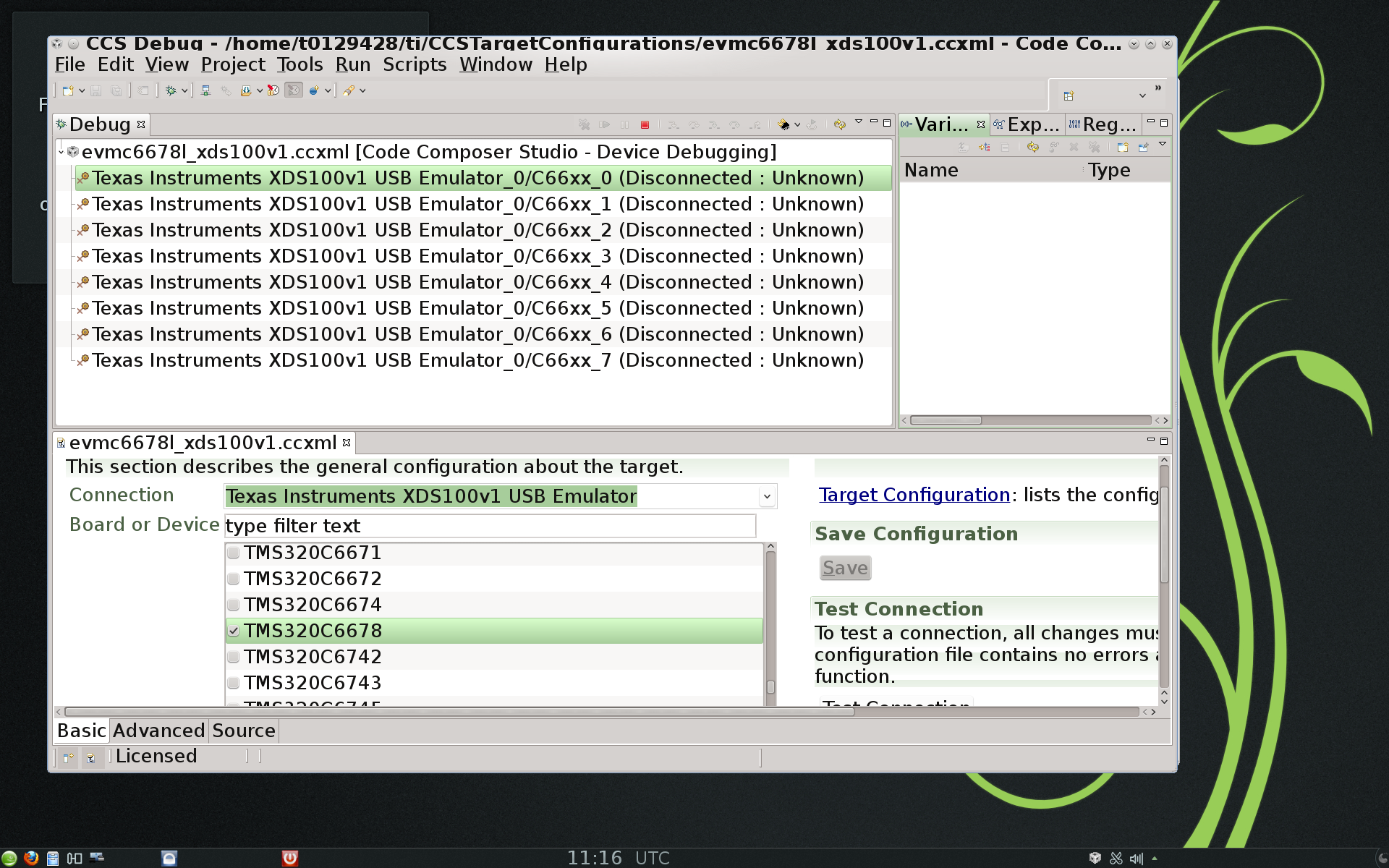
when i am running the firsrt core , I get the following Output : No Source avaible at 0x......

can anyone help me to resolve this ?

Best Regards

Lopez

  • Lopet azer said:
    when i am running the firsrt core , I get the following Output : No Source avaible at 0x......

    This is not necessarily a bug or error. Basically the debugger is telling you that the core is halted at some address where there is no source code association. You connections between board and PC are fine since you are able to connect.

    Thanks

    ki

  • Hi KI,

    I am running the Gel file for evmc6678l and  I get the following Output :

    C66xx_0: GEL Output: Setup_Memory_Map...
    C66xx_0: GEL Output: Setup_Memory_Map... Done.

    After this I run the Global_Default_setup for evmc6678l and I get this Output :

    C66xx_0: GEL Output: C6678L GEL file Ver is 2.004
    C66xx_0: GEL Output: Global Default Setup...
    C66xx_0: GEL Output: Setup Cache...
    Global_Default_Setup() cannot be evaluated.
    target is not connected
        at *((unsigned int *) (0x01840000+0x0020))=4 [evmc6678l.gel:312]
        at Set_DSP_Cache() [evmc6678l.gel:850]
        at Global_Default_Setup_Silent() [evmc6678l.gel:1576]
        at Global_Default_Setup()
    I think that the Target is not connected  

    Any Idea

    Thanks

    Lopez

  • so I am trying again with following Settings :

    SW3 : off, on,on,on

    SW4 : on,on,on,on

    SW5 :  on,on,on,on

    SW6 : on,on,on,on

    SW1 : off,off

    I run the gel file on Core 0 and get this Output:

    C66xx_0: GEL Output: Setup_Memory_Map...
    C66xx_0: GEL Output: Setup_Memory_Map... Done.

    After this I run the Global Script and that is the Output:
    C66xx_0: GEL Output: C6678L GEL file Ver is 2.004
    C66xx_0: GEL Output: Global Default Setup...
    C66xx_0: GEL Output: Setup Cache...
    C66xx_0: GEL Output: L1P = 32K  
    C66xx_0: GEL Output: L1D = 32K  
    C66xx_0: GEL Output: L2 = ALL SRAM  
    C66xx_0: GEL Output: Setup Cache... Done.
    C66xx_0: GEL Output: Main PLL (PLL1) Setup ...
    C66xx_0: GEL Output: PLL1 Setup for DSP @ 1000.0 MHz.
    C66xx_0: GEL Output:            SYSCLK2 = 333.3333 MHz, SYSCLK5 = 200.0 MHz.
    C66xx_0: GEL Output:            SYSCLK8 = 15.625 MHz.
    C66xx_0: GEL Output: PLL1 Setup... Done.
    C66xx_0: GEL Output: Power on all PSC modules and DSP domains...
    C66xx_0: GEL Output: Security Accelerator disabled!
    C66xx_0: GEL Output: Power on all PSC modules and DSP domains... Done.
    C66xx_0: GEL Output: PA PLL (PLL3) Setup ...
    C66xx_0: GEL Output: PA PLL Setup... Done.
    C66xx_0: GEL Output: DDR3 PLL (PLL2) Setup ...
    C66xx_0: GEL Output: DDR3 PLL Setup... Done.
    C66xx_0: GEL Output: DDR begin (1333 auto)
    C66xx_0: GEL Output: XMC Setup ... Done
    C66xx_0: GEL Output:
    DDR3 initialization is complete.
    C66xx_0: GEL Output: DDR done
    C66xx_0: GEL Output: DDR3 memory test... Started
    C66xx_0: GEL Output: DDR3 memory test... Passed
    C66xx_0: GEL Output: PLL and DDR Initialization completed(0) ...
    C66xx_0: GEL Output: configSGMIISerdes Setup... Begin
    C66xx_0: GEL Output:
    SGMII SERDES has been configured.
    C66xx_0: GEL Output: Enabling EDC ...
    C66xx_0: GEL Output: L1P error detection logic is enabled.
    C66xx_0: GEL Output: L2 error detection/correction logic is enabled.
    C66xx_0: GEL Output: MSMC error detection/correction logic is enabled.
    C66xx_0: GEL Output: Enabling EDC ...Done
    C66xx_0: GEL Output: Configuring CPSW ...
    C66xx_0: GEL Output: Configuring CPSW ...Done
    C66xx_0: GEL Output: Global Default Setup... Done

    After these steps I load the Programm Test $Home/ti/mcdsk_2_#####/demos/hua/evmc66##l/Debug/hua_evmc66##l.out , and that is the output:

    C66xx_0: GEL Output: Invalidate All Cache...
    C66xx_0: GEL Output: Invalidate All Cache... Done.
    C66xx_0: GEL Output: GEL Reset...
    C66xx_0: GEL Output: GEL Reset... Done.
    C66xx_0: GEL Output: Disable all EDMA3 interrupts and events.

    The Last step is to run the programm on the Core 0 :

    [C66xx_0] QMSS successfully initialized
    CPPI successfully initialized
    PA successfully initialized
    HUA version 2.00.00.04
    Setting hostname to tidemo-065916
    MAC Address: 40-5F-C2-B7-C2-F8
    EVM in StaticIP mode at 192.168.2.100
    Set IP address of PC to 192.168.2.101
    PASS successfully initialized
    Ethernet subsystem successfully initialized
    Ethernet eventId : 48 and vectId (Interrupt) : 7
    Registration of the EMAC Successful, waiting for link up ..
    Network Added: If-1:192.168.2.100
    Service Status: THTTP    : Enabled  :          : 000

    I get the following Error : Can't find a source file at "/home/gtbldadm/ti/mcsdk_2_01_02_06/demos/hua/src/hpdspua.c"

    but the file hpdspua is on the System , I have no directorie wuth the name gtbldadm.

    so I don´t no if i can now write Programm and load this on the Board for Execution ?

    Thank you

    Lopez


  • Lopet azer said:
    I get the following Error : Can't find a source file at "/home/gtbldadm/ti/mcsdk_2_01_02_06/demos/hua/src/hpdspua.c"

    The debugger is trying to find that source file so you can do source level debug. But it cannot find it because you don't have the source in the location it is looking. This is not an issue with loading your program or execution, just a debug issue. You should have the option to browse to the source file if you have the mcsdk source on your machine. Once you tell the debugger where one file is, it should be able to find the rest.

    Thanks

    ki

  • Hi Ki , 

    I have install CCSv5.3 and MCSDK for Linux on Ubuntu 10.10.

    I can load and run the Demos Programms provide with the MCSDK . After this I try to load my Pogramm on my TMS320C6678 Board , but I get this Error : 

    C66xx_0: Trouble Writing Memory Block at 0x8000  on Page 0 of Lenght 0x6020: (Error -1190 @ 0x8000) Unable to 

    access device memory . Verify that the memory address is in valid memory. If erro persists, confirm configuration , power-cycle board, and/or try more reliable JTAGS settings (e.g. lower TCLK). (Emulation package 5.1.114.0)

    C66xx_0: GEL: /root/workspace_v5_3/projecttest/Debug/projecttest.out; Load failed .

    My Board configuration is actually : 

    SW3 : off,on,on,on

    Sw4: on,on,on,on

    Sw5: on,on,on,on

    Sw6: on,on,on,on

    What is wrong ?

    How I can change the Memory Part on the board to load my Programm ?

    Thank you for Reply 

    lopez 

    Best regards

  • Looks like your second question is answered in your other thread on the same issue:

    http://e2e.ti.com/support/dsp/c6000_multi-core_dsps/f/639/p/264357/924923.aspx#924923

    thanks

    ki