This thread has been locked.

If you have a related question, please click the "Ask a related question" button in the top right corner. The newly created question will be automatically linked to this question.

Automatic Product Discovery doesn't work in CCS5.2.1

Other Parts Discussed in Thread: SYSBIOS

Hi,

I have installed the xdctools_3_24_07_73 to the default location C:/ti, but CCS doesn't recognize the package automatically. I also tried to add the repository manually via the preferences.
but I can't select the tool version in the project property page.


Any idea what's wromg here ? Klaus

  • Hi Klaus,

    would you be willing to try v5.4?  (as a separate fresh full installation to a new directory)

    Some things that might cause an issue like this to check

    - antivirus interference

    - permissions/user account settings

    - package dependencies

    Please keep us informed.

    Best Regards,
    Lisa

  • I would try to install CCS5.4 seperately, if it doesn't affect my actual CCS5.2.1 setup.

    Do you have a "How to ..." instruction for that ?

    Klaus

  • Hi Klaus,

    simply do a full installation into a different directory and it will not affect your 5.2.1 setup.

    Remember to disable antivirus and use a simple directory like c:/myccs.

    Please keep us informed.

    Best Regards,
    Lisa

  • Hi Klaus,

    just thought I would check for any updates with your enquiry.

    Best Regards,
    Lisa

  • Hi Lisa, 

    thanks for asking. After a discussion with my software colleagues, I (we ) decided not yet to install a CCS 5.4 version, because it won't help us in our actual work, because all other people working on this project would need to change to another version and that is right now not a good time, as we port our project to SYSBIOS and that is enough complicated anyway. I hoped to get a hint how to clean the metadata of my workspace, so that the installed packages are again recognized.

    Klaus

  • Hi Klaus,

    the older version may not be so easy to clean up and of course we strongly recommend the latest version.

    Having said that did you check the tips?  Antivirus or permissions problems?

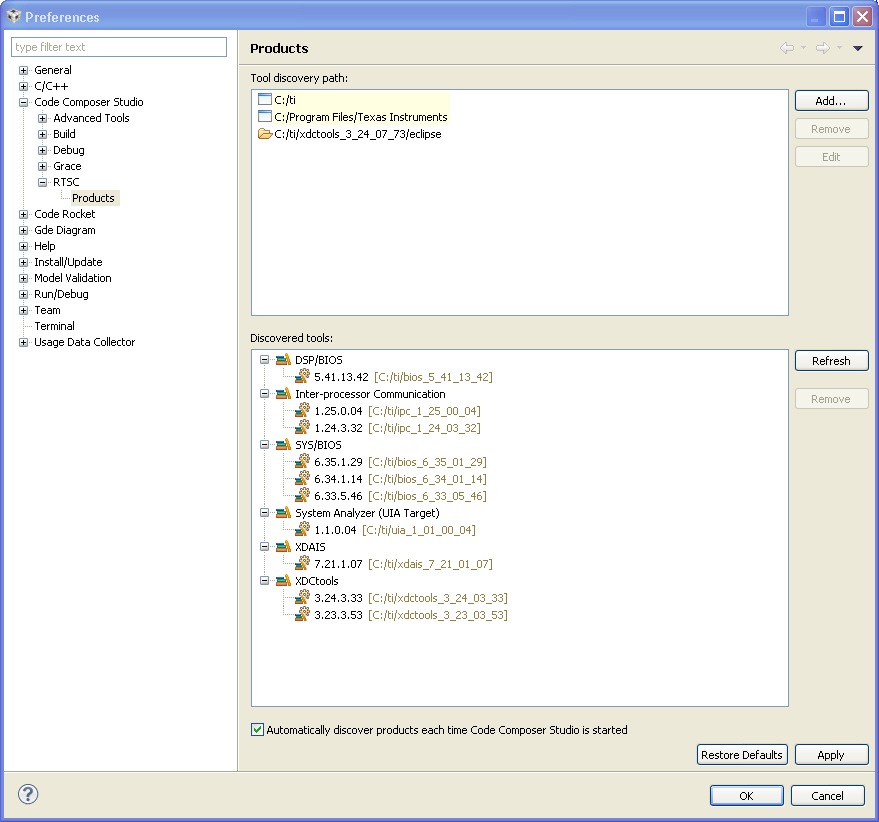
    What do you see if you go to Window->Preferences->Code Composer Studio->RTSC->PRoducts?

    This is where you can manually manage such packages.

    Best Regards,
    Lisa 

  • Hi Lisa,

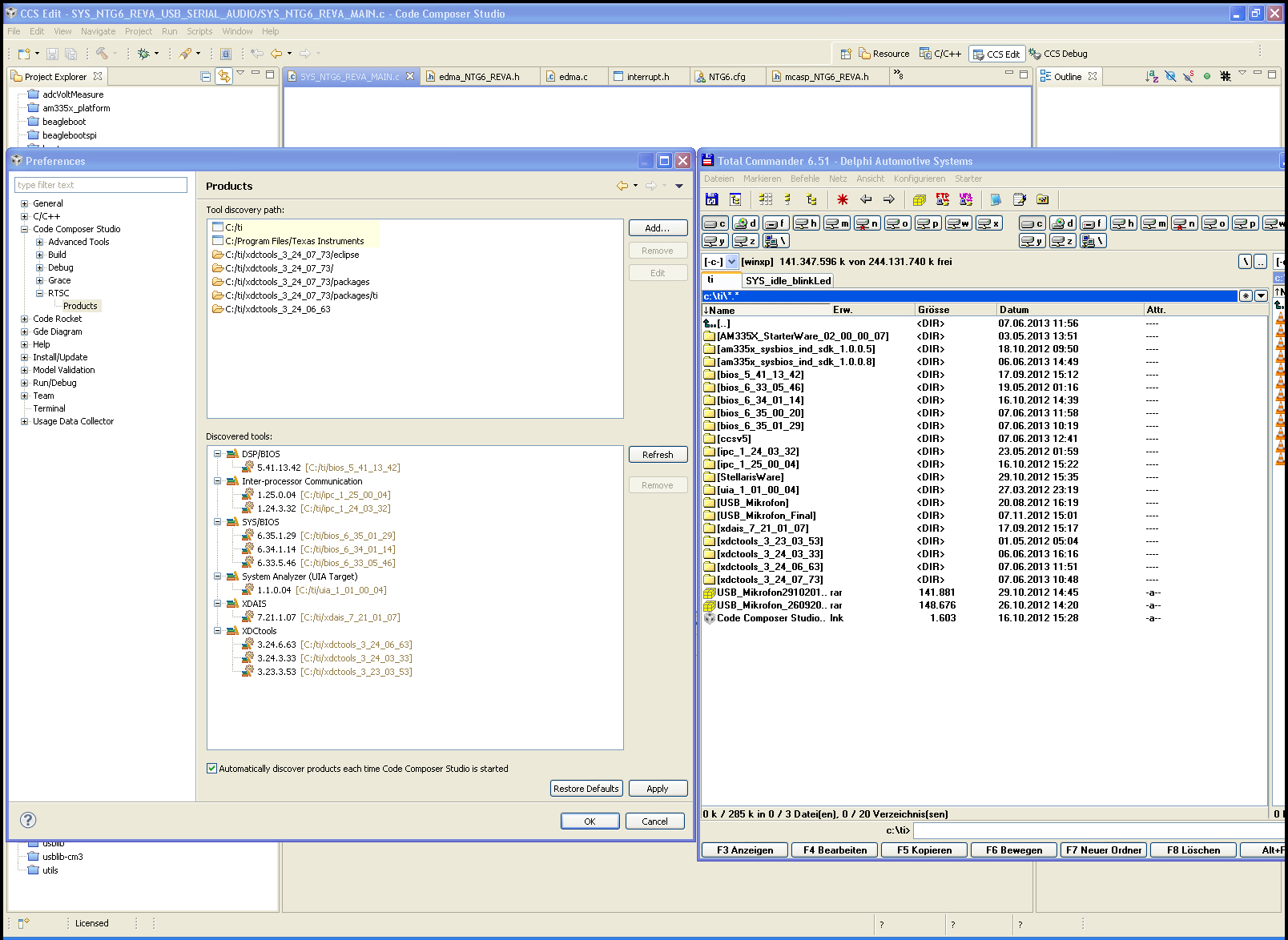
    as can be seen below, the latest XDC package and two of the SYS/BIOS packages are not recognized by CCS although they are in the same installation path as tzhe others and correctly includes in the search path.... 

    Klaus

  • Hi Klaus,

    Could you please attach your ccsv5/eclipse/configuration/ccs.properties file?  I'll have a look.

    Thanks,

    - Baltasar

  • Hi Klaus,

    Your ccs.properties file doesn't show anything unusual.  And i've verified that XDCtools 3.24.7.73 does install as expected on CCS v5.2.1.

    It is possible that your XDCtools hasn't installed successfully.  Could you try reinstalling XDCtools 3.24.7.73?  And you can delete all the version-specific XDCtools directories from the discovery-path - as long as you install XDCtools into c:/ti/, CCS should automatically pick it up when you restart it (or when you click Refresh on the Preferences > CCS > RTSC > Products page).

    Thanks,

    - Baltasar

  • Hi Balthasar,

    I did:

    1.) check the available XDC Tool versions in my project's property setup. 3.24.7.73 is NOT available, but included in the ccs.properties file!!

    2.) deinstall XDC 3.24.7.73:

    3.) Restart CCS

    4.) Checked the available XDC Tools versions in my project's property setup:

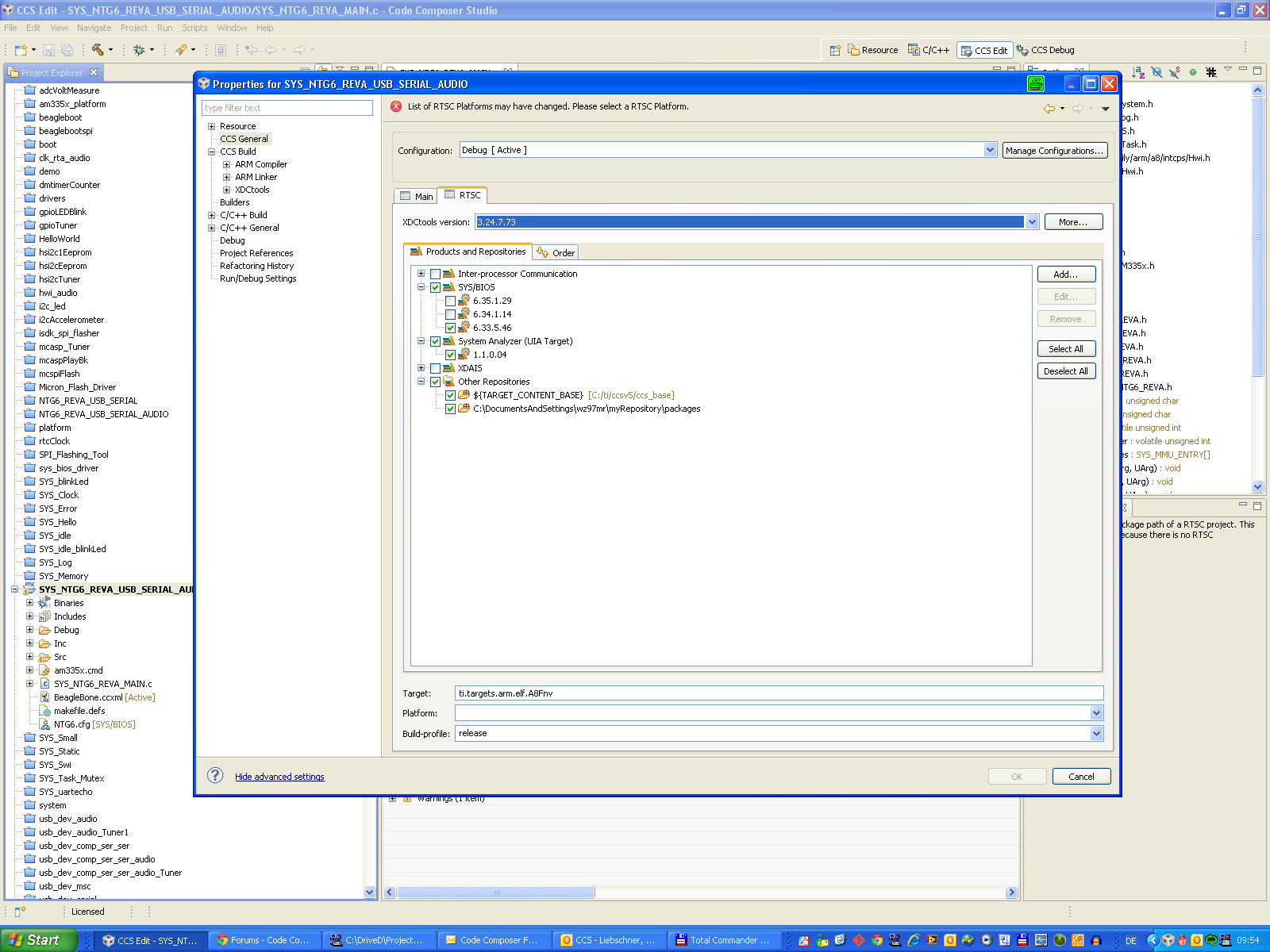
    Suddenly the version 3.24.7.73 is selectable, but not available. CCS says: "List of RTSC Platforms may have changed. Please select a RTSC Platform"

    5.) closed CCS

    6.) reinstalled XDC 3.24.7.73

    7.) restarted CCS and checked XDC tools version in my project properties: XDC3.24.7.73 is NOT available:

    8.) closed CCS
    9.) edited ccs.properties file (removed C\:/ti/xdctools_3_24_07_73/eclipse;C\:/ti/xdctools_3_24_07_73/; from the tools discovery path)

    10.) restarted CCS

    11.) Tried to refresh the Tools discovery:

    NO SUCCESS!!!!!!!!!!!!!!!!!!

    Conclution: There is a significant problem within the automatical TOOLS DISCOVERY in CCS!

  • Format of the Product discovery:

    Working OK:

    C\:\\ti\\xdctools_3_24_06_63\\eclipse<org.eclipse.gmf.runtime.thirdparty.feature.group\:1.5.0.v20110426-2230-7P8W6FHV2CYms9gAtyKPaw311A16,org.eclipse.rtsc.xdctools.product.ui.feature.group\:3.24.6.63,>;

    TOOL_DISCOVERY_PATH=C\:/ti/xdctools_3_24_06_63;

    Working NOK:

    TOOL_DISCOVERY_PATH=C\:/ti/xdctools_3_24_07_73/;

    is the similar line of the 3_24_06_63 missing for the 3_24_07_73 ? 

    Can you sent me the ccs.properties file which works ok on your setup ?

  • Hi Klaus,

    CCS v5.2.1 is a relatively old build.  Many issues have been addressed since then.  If upgrading to CCS v5.4.0 is not an option for you at this time, please try reinstalling CCS v5.2.1.  You don't need to recreate your workspace - keep it untouched, just reinstall CCS v5.2.1 and start it on the same workspace.

    If you're still having problems after reinstalling CCS, we could have a webex meeting to try to resolve this.

    Thanks,

    - Baltasar

  • Hello Baltasar (nice name by the way),

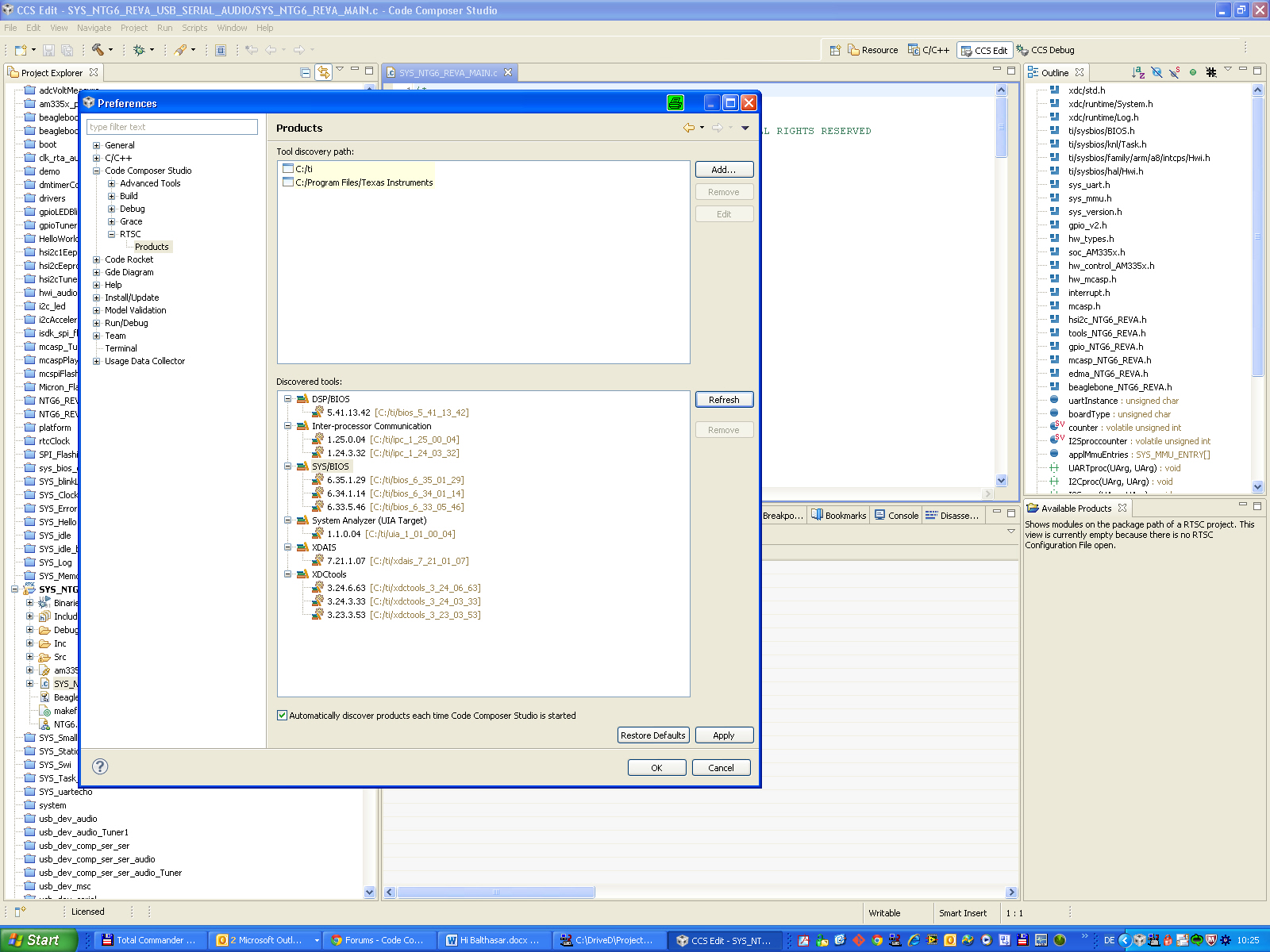
    after I came to the point, that I cannot proceed with the newest XDC package, I have installed CCS5.4 additionally in an other path. At the first start the CCS5.4 could recognize all packages in the C:\ti installation path...


  • missing pictures:

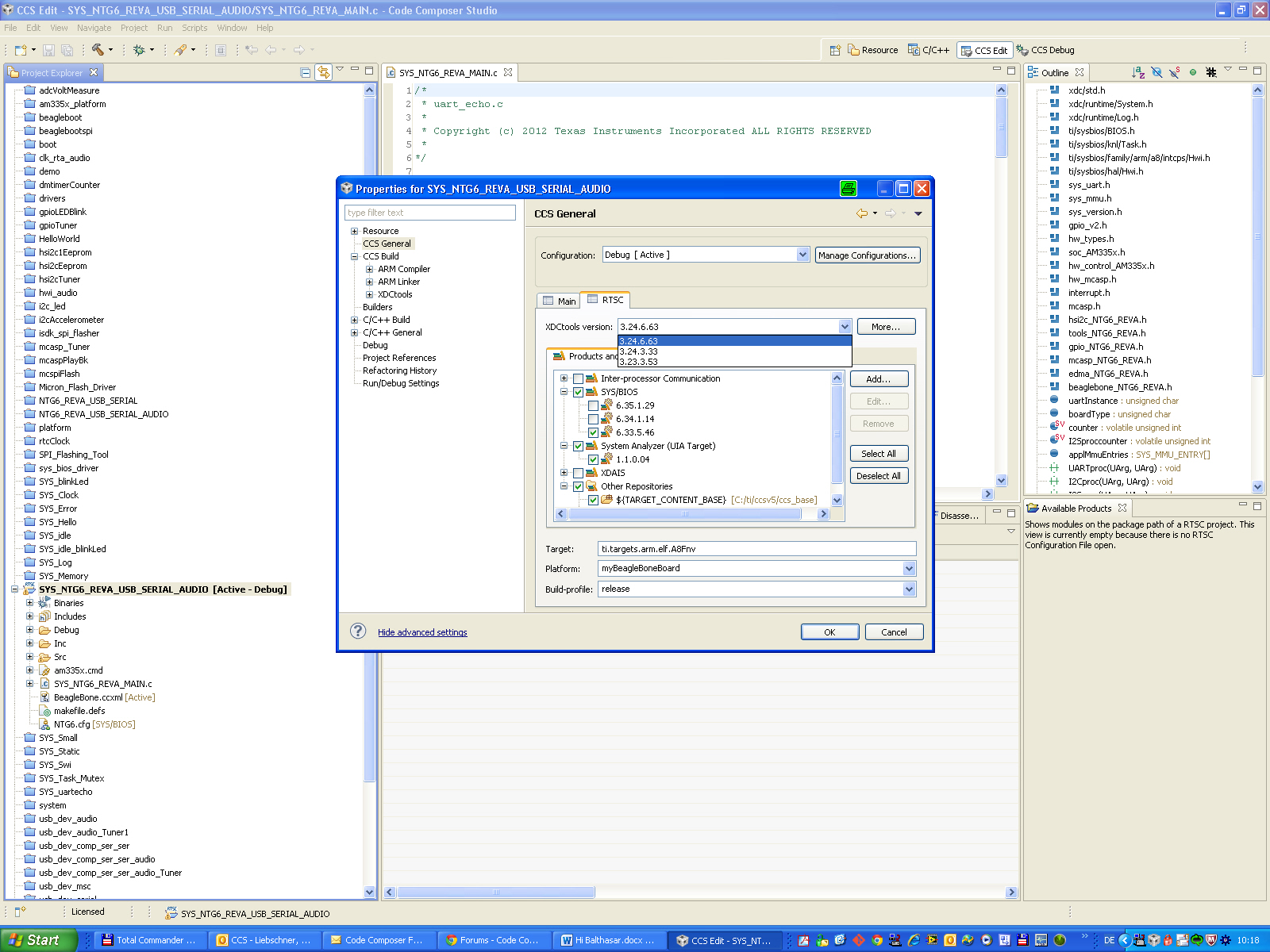
    and the packages are available in the project:

    So the issue was a problem of CCS5.2.1.

    In which path should I install additional packages in future ?

    Under C:\ti or under the new CCS5.4 path like C:\ti\CCS54 ?

    Klaus

  • Hi Klaus,

    The "C:/ti" location is a standard version-independent place to install all your target-content products.  These will be visible to all versions of CCS that you might have installed on your machine.  So, there is no need to create a location dedicated to CCS v5.4, unless you want certain products to only be discoverable by specific CCS installs.

    If you do decide to use dedicated locations, then you'd also have to add that location to the discovery path - the upper listbox on the Preference > CCS > RTSC > Products page.

    - Baltasar

  • OK Thanks, We can close this thread.

    Klaus