This thread has been locked.

If you have a related question, please click the "Ask a related question" button in the top right corner. The newly created question will be automatically linked to this question.

Code Composer Studio - Remote Debug


Hi,

When working with CCS 5.4, I want to remote debug using IP connection ("Telnet access to remote systems" and "GDB (DSF) Automatic Remote Debugging Launcher") . I've made the following:

1. Menu - Run - Debug Configuration

2. "Remote Application" - new configuration

3. In the "Connections" list there are existing connections that were added in the past. The connection with the IP that I want to use is in the list, but isn't configured properly and I haven't found a way to edit or remove it. How can I edit or remove it?

Thanks,

Gilad

  • Gilad,

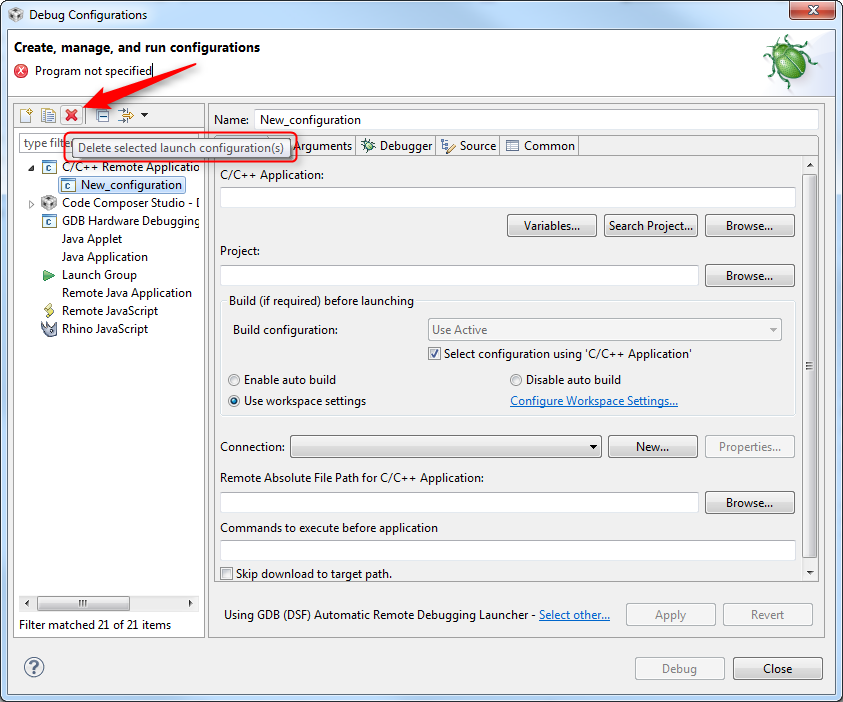
    Is the screen below what you are looking for?

    Hope this helps,

    Rafael

  • Hi, I have the same problem and the above answer does not apply to the question actually. 

    If you add a "connection" by pressing the new button next to the "connection" drop down list somewhere in the center of the dialog, then the new connection once added cannot be deleted or edited. Even if you delete the configuration, when you add a new configuration that connection appears in the drop down and you cannot edit it or remove it from here or from any place I thought of looking.