This thread has been locked.

If you have a related question, please click the "Ask a related question" button in the top right corner. The newly created question will be automatically linked to this question.

Linux Code Composer Uninstall fail


Hi,

     Trying to uninstall CC on Ubuntu 12.04 (sudo ./uninstall_CCSv5) and get the following error:


Error in action ExecuteAction

Error in action ExecuteScript

error "no element found" at line 1 character 0
    while executing
"::InstallJammer::actions::$component $this"
    while executing
"$obj execute"
    (procedure "::InstallJammer::ExecuteActions" line 69)
    invoked from within
"::InstallJammer::ExecuteActions $action -parent $id -conditions $eval"
    (procedure "::InstallJammer::actions::ExecuteAction" line 35)
    invoked from within
"::InstallJammer::actions::$component $this"
Error in action ExecuteAction

Error in action ExecuteScript

error "no element found" at line 1 character 0
    while executing
"::InstallJammer::actions::$component $this"
    while executing
"$obj execute"
    (procedure "::InstallJammer::ExecuteActions" line 69)
    invoked from within
"::InstallJammer::ExecuteActions $action -parent $id -conditions $eval"
    (procedure "::InstallJammer::actions::ExecuteAction" line 35)
    invoked from within
"::InstallJammer::actions::$component $this"
    while executing
"$obj execute"
    (procedure "::InstallJammer::ExecuteActions" line 69)
    invoked from within
"::InstallJammer::ExecuteActions $id -when $when"
    (procedure "::InstallJammer::RaiseEventHandler" line 93)
    invoked from within
"::InstallJammer::RaiseEventHandler  .wizard"
    (command bound to event)

     I've seen others that have had issues where they were told to manually delete the installed directories. Should I try that

and if so what directories are they? (I've install for all users so I know the /opt/ti is there, but anywhere else?

Thanks,

     John C.

  • Hi John,

    yes I would manually remove the entire ccsv5 folder and all underneath.

    Although this is not what I do for each case, I would also recommend removing the installation logs.

    Best Regards,
    Lisa 

  • Hi!

    I had the same issue. I removed the remnants manually. Sometimes the some system cleaner will be useful after uninstalling CCS.

    Regards,

    Igor

  • Hi Lisa,

              So I should remove:      /opt/ti/ccsv5.

              I don't see any /var/log files related to ccsv5. Where are the logs? I had also read about Windjammer? Should

    that be removed and where would it be?

    Thanks,

         John C.

  • Hi John,

    yest remove the entire ccsv5 tree.  Also the installjammer logs.  I don't go into my logs on  Linux much but if I remember correctly, I think the installjammer registry directory is under opt.

    Please keep us informed.

    Best Regards,

    Lisa

  • Hi Lisa,

                 Removed the ti directory: cd /opt, rm -r ti.

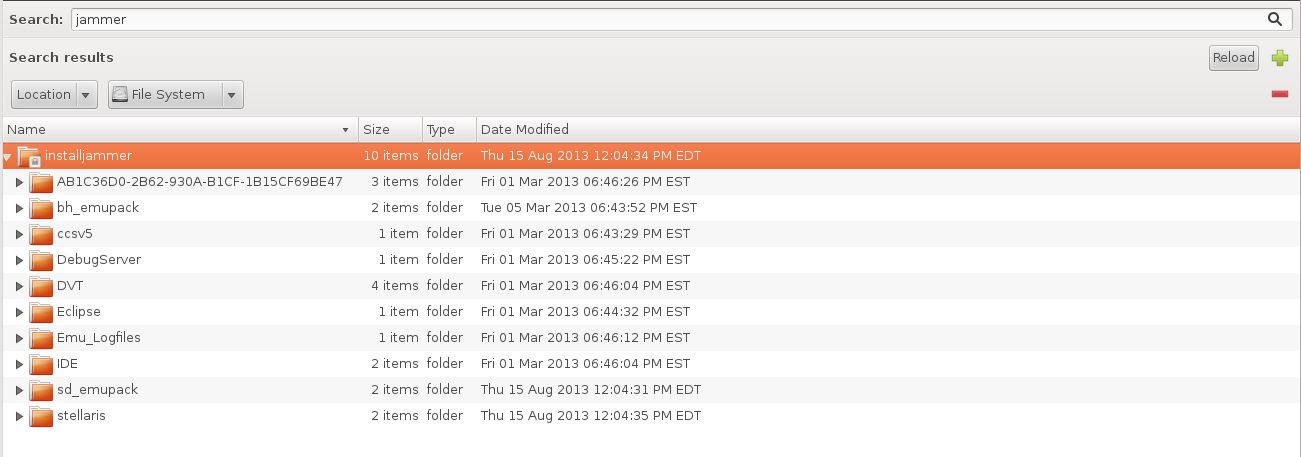
                 Under /var/lib there is a installjammer directory.

               Should I only remove the ccsv5 directory and/or the eclipse as well?

    Thanks,

         John C.

  • Hi John,

    I would remove the ccsv5 folder to remove your installation.  I would remove all under the installjammerregistry directory folder.

    Best Regards,
    Lisa 

  • Lisa,

              After removing the ti and installjammer folders, installation of ccs_setup_5.4.0.00091.bin completed. The only

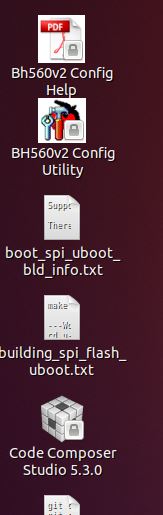
    issue seems to be in the user home directory, the shortcut icon shows "Code Composer Studio 5.3.0" in stead of

    "Code Composer Studio 5.4.0". Maybe some leftover artifact?

    Thanks,

         John C.

  • Hey Lisa,

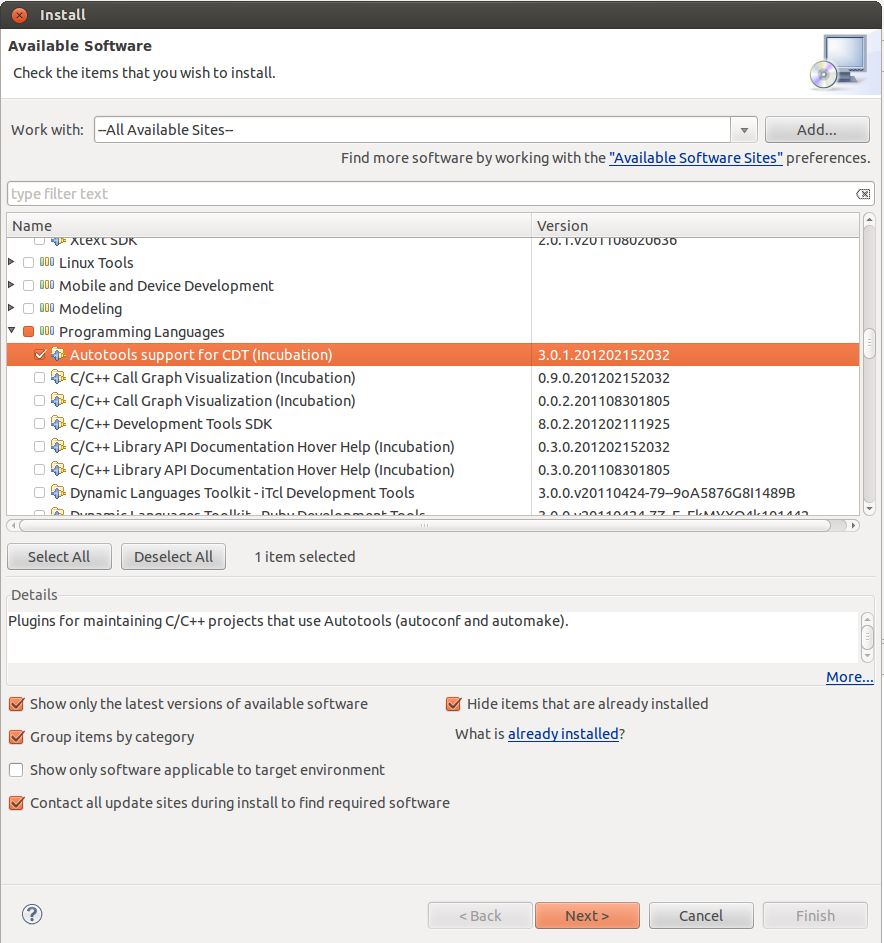
                       I've been trying to get my remote search working again in Code Composer and I noticed that after this install, the software update no longer seems to be accurate.As an example I brought up the software install window and checked the "Hide items that are already installed". Then I checked Programming Languages->Auto tools to install what I assumed was a newer version:

         After trying to proceed I was met with this error msg:

    Cannot complete the install because of a conflicting dependency.
      Software being installed: Autotools support for CDT (Incubation) 3.0.1.201202152032 (org.eclipse.linuxtools.cdt.autotools.feature.group 3.0.1.201202152032)
      Software currently installed: Autotools support for CDT 3.0.1.201209170703 (org.eclipse.cdt.autotools.feature.group 3.0.1.201209170703)
      Only one of the following can be installed at once:
        Autotools Core Plug-in (Compatibility) 2.0.0.201209170703 (org.eclipse.linuxtools.cdt.autotools.core 2.0.0.201209170703)
        Autotools Core Plug-in (Compatibility) 2.0.0.201206111645 (org.eclipse.linuxtools.cdt.autotools.core 2.0.0.201206111645)
        Autotools Plug-in (Incubation) 1.0.2.201202152032 (org.eclipse.linuxtools.cdt.autotools.core 1.0.2.201202152032)
        Autotools Plug-in (Incubation) 1.0.2.201108301805 (org.eclipse.linuxtools.cdt.autotools.core 1.0.2.201108301805)
        Autotools Plug-in (Incubation) 1.0.1.201106060936 (org.eclipse.linuxtools.cdt.autotools.core 1.0.1.201106060936)
      Cannot satisfy dependency:
        From: Autotools support for CDT 3.0.1.201209170703 (org.eclipse.cdt.autotools.feature.group 3.0.1.201209170703)
        To: org.eclipse.linuxtools.cdt.autotools.core [2.0.0.201209170703]
      Cannot satisfy dependency:
        From: Autotools support for CDT (Incubation) 3.0.1.201202152032 (org.eclipse.linuxtools.cdt.autotools.feature.group 3.0.1.201202152032)
        To: org.eclipse.linuxtools.cdt.autotools.core [1.0.2.201202152032]

         It seems as if there already is a version higher than the one I selected. Could I have missed removing some other directory that is causing this issues now?

    Thanks,

         John C.

  • Hi John,

    some plug-ins have various issues and dependencies between versions/multiple versions.  Do you need a specific version or would you be happy to use the one that was found?  This is why I don't recommend the update process at all.

    Best Regards,
    Lisa 

  • Hey Lisa,

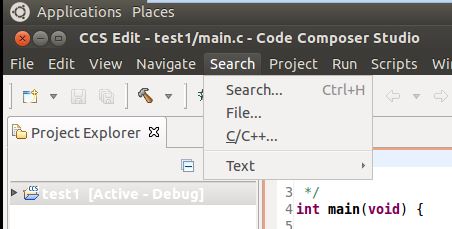
                    All I really wanted was the remote search plugins which allow you to search beyond the workspace. I've found it

    very handy and it normally shows up in the search pull-down but is no longer there (should be below the C/C++), yet it

    shows it as installed.

    Thanks,

         John C.

  • Hi John,

    how did you try installing the plug in?   What if you remove all traces of the plug in and try brining it in?

    Best Regards,

    Lisa

  • Hi Lisa,

                I installed the plugin from the install software pull-down in Code Composer. I'm not sure where the

    plugins for Code Composer are kept (clearly not in /opt/ti or the installjammer directories).

    Thanks again for the help,

         John C.

  • Hi John,

    ok, glad you seem to be up and running.  Thanks for the update and all the best with development.

    Best Regards,
    Lisa