This thread has been locked.

If you have a related question, please click the "Ask a related question" button in the top right corner. The newly created question will be automatically linked to this question.

UIA Logs display problem

Team,

I have a customer who has filed the following support request.  Can you provide any help?


I try run  Loggerstreamer module as part of my application running on c6678 target.
The code is based on TI tutorial  as described in
http://processors.wiki.ti.com/index.php/System_Analyzer_Tutorial_5A. My cfg file
configuration is the same as in the tutorial and my related prime and exchange c code
functions are also the same. My application calls Log_printUC/Log_info APIs.
When running on the my target I can see that the buffers are being populated and the
exchange function works. I have also been able to pull out the buffers from the target via
XDS debugger using the script provided in the tutorial.

However when trying to open the bin file created using the system analyzer in CCS5.2
there are no logs displayed. The UIA Config File used is either from the auto detection
mechanism in CCS or the one I created.



  • Hi Jeff,

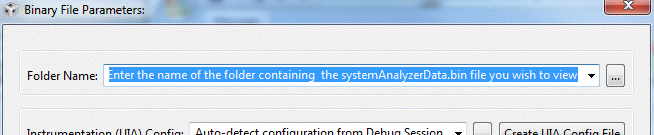
        Could you check to see if the customer is properly configuring the System Analyzer / Open Binary File dialog with the name of the folder that the .bin file is located in?  By default, it will open up the systemAnalyzerData.bin file that is stored in the dvt folder in the CCS workspace instead of the one that was uploaded by the script.

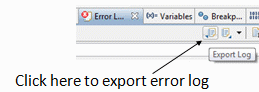
    If this is being done and the problem still persists, could you get them to export their Error Log to a .txt file and post that?  Here's how to do that:

    View / Other...  / General / Error Log

    Click the Export Log button in the toolbar of the Error Log view:

    Regards,

      Brian

  • Hi Jeff,

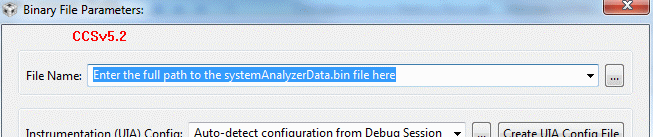
       Since your customer is using CCSv5.2,  I installed CCSv5.2 to double check and for that release, you need to enter the full path to the binary file at the top of the Open Binary File dialog instead of the folder name:

    Regards,

      Brian

  • Thanks, Brian.  I'm still waiting to hear back from the customer after passing along your info.