


Hi,
I have been using CCS v4 since the early beta releases and this is a new problem that appeared with Service Release 2 (SR2) of CCS v4.
I have a workspace with several projects in it. One of this project is an executable and the others are libraries projects.
Since SR2 the debugger can't find the source code when the source is in one of the linked library.. (E.G. I want to debug "application". If I have a break point in one of the library let say in something.c. What happen is that the debugger will try to open an un-existing file called application/something.c where the something.c is in /library/something.c)
I found a workaround by ticking : "search for duplicate source files on the path" in the "source" tab of the project properties.
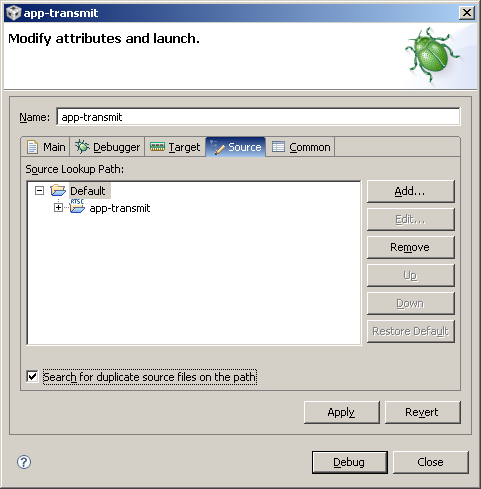
But now every time I start a debugging session the debugger ask me to confirm what version of the source file I would like to open. This would be fine if I had several files with the same name in the same workspace but this is not the case. It gives me the following dialog (and this every time the debugger has to break or is paused in a file that hasn't been disambiguated before)
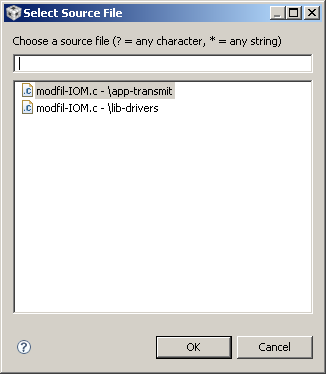
The problem being that the first proposition doesn't exist (and if I click it by mistake I have to restart the debugger else I won't be able to see the source code again).
So this make the debugging very slow (it takes some time to get the dialog to appear) and also it drives me a bit crazy :)
Anyone experiencing the same issues ?
Best regards,
Christophe
