This thread has been locked.

If you have a related question, please click the "Ask a related question" button in the top right corner. The newly created question will be automatically linked to this question.

Selecting Alternate C5515 Linker Command File Problem - CCSv5.5

Guru 15580 points


CCSv5.5, C5515

I have created two different linker command files with differing memory allocations. When I change the selection of the desired linker command file in my project directory using Project ->Properties->Linker Command File->Browse, sometimes the correct .cmd file is shown to be active in my project tree. Other times both linker cmd files are shown as "excluded from build". At this point, neither .cmd can be selected by browsing to their location. Is this a bug?

Also, if you select from the drop down list of available linker files, it is impossible to determine the path of the files since they have the same file name as my custom c5515.cmd file. 

  • Hello Mike,

    Unless the linker command file is already referenced in your project, CCS will copy the file you selected into your project tree and exclude any linker command file that may cause conflict with the compiler. 

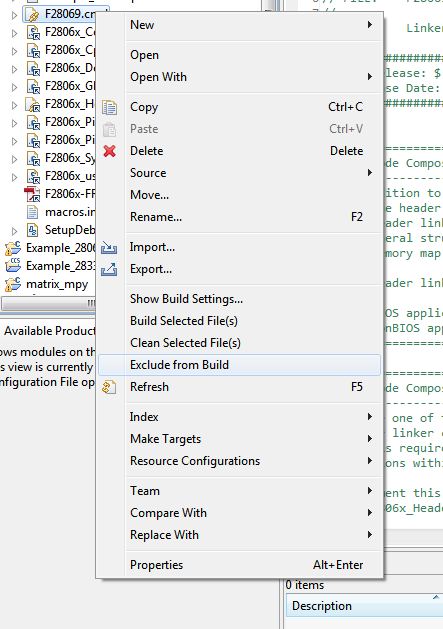
    If your intention is to switch between the two linker command files in your CCS project,  right click the linker command file you would not use, and select "Exclude from Build."  This same process should be done to re-include this or any file from build.

    To answer your second question, you will have to rename your custom C5515.cmd file as you would not be able to have duplicate files in your project.    Right click your file under project explorer and select "Rename".

    Please let us know if you have any other questions.


    Regards,

    S.