This thread has been locked.

If you have a related question, please click the "Ask a related question" button in the top right corner. The newly created question will be automatically linked to this question.

Missing .out files when trying to debug using [CCS v4 & v5] [MSP430]


Hey I am extremely new to CCS and want to get a simple project running on my MSP430. I downloaded the project files from Jeremy Blums website, where he designs a simple weather station using the MSP430, the problem is when import the project files into my CCS it gives me an error saying that the .out files are missing.

 http://www.jeremyblum.com/2011/05/14/msp430-wireless-weather-station/comment-page-1/#comment-666078

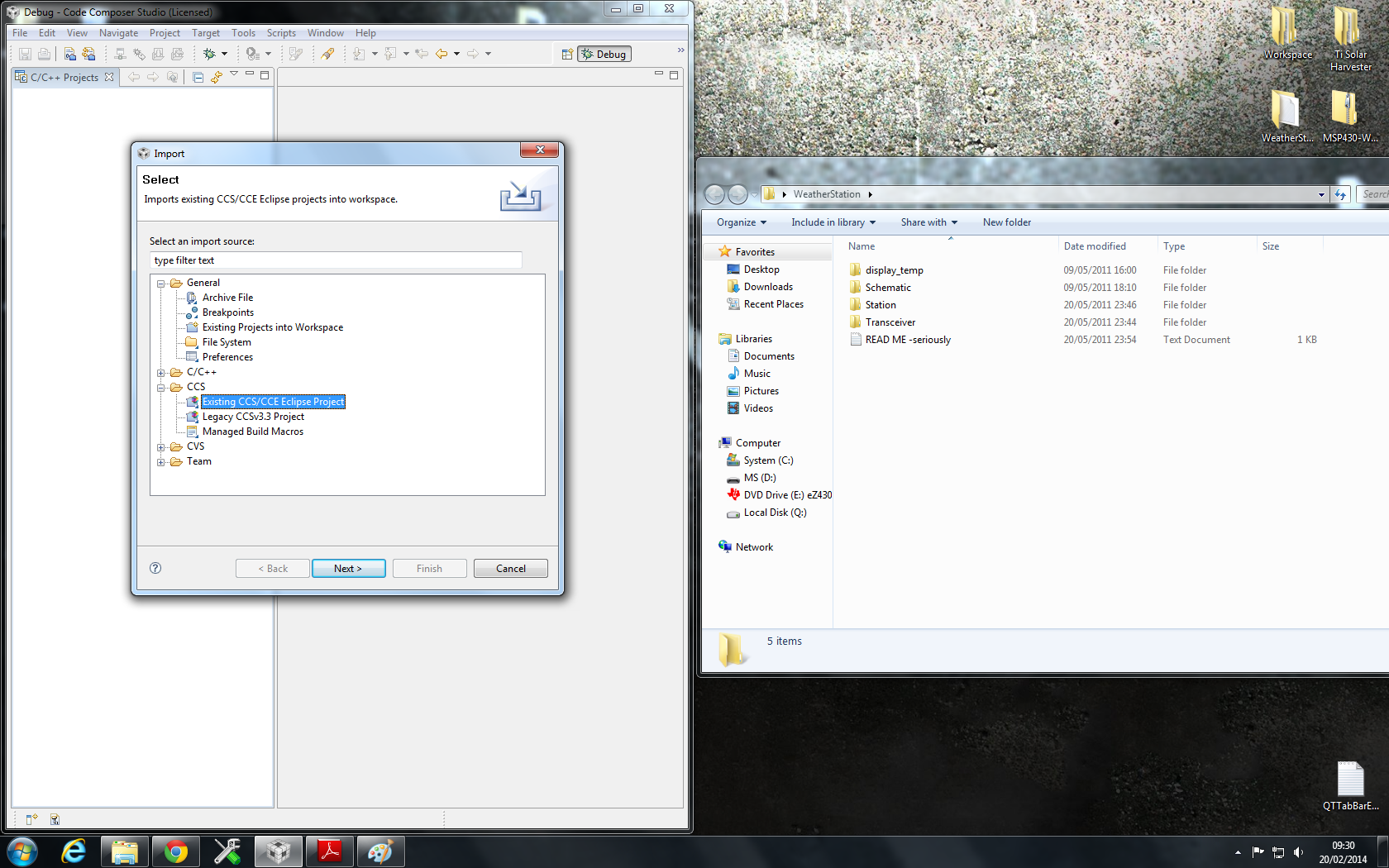
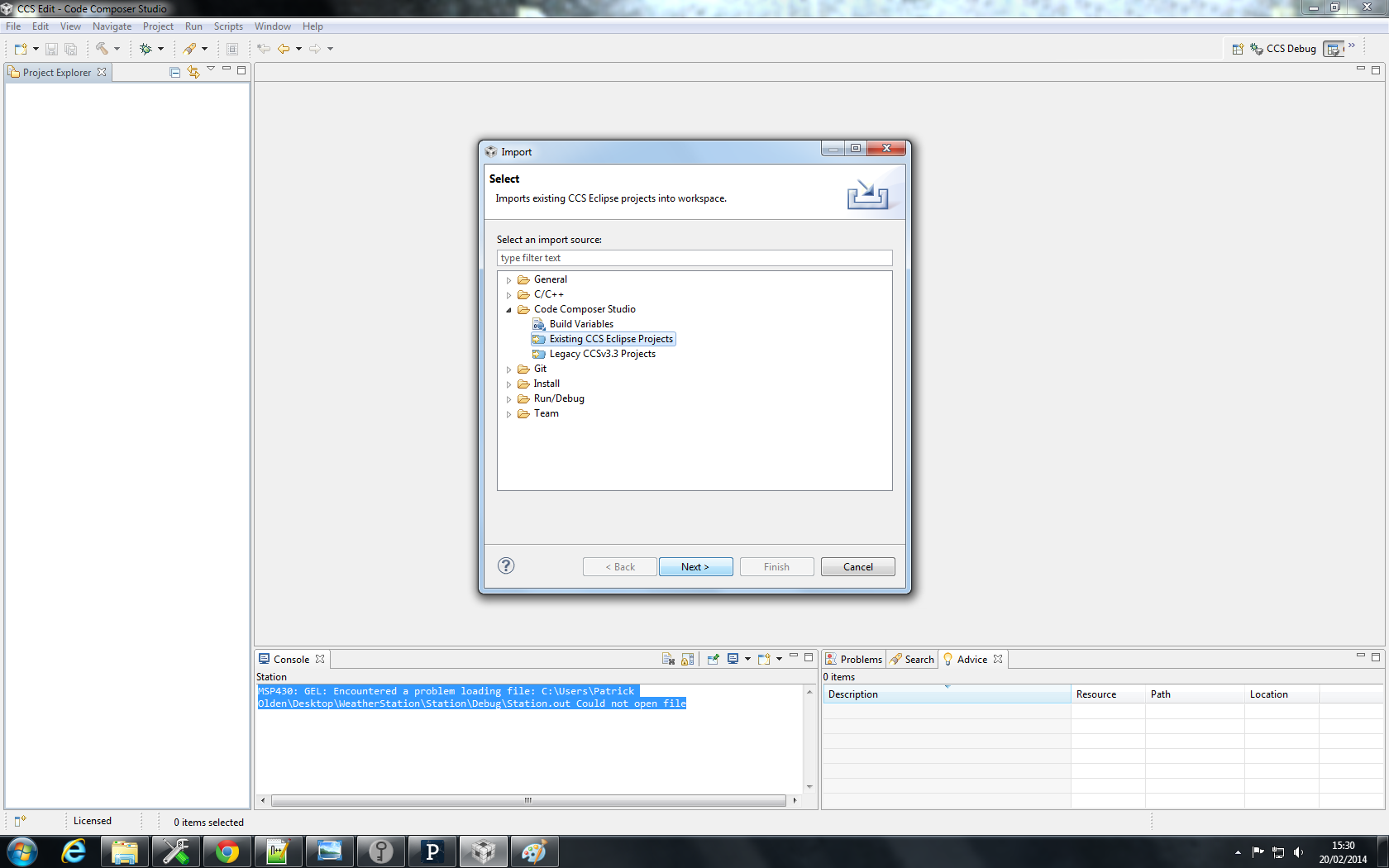
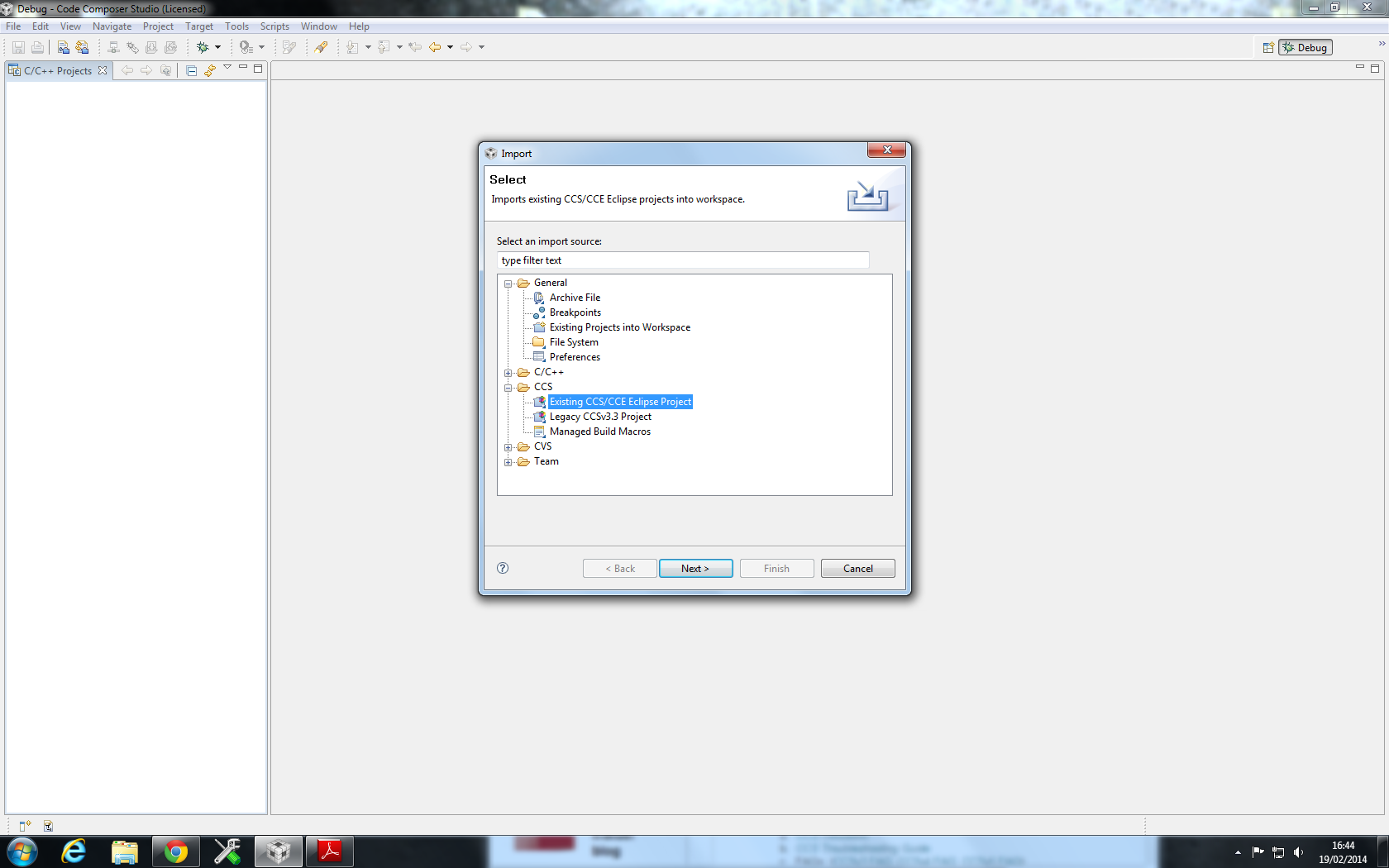
As I am a complete noob here are the screen shots of what I am doing just incase I am messing up while importing the project:

What I am doing to get to the below pic is: File > import > Existing CSS/CCE Eclipse Project
Thanks in advance, 

Patrick

  • HI Patrick,

    I just imported the project fine in ccsv5.5.  I did project=>import existing ccs/eclipse project.

    I got no errors and only one warning on build.

    COuld you try that?

    Best Regards,

    Lisa

  • Am I doing something wrong when I import it, like when I import it I go:

    Clean > Then Debug Active Project 

    and am I missing something when I import the project cos even when I view the folder that the projects are in there are no ,out files, like am I missing something that is required to generate them ?

    Thanks again for the help 

  • Hi Patrick,

    what exact steps do you take.  Like I said, I can not reproduce this here.  Also, why are you doing a clean and then debug?  You should simply press the debug button (the one like a bug).

    Best Regards,

    Lisa

  • If I gave an excuse as of to why I cleaned the project  I'd be lying to you I just did it for the sake of doing it :D 

    and all I do in regards to the zip file all I do is extract them and then just 

    file > import > ccs/cce eclipse > and then click on the MSP weather station folder so that I have transceiver  and station folders show in the project tab.

    So all I have to do from there is debug and it should work perfectly even though the .out file isn't in those folders

  • Hi Patrick,

    I would go to Project->Import existing ccs/eclipse project ... but otherwise yes, simply hit the debug button ... it will build and then launch a debug session.

    Best Regards,

    Lisa

  • Hey Lisa, I came into college this morning and tried what you said and I'm still getting a "file missing" error, here are the exact steps that I took after I extracted the files from the zip and saved them on my desktop in a folder called "weatherstation"

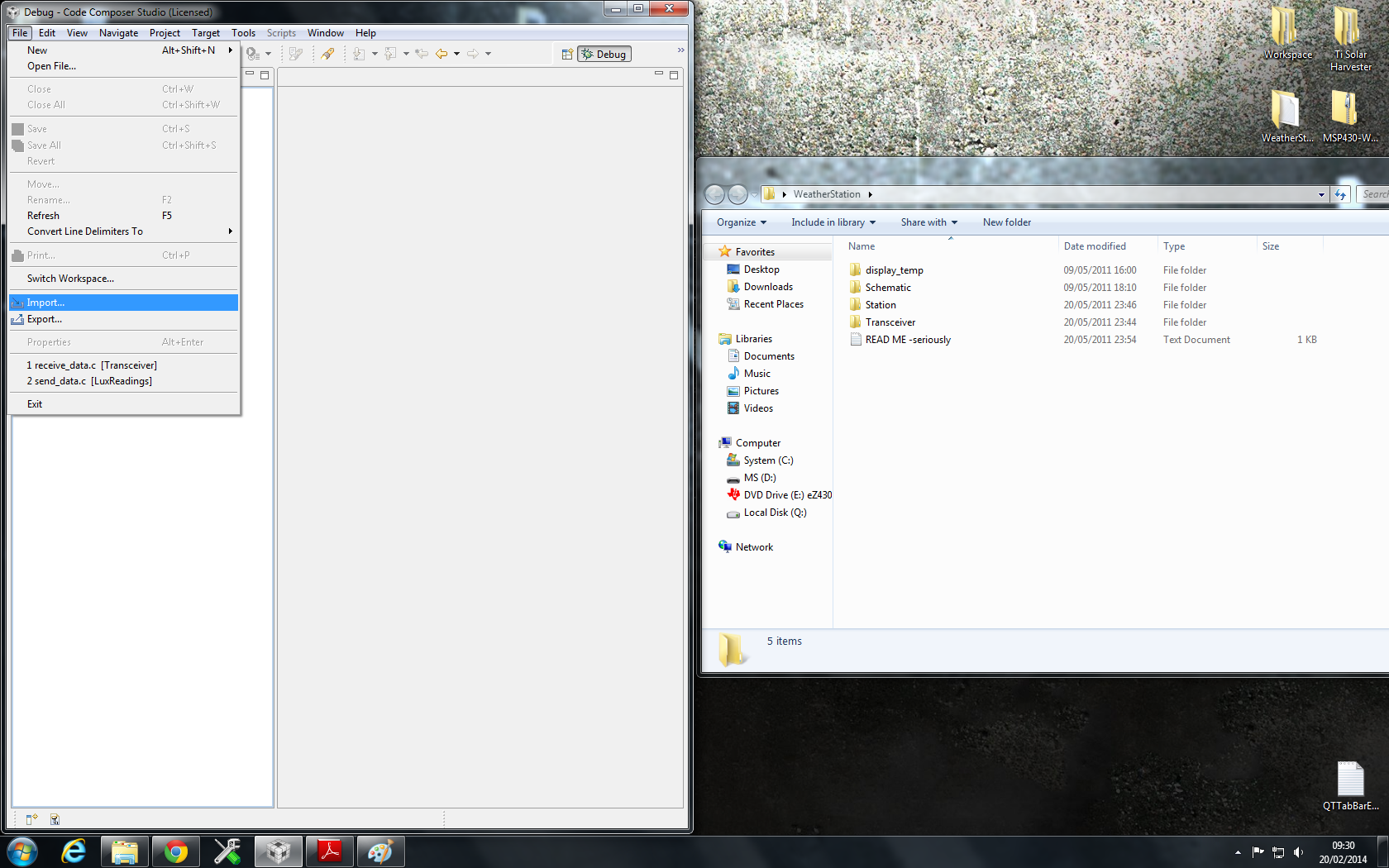
    Here is a pic of the files in the folder I made:

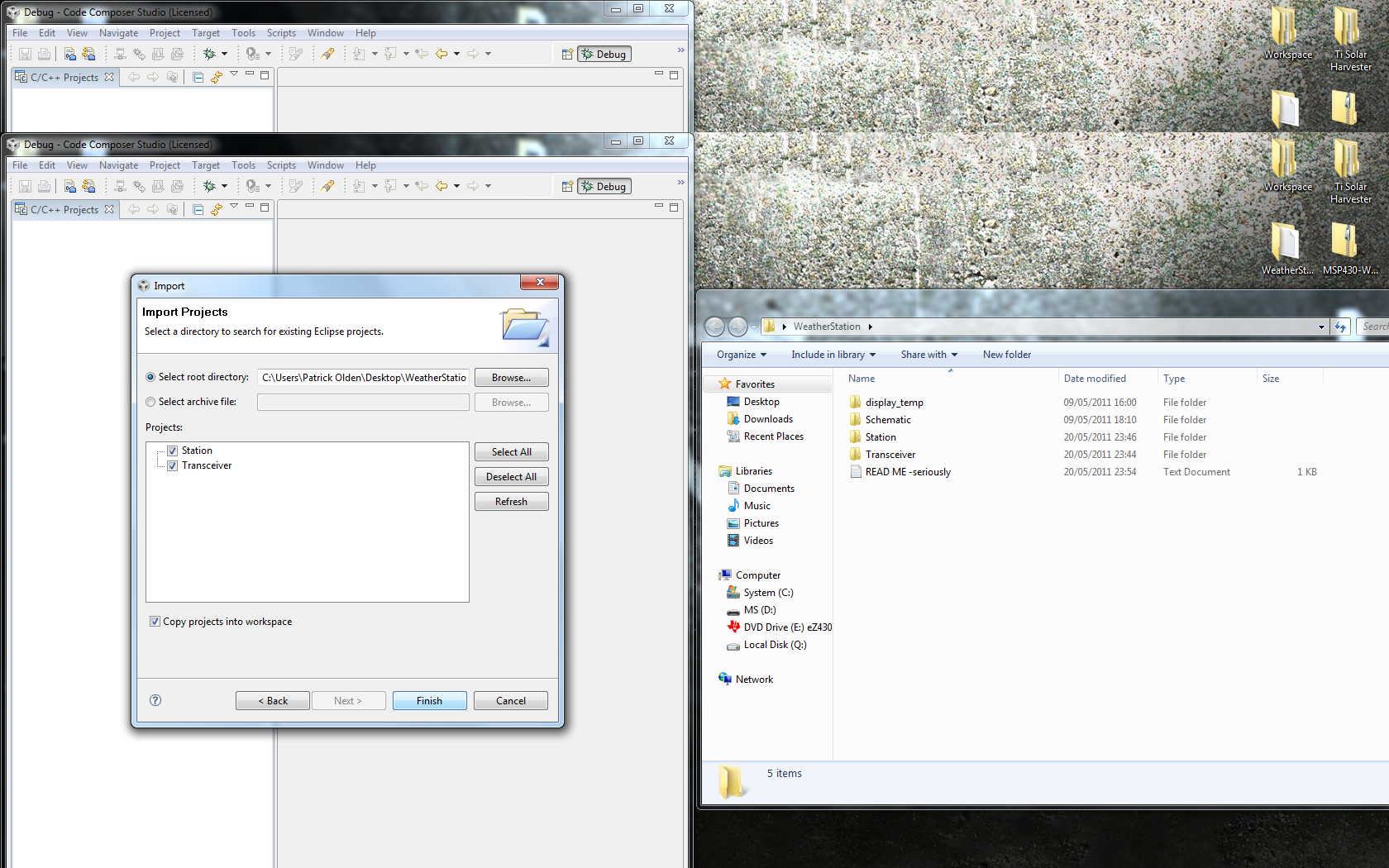
    I then went File > Import 

    I then clicked existing css/cce eclipse project

    from here I clicked "from root directory" and then highlighted the "weather station folder", so it showed the station and the transceiver files in the window

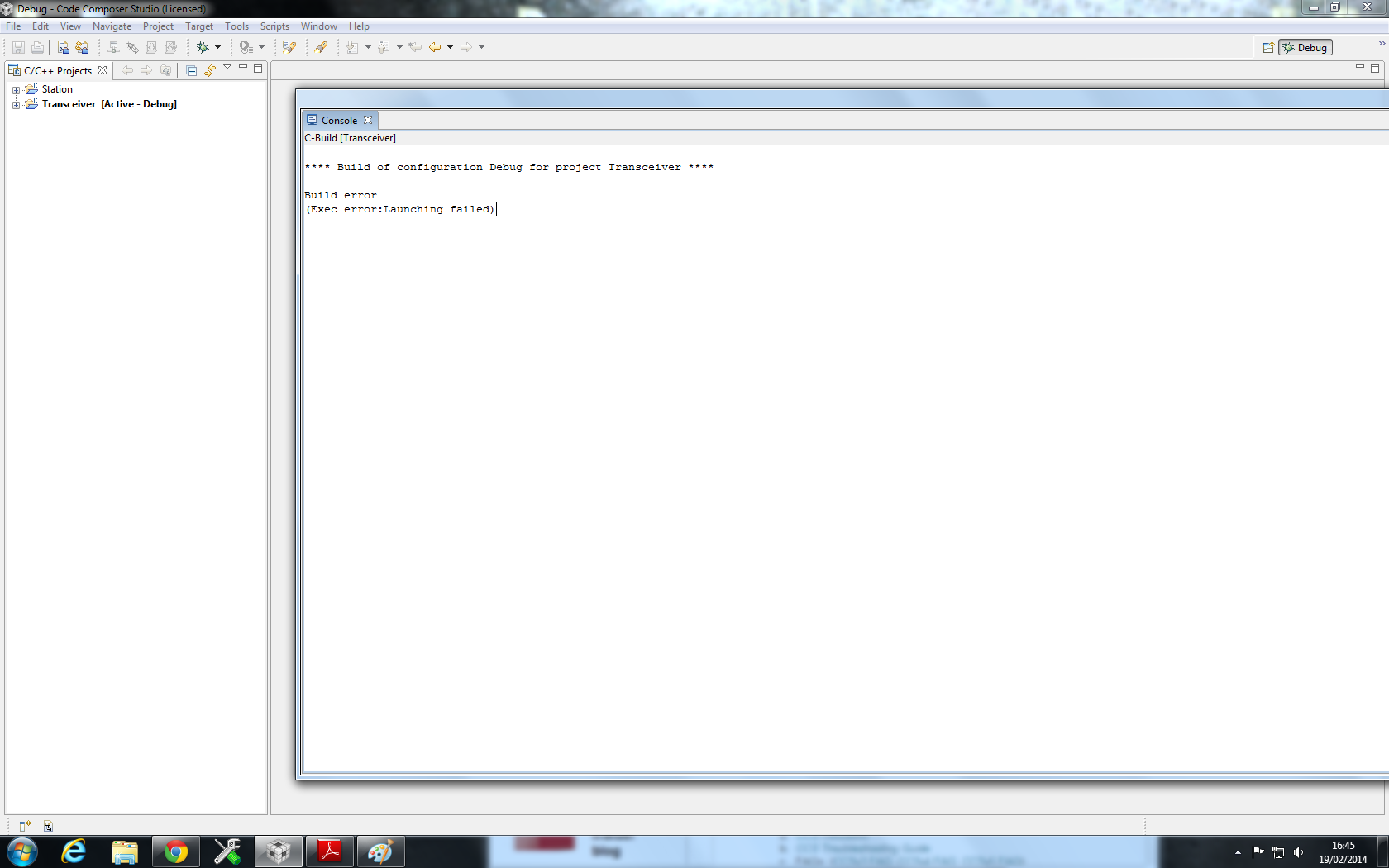
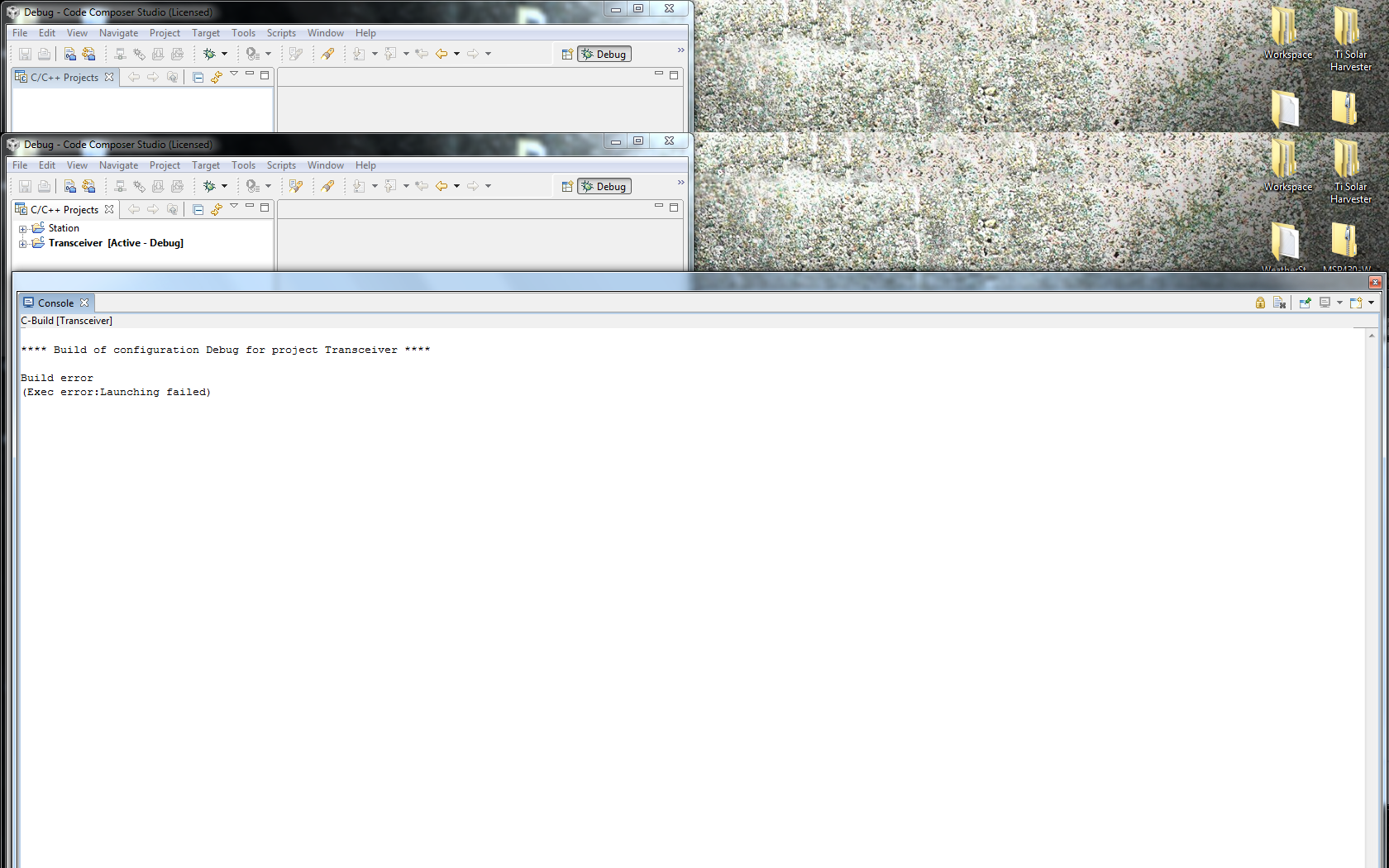
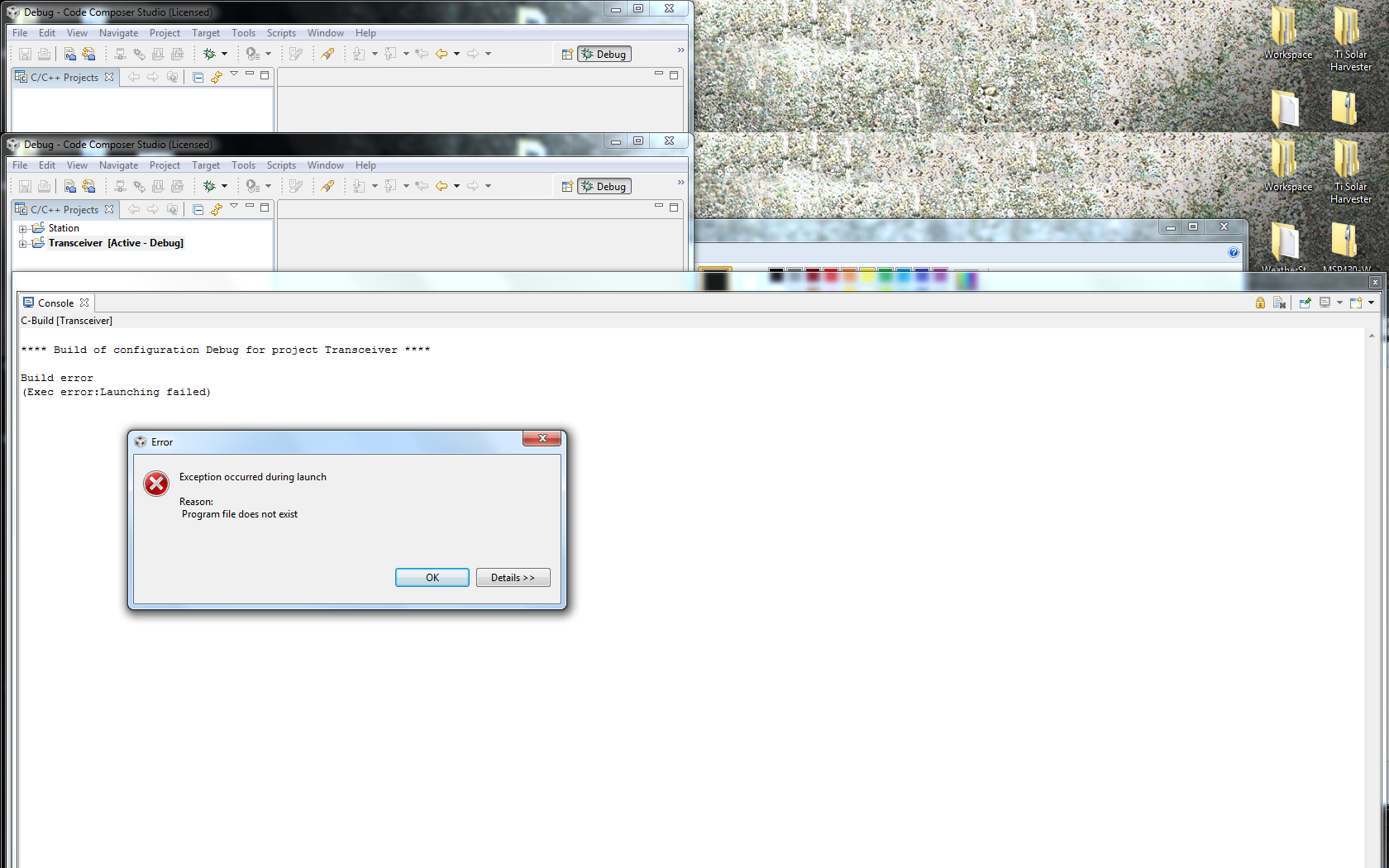
    I then clicked finish and then I got this error:

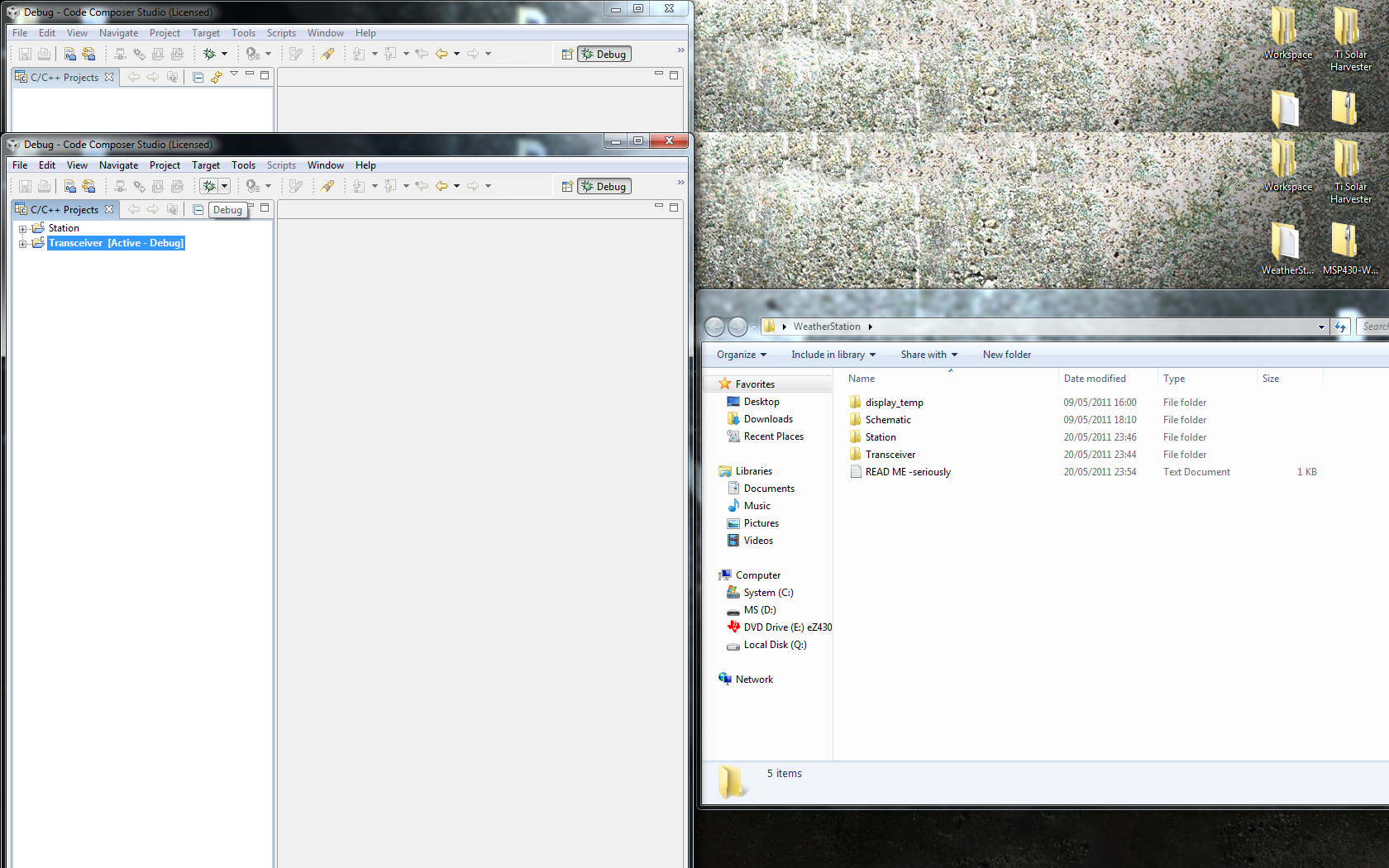
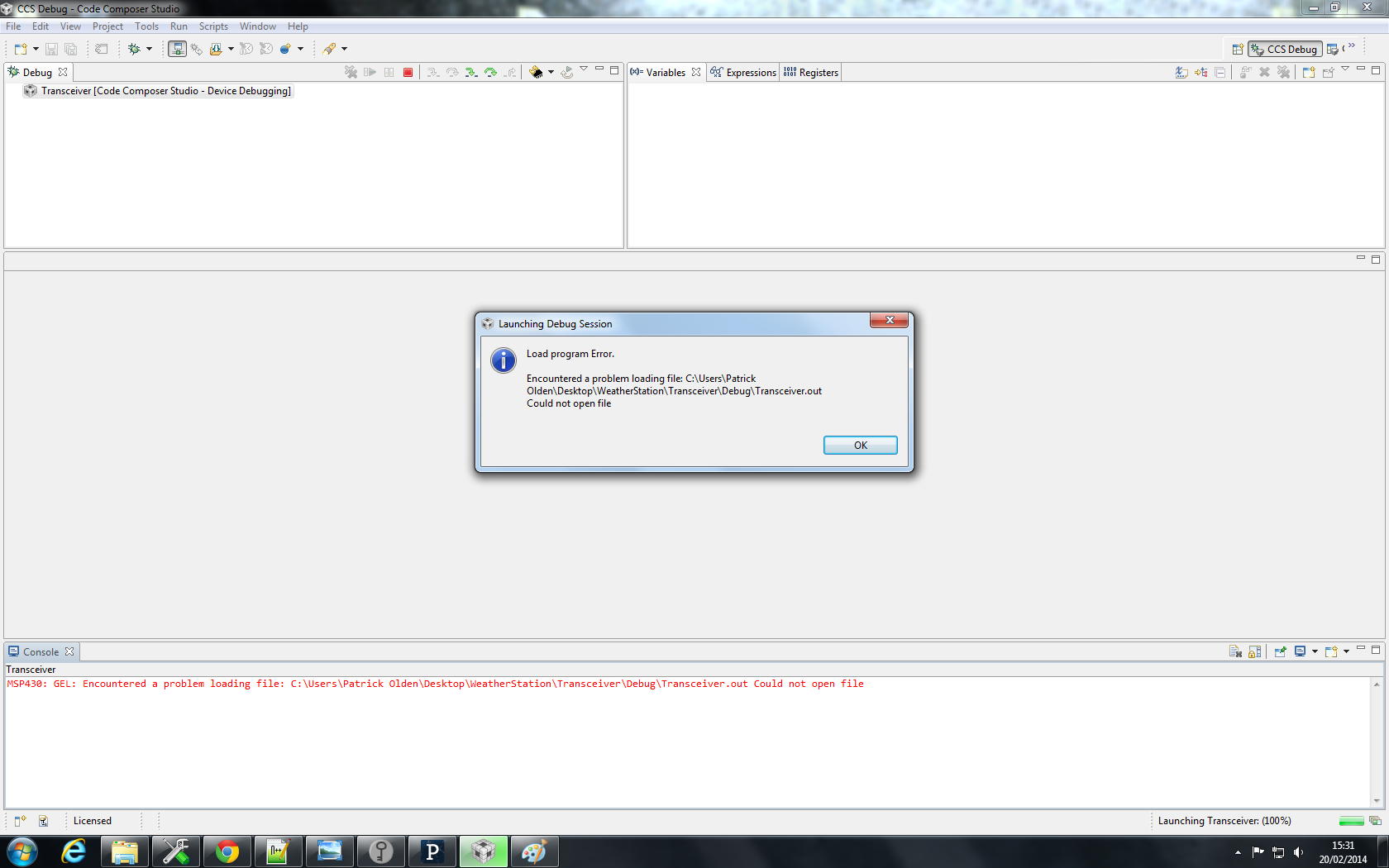
    I just closed this error and then clicked the debug button on the toolbar like so:

    Then I got the same error that I have been getting before.

    I don't know if it makes any difference but I am using CCS4, as that is what was on the CD that came with the MSP430 eZ430-RF25000-SEH Dev tool.

    Thanks again for your help,

    Patrick

  • Just incase it was the software version that I was using I downloaded CCS v5.5 and used the free license that works with the MSP430 range, I got there same error when I tried to debug the project files.

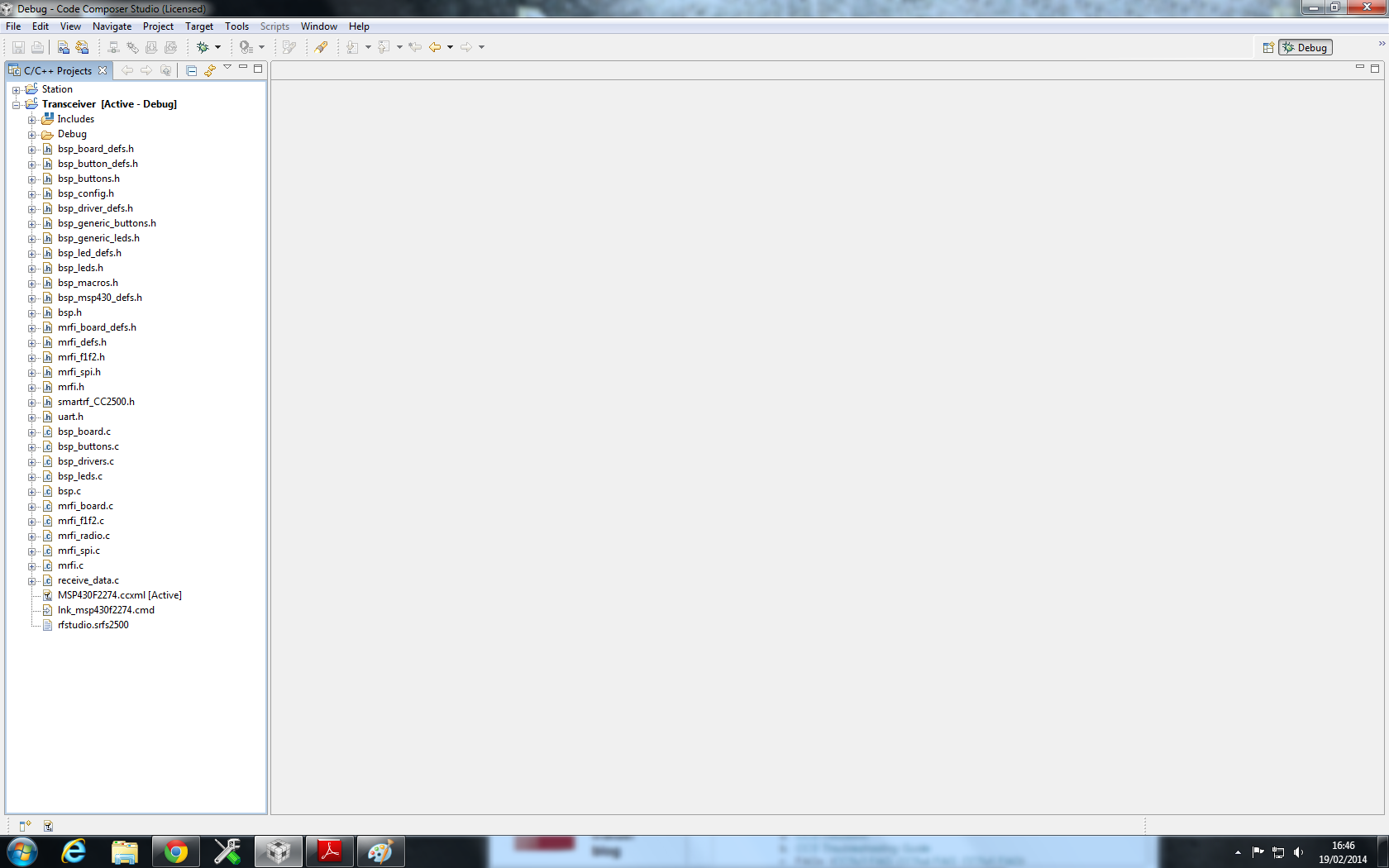
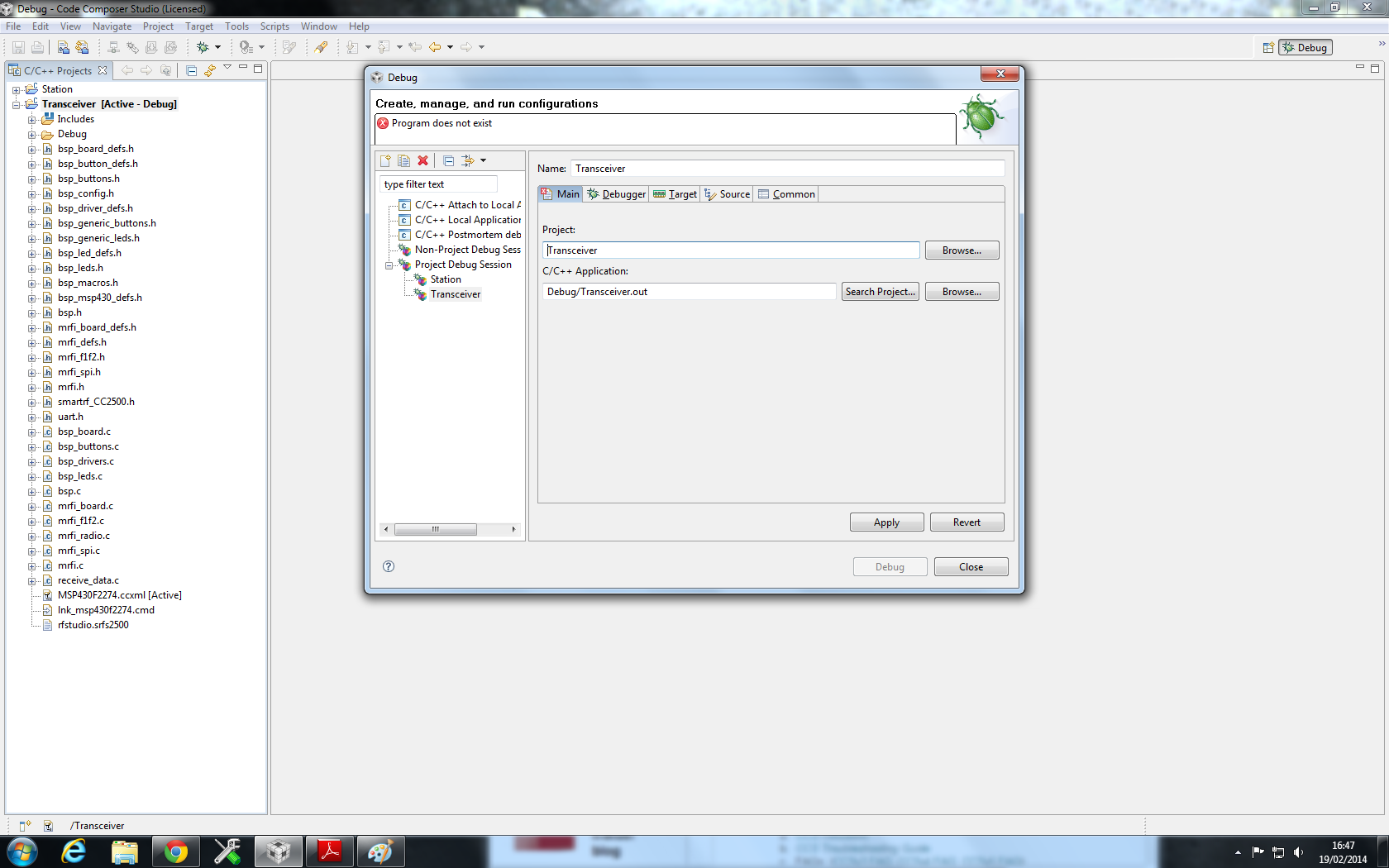
    The screen caps below show what I did with the folder:

    Thanks again for the help, 

    Patrick

  • Hi Patrick,

    how are you entering debug?  Also, is there .out file physically there or is it not being generated.  Either way, one possibility is a permissions issue in the directory not allowing ccs to read/write the file ... or antivirus.

    Best Regards,

    Lisa

  • No there is no .out file in the zip folder so I thought it might have been missing but the fact that you are able to download the zip and debug the files must mean that you are generating the .out files when you debug it. And to enter the debug, I am simply clicking the bug symbol on the top left.

    And I might try run CCS at home and see if that makes any difference as I am running the software at my uni and although I have admin rights it may still be stopping something with the CCS debugging process.

  • Hi,

    I am facing the same problem of missing .out file. The file is not being generated. Do we require to make any change to the settings of the project? In either case what is the solution to this?

    The console output is::

    **** Build of configuration Debug for project test ****

    "C:\\ti\\ccsv5\\utils\\bin\\gmake" -k all
    'Building target: test.out'
    'Invoking: ARM Linker'
    "C:/ti/ccsv5/tools/compiler/arm_5.1.1/bin/armcl" -mv7R4 --code_state=32 --abi=eabi -me -g --diag_warning=225 --display_error_number --diag_wrap=off --enum_type=packed -z -m"test.map" --heap_size=0x800 --stack_size=0x800 -i"C:/ti/ccsv5/tools/compiler/arm_5.1.1/lib" -i"C:/ti/ccsv5/tools/compiler/arm_5.1.1/include" --reread_libs --warn_sections --display_error_number --diag_wrap=off --xml_link_info="test_linkInfo.xml" --rom_model -o "test.out" "./source/system.obj" "./source/sys_vim.obj" "./source/sys_startup.obj" "./source/sys_selftest.obj" "./source/sys_pmu.obj" "./source/sys_phantom.obj" "./source/sys_pcr.obj" "./source/sys_mpu.obj" "./source/sys_main.obj" "./source/sys_intvecs.obj" "./source/sys_core.obj" "./source/pinmux.obj" "./source/notification.obj" "./source/het.obj" "./source/gio.obj" "./source/esm.obj" "./source/dabort.obj" "../RM42L432FlashLnk.cmd" "../source/sys_link.cmd" -l"libc.a"
    <Linking>
    "../source/sys_link.cmd", line 24: error #10263: VECTORS memory range has
    already been specified
    "../source/sys_link.cmd", line 24: error #10264: VECTORS memory range overlaps
    existing memory range VECTORS
    "../source/sys_link.cmd", line 25: error #10263: FLASH0 memory range has
    already been specified
    "../source/sys_link.cmd", line 25: error #10264: FLASH0 memory range overlaps
    existing memory range FLASH0
    "../source/sys_link.cmd", line 26: error #10263: STACKS memory range has
    already been specified
    "../source/sys_link.cmd", line 26: error #10264: STACKS memory range overlaps
    existing memory range STACKS
    "../source/sys_link.cmd", line 26: error #10264: STACKS memory range overlaps
    existing memory range RAM
    "../source/sys_link.cmd", line 27: error #10263: RAM memory range has already
    been specified
    "../source/sys_link.cmd", line 27: error #10264: RAM memory range overlaps
    existing memory range RAM
    warning #10366-D: automatic library build: using library "C:\ti\ccsv5\tools\compiler\arm_5.1.1\lib\rtsv7R4_A_le_eabi.lib" for the first time, so it must be built. This may take a few minutes.
    0 [main] sh 7388 open_stackdumpfile: Dumping stack trace to sh.exe.stackdump
    C:/Users/Anurag/AppData/Local/Temp/make8256-1.sh: line 1: 7388 Segmentation fault (core dumped) c:/ti/ccsv5/tools/compiler/arm_51~1.1/bin/armar -qa c:/users/anurag/appdata/local/temp/ti8b36~1/rtsv7r4_a_le_eabi.lib *.obj
    gmake.exe[1]: *** [library] Error 139
    >> ERROR: mklib: gmake error during rtsv7R4_A_le_eabi.lib build
    warning #10207-D: automatic RTS selection: resolving index library "libc.a" to "C:\ti\ccsv5\tools\compiler\arm_5.1.1\lib\rtsv7R4_A_le_eabi.lib", but "C:\ti\ccsv5\tools\compiler\arm_5.1.1\lib\rtsv7R4_A_le_eabi.lib" was not found

    undefined first referenced

    >> Compilation failure
    symbol in file
    --------- ----------------
    __TI_auto_init ./source/sys_startup.obj
    __aeabi_d2uiz ./source/het.obj
    __aeabi_ddiv ./source/het.obj
    __aeabi_dmul ./source/het.obj
    __aeabi_ui2d ./source/het.obj
    exit ./source/sys_startup.obj
    memcpy ./source/het.obj

    error #10234-D: unresolved symbols remain
    error #10010: errors encountered during linking; "test.out" not built
    gmake: *** [test.out] Error 1
    gmake: Target `all' not remade because of errors.

    **** Build Finished ****

  • I still haven't been able to debug the files as the .out file is missing or not being generated, can anyone help me find a solution to this.

  • Hi Patrick,

    I can not reproduce this.   I would try a fresh workspace and follow the instructions I outlined.

    Best Regards,

    LIsa

  • Hey Lisa, yeah I have tried numerous times and on different comps, there is a .out file missing in the zip folder and I dont understand whether this .out file is to be generated using the files in the project or should it already be there.

    Thanks anyway

  • Hi Patrick

    for me it was generated on build.  This is as I would expect.  I would - use the import method I did, and double check you don't have an antivirus etc blocking something.  We have seen that on occasion.

    Best Regards,

    LIsa

  • Yeah I tried it on my home PC and on the ones that I use at my Uni and also used version 4 and 5.5 and the .out file is never generated.

    I know this may sound like a long should but could you email me on the .out files so I could just add them to the build folder, as I have been at this for over a week and I just want to find a solution to this.

    Thanks in advance

  • Hi Patrick,

    as there was no .out in the zip, and this software is not from us, I recommend you ask the creator.

    Best regards,

    Lisa