This thread has been locked.

If you have a related question, please click the "Ask a related question" button in the top right corner. The newly created question will be automatically linked to this question.

CCS 5.5.0.00077 without System Analyser

Other Parts Discussed in Thread: CCSTUDIO

Hi folks, I need your help because I am stuck at this point.
I use 2 computers and both installations of System Analyzer is not there at a time.
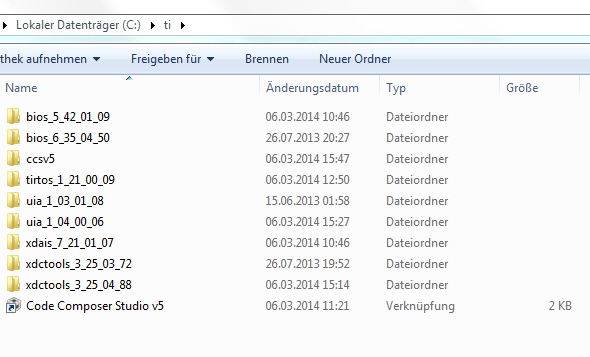
I have the CCStudio V5.5.0.00077 reinstalled
RTOS 1.21.00.09 download ind install
UIA reinstalled 1.04.00.06
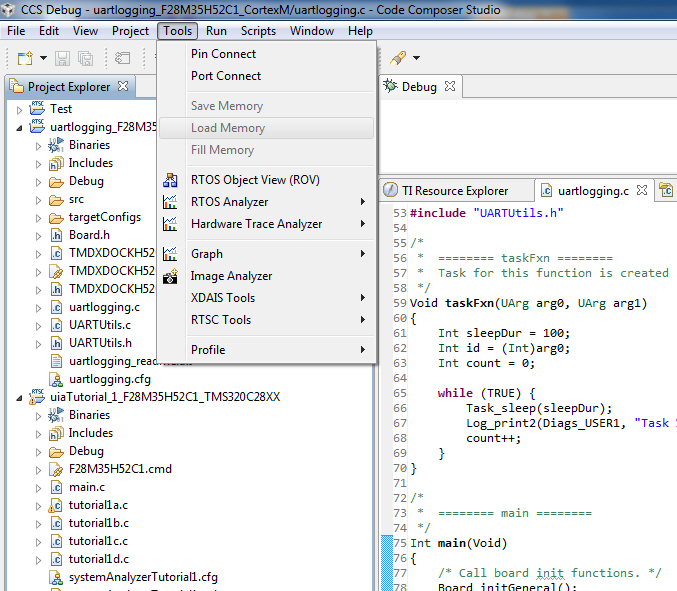
but no System Analyzer in the debug view? !
I use Windows 7 64bit and would like to work with a C2000 Concerto F28M35H52C1 and bring the System Analyzer with RTOS to run - but unfortunately nothing is running, as described in documentaries and videos.

  Thank you for your help
  • Hello,

    There is a known issue where System Analyzer does not get installed if you do a custom install instead of a full install (installing for all families). I assume you dud a custom install just to get the components needed for Concerto. The workaround is to do a full install but we are investigating a patch update to help resolve this without having to install everything. This issue is fix in CCSv6.

    Thanks

    ki

  • Following up on Ki's response. CCS 5.5 installer does not install System Analyzer if doing a custom install and installing only one or a combination of the following processor architectures:

    • MSP430 Low Power MCUs
    • C28x 32-bit Real-Time MCUs
    • C5000 Ultra Low Power DSP

    To get System Analyzer to install you must also select at least one Processor Architecture not in the list above.

    If you have a CCS install with this issue you can apply the following patch instead or re-insalling CCS to get System Analyzer:

    1. From CCS->Help->Install New Software, Select "Add..".
    2. Enter any "Name" and the following "Location": http://software-dl.ti.com/ccs/non-esd/dvt/ccs5.5
    3. Select DVT from list of available software and navigate through the dialog to install
    4. When requested to Restart Code Composer Studio, select OK to do so
    5. Depending on your installation you may see an error after the above step  (“An error has occurred. See error log for more details. Com/ti/dvt/util/logging/DvtLog”). If this occurs then please use Task Manager to kill CCStudio
    6. After restarting CCStudio System Analyzer will be available

    Regards,

    Imtaz.