This thread has been locked.

If you have a related question, please click the "Ask a related question" button in the top right corner. The newly created question will be automatically linked to this question.

Problem Adding Starterware Libraries for c6748lcdk

Hello,

I'm having a problem with adding libraries to a project.  I'm new to CCS, so I'm trying to replicate an example project provided through Starterware in build.  The project links it libraries in the following way
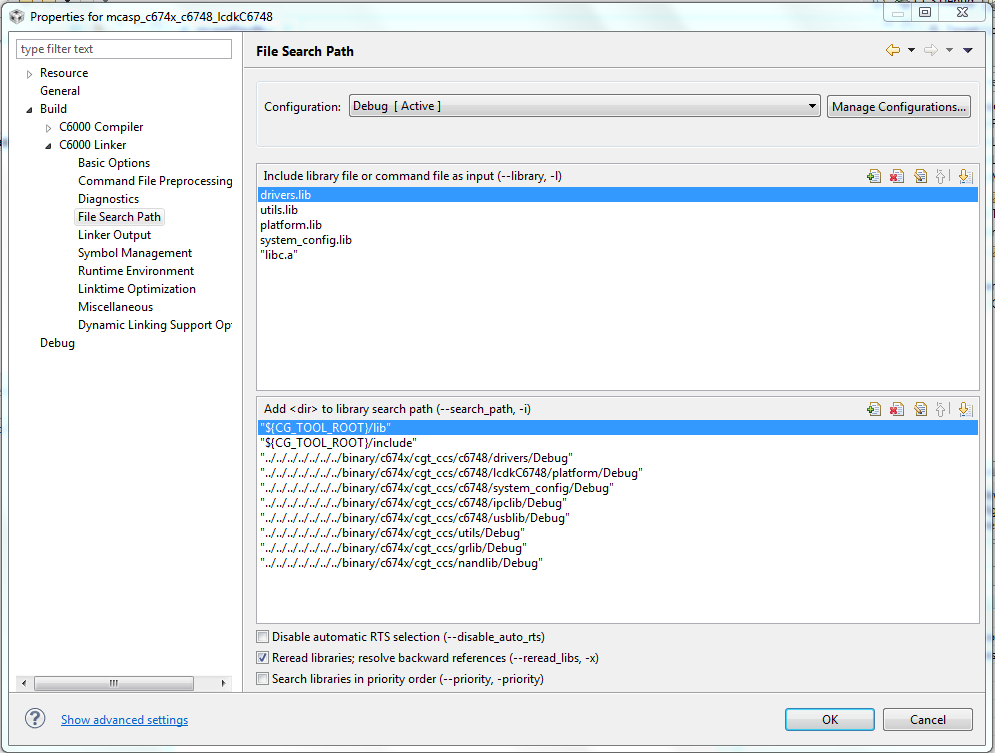
Here is my implementation in my project
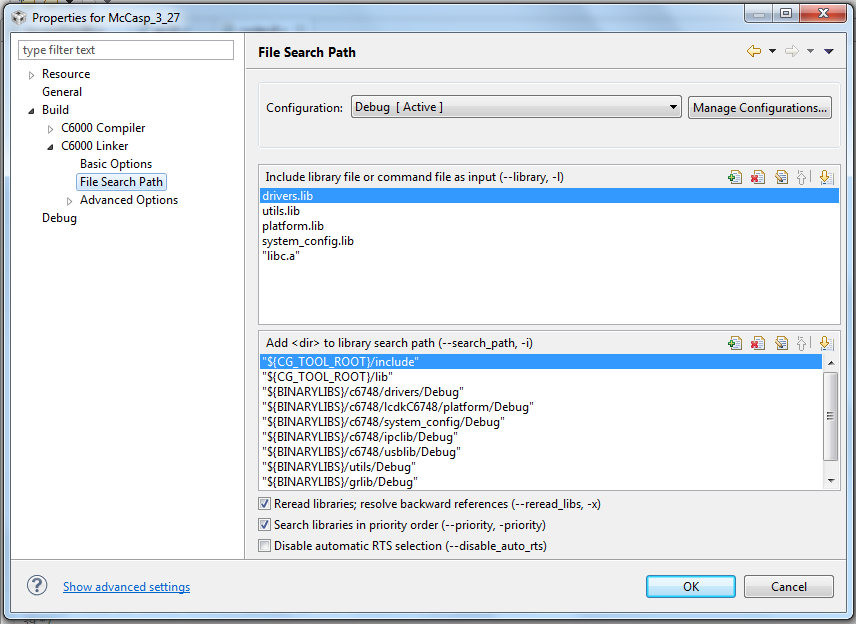
I was confused by all the "../../../"s, so I created a path variable named "BINARYLIBS", as each path stems from "C6748_StarterWare_1_20_03_03\binary\c674x\cgt_ccs".  After replicating the File Search Path with just that change, I am still getting the classic "unresolved symbol _" errors, which refer to every function called in the code.  I thought that the libraries I included would have contained these functions, but perhaps I am wrong?  The other way that I've found success in eliminating that error, is to hunt down every .c file relating to that function, and put it in the Project folder, but that's pretty tedious, and I know it isn't the correct way to do this. 

Specifically, I am trying to recreate the project in "C6748_StarterWare_1_20_03_03\build\c674x\cgt_ccs\c6748\lcdkC6748\mcasp". 

Any help would be much appreciated.

Here is the exact console errors that I'm getting
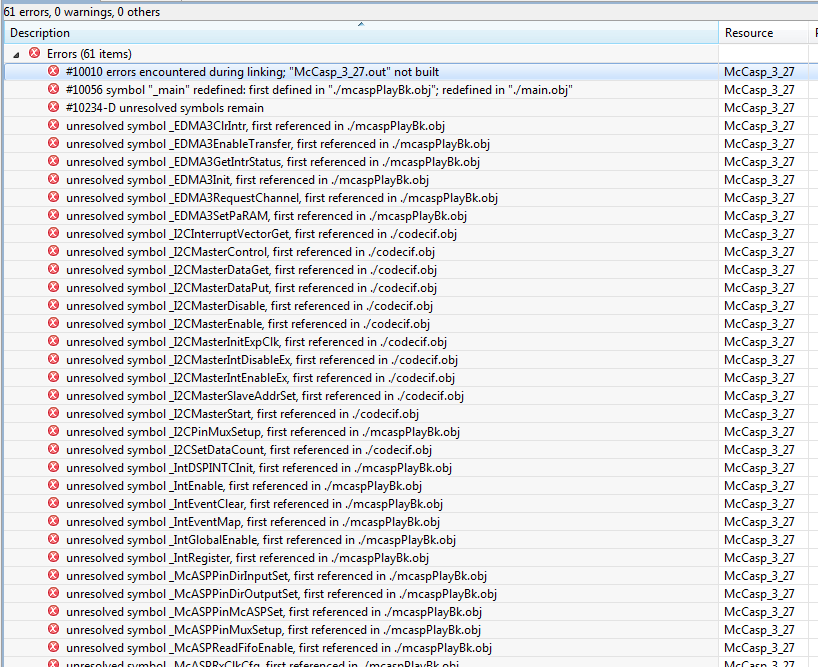
And the list goes on...

Again, because I am new to CCS, the point of this exercise is simply to make sure that I can build a project from scratch and generate a .out file on my own.

Another warning that I've seen several times when attempting to build is


#10373-D library "C:/Program Files/Texas Instruments/pdk_C6748_2_0_0_0/C6748_StarterWare_1_20_03_03/binary/c674x/cgt_ccs/c6748/drivers/Debug/drivers.lib" contains ELF object files which are incompatible with the TI-COFF output file.  Ensure you are using the proper library.

This happens when I uncheck the "seach libraries in priority order" box in the file search path window.

Help would be very much appreciated.

Thanks,

Austin

  • Austin,

    CCS and build tools are supported in the Code Composer Forum. This Single Core DSP Forum is for hardware questions. This time, I will ask a Moderator to move this thread to the Code Composer Forum. It is confusing, but the people there know the tools a lot better.

    I can tell from one of your first errors that you have main() defined in two places. This is probably because you copied in the example program in its entirety and also have your own main function. That does not work. You most likely will want to get rid of yours and work with the copy of the original.

    The examples were designed to be built and run in-place. The ..\ links work that way. You can make it work in a copy, but there will be issues and there will be problems.

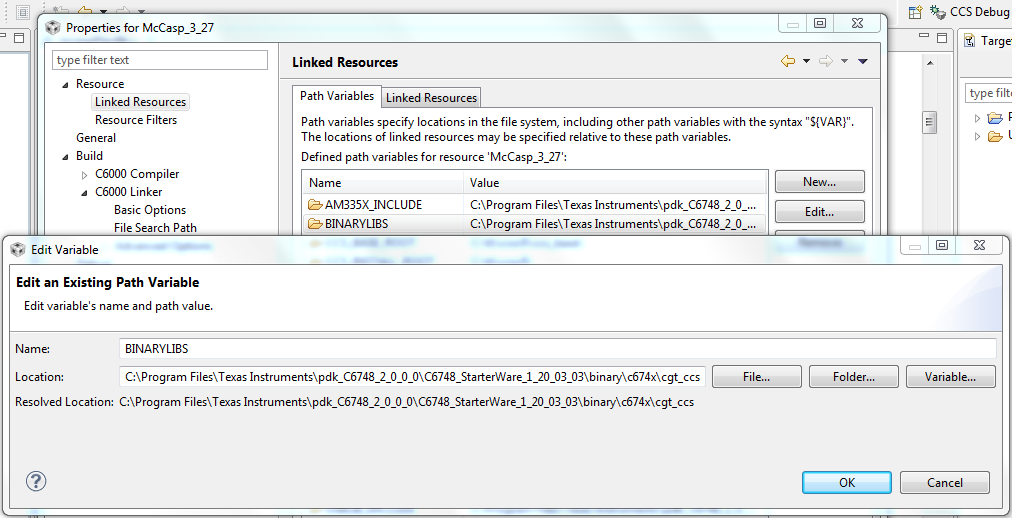
    How did you implement your BINARYLIBS variable?

    Your BINARYLIBS variable is either implemented wrong or has the wrong value. These symbols would be found if the right path were given and the right name were given. Try editing one or all with full discrete paths in the search path window, then try to link again and see what it gives you.

    What do you see in the console output from the linker? Does it show the full path that is used or the BINARYLIBS variable name? This might help figure out where it is trying to find your libraries.

    Regards,
    RandyP

  • RandyP,


    Thanks for the speedy reply.

    I got rid of my main.c file and the corresponding error went away. Thanks!

    Now for the other erros:

    I implemented the BINARYLIBS variable in the following way

    Basically, I created a Path variable name in the Linked resource section.

    I also tried your suggestion of editing to the full discrete paths in the search path window. This also did not work.


    From the linker in the console output, I see the following warnings for all the libs:

    <Linking>
    warning #10373-D: library "C:/Program Files/Texas Instruments/pdk_C6748_2_0_0_0/C6748_StarterWare_1_20_03_03/binary/c674x/cgt_ccs/c6748/drivers/Debug/drivers.lib" contains ELF object files which are incompatible with the TI-COFF output file.  Ensure you are using the proper library.

    So I think I'm implementing the path variable correctly because it sees the full path in the linker stage.

    Perhaps this warning #10373-D has something to do with it? I'm not sure what the difference is between an ELF object file and a TI-COFF output file.

    Thanks,

    Austin

  • Hello,

    I got the code to compile, but I'm not sure why it worked.

    I changed the option in the General Tab for Output format. I changed it from COFF to ELF as shown below:

    When I did this, the program compiled. I was even able to execute the .out file on my LCDK and get audio to loop through the chip.

    Can someone explain in greater detail what went on here?

    Thanks,

    Austin

  • Austin,

    COFF and ELF are like different languages. You have to pick one and stick with it throughout your project. They do not mix.

    Regards,
    RandyP

  • For more information on COFF and ELF, see:

    http://processors.wiki.ti.com/index.php/A_Brief_History_of_TI_Object_File_Formats

    Note that the above article is a bit dated. ELF is pretty much the default standard now.

    Thanks

    ki

  • Austin,

    RandyP is correct. All object files and libraries in a project need to be the same format - COFF or ELF (EABI). In this case, it seems the Starterware libaries are in ELF format, hence you need to build your project with that setting as well so all the source files are also built in that format.