This thread has been locked.

If you have a related question, please click the "Ask a related question" button in the top right corner. The newly created question will be automatically linked to this question.

CCSv6 terminal window layout bug

Clicking the "Toggle Input Command Field" button causes the terminal window in CCS6 to look like this:
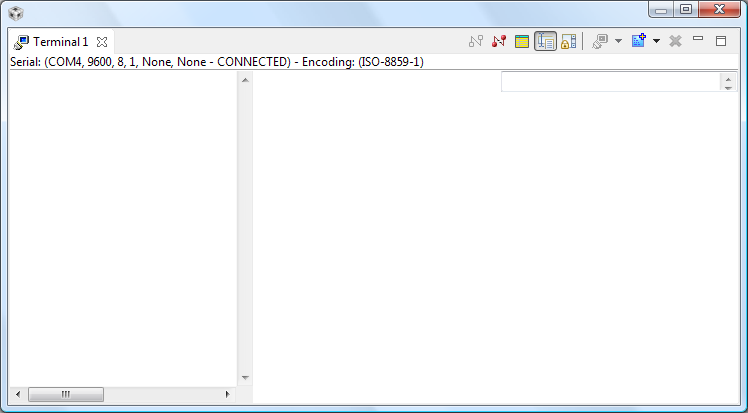
The terminal gets divided up into three equal sections, with the left section displaying incoming serial data, the centre being blank and the right containing the input command field at the top.

In CCS5.4 the main terminal display and input command field just stacked vertically, using the full width of the terminal window.

I tried to search SDOWP but didn't find a bug relating to this. Is it a known issue?

  • Hi,

    This is an open source Eclipse component (part of the Target Management project) and therefore we don't have much power to fix bugs on it.

    However, I found out on their project page that release 3.6M4 (a milestone release) has this bug fixed:

    In this case, you can potentially add the update site of this project to your CCS and give it a try. To do this, go to the menu Help --> Install New software, then click on the top right link "Available Software Sites", add a new software site and type the parameters shown at the top of the screenshot below (the Work with box). Then select the two components as shown:

    I did not do a thorough test on the terminal, but it worked fine with my BeagleBone. Use it at your own risk.

    Hope this helps,

    Rafael


  • Thanks Rafael, I'll give it a try.

  • Hi,
    Can someone please help, I am getting an ownership issue when i am trying to launch terminal in CCS v6.

    thanks & Regards
    Rohan