This thread has been locked.

If you have a related question, please click the "Ask a related question" button in the top right corner. The newly created question will be automatically linked to this question.

CCS 5.5 Arm Cortex M3 Software download not possible

Other Parts Discussed in Thread: EK-EVALBOT

I use CCS 5.5.0.00077, Widows 8.1. CPU is LM3S9B92. ARM Compiler TI V5.1.1

Problem happen with Emulator Blackhawk BH-USB-100V2-ARM and also with Stellaris In Circuit Debug Interface (comes together with starter kit for LM3S9B96)

When I start a debug session, the system download the code to the CPU. No error message. Everthing seems to work fine. But in reality there is no valid code in the processor. This happen with both emulator. The old code seems not to be deleted and updated with the new code. So depend of change in SW a debug session is possible or not. Debug wirks, if only a constant is changed, so the new code is on the same possition linked, like the old software , which is still programmed in the flash of CPU. But if there is a real new code a debug is not possible, because the debugger is confused, because source code of CCS and the flash code in the CPU is not the same.

I found a work arround. If I do these steps I can debug the code:

- Compile the software with CCS and generate a bin File

- Download the bin File with LM Flash Programmer (works only with Stellaris in circuit emulator)

- Start debug session with CCS. (CCS download with no effect, an start the normal debugger)

- Debug the code with CCS

Where is the problem? 2 years back I used for the same project an older CCS Version (5.1 or 5.3) At this time I had no problem to work with CCS. Now I have the problem with CCS 5.5 without any change of the project 2 years back. The project and the settings are from the working CCS5.1. I changed nothing in the settings.

Hope for help

Franz Boeni

  • Hi Franz,

    do you see this on all projects you try with v5.5?   Or if you run an example do you not see this happen.   How did you:

    - update ccs

    - import your projects

    - enter debug

    Best regards,
    Lisa

  • Dear Lisa

    Thank you for fast replay.

    With 280x and 2803x I can work fine. But there I use a Signum Jtag Jet-CCS. I have no other CCS projects.

    ARM: I tried a complete new project. (Hello world sample) I had exact the same problems.

    Also if I create a new project with my B92 application I ends on the same problems.

    I installed CCS 5.5 complete new. Result before and after is the same.

    Also on my Laptop (3 weeks old complete new installation of Windows 7 Pro and all programs) if meet the same problems. But on my Laptop I only tried my application which I imported from CCS5.1 or 5.3. On my Laptop als the 280x and 2803x works fine.

    Best regards Franz

  • Hi Franz,

         Are you using the LM3S9B92 kit? I believe your problem is just compiler settings as you are now using CCS5.5. 

         Try importing to your CCS 5.5 know working example programs from Stellarisware and see if you are able to debug without problems. Just to be sure, do complete erase first using LM Flash Programmer.

    - kel

  • Dear kel

    I use my own hardware. With this hardware it worked with the older CCS version. It works perfect.

    I tried with CCS 5.5 on the LM3S9B92 kit. It happens exact the same problem.

    My application which I developped 2 years back is running well. I used this old application without change for my trials with CCS 5.5. My application is working fine for 2 years and I have same problem with Hello world application (Stellarisware example). So I'm sure it is not a problem comming from source code.

    Also if I compile my application software with CCS5.5 and if I make the download with LM flasher, the application is working perfect. Also if I use the serial downloader from Stellaris I can download, and then also the software is working fine in all cases. So I'm sure it is not a Compiler problem. I my opinion it is a problem from CCS built in flasher. (Basic problem or setting: Setting is all default.) During download CCS flasher shows no visual error and the handling is normal, but the result in the flash is wrong. I can see the download on the screen like it would work well. All Winowos messages are like it would work. Same also with Blackhawk Emulator!!

    I only see the problem, if I change in the source code some real things. Like the call of routine. Then the linker put the code on different position. If the machine code stays on the same position, I cannot detect any problem!

    My problem is: I cannot download the software with CCS 5.5. Then the content of flash is not equal to the source code. And then I cannot debug the software. Then the debugger is confused and jumps in single step in a random way. (I think this is comming the old SW which CCS is not able to update.

    Hope you will have some good ideas.

    Franz

  • Dera all

    If I erase the application with LM Flash programmer, and then I try to make the downolad with CCS 5.5 I have no running application in the flash. The debugger is on Address: 0x1001986.

    It must be real a problem of CCS download.

    Franz

  • Hi Franz,

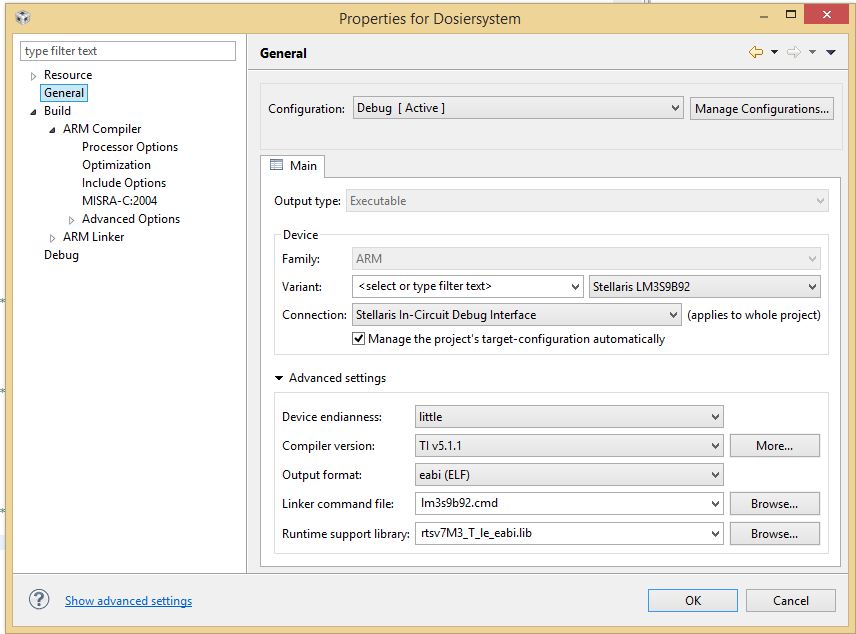
         At your CCS project properties what is your compiler version and see if the correct device type is set?

    - kel

  • Hi Franz,

    I spoke with a colleague and it appears we have seen similar scenarios when something on the JTAG communications channel makes the emulator believe it is connected to the device but in fact it is not (thus the appearance of not being connected at all).


    The fact you are using a Stellaris M3 makes me think of section 3 of the wiki page below, where some of their boards did not have the RTCK routed back to the TCK pins, which can potentially cause this.

    http://processors.wiki.ti.com/index.php/JTAG_configuration_for_CCS_and_Stellaris


    Despite in principle the page above is applicable to XDS510 emulators, I don’t know if this affects the XDS100 with an ARM connector.


    Can you consider this and keep us informed whether it might apply?

    Best Regards,
    Lisa

  • Hi Lisa

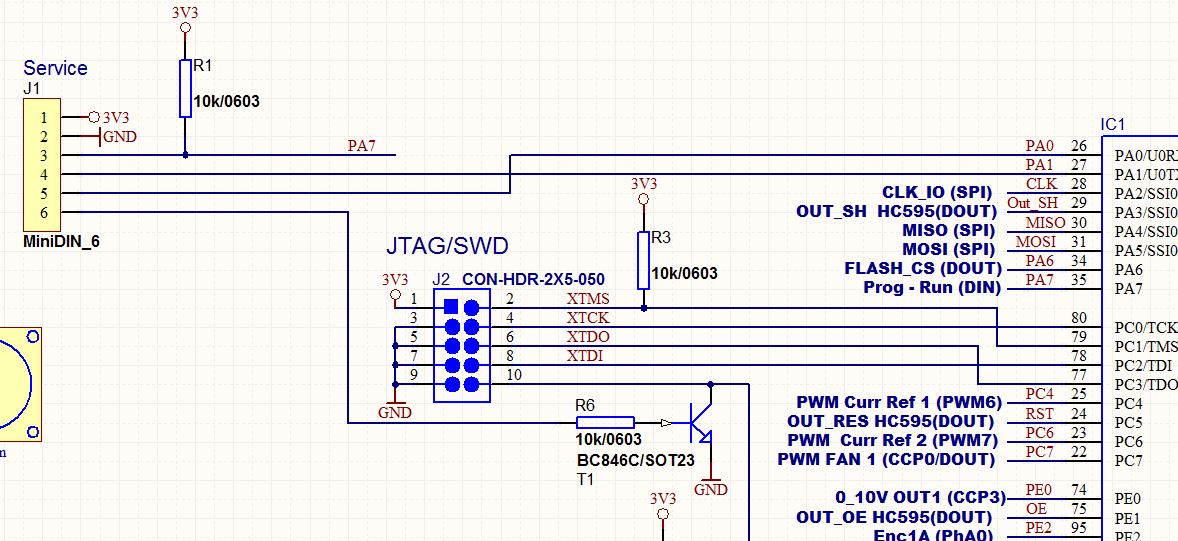
    My emualtors have the 10 Pin 1.27mm Connctor for ARM. For the C2000 family I use a different emulator with 14 Pin Connector.

    This is schematic of my board.

    But I have exact same problems with Stellaris Eval Board LM3S9B92. And with the older CCS I was able to work exact with the same schematic. Same problem happen with 2 different emulators.

    I think it must be a problem of CCS or driver or something with compatibility or only setting. Both emulators are older than 2 years. The very strange thing is: Everythings seems like to work. No error message nothing. But the content of flash in the CPU is not updated. Why is no error message? And the connection to emulator works. LM Flash programmer can program, and CCS can debug if the content in the flash is the same like in the CCS. So hardware works. It is only the software in CCS which have the problem.

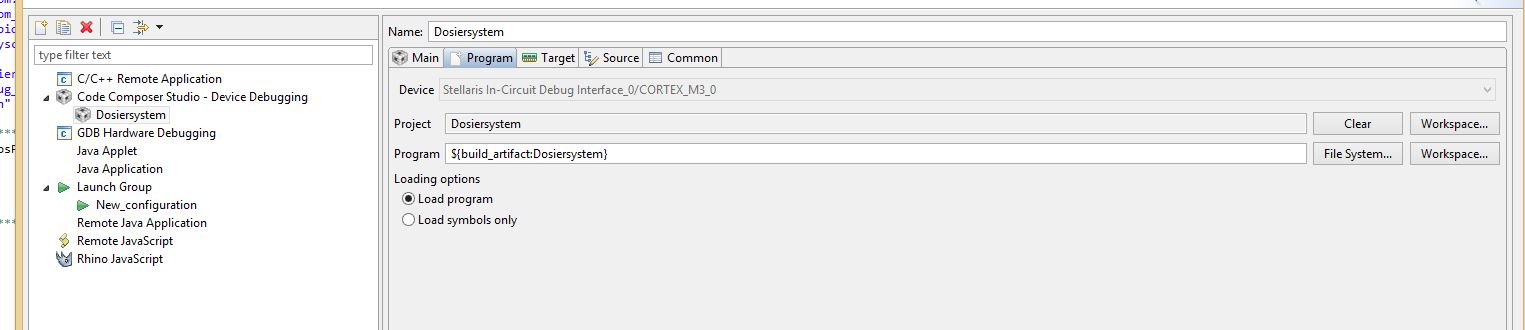
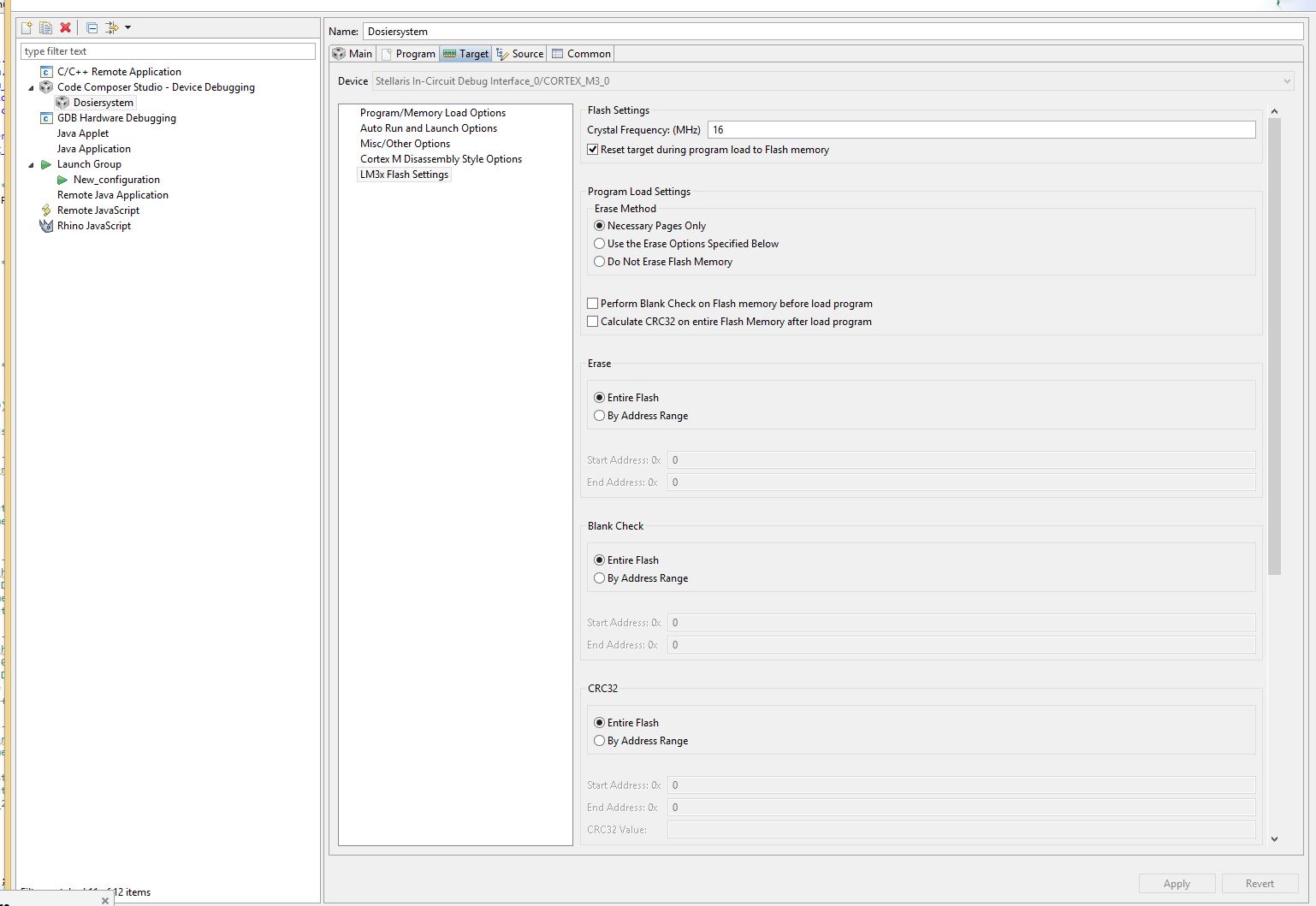
    Here some settings:

    Best regards Franz

  • Franz Boeni said:
    think it must be a problem of CCS or driver or something with compatibility or only setting. Both emulators are older than 2 years. The very strange thing is: Everythings seems like to work. No error message nothing. But the content of flash in the CPU is not updated. Why is no error message?

    I am not sure why CCS doesn't update the context of flash - since your settings show that Loading Options is "Load program".

    Some ideas of how to investigate:

    1) Under LM3s Flash Settings tick the "Enable Verbose Output" option and then post the output of the CCS console when trying to perform a software download. That should report which flash sectors CCS is trying to erase / program.

    2) Enable Debug Server Logging as per http://processors.wiki.ti.com/index.php/Troubleshooting_CCSv5#Debug_Server_Logging and post the load file when trying to perform a software download.

  • Here is the output if 'Enable Verbose Output'

    This seems to be ok. But it is not ok. Because when I start the debugger I have still the old programm running. The Flash is not updated. In single step he jumps very wild from position to position not according the code.

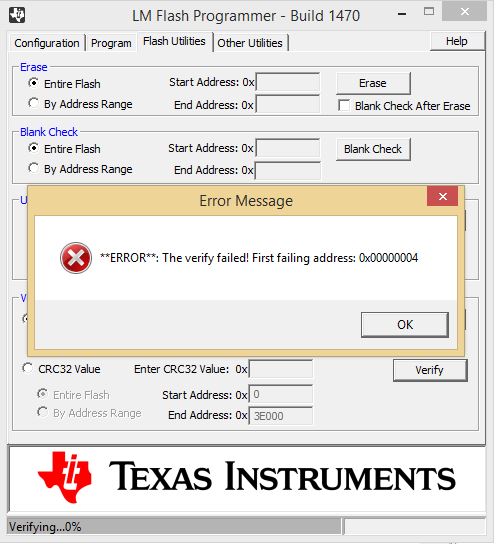
    And the LM Flash Programmer proofs it: If I verify the Flash of CPU, then the LM Flash Programmer shows an error:

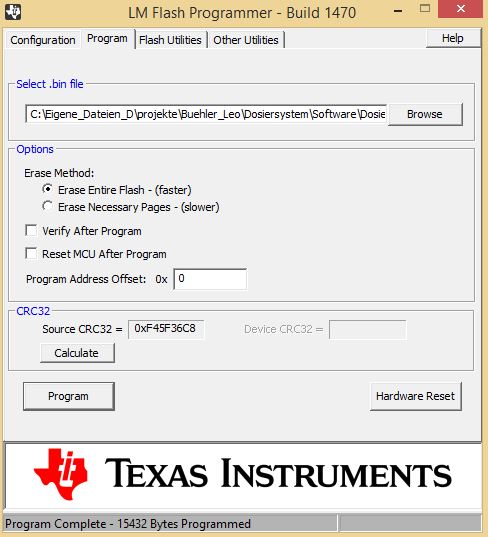
    Now I update the flash with LM Flash programmer:

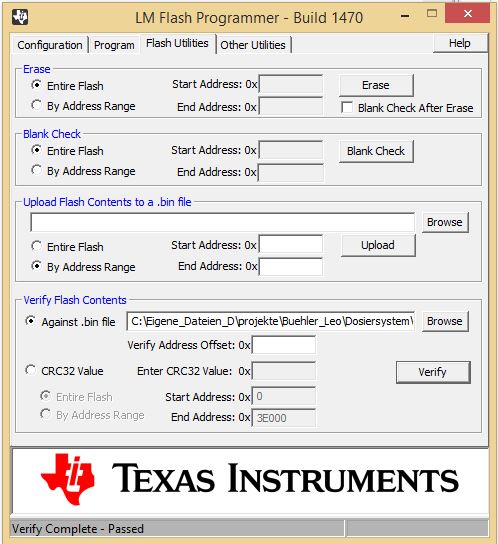
    Now is the flash updated.

    Now is in the Flash what I have in my CCS5.5 project.

    Now I can start a debug session. I press the debug button. As I told you many times, now he is virtual downloading (no effect on flash). But after that I can debug my source code like normal.

    The problem is real, the CCS cannot update the flash (my hardware and also your starter kit). Only under use of the LM flash programmer I can debug. To find out this took me more than 2 days because i had no idea why all these very strange things happen. I was confused.

    And I have 2 CCS5.5 installations (PC and my Laptop) with same effect. I have 2 different emulator with same effect.. I have 2 different target hardware with same effect. With an older CCS installation all the problem material was working without any problem. I changed no setting nothing. Only the software version is not anymore the same. But I cannot install the older CCS, because the installation program told me, that is not anymore running und my 64.Bit Windows 8.1. That is the reason I cannot try with the older working CCS. So we have to find a solution on CCS 5.x or CCS6.x. But with CCS 6.x maybe we open the next pandora's box.

    I hope you understand my problem, and can do the same thing (Starter Kit B92 with the emulator of this kit). But please try with real different SW where the linker has complete different position of code. Only then you can detect the problem quickly.

    Hope you will have a next idea.

    Best regards

    Franz

  • Franz Boeni said:
    I hope you understand my problem, and can do the same thing (Starter Kit B92 with the emulator of this kit). But please try with real different SW where the linker has complete different position of code. Only then you can detect the problem quickly.

    I understand your problem, but I don't understand what is causing it (I can't recall a previous problem where the same symptoms).

    I don't have a Starter Kit B92, so tested using a EK-EVALBOT with a LM3S9B92. CCS v5.5.00077 was tested on two PCs:

    - Windows 8.1 64-bit with the latest CCS 5.5 updates - TI Emulators version 5.1.507.1

    - Windows 7 64-bit with a fresh CCS 5.5 install - TI Emulators version 5.1.232.0

    On both PCs was able to switch between two different programs being downloaded, with the correct program downloaded into flash.

    Franz Boeni said:
    Hope you will have a next idea.

    1) Can you try enabling Debug Server Logging as per http://processors.wiki.ti.com/index.php/Troubleshooting_CCSv5#Debug_Server_Logging and attach the log file.

    2) Can you zip up and attach the example ARM 'Hello World' project which you said previously demonstrated the problem, so we can check  the project and target configuration properties.

  • 3247.Buehler_Dosiersystem.zip

    2742.file.zip

    Dear all

    Attached you find the Hello world project and the Log File in Zip Format.

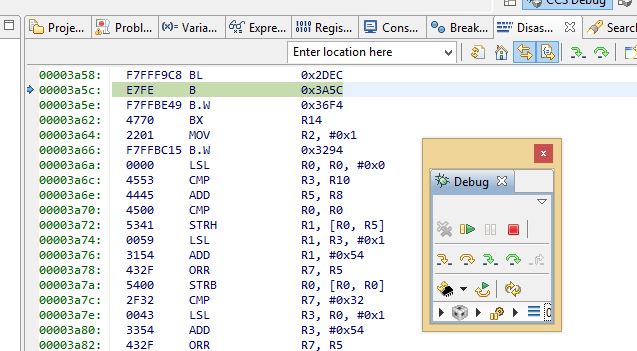
    The error happened as I told you before. But this time, after download (start debug)  the execution of program startet without any additional click. When I press Pause I find the program on address: 0x3a5c.

    When I make a reset on the processor. The old program (which was programmed before 'Hello World') is start running.

  • Franz Boeni said:
    The error happened as I told you before.

    While searching the forum came across a thread which describes what sounds like the same problem  - see Flashing ARM does not work anymore after update to CCS5.5. That thread has an updated FlashStellaris.dll which may solve your problem.

  • Thank you.

    With the new FlashStellaris.dll it works perfect.

    For your information: In your newest download of CCS 5.5 you collect the dll with error.