This thread has been locked.

If you have a related question, please click the "Ask a related question" button in the top right corner. The newly created question will be automatically linked to this question.

CCS V5 Problem Installing New Software

Hi,

Today I wanted to install new Code Generation Tools for ARM (V5.1.7) in my CCS V5 (5.5.0.00077).

As often seen with CCS this did not work.

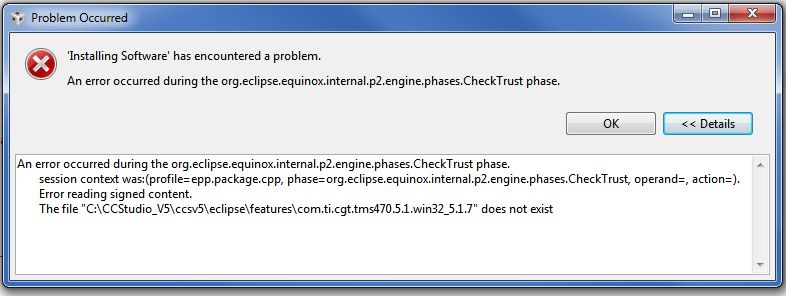
I get the following error message:
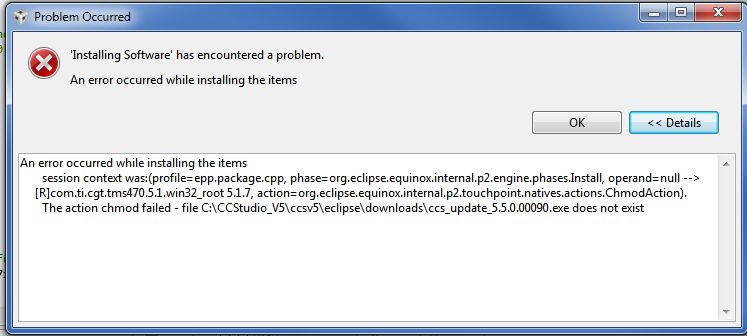
Any ideas why this software looks for a file "ccs_update_5.5.0.00090.exe"?

And please do not tell me to uninstall and install again.

Thanks,
Patrick

  • Patrick,

    This is tricky, because the install instructions for arm 5.1.7 don't contain any chmod statements.  Were you installing/updating more than one component? Could you try the following:

    Shutdown CCS

    Delete the cache folder in install directory ->ccsv5\eclipse\p2\org.eclipse.equinox.p2.core 

    Delete the cache folder in install directory ->ccsv5\eclipse\p2\org.eclipse.equinox.p2.repository 

    Restart CCS and only select the arm 5.1.7 code gen tools for update.

    Thanks,

    Danish

  • Hi Danish,

    I did what you said and I have also run CCS V5 with the "-clean" option.

    No I get the following error:

    Firewall and Anti-Virus is deactivated.

    Thanks,
    Patrick

  • Hi Danish,

    Any news on this topic. I'm still not able to install ARM Code Generation Tools.

    Regards,
    Patrick