hi,
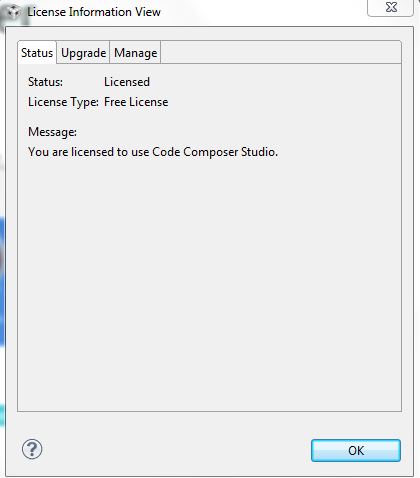
I installed ccs6,but when I check the "free_licence",
like:
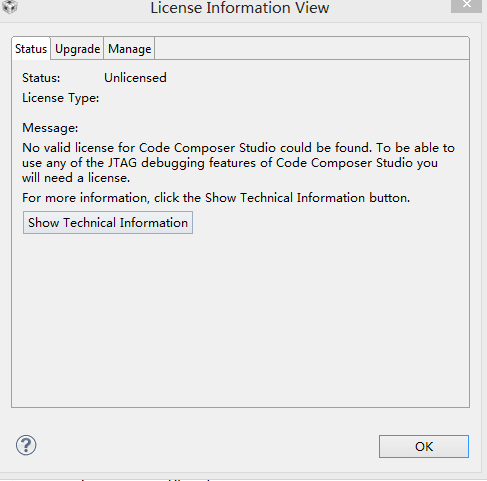
but, when I run ccs6. it is show :
I don't know why .
when I use ccs5, I optioned same way . but this time it is wrong,
This thread has been locked.
If you have a related question, please click the "Ask a related question" button in the top right corner. The newly created question will be automatically linked to this question.
hi,
I installed ccs6,but when I check the "free_licence",
like:
but, when I run ccs6. it is show :
I don't know why .
when I use ccs5, I optioned same way . but this time it is wrong,
HI: Gautam:
do you mean my CCS5'S license? I don't know , I am free license .
I have no idea.!
CCS6, it is just run first time. when I first run, it was show that information .
best regard..!
It seems like CCS copy has been corrupted. Can you try re-installing? Activating a Free-license is a very easy task.
Regards,
Gautam
I will try again , by the way ,my windows is win8. is that ok for ccs6?
yanzhengfu
best regards!
yanzhen fu said:I will try again , by the way ,my windows is win8. is that ok for ccs6?
Yup, no problem at all. They're very well compatible.
Regards,
Gautam
yanzhengFu,
I am sorry to hear you are having trouble with the tool.
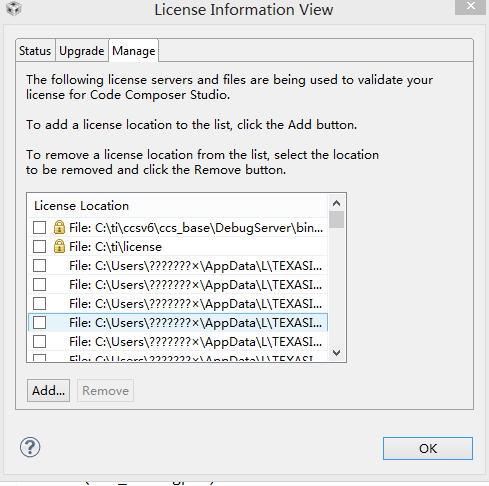
I think the issue is being caused by the path with special characters to your User area. As you can see from the screenshot you sent, the path to the license file has several question marks (C:\Users\???????x\AppData...)
Can you try to create a user without special characters and launch CCS on this environment? This should help with this and several other issues already reported on this.
If you search for "special characters" on this forum you will see several problems reported by customers, such as:
http://e2e.ti.com/support/development_tools/code_composer_studio/f/81/p/296983/1036939.aspx#1036939
http://e2e.ti.com/support/development_tools/code_composer_studio/f/81/p/74452/270750.aspx#270750
Hope this helps,
Rafael
HI:Rafael,
thanks ,
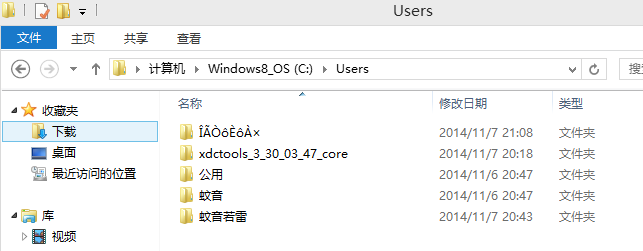
but in my "c:\User\..." there were automated create a special char path. when I deleted it .and run CCS6 again . it was showed again !
that time I turn off all of anti-virus software . but it is still create special chars:
My computer has MacFree anti-virus software. but I uninstalled it . and restart windows again . that is still this problem...
I don't know why . and before this , I have use ccs5 , that was ok . this time , I install Windows8 again . and CCS5 is failed to run . ccs6 is failed to run . ....
god . how could I be !!!!
yanzhengFu,
I suspect the directory is being re-created because CCSv6 is referencing it. I will try to guide you in solving the problem with the license file, but I suspect other issues may arise after this one is solved.
Does the directory with special characters contain a file named <TI_CCS_Free_License.lic>? If so, the license is being properly created but not accessed by CCS.
In this case, the first thing I would try is to remove the entries that point to the invalid directory from inside CCS. To do that, go to the same screen you showed before:
yanzhen fu said:
Then select the checkbox on the left side of each license entry and click on "Remove" (the two top entries are locked and cannot be removed). Then close CCS.
The license file <TI_CCS_Free_License.lic> will still be in the original location in your hard drive. Open a Windows Explorer (or another File manager of your preference) and go to the location of this file (C:\Users\ÎÃÒôÈôÀx\AppData\...).
Copy this file and paste it into one of the directories not excluded from the picture above - I would choose C:\ti\license (if it does not exist, create this directory and CCS will pick this file automatically for you).
Restart CCS. It should not have trouble with the license anymore.
Hope this helps,
Rafael