This thread has been locked.

If you have a related question, please click the "Ask a related question" button in the top right corner. The newly created question will be automatically linked to this question.

Source not found error at run time in CCS

Other Parts Discussed in Thread: MSP430F2410

I have CCS(V 6.0.1.00040) project code for MSP430F2410 MCU.

I can able to build the code. 

During debug session it start running automatically and it doesn't come to main.

When i pause it says the below error.

====================

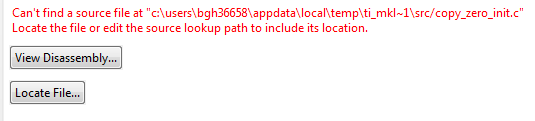
Can't find a source file at "c:\users\bgh36658\appdata\local\temp\ti_mkl~1\src/copy_zero_init.c"
Locate the file or edit the source lookup path to include its location.

====================
Also i enabled below as per below threads but it doesn't help

http://e2e.ti.com/support/development_tools/code_composer_studio/f/81/t/293874.aspx

http://e2e.ti.com/support/development_tools/code_composer_studio/f/81/t/247877.aspx

Cinit hold wdt.PNG

If i run a simple hello world code it runs perfect and control comes to main.

How to solve this issue?

  • The routine you are halted in is part of the C startup code and the most common reason for this to happen is the watchdog timeout during startup. Turning on the option --cinit_hold_wdt should take care of that though, so I am not sure what else could be the reason.  

    You could try stepping through the startup routine to see if it gives clues as to where the code is getting stuck. For that you need to extract the runtime source files first and when you are debugging in CCS, click on "Locate File" and point to the extracted source file. See this post for where to look for the runtime sources.